

AnotherMonitor monitors and records the CPU and memory usage of Android devices.
.
Warning for Android 7.0+ users
Due to undocumented changes made by Google, on Android 7.0 (August 2016) CPU usage information for processes others than the own AnotherMonitor one will not be available (not even with root access). Rest of the app will work normally. For devices with Android 8.0 (August 2017) AnotherMonitor will not even show the CPU usage of the own app process. Read the below Retriving processes info since Android 7.0 for more info.
The app is released on Google Play: https://play.google.com/store/apps/details?id=org.anothermonitor.
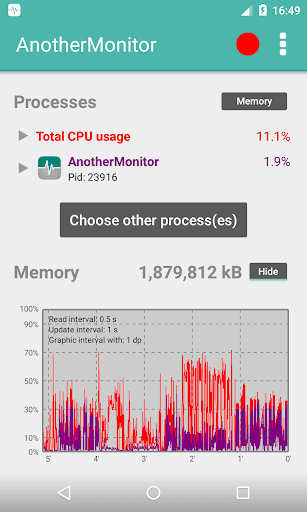
AnotherMonitor shows the device CPU and memory status in real time.
It has two main options:
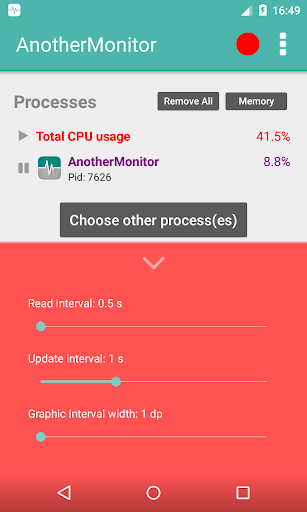
- It shows a chart and several labels wherein the values of the CPU and memory usage are updated every 0.5, 1, 2 or 4 seconds.
- It can record on a CSV file the read values for a later usage on a spreadsheet program.
When AnotherMonitor is running on the background it consumes little resources. Then it can monitor and record the CPU and memory usage of other applications on the foreground.
AnotherMonitor adds a Record and Close button to the AnotherMonitor entry on the notification drawer.
In order to get the CPU usage the app does NOT make use of the top command from Linux but instead it parses /proc/stat and rest of process folders from the procfs file system and work out the calculations with the user and system time. This is implemented on ServiceReader.class. Find more information about this on Calculating CPU usage of a process in Linux - Stack Overflow.
The app does not support showing values for a specific core in multi-core devices. It will show an average of all the device's cores.
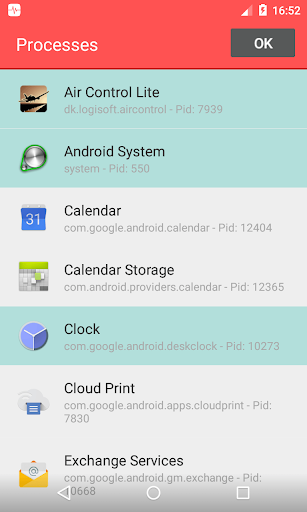
For devices running Android 5.1.1 it is not possible any more to retrieve the processes list with ActivityManager.getRunningAppProcesses(). This change has not been documented anywhere on the official documentation nor an alternative way to retrieve the list has been provided. Thankfully the community at Stack Overflow came out with some satisfying solution. For devices with Android 5.1 AnotherMonitor now uses the unofficial AndroidProcesses library to retrieve the processes list. The drawback of this is that for some processes there is no way to retrieve the app name nor the icon and instead only the long package name is shown.
In Android 7.0 Google once again has made undocumented changes and has significantly restricted access to the proc file system. This means that since this new API level it is not possible anymore to retrieve processes info. AnotherMonitor running on devices with Android 7.0 will only show total CPU usage, AnotherMonitor CPU usage and memory usage, but not CPU usage for other processes. Running the app on a rooted device does not make difference. More info on File system changes in Android Nougat - Stack Overflow. Star this Android issue to push Google to implement an alternative API.
In Android 8.0 Google has further restricted access to the proc file system. Until now it was possible to at least get process info of the process running AnotherMonitor and total CPU usage. This does not work any more. AnotherMonitor running on devices with Android 8.0 will only show memory usage, but not total CPU usage or CPU usage for any process, including the own app process. Running the app on a rooted device does not make difference.
AnotherMonitor only has one external dependency, AndroidProcesses. It is used to retrieve the device processes list and populate the 'Processes' screen.
See the Gradle file for more details.
If you have an awesome pull request no matter whether it's a big or small change, send it over! Your link to your GitHub account will be added below.
AnotherMonitor makes use of the GNU GPL v3.0 license. Remember to make public your project source code when reusing AnotherMonitor code.


