


A Blender user-interface to generate synthetic ground truth data (benchmarks) for Computer Vision applications.


VisionBlender is a synthetic computer vision dataset generator that adds a user interface to Blender, allowing users to generate monocular/stereo video sequences with ground truth maps of depth, disparity, segmentation masks, surface normals, optical flow, object pose, and camera parameters.

To install the addon simply go to Edit > Preferences > Add-on tab > Install an add-on
, then select the file path/to/vision_blender/addon_ground_truth_generation.py and click Install Add-on.
Finally you have to enable the add-on; Search VisionBlender and tick the check-box.
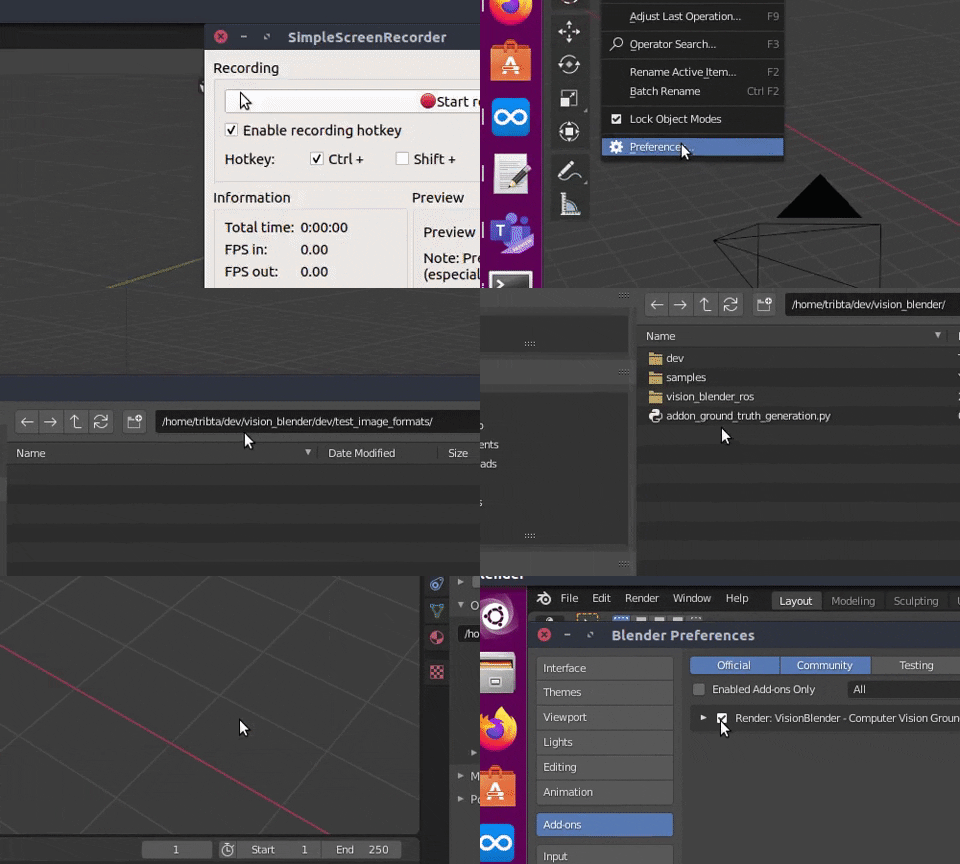
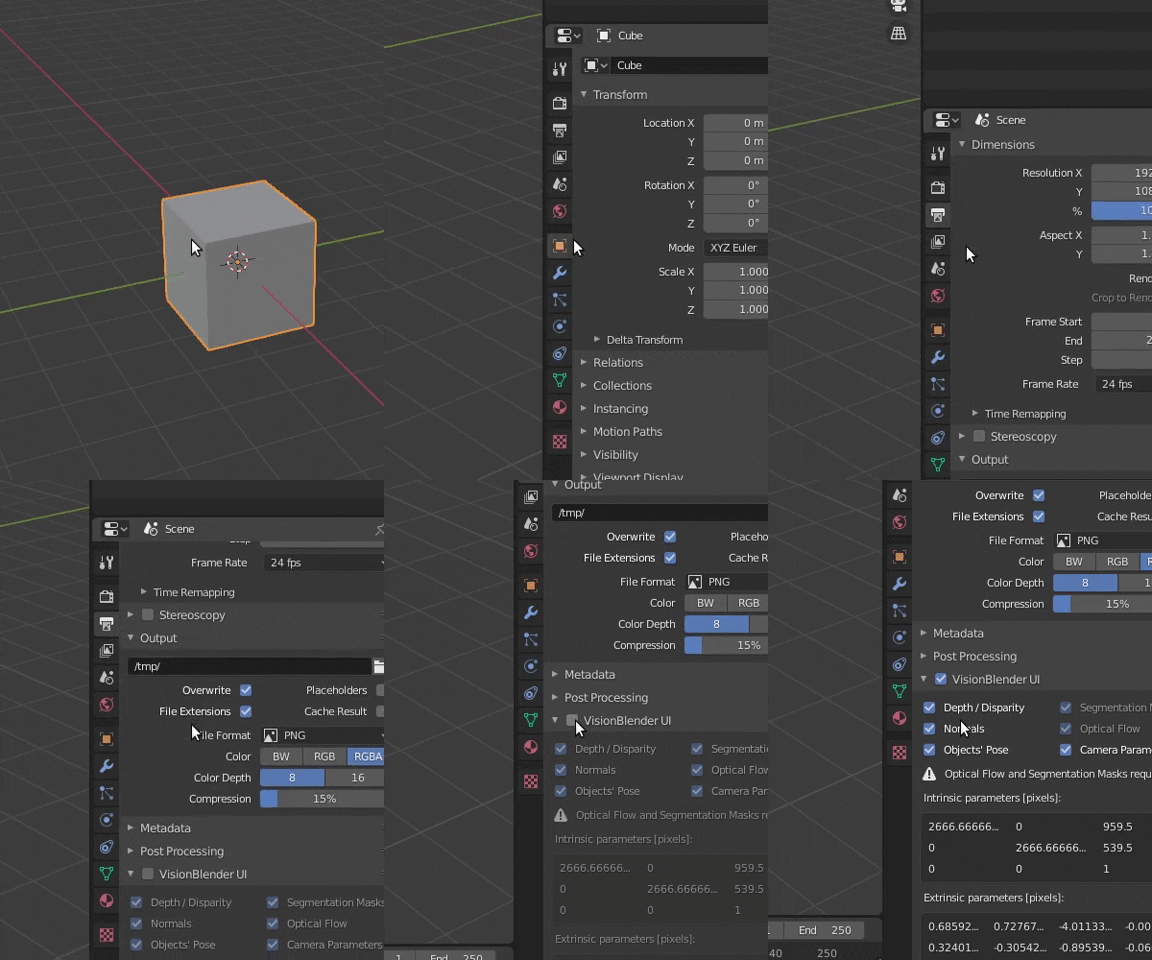
You should now be able to find the VisionBlender UI in the bottom of the Output Properties.
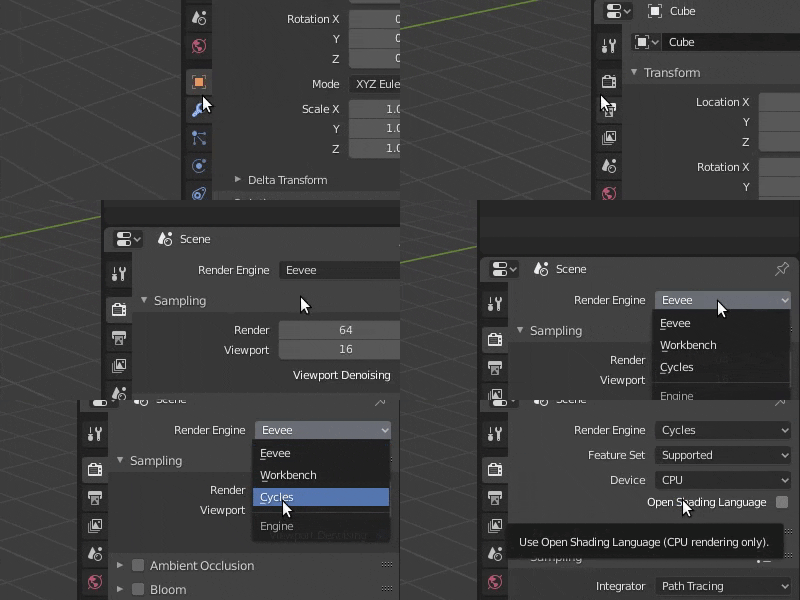
If you want to get ground truth Segmentation masks or Optical flow you need first to set blender to use the Cycles Render Engine. Otherwise, use Eevee (it will be faster!) which is set by default.
To set-up the segmentation masks you need to choose a pass index other than zero (!= 0) for each object:
Object Properties > Relations > Pass Index
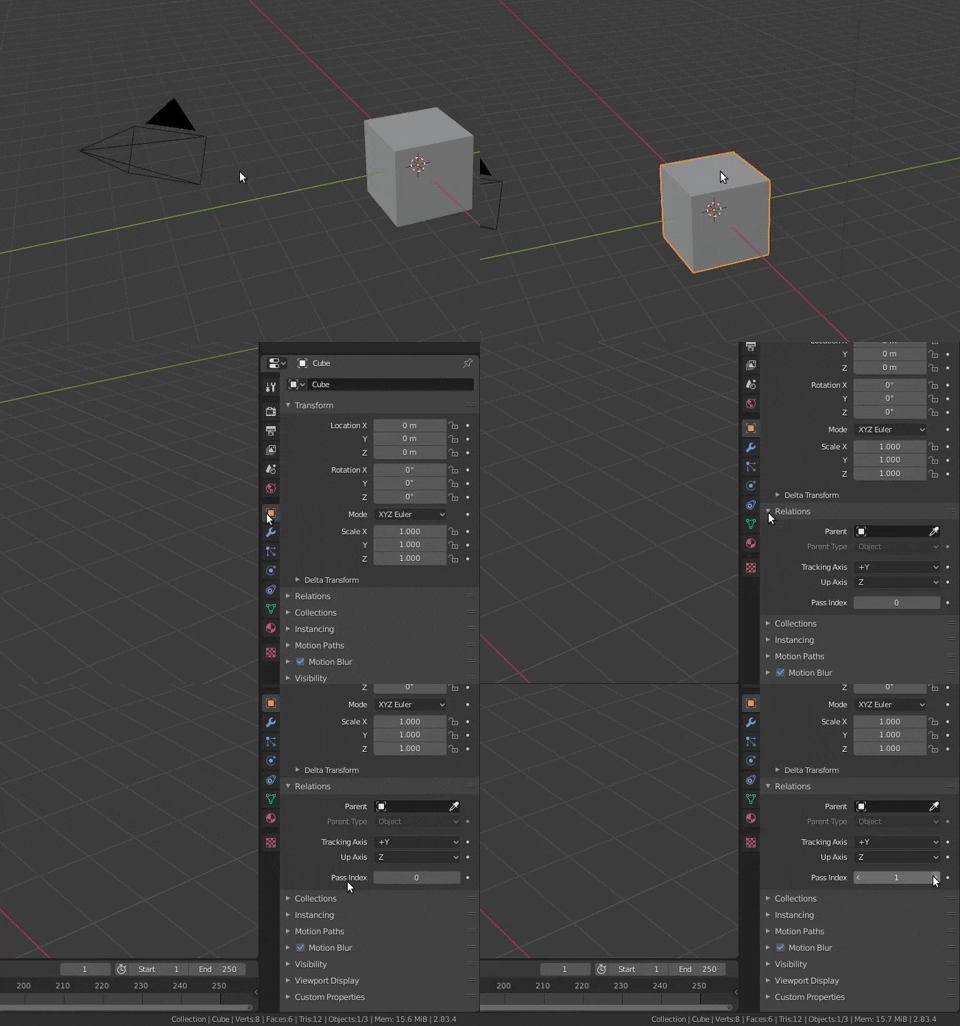
Each integer (e.g., Pass Index = 1) represents a class of objects to be segmented.
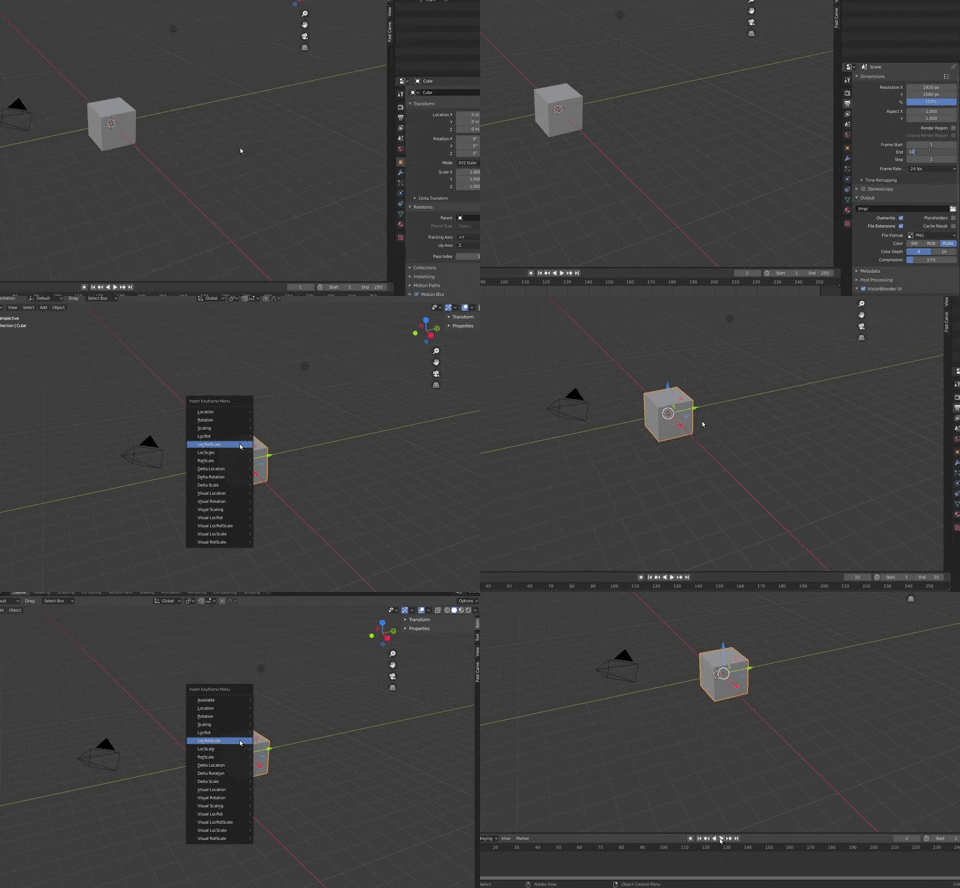
You will only have optical flow if the camera or the objects are moving during an animation. In the following gif, I show you an example of how to move an object between frames:
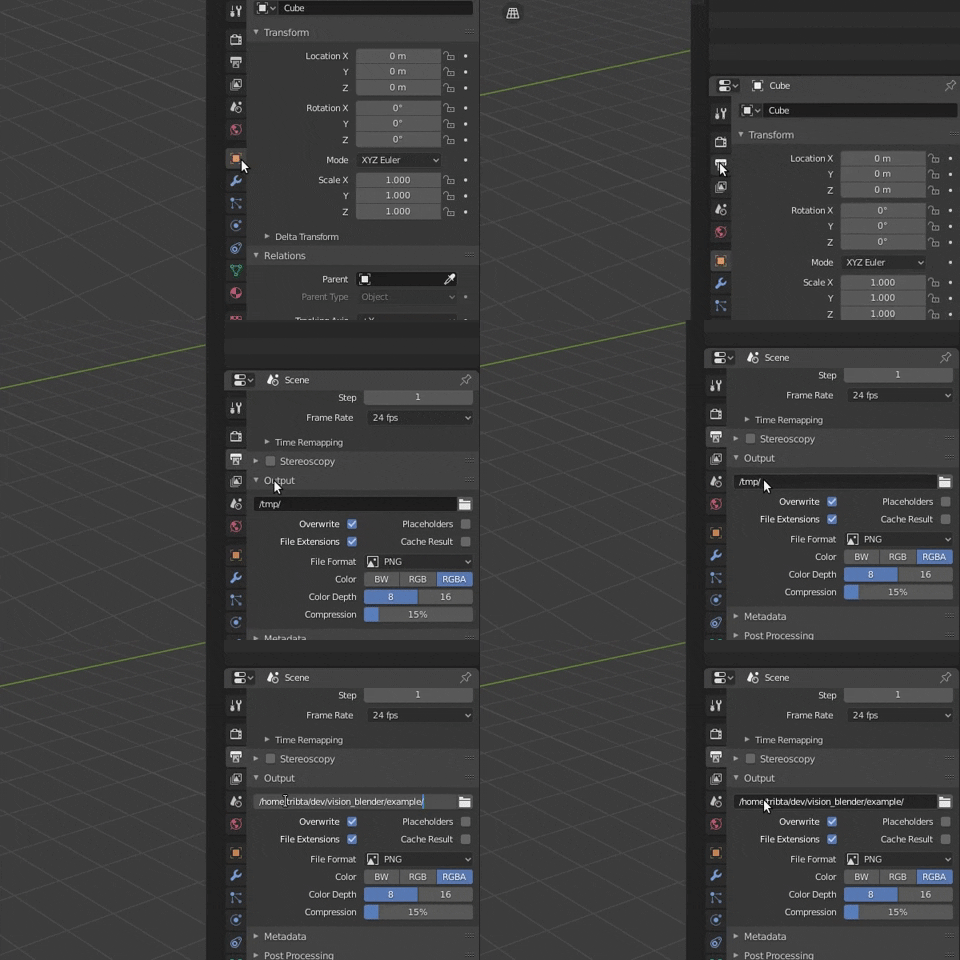
Set up the output path in Output Properties > Output > Output Path. This is the path where both your rendered images and ground truth will be saved.
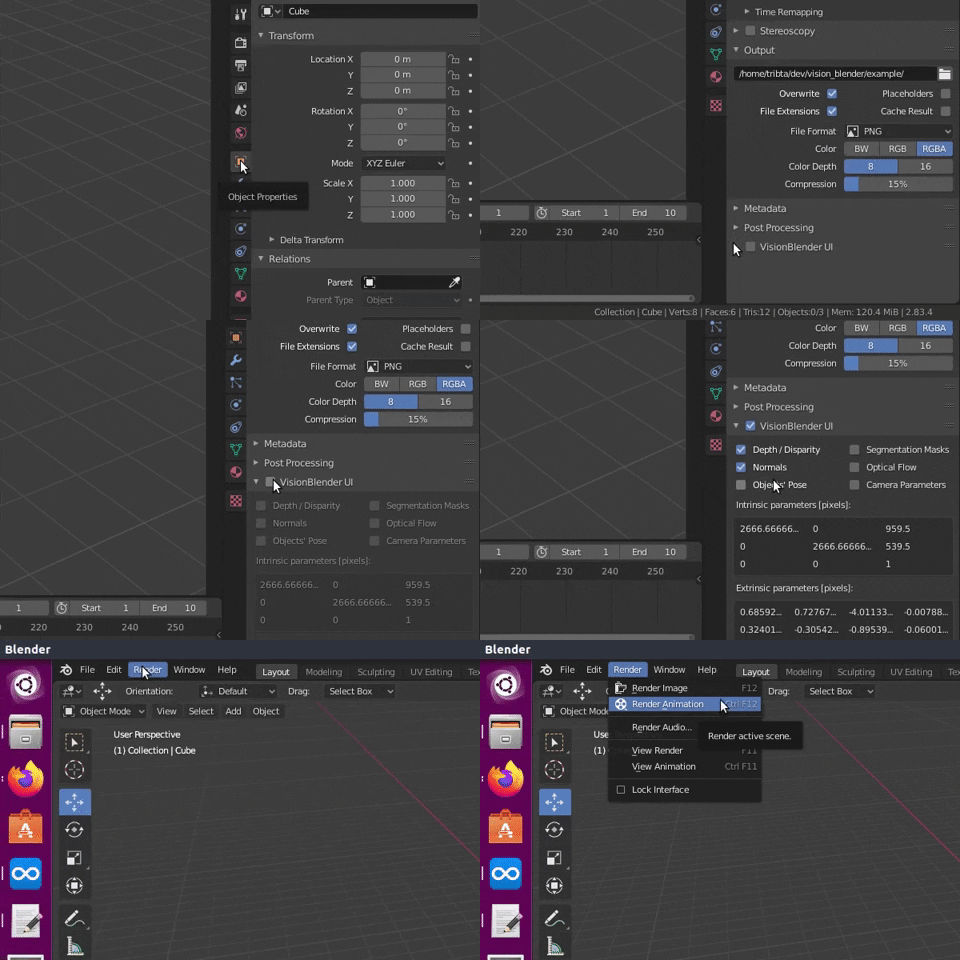
First, tick the boxes of what you want to save as ground truth in the VisionBlender UI. Then, start rendering. To start rendering you click Render > Render Image or Render > Render Animation..., alternatively you can click F12 for image and Ctrl F12 for animation.
Note: The ground-truth maps are always calculated using meters [m] as unit of distance.
You simply have to load the numpy arrays from thr .npz files.
Go to vision_blender/samples and have a look at the example there!
This work received the best paper award at a MICCAI 2020 workshop!
The paper can be found at this link
If you use this tool please consider citing our paper:
@article{cartucho2020visionblender,
  title={VisionBlender: a tool to efficiently generate computer vision datasets for robotic surgery},
  author={Cartucho, Jo{\~a}o and Tukra, Samyakh and Li, Yunpeng and S. Elson, Daniel and Giannarou, Stamatia},
  journal={Computer Methods in Biomechanics and Biomedical Engineering: Imaging \& Visualization},
  pages={1--8},
  year={2020},
  publisher={Taylor \& Francis}
}


