






Terminal UI for WireGuard and OpenVPN with multi-tunnel control, real-time telemetry, and leak guarding.

See multi-connection, leak detection, split-tunnel, and profile-management demos
Multi-connection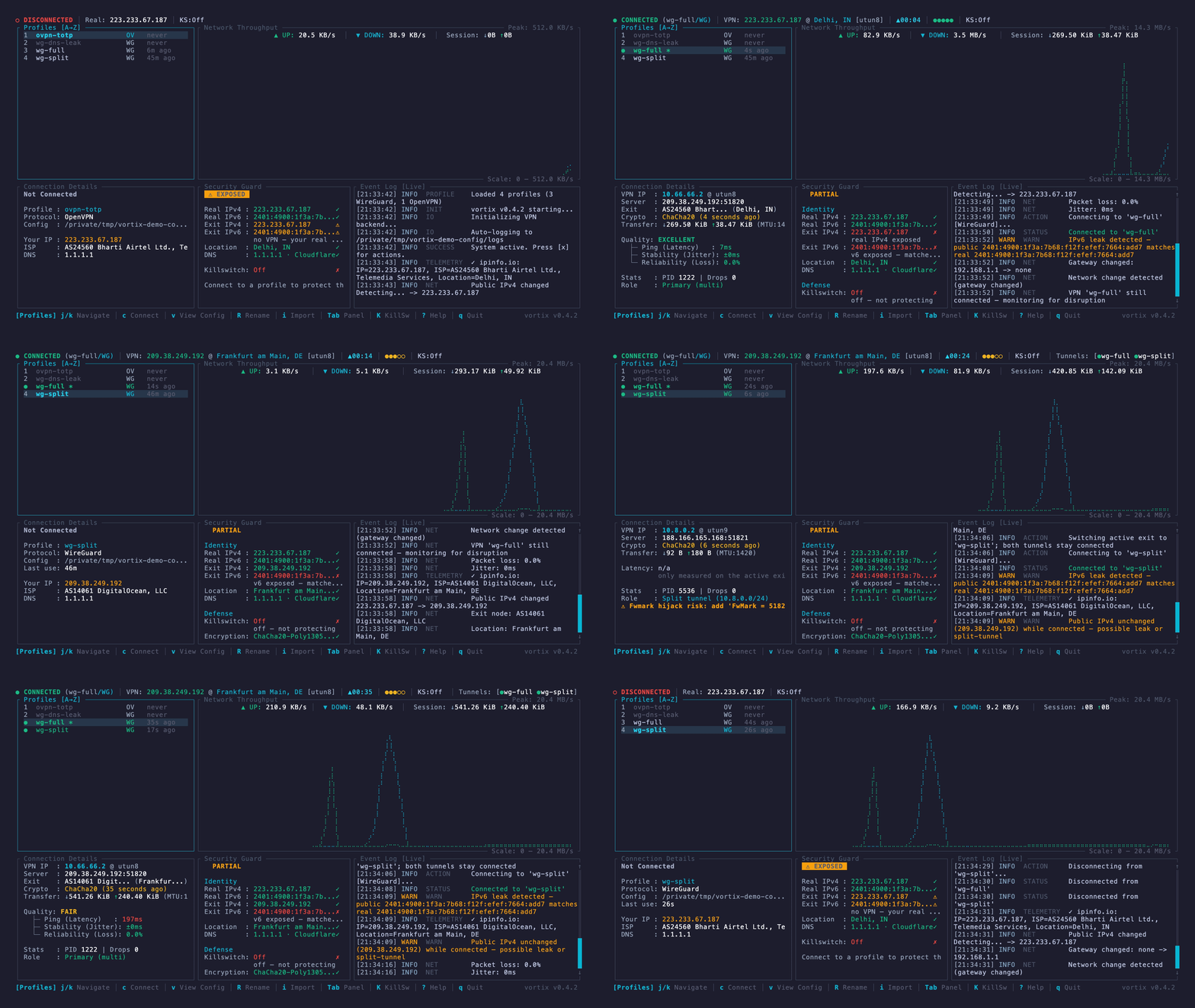
|
Leak detection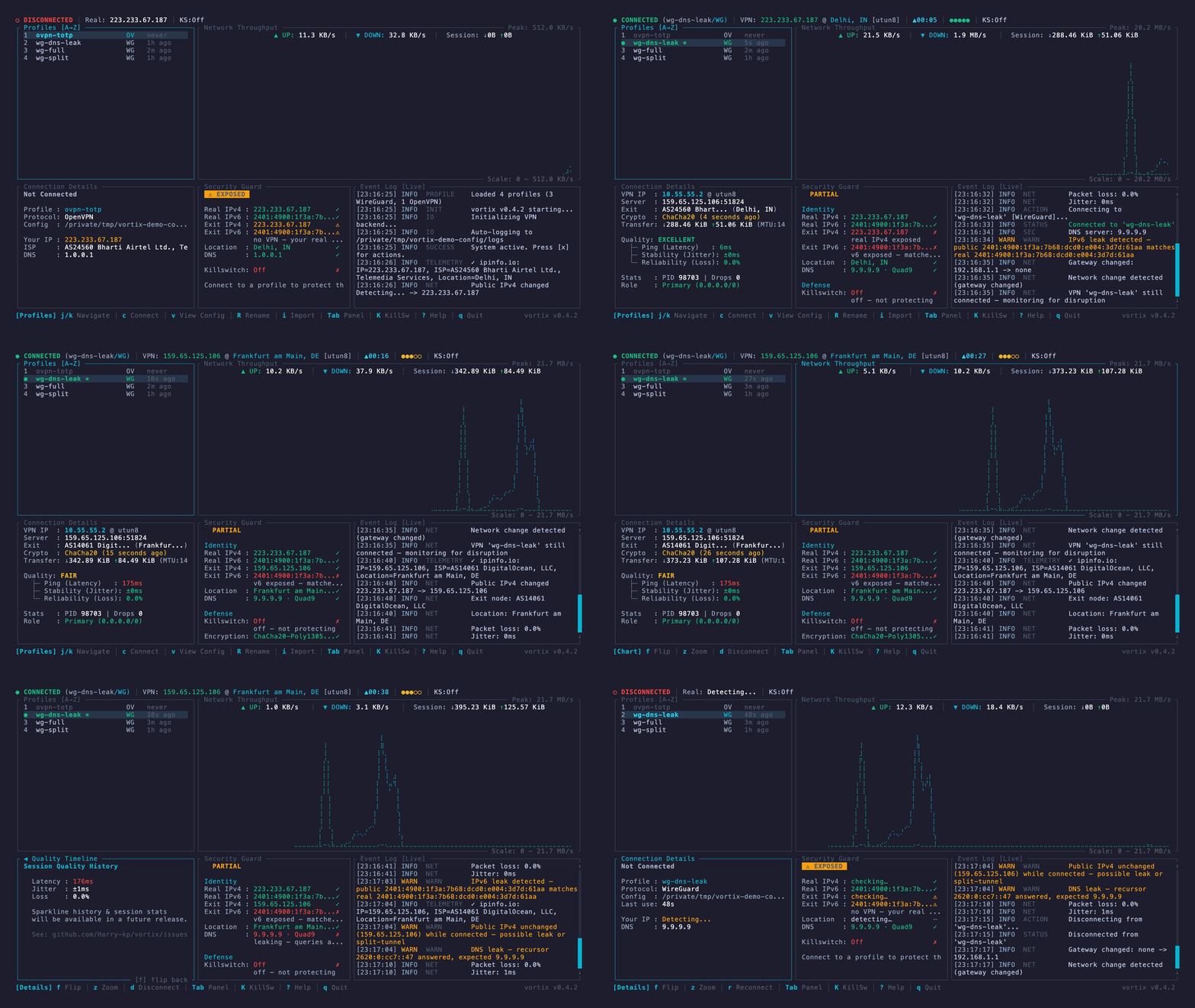
|
Split tunnel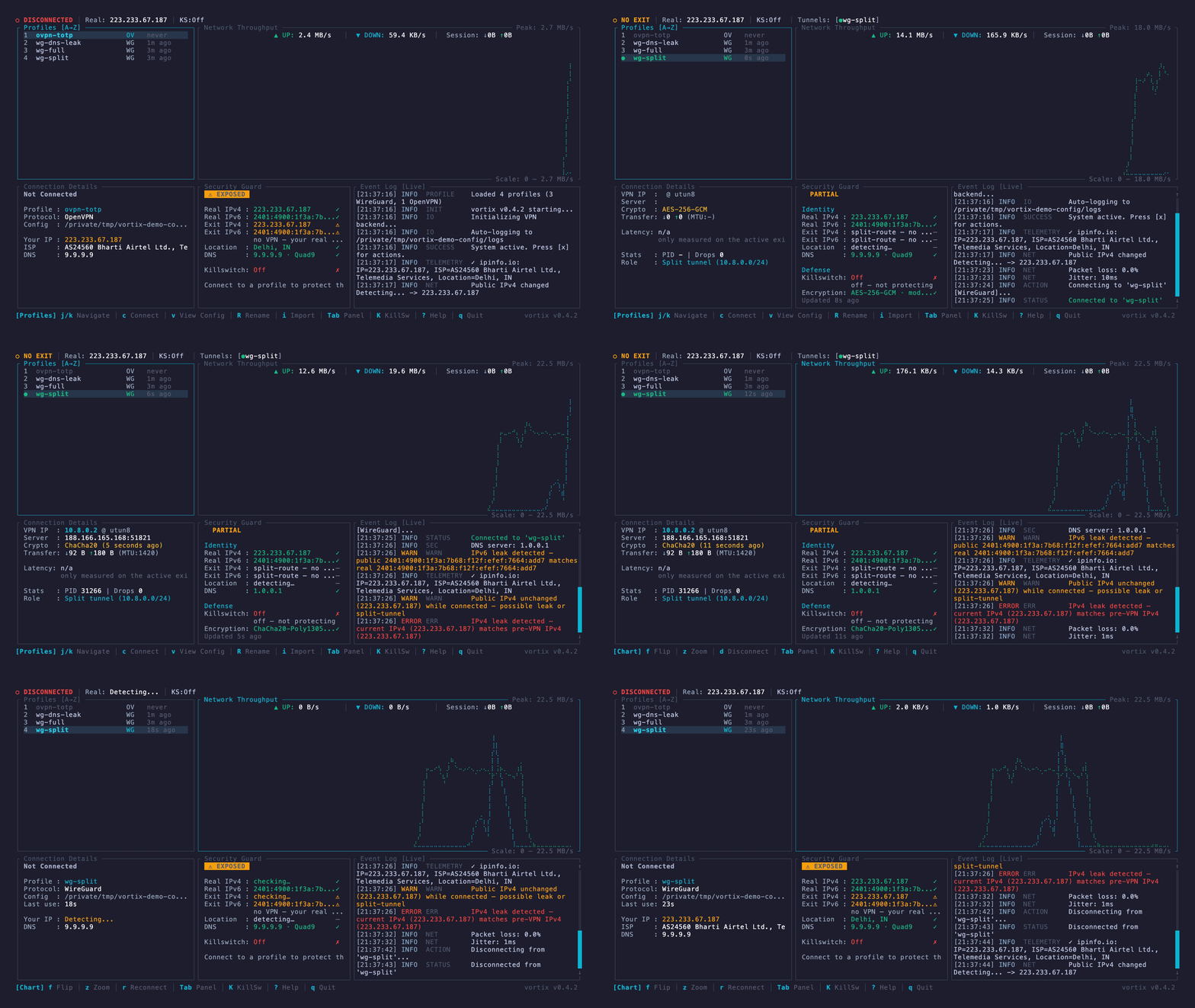
|
Profile management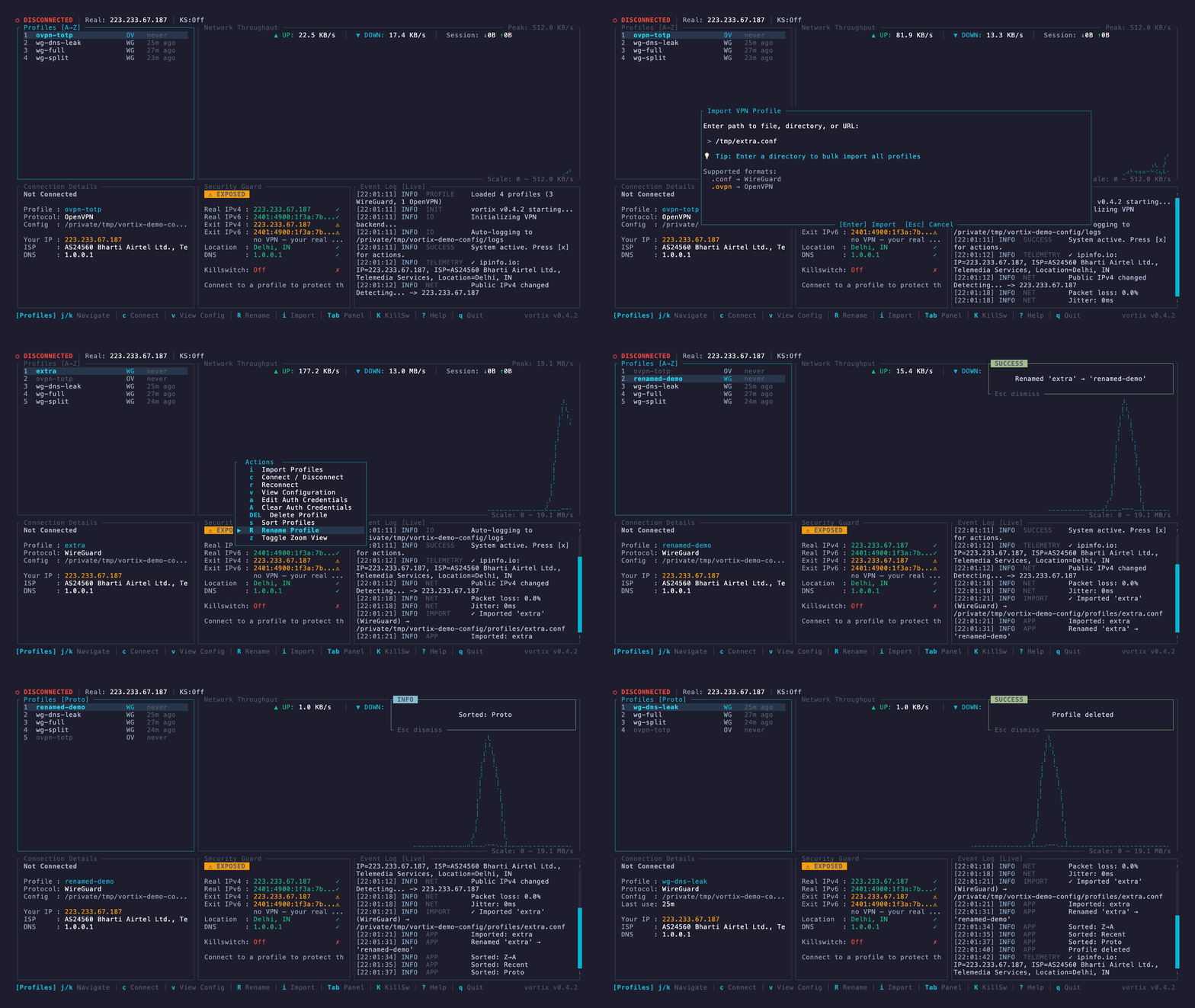
|
Vortix gives WireGuard and OpenVPN users one keyboard-driven view of their tunnels and the network around them. It is useful when plain wg-quick or openvpn provides too little visibility, while a full desktop VPN client is too heavy or tied to one provider.
- Connect multiple profiles and distinguish the default-route tunnel from split-route tunnels.
- See throughput, latency, jitter, packet loss, exit identity, DNS policy, and encryption state.
- Detect IPv4, IPv6, and DNS-policy exposure instead of assuming a successful handshake means traffic is protected.
- Control the same engine from the TUI, CLI, or versioned JSON output.
- Work locally, over SSH, and across macOS and Linux.
Vortix orchestrates the system wg, wg-quick, and openvpn implementations; it does not implement either VPN protocol itself.
Install the protocol tools first:
# macOS
brew install wireguard-tools openvpn

# Ubuntu / Debian
sudo apt install wireguard-tools openvpn

# Arch / CachyOS / Manjaro
sudo pacman -S wireguard-tools openvpn

# Fedora
sudo dnf install wireguard-tools openvpn
Only the .deb and .rpm packages pull these in; with any other channel, install them first. Vortix drives
wg-quick and openvpn as subprocesses, so without them a profile imports but cannot
connect. vortix up names the missing package and the install command for your distro.
Then install Vortix using your preferred channel:
| Channel | Install |
|---|---|
| Homebrew (macOS, Linux) | brew install vortix (also installs wireguard-tools and openvpn) |
| Debian / Ubuntu | Download the .deb from Releases, then sudo apt install ./vortix_*_amd64.deb (or arm64) |
| Fedora / RHEL | Download the .rpm from Releases, then sudo dnf install ./vortix-*.x86_64.rpm (or aarch64) |
| Arch Linux | sudo pacman -S vortix |
| Cargo | cargo binstall vortix (prebuilt binary) or cargo install vortix (builds from source, needs about 4 GB of memory) |
| npm | npm install -g @harry-kp/vortix |
| Nix | nix profile install github:Harry-kp/vortix |
| Shell installer | curl --proto '=https' --tlsv1.2 -LsSf https://github.com/Harry-kp/vortix/releases/latest/download/vortix-installer.sh | sh |
| Static Linux binary | Download the musl archive from Releases |
Import a profile and connect:
vortix import ./work.conf       # .conf, .ovpn, .netbird, URL, or directory
sudo vortix                    # interactive dashboard

# Or stay in the CLI
sudo vortix up work
vortix status
sudo vortix down work
Changing tunnels, routes, DNS or the firewall needs root; list, show and status do not. If sudo vortix is not found after a Cargo install or the shell installer, link it once: sudo ln -s ~/.cargo/bin/vortix /usr/local/bin/vortix.
Every command, key and panel is in the usage guide.
| Area | What Vortix provides |
|---|---|
| Protocols | WireGuard .conf and OpenVPN .ovpn / .conf profiles, up to 1024 routes each; NetBird networks (.netbird), including moving from the NetBird app |
| Multi-tunnel | Full and split tunnels side by side, one default-route owner, and a Switch or Cancel choice on conflicts |
| Telemetry | Throughput, latency, jitter, packet loss, public IP, ISP, and location |
| Security Guard | IPv4/IPv6 exposure, DNS, encryption and kill-switch state, with one verdict |
| Kill switch | off, block-on-drop, and vpn-only, using PF on macOS or nftables on Linux |
| Automation | A versioned JSON envelope, NDJSON watch streams, stable exit codes, shell completions and hooks |
| Diagnostics | Event logs, OpenVPN daemon logs, session journals, per-process socket audit, and vortix report |
| Appearance | Seven built-in themes, including one that follows your terminal's colors |
| macOS | Linux | |
|---|---|---|
| VPN tools | Homebrew wireguard-tools, openvpn |
Distribution wireguard-tools, openvpn |
| Kill switch | PF (pfctl) |
nftables (nft) |
| DNS | System Configuration | systemd-resolved or resolvconf |
| CI | macOS | Ubuntu and Fedora |
macOS is the primary development platform; Linux is tested on every change and live before each release. Reports from other distributions help: include vortix report.
Source builds need Rust 1.85 or newer. Linux 5.6 or newer is recommended for in-kernel WireGuard.
Vortix runs as root only to change tunnels, routes, DNS and the firewall, never runs commands from a profile, and has no server of its own. What it does with privilege and data is in SECURITY.md.
| For users | |
|---|---|
| Usage | Commands, keys, panels, multiple tunnels, the kill switch, JSON |
| Configuration | Files, config.toml, settings.toml, hooks, DNS |
| Troubleshooting | What an error means and what to do |
| Upgrading | Steps when upgrading from an older version |
| For contributors | |
|---|---|
| Contributing | How to build, test and send a change |
| CLAUDE.md | The project's rules and architecture, for people and coding agents |
| Project board | Planned and active work |
Contributions and real-world testing are welcome:
- Start with a good first issue.
- Run a scenario from the release test plan.
- Share Linux results in the Linux tester discussion.
- Use Discussions for questions and ideas.
See CONTRIBUTING.md to get started; Nix users can run nix develop.
awesome-rust · awesome-ratatui · awesome-tuis · Arch Linux extra · Terminal Trove · LinuxLinks · Orhun Parmaksız's spotlight · RustNation UK talk deck · JustTUI
mercury — keyboard-first API client for the terminal. 5 MB, 50 ms startup. · afk — menu bar break reminder, 2.8 MB.
WireGuard® is a registered trademark of Jason A. Donenfeld. OpenVPN® is a registered trademark of OpenVPN Inc. Vortix is not affiliated with either.


