
Top AI Repos — open-source AI, indexed and scored
Top AI Repos tracks AI repositories on GitHub and answers two different questions about each one: is it moving right now, and would you bet a product on it.
Top AI Repos tracks AI repositories on GitHub and answers two different questions about each one: is it moving right now, and would you bet a product on it.

:art: 数学公式识别增强版:中英文手写印刷公式、支持初级符号推导(数据结构基于 LaTeX 抽象语法树)Math Formula OCR Pro, supports handwrite, Chinese-mixed formulas and simple symbol reasoning (based on LaTeX AST).
| Date | Stars |
|---|---|
| 2026-07-30 | 1308 |
| 2026-08-09 | 1309 |
| 2026-08-17 | 1310 |
| 2026-08-18 | 1310 |
| 2026-08-31 | 1311 |
| 2026-09-03 | 1312 |
| 2026-09-09 | 1313 |
| 2026-09-19 | 1312 |
| 2026-09-23 | 1311 |
| 2026-10-08 | 1312 |
| 2026-10-11 | 1313 |
| 2026-10-15 | 1315 |
| 2026-10-17 | 1314 |
| 2026-10-18 | 1315 |
| 2026-10-19 | 1316 |
| 2026-10-26 | 1316 |
| 2026-10-27 | 1316 |
| 2026-10-30 | 1315 |
| 2026-10-31 | 1316 |
| 2026-11-01 | 1315 |
| 2026-11-03 | 1316 |
| 2026-11-04 | 1315 |
Today
-1 stars today
This week
-1 stars this week
This month
+4 stars this month
Momentum
0.0
growth rate 0.00%/day
# LaTeX_OCR_PRO
数学公式识别,增强:中文公式、手写公式
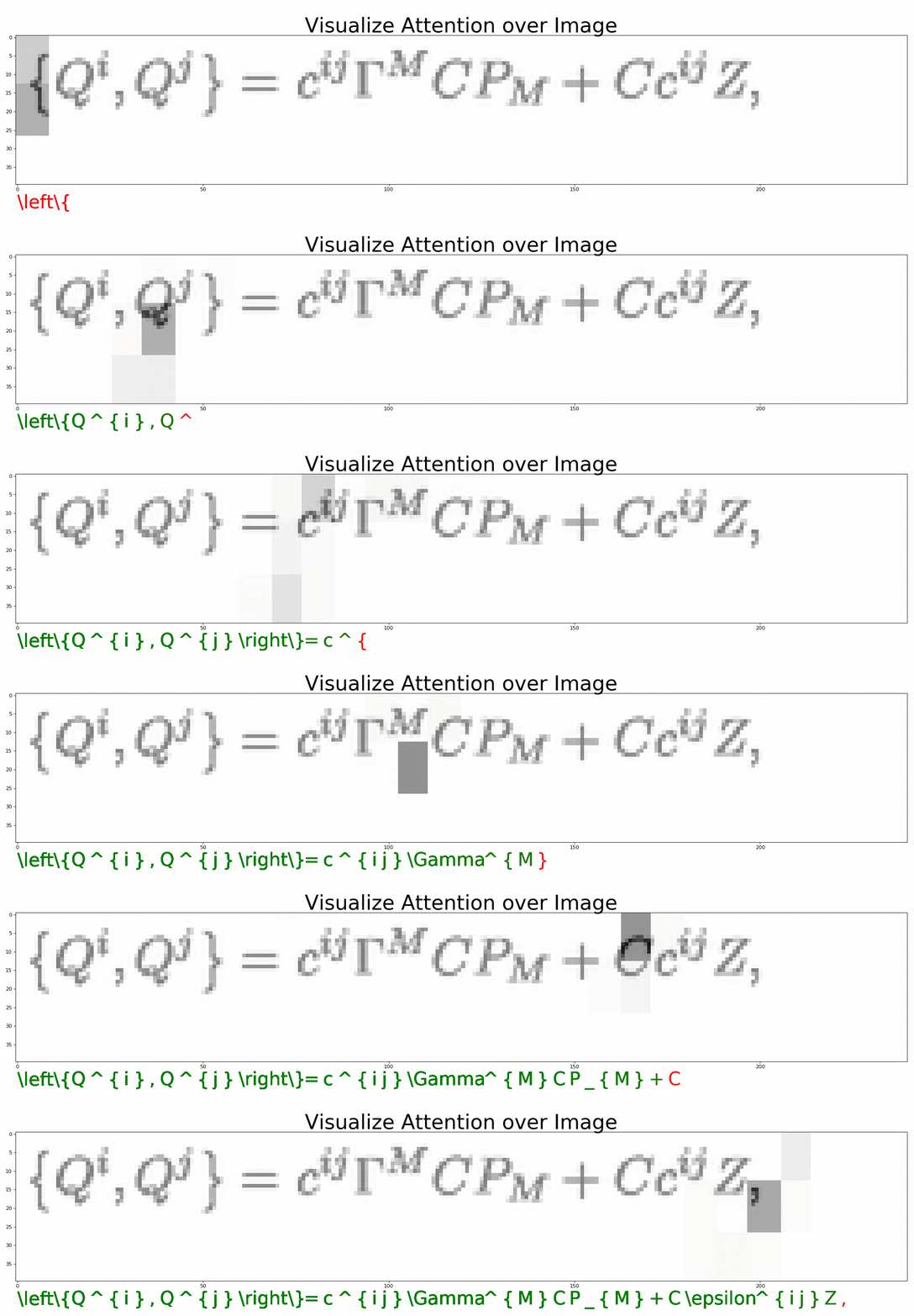
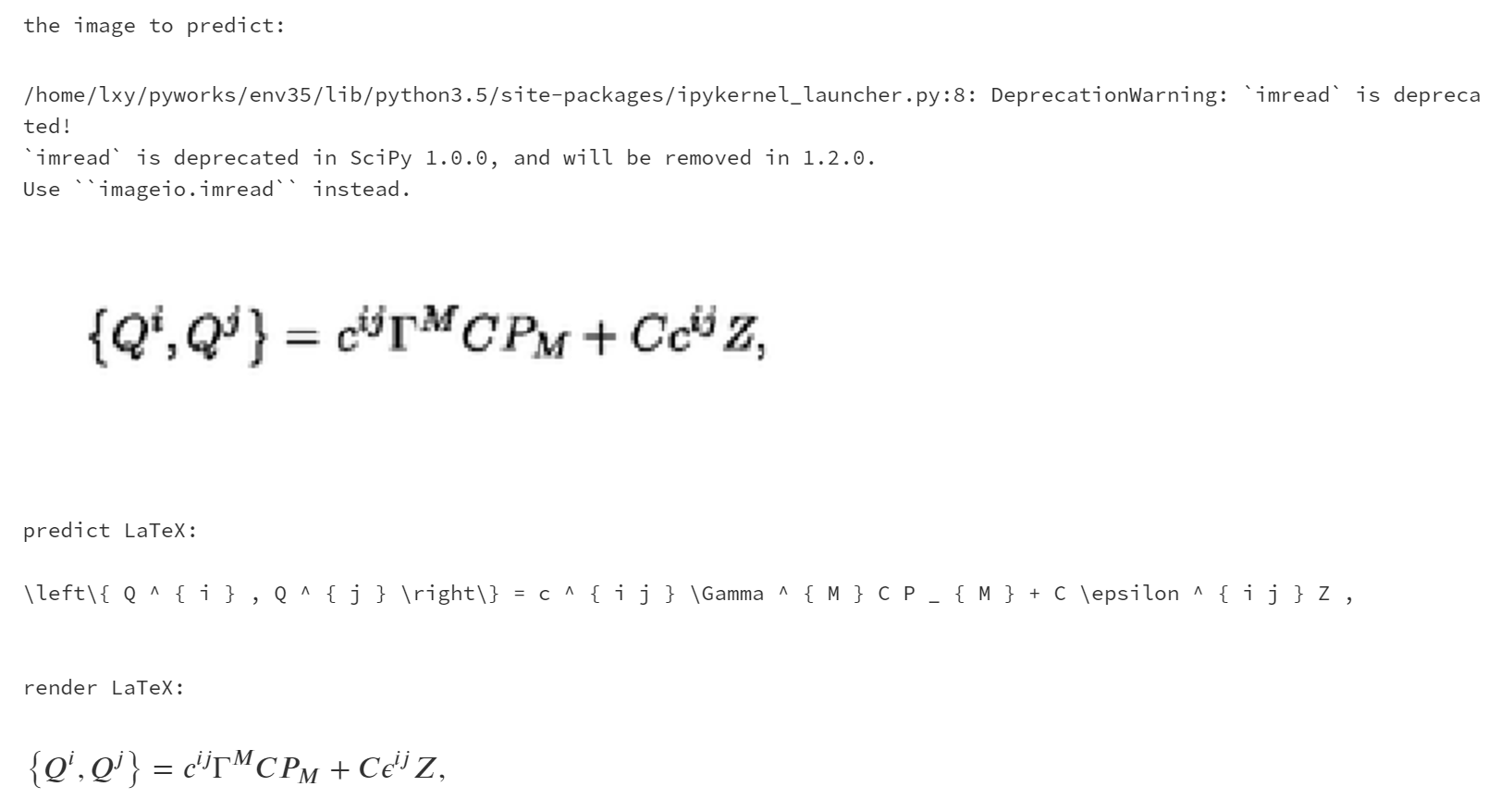
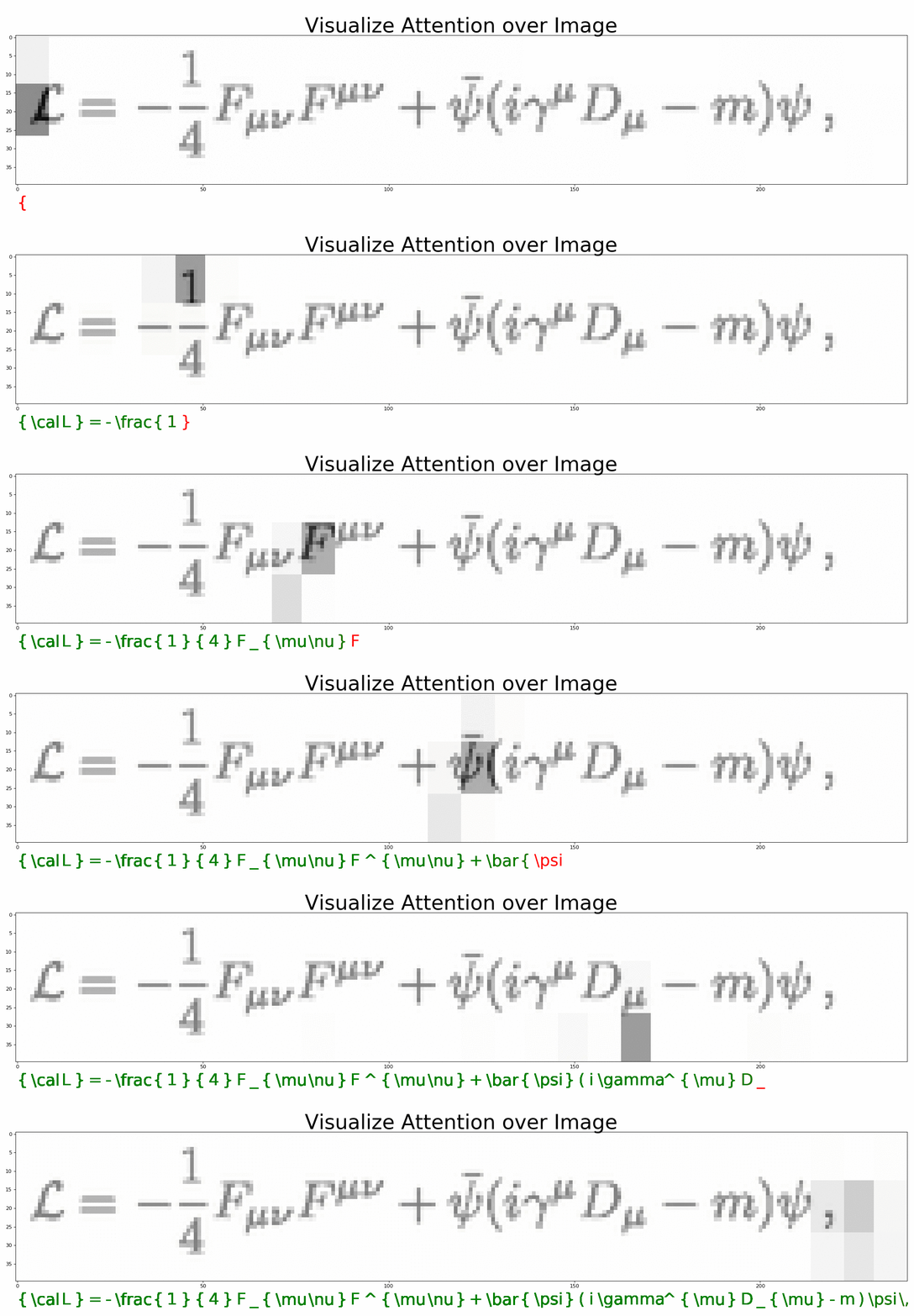
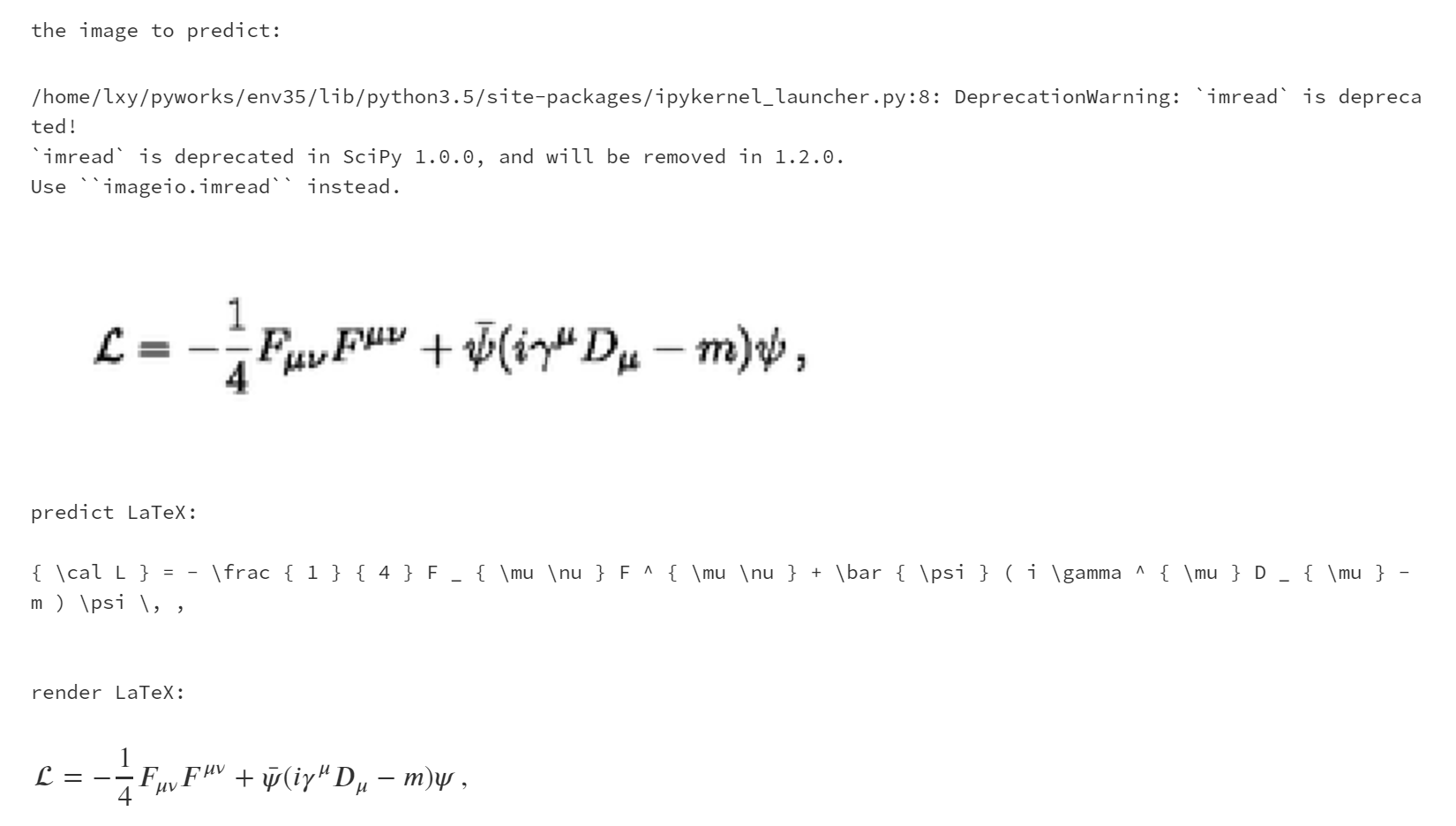
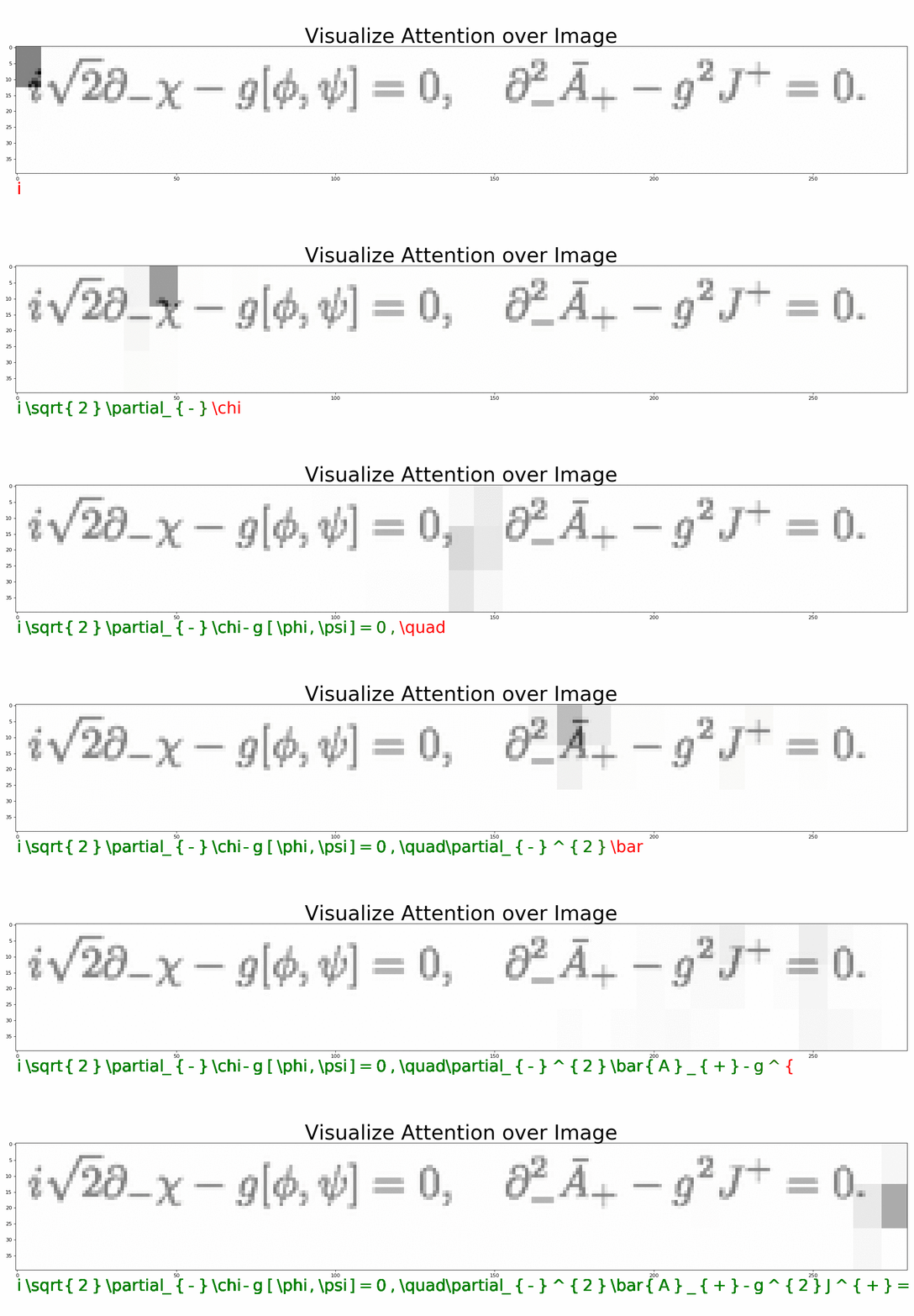
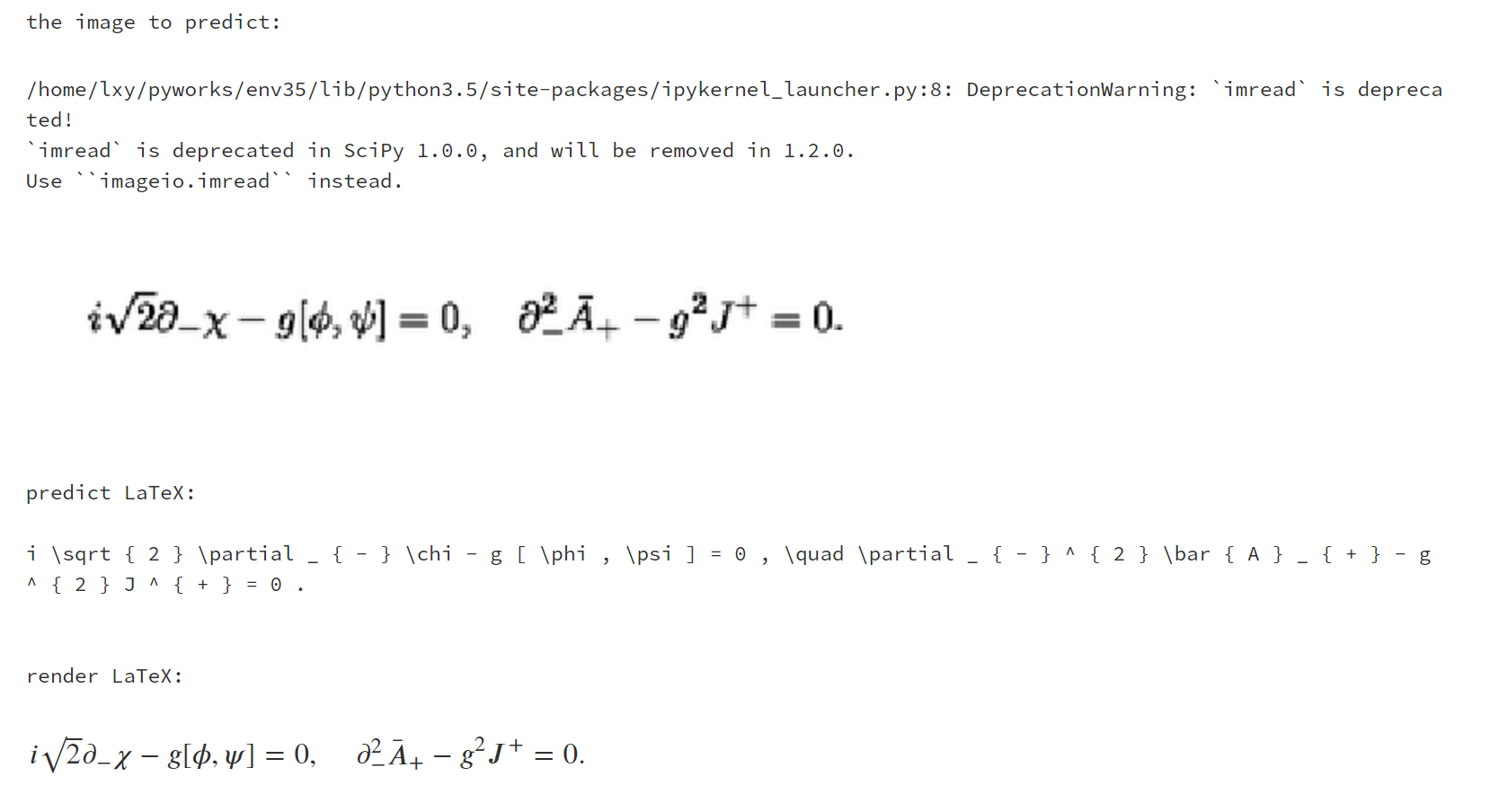
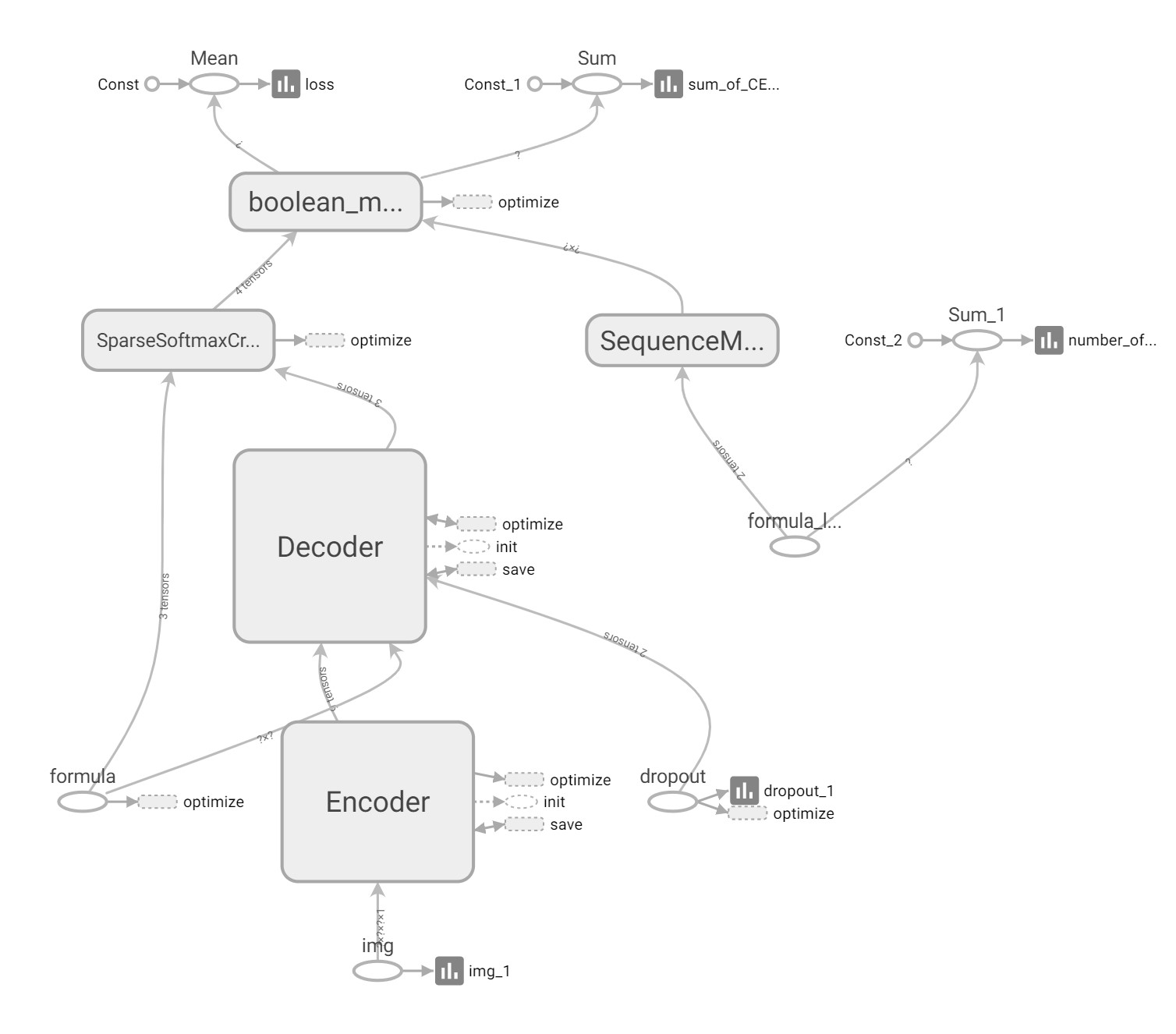
Seq2Seq + Attention + Beam Search。结构如下:
* [1. 搭建环境](#1-搭建环境)
* [2. 开始训练](#2-开始训练)
* [3. 可视化](#3-可视化)
* [4. 部署](#4-部署)
* [5. 评价](#5-评价)
* [6. 更多细节](#6-更多细节)
* [模型实现细节](./doc/How-it-work.md)
* [解决方案](./doc/Solution.md)
* [7. 致谢](#7-致谢)
* [8. 相关项目](#8-相关项目)
* [9. 引用](#9-引用)
## 1. 搭建环境
1. python3.5 + tensorflow1.12.2
2. `[可选]` latex (latex 转 pdf)
3. `[可选]` ghostscript (图片处理)
4. `[可选]` magick (pdf 转 png)
### 如果你想直接训练,不想自己构建数据集:
1. `[可选]` 新开一个虚拟环境
```shell
virtualenv env35 --python=python3.5
source env35/bin/activate
```
2. 安装依赖
```shell
pip install -r requirements.txt // cpu 版
pip install -r requirements-gpu.txt // gpu 版
```
3. 下载数据集
```shell
git submodule init
git submodule update
```
> 如果 git 速度太慢,您也可以手动下载数据集,放到 data 目录下。数据集仓库在 https://github.com/LinXueyuanStdio/Data-for-LaTeX_OCR
> 数据仓库同时托管到 [huggingface (linxy/LaTeX_OCR)](https://huggingface.co/datasets/linxy/LaTeX_OCR),欢迎使用!
### 如果你想自己构建数据集,然后再训练:
<details>
<summary>Linux</summary>
一键安装
```shell
make install-linux
```
或
1. 安装本项目依赖
```shell
virtualenv env35 --python=python3.5
source env35/bin/activate
pip install -r requirements.txt
```
2. 安装 latex (latex 转 pdf)
```shell
sudo apt-get install texlive-latex-base
sudo apt-get install texlive-latex-extra
```
3. 安装 ghostscript
```shell
sudo apt-get update
sudo apt-get install ghostscript
sudo apt-get install libgs-dev
```
4. 安装[magick](https://www.imagemagick.org/script/install-source.php) (pdf 转 png)
```shell
wget http://www.imagemagick.org/download/ImageMagick.tar.gz
tar -xvf ImageMagick.tar.gz
cd ImageMagick-7.*; \
./configure --with-gslib=yes; \
make; \
sudo make install; \
sudo ldconfig /usr/local/lib
rm ImageMagick.tar.gz
rm -r ImageMagick-7.*
```
</details>
<details>
<summary>Mac</summary>
一键安装
```shell
make install-mac
```
或
1. 安装本项目依赖
```shell
sudo pip install -r requirements.txt
```
2. LaTeX
我们需要 pdflatex,可以傻瓜式一键安装:[http://www.tug.org/mactex/mactex-download.html](http://www.tug.org/mactex/mactex-download.html)
3. 安装[magick](https://www.imagemagick.org/script/install-source.php) (pdf 转 png)
```shell
wget http://www.imagemagick.org/download/ImageMagick.tar.gz
tar -xvf ImageMagick.tar.gz
cd ImageMagick-7.*; \
./configure --with-gslib=yes; \
make;\
sudo make install; \
rm ImageMagick.tar.gz
rm -r ImageMagick-7.*
```
</details>
## 2. 开始训练
<details>
<summary>生成小数据集、训练、评价</summary>
提供了样本量为 100 的小数据集,方便测试。只需 2 分钟就可以根据 `./data/small.formulas/` 下的公式生成用于训练的图片。
> 注意:样本量很小,是无法有效训练模型的。这个小数据集仅用于确认代码有没有 bug。如果用于预测,那结果极差,因为数据不够。
一步训练
```
make small
```
或
1. 生成数据集
用 LaTeX 公式生成图片,同时保存公式-图片映射文件,生成字典 __只用运行一次__
```shell
# 默认
python build.py
# 或者
python build.py --data=configs/data_small.json --vocab=configs/vocab_small.json
```
2. 训练
```
# 默认
python train.py
# 或者
python train.py --data=configs/data_small.json --vocab=configs/vocab_small.json --training=configs/training_small.json --model=configs/model.json --output=results/small/
```
3. 评价预测的公式
```
# 默认
python evaluate_txt.py
# 或者
python evaluate_txt.py --results=results/small/
```
4. 评价数学公式图片
```
# 默认
python evaluate_img.py
# 或者
python evaluate_img.py --results=results/small/
```
</details>
<details>
<summary>生成完整数据集、训练、评价</sumExcerpt of 6,664 characters
Read on GitHub
90

4

3

1

1
Would you bet a product on this? Bounded 0–100 and slow moving.
matched fp:615577d839ae9c64, topic:ocr, name:ocr, desc:ocr
matched fp:615577d839ae9c64, topic:deep-learning