

Video-subtitle-generator (vsg) 是一款基于语音识别,将音频/视频生成外挂字幕文件(srt格式)的软件。
- 支持中文、英文、韩文、日文、越南语、俄语、西班牙语、葡萄语等语言的字幕生成
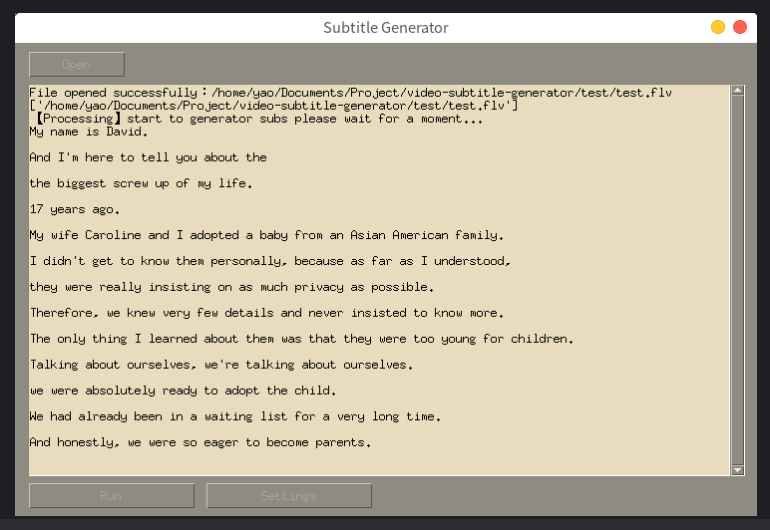
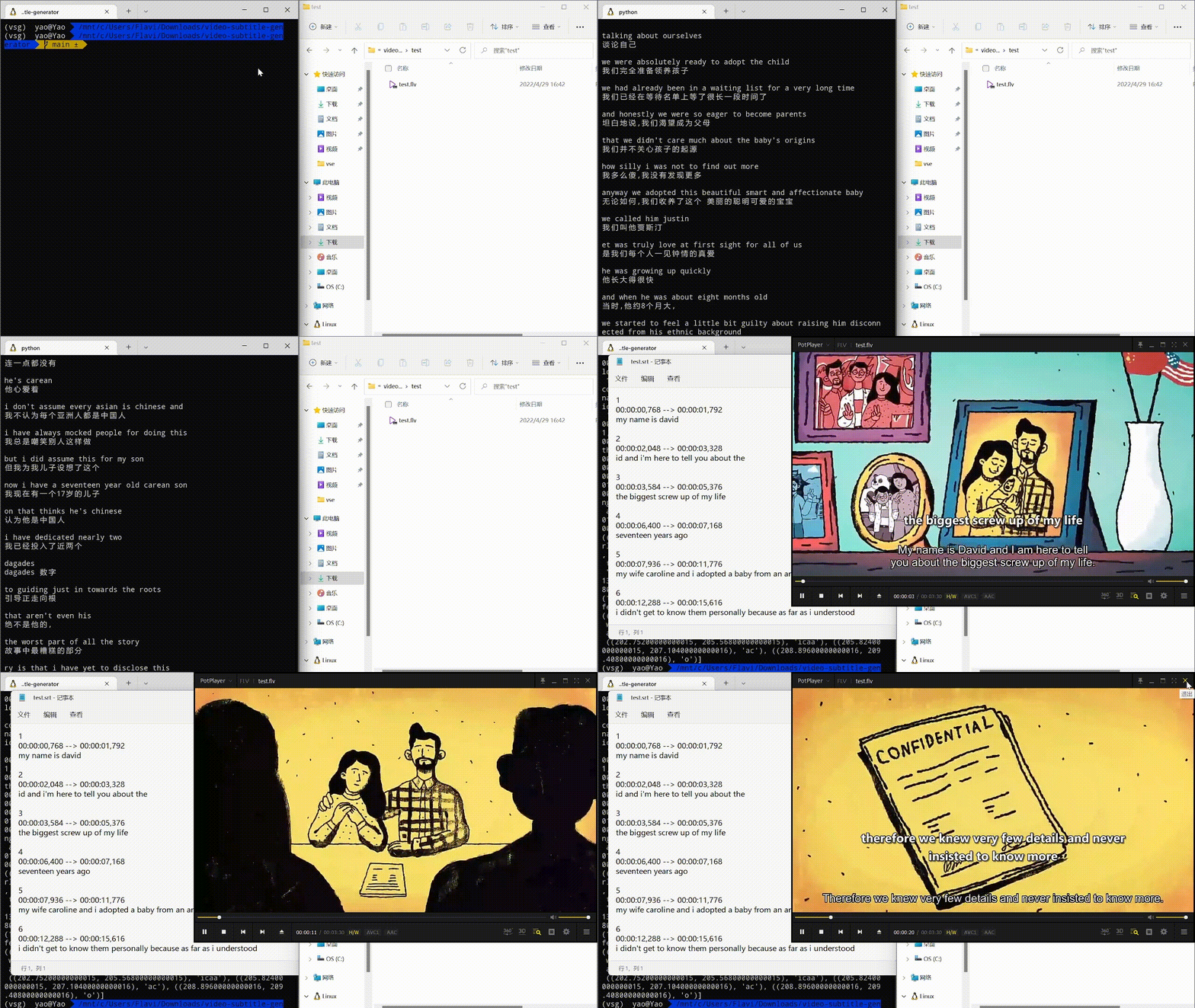
运行要求:需要Nvidia GPU显卡(显存大于1G可使用base模型,大于5G可使用medium模型,大于10G可使用large模型)
(1)切换到源码所在目录:
cd <源码所在目录>例如:如果你的源代码放在D盘的tools文件下,并且源代码的文件夹名为video-subtitle-generator,就输入
cd D:/tools/video-subtitle-generator-main
(2)创建激活conda环境
conda create -n vsgEnv python=3.8conda activate vsgEnv请确保你已经安装 python 3.8+,使用conda创建项目虚拟环境并激活环境 (建议创建虚拟环境运行,以免后续出现问题)
安装依赖:
pip install -r requirements.txt- 运行图形化界面版本(GUI)
python gui.py- 运行命令行版本(CLI)
python backend/main.pypython backend/main.py -h
-h
usage: main.py [-h]
[-l {auto,en,zh-cn,zh-tw,zh-hk,zh-sg,zh-hans,zh-hant,de,es,ru,ko,fr,ja,pt,tr,pl,ca,nl,ar,sv,it,id,hi,fi,vi,he,uk,el,ms,cs,ro,da,hu,ta,no,th,ur,hr,bg,lt,la,ml,cy,sk,te,fa,lv,bn,sr,az,sl,kn,et,mk,br,eu,is,hy,ne,mn,bs,kk,sq,sw,gl,mr,pa,si,km,sn,yo,so,af,oc,ka,be,tg,sd}]
[filename]
Subtitle Generator
positional arguments:
filename 请输入文件完整路径:
optional arguments:
-h, --help show this help message and exit
-l {auto,en,zh-cn,zh-tw,zh-hk,zh-sg,zh-hans,zh-hant,de,es,ru,ko,fr,ja,pt,tr,pl,ca,nl,ar,sv,it,id,hi,fi,vi,he,uk,el,ms,cs,ro,da,hu,ta,no,th,ur,hr,bg,lt,la,ml,cy,sk,te,fa,lv,bn,sr,az,sl,kn,et,mk,br,eu,is,hy,ne,mn,bs,kk,sq,sw,gl,mr,pa,si,km,sn,yo,so,af,oc,ka,be,tg,sd}, --language {auto,en,zh-cn,zh-tw,zh-hk,zh-sg,zh-hans,zh-hant,de,es,ru,ko,fr,ja,pt,tr,pl,ca,nl,ar,sv,it,id,hi,fi,vi,he,uk,el,ms,cs,ro,da,hu,ta,no,th,ur,hr,bg,lt,la,ml,cy,sk,te,fa,lv,bn,sr,az,sl,kn,et,mk,br,eu,is,hy,ne,mn,bs,kk,sq,sw,gl,mr,pa,si,km,sn,yo,so,af,oc,ka,be,tg,sd}
python backend/main.py test/test_cn.mp4 -l zh-cn - 代码调用:
    # 1.指定音视频文件路径
    wav_path = './test/test.flv'
    # 2. 新建字幕生成对象,指定语言
    sg = SubtitleGenerator(video_path, language='zh-cn')
    # 3. 运行字幕生成
ret = sg.run()- 设置模型文件
修改settings.ini中的Mode,取值为:base, medium, large,即可使用对应的识别模型
| Mode | 要求显存 | 速度 |
|---|---|---|
| base | 大于1 GB | ~16x |
| medium | 大于5 GB | ~2x |
| large | 大于10 GB | 1x |

