
Top AI Repos — open-source AI, indexed and scored
Top AI Repos tracks AI repositories on GitHub and answers two different questions about each one: is it moving right now, and would you bet a product on it.
Top AI Repos tracks AI repositories on GitHub and answers two different questions about each one: is it moving right now, and would you bet a product on it.

A fully customizable and self-hosted sandboxing solution for AI agent code execution and computer use. It features out-of-the-box support for backtracking, a simple REST API and Python SDK, automatic port forwarding, and secure MicroVM isolation. Perfect for safely running, testing, and backtracking multi-step agent workflows.
| Date | Stars |
|---|---|
| 2026-08-05 | 857 |
| 2026-08-06 | 857 |
| 2026-08-13 | 862 |
| 2026-08-18 | 862 |
| 2026-08-20 | 863 |
| 2026-08-22 | 865 |
| 2026-08-24 | 866 |
| 2026-08-25 | 867 |
| 2026-08-26 | 868 |
| 2026-09-01 | 869 |
| 2026-09-04 | 868 |
| 2026-09-06 | 869 |
| 2026-09-09 | 870 |
| 2026-09-10 | 871 |
| 2026-09-11 | 872 |
| 2026-09-12 | 873 |
| 2026-09-14 | 875 |
| 2026-09-15 | 877 |
| 2026-09-17 | 878 |
| 2026-09-22 | 880 |
| 2026-09-23 | 880 |
| 2026-09-25 | 881 |
| 2026-09-26 | 882 |
| 2026-09-29 | 882 |
| 2026-09-30 | 884 |
| 2026-10-01 | 882 |
| 2026-10-03 | 883 |
| 2026-10-05 | 884 |
| 2026-10-06 | 885 |
| 2026-10-10 | 886 |
| 2026-10-12 | 887 |
| 2026-10-13 | 887 |
| 2026-10-16 | 888 |
| 2026-10-21 | 889 |
| 2026-10-23 | 890 |
| 2026-10-24 | 891 |
| 2026-10-26 | 892 |
| 2026-10-28 | 893 |
| 2026-10-29 | 892 |
| 2026-10-30 | 891 |
| 2026-11-01 | 892 |
| 2026-11-04 | 892 |
Today
— stars today
This week
-1 stars this week
This month
+8 stars this month
Momentum
0.0
growth rate 0.00%/day

# Arrakis
[](./LICENSE)
## Introduction ##
AI agents can generate malicious or buggy code that can attack the host system its run on.
Many agents have elaborate multi-step plans to achieve their goals and benefit from the ability to backtrack to intermediate states.
**Arrakis** provides a **secure**, **fully customizable**, and **self-hosted** solution to spawn and manage Sandboxes for code execution and computer use. It has out-of-the box support for backtracking via **snapshot-and-restore**.
- Secure by design, each sandbox [runs in a MicroVM](#architecture-and-features).
- Each sandbox runs Ubuntu inside with a code execution service and a VNC server running at boot.
- A REST API, Python SDK [py-arrakis](https://pypi.org/project/py-arrakis/), and a [MCP server](https://github.com/abshkbh/arrakis-mcp-server) let clients (both humans and AI Agents) programatically spawn sandboxes, upload files, and execute code inside each sandbox.
- Automatically sets up and manages port forwarding from the self-hosted public server to the sanboxes running on it i.e. clients can easily access the sandbox GUI (including Chrome for computer use) without extra setup.
- Supports **snapshot-and-restore** out of the box i.e. AI Agents can do some work, snapshot a sandbox, and later backtrack to the exact previous state by restoring the snapshot. This means any processes spawned, files modified etc. will be restored as is inside the sandbox.Useful for Monte Carlo Tree Search based agents or explainability of elaborate agent execution flows.
---
## Table of Contents
- [Introduction](#introduction)
- [Demo](#demo)
- [Setup](#setup)
- [Prerequisites](#prerequisites)
- [GCP Setup](#gcp-setup)
- [Quick setup using prebuilts](#quick-setup-using-prebuilts)
- [Run the arrakis-restserver](#run-the-arrakis-restserver)
- [Use the CLI or py-arrakis](#use-the-cli-or-py-arrakis)
- [Quickstart](#quickstart)
- [SDK](#sdk)
- [MCP](#mcp)
- [GUI For Computer Use](#gui-for-computer-use)
- [CLI Usage](#cli-usage)
- [Architecture And Features](#architecture-and-features)
- [Customization](#customization)
- [Contribution](#contribution)
- [Legal Info](#legal-info)
- [Contributor License Agreement](#contributor-license-agreement)
- [License](#license)
- [License](#license)
___
## Demo
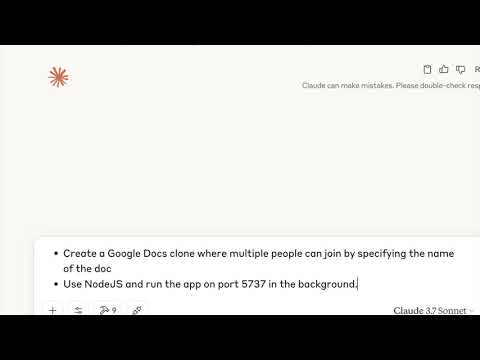
Watch Claude code a live Google docs clone using Arrakis via MCP. It even snapshots the sandbox to checkpoint progress.
[](https://www.youtube.com/watch?v=IZ5cAnhAdPQ)
---
## Setup
### Prerequisites
- `cloud-hypervisor` only works with `/dev/kvm` for virtualization on Linux machines. Hence, we only support Linux machines.
- Check if virtualization is enabled on the host by running.
```bash
stat /dev/kvm
```
### GCP Setup
- Follow the instructions in [GCP Setup](./setup/gcp-instructions.md) to set up Arrakis on GCE VM.
### Quick setup using prebuilts
- You can leverage our setup.sh script and prebuilt binaries to easily set up Arrakis.
```bash
curl -sSL https://raw.githubusercontent.com/abshkbh/arrakis/main/setup/setup.sh | bash
ls arrakis-prebuilt
```
### Run the arrakis-restserver
- Now we have a folder with all binaries and images pulled. We always need to run `arrakis-restserver` first.
```bash
cd arrakis-prebuilt
sudo ./arrakis-restserver
```
### Use the CLI or py-arrakis
- You can use the CLI or [py-arrakis](https://pypi.org/project/py-arrakis/) to spawn and manage VMs.
```bash
cd arrakis-prebuilt
./arrakis-client start -n agent-sandbox
```
---
## Quickstart
### SDK
Arrakis comes with a Python SDK [py-arrakis](https://pypi.org/project/py-arrakis/) that lets you spawn, manage, and interact with VMs seamlessly.
- Install the SDK
```bash
pip install py-arrakis
```
- Follow the inExcerpt of 12,392 characters
Read on GitHub
239

1
Would you bet a product on this? Bounded 0–100 and slow moving.
matched fp:3c5a5448d7b1d0ea, desc:ai agent