

MCP servers powered by ACI.dev
Important
This README only covers basic development guide. For full documentation and tutorials on ACI.dev MCP servers please visit aci.dev docs.
This package provides three Model Context Protocol (MCP) servers for accessing ACI.dev managed functions (tools):
aci-mcp-apps: An MCP server that provides direct access to functions (tools) from specified apps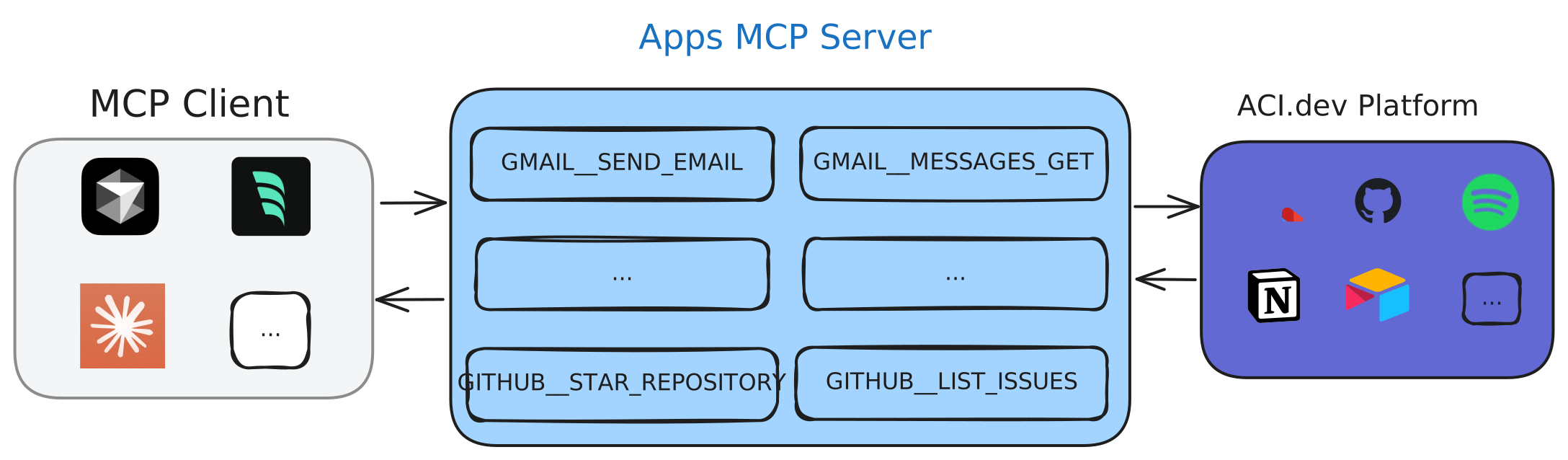
aci-mcp-unified: An MCP server that provides two meta functions (tools) (ACI_SEARCH_FUNCTIONSandACI_EXECUTE_FUNCTION) to discover and execute ALL functions (tools) available on ACI.dev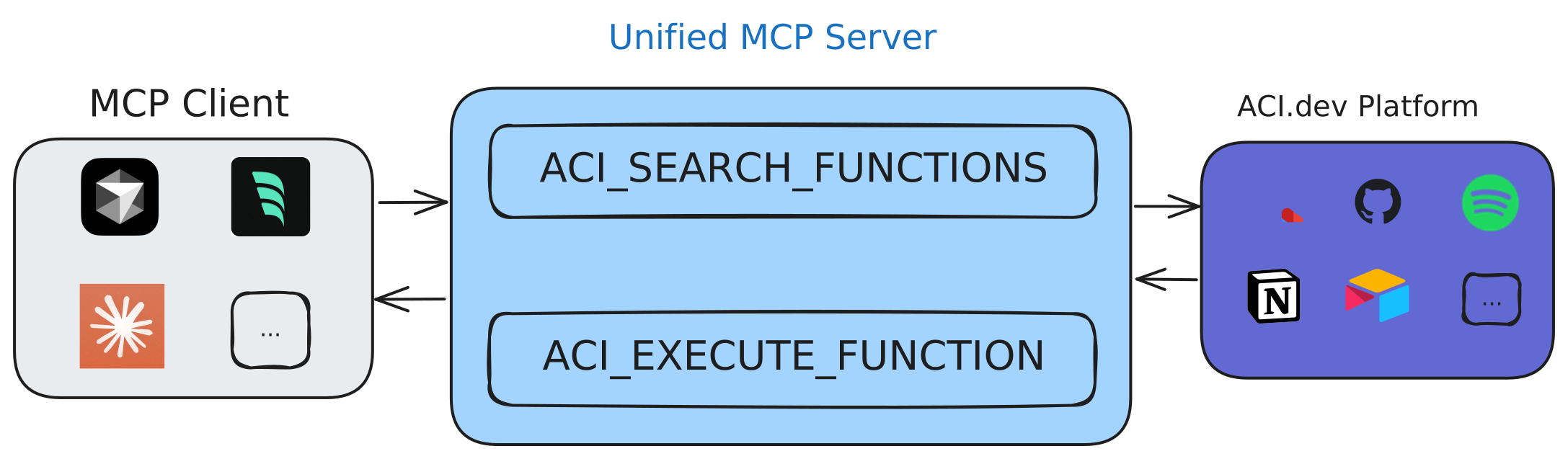


Important
For detailed explanation and tutorials on the MCP servers please visit aci.dev docs.
The package is published to PyPI, so you can run it directly using uvx:
# Install uv if you don't have it already
curl -sSf https://install.pypa.io/get-pip.py | python3 -
pip install uv
$ uvx aci-mcp --help
Usage: aci-mcp [OPTIONS] COMMAND [ARGS]...
Main entry point for the package.
Options:
--help Show this message and exit.
Commands:
apps-server Start the apps-specific MCP server to access tools...
unified-server Start the unified MCP server with unlimited tool access.See the Unified MCP Server and Apps MCP Server sections for more information on how to configure the MCP servers with different MCP clients.
# Build the image
docker build -t aci-mcp .

# Run the unified server
docker run --rm -i -e ACI_API_KEY=<ACI_API_KEY> aci-mcp unified-server --linked-account-owner-id <LINKED_ACCOUNT_OWNER_ID>

# Run the apps server
docker run --rm -i -e ACI_API_KEY=<ACI_API_KEY> aci-mcp apps-server --apps <APP1,APP2,...> --linked-account-owner-id <LINKED_ACCOUNT_OWNER_ID>You can use the MCP inspector to debug the server:
# For unified server
npx @modelcontextprotocol/inspector uvx aci-mcp unified-server --linked-account-owner-id <LINKED_ACCOUNT_OWNER_ID>

# For apps server
npx @modelcontextprotocol/inspector uvx aci-mcp apps-server --apps "BRAVE_SEARCH,GMAIL" --linked-account-owner-id <LINKED_ACCOUNT_OWNER_ID>
Running tail -n 20 -f ~/Library/Logs/Claude/mcp*.log will show the logs from the server and may help you debug any issues.