

An experiment for the reMarkable that watches what you write and, when prompted either with a gesture or some on-screen content, can write back to the screen. This is an exploration of various interactions through this handwriting+screen medium.


I wrote the handwritten prompt, GPT-4o drew the Chihuahua!!!

You need an OPENAI_API_KEY (or similar for other models) environment variable set. I did this by adding it to my ~/.bashrc file on the remarkable:
# In the remarkable's ~/.bashrc or before you run ghostwriter, set one or more of your keys
export OPENAI_API_KEY=your-key-here
export ANTHROPIC_API_KEY=your-key-here
export GOOGLE_API_KEY=your-key-here
Install by getting the binary to your remarkable. On your not-remarkable (ie. your laptop):
# For the reMarkable2
wget -O ghostwriter https://github.com/awwaiid/ghostwriter/releases/latest/download/ghostwriter-rm2

# For the reMarkable Paper Pro
wget -O ghostwriter https://github.com/awwaiid/ghostwriter/releases/latest/download/ghostwriter-rmpp

# Replace this ip address with your remarkable ip address
scp ghostwriter [email protected]:
Then you have to ssh over and run it. Here is how to install and run (run these on the remarkable):
# One time -- make it executable after the initial copy
chmod +x ./ghostwriter

./ghostwriter --help # Get the options and see that it runs at allFirst you need to start ghostwriter on the reMarkable. SSH into your remarkable and run:
# Use the defaults, including claude-sonnet-4-0
./ghostwriter

# Use ChatGPT with the gpt-4o-mini model
./ghostwriter --model gpt-4o-mini
Draw some stuff on your screen, and then trigger the assistant by touching/tapping the upper-right corner with your finger. In the ssh session you'll see other touch-detections and there is a log of what happens while it is processing. You should see some dots drawn during processing and then a typewritten or drawn response!
Models & Engines:
--model MODEL- Model to use (default: claude-sonnet-4-0)--engine ENGINE- Engine: openai, anthropic, google (auto-detected from model)--engine-api-key KEY- API key (or use env vars)--engine-base-url URL- Custom API base URL
Behavior:
--prompt PROMPT- Prompt file to use (default: general.json)--trigger-corner CORNER- Touch trigger corner: UR, UL, LR, LL (default: UR)
Tools:
--no-svg- Disable SVG drawing tool--no-keyboard- Disable text output--thinking- Enable model thinking (Anthropic)--web-search- Enable web search (Anthropic)
Testing/Debug/Experiments:
--log-level LEVEL- Set log level (info, debug, trace)--no-loop- Run once and exit--input-png FILE- Use PNG file instead of screenshot--output-file FILE- Save output to file--save-screenshot FILE- Save screenshot--save-bitmap FILE- Save rendered output--no-submit- Don't submit to model--no-draw- Don't draw output--no-trigger- Disable touch trigger--apply-segmentation- Add image segmentation for spatial awareness
To run in the background, start it (on the remarkable) with nohup:
nohup ./ghostwriter --model gpt-4o-mini &
(TODO: figure out how to run it on boot!)
I've been developing in Ubuntu, but did get it working in OSX. Generally it goes (1) install dependencies, (2) build locally but cross-compile for the reMarkable, (3) scp it over and try it out.
- Install docker for cross-compiling
- Install Rust
- You can also follow instructions for rustup
- Or if you want to be fancy, I prefer getting it from asdf
- Or maybe apt or brew will work?
- Ubuntu
sudo apt-get install gcc-arm-linux-gnueabihf
- OSX
brew install arm-linux-gnueabihf-binutils
- Set up cross-rs and targets
- Get it from the current git version, especially for OSX
cargo install cross --git https://github.com/cross-rs/crossrustup target add armv7-unknown-linux-gnueabihf aarch64-unknown-linux-gnu
- Then to build and scp it to your remarkable
- rm2
cross build --release --target=armv7-unknown-linux-gnueabihfscp target/armv7-unknown-linux-gnueabihf/release/ghostwriter root@remarkable:
- rmpp
cross build --release --target=aarch64-unknown-linux-gnuscp target/aarch64-unknown-linux-gnu/release/ghostwriter root@remarkable:
- rm2
- I wrapped up that last bit into
build.sh- So I do either
./build.shto build and send to my rm2 - Or I do
./build.sh rmppto build and send to my rmpp
- So I do either
Meanwhile I have another terminal where I have ssh'd to the remarkable. I ctrl-C the current running ghostwriter there, then on my host laptop I run my build script, and then back on the remarkable shell I run ghostwriter again.
When I want to do a build for others, I tag main with like v2026.09.21-01 and that kicks off a github action that creates the latest release.
- 2024-10-06 - Bootstrapping
- Basic proof of concept works!!!
- Drawing back on the screen doesn't work super well; it takes the SVG output from ChatGPT and rasterizes it and then tries to draw lots of individual dots on the screen. The Remarkable flips out a bit ... and when the whole screen is a giant black square it really freaks out and doesn't complete
- Things that worked at least once:
- Writing "Fill in the answer to this math problem... 3 + 7 ="
- "Draw a picture of a chihuahua. Use simple line-art"
- 2024-10-07 - Loops are the stuff of souls
- I got a rudimentary gesture and status display!
- So now you can touch in the upper-right and you get an "X" drawn. Then as the input is processed you get further crosses through the X. You have to erase it yourself though :)
- 2024-10-10 - Initial virtual keyboard setup
- I've started to learn about using the Remarkable with a keyboard, something that I hadn't done before. It's surprisingly limited ... there is basically one large textarea for each page with some very basic formatting
- To write in that I have to make a pretend keyboard, which we can do via rM-input-devices, and I've done basic validation that it works!
- So now I want to introduce a mode where it always writes back to the text layer and recognizes that text comes from Machine and hadwriting from Human. Not sure that I'll like this mode
- 2024-10-20 - Text output and other modes
- Slowly starting to rework the code to be less scratch-work, organized a bit
- Now introduced
./ghostwriter text-assistmode, uses a virtual keyboard to respond!
- 2024-10-21 - Binary release build
- Got a github action all set to do binary builds
- 2024-10-23 - Code shuffle
- Doing a bit of refactoring, grouping utilities into separate files
- Yesterday a new Anthropic model came out (3.5-sonnet-new) which might be better at spatial awareness on the screen, so next up is to try that out in drawing-mode
- In any case, next I want to set it up with
toolsso that it can contextually give back an SVG or text or start to trigger external scripts, like for TODO list management
- 2024-11-02 - Tool Time
- Switch to providing some tools -- draw_text and draw_svg
- This should make it more compatible with Anthropic?
- More immediately, this means now there is the one overall assistant and it decides to draw back keyboard text or SVG drawing
- 2024-11-07 - Claude! (Anthropic)
- More shuffling to start to isolate the API
- ... and now I added Claude/Anthropic!
- It is able to use an almost identical tool-use setup, so I should be able to merge the two
- So far it seems to like drawing a bit more, but it is not great at drawing and not much better at spatial awareness
- Maybe next on the queue will be augmenting spatial awareness through some image pre-processing and result positioning. Like detect bounding boxes, segments, etc, feed that into the model, and have the model return an array of svgs and where they should be positioned. Maybe.
- 2024-11-22 - Manual Evaluations
- Starting to sketch out how an evaluation might work
- First I've added a bunch of parameters for recording input/output
- Then I use that to record a sample input and output on the device
- Then I added support to run ghostwriter on my laptop using the pre-captured input (build with
./build.sh local) - Next I will build some tooling around iterating on examples given different prompts or pre-processing
- And then if I can get enough examples maybe I'll have to make an AI judge to scale :)
- To help with that ... on idea is to make overlay the original input with the output but make the output a different color to make it differentiable by the judge
- So far this technique is looking good for SVG output, but it'd be nice to somehow render keyboard output locally too. That is tricker since the keyboard input rendering is done by the reMarkable app
- 2024-12-02 - Initial segmenter
- With a LOT of help from claude/copilot I have added a basic image segmenting step
- This does some basic segmenting and then gives the segment coordinates to the Vision-LLM to consider
- Only hooked it up with claude for now, need to merge those two models
- ... It helps with putting X in boxes a LOT!!
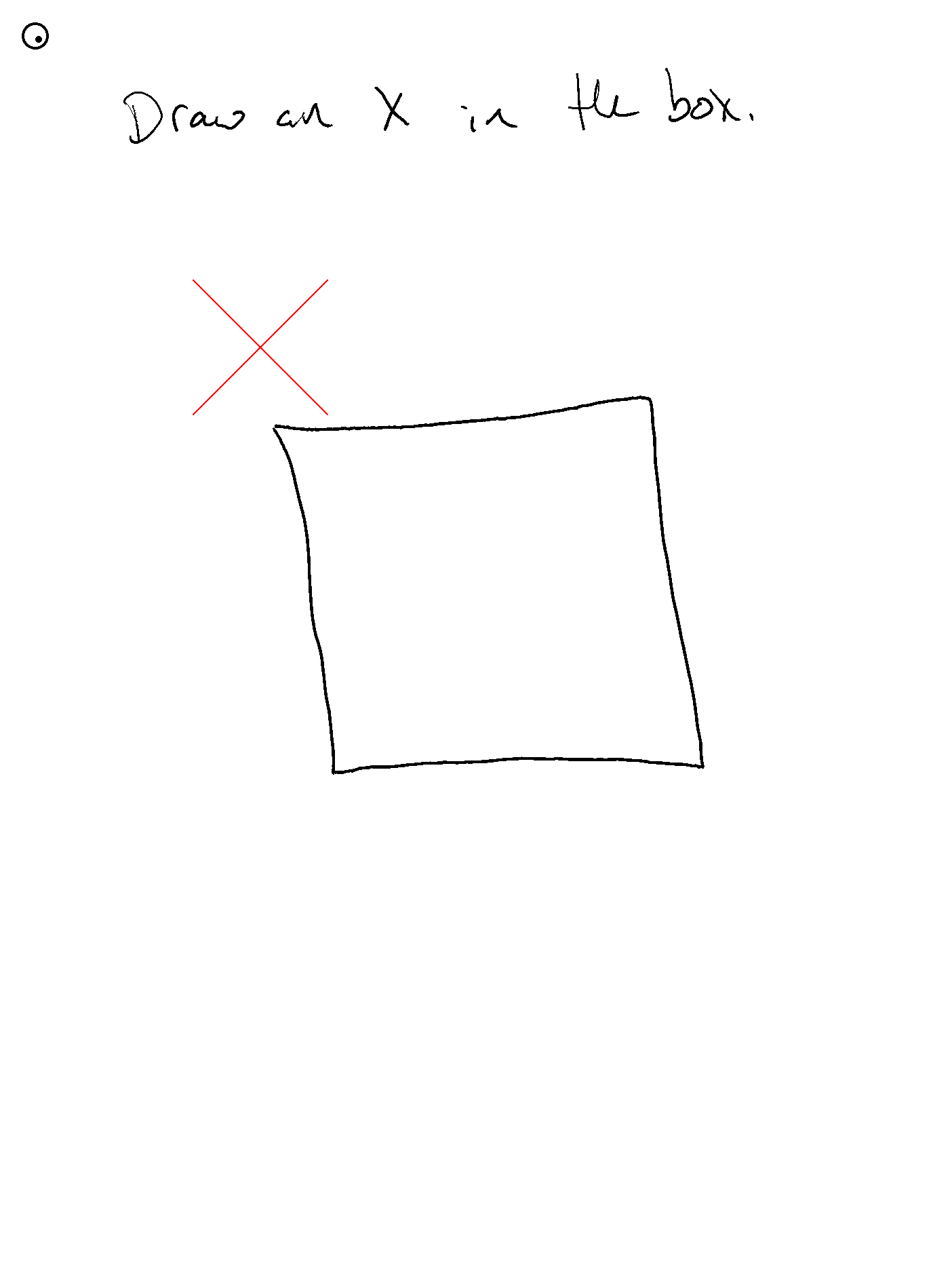
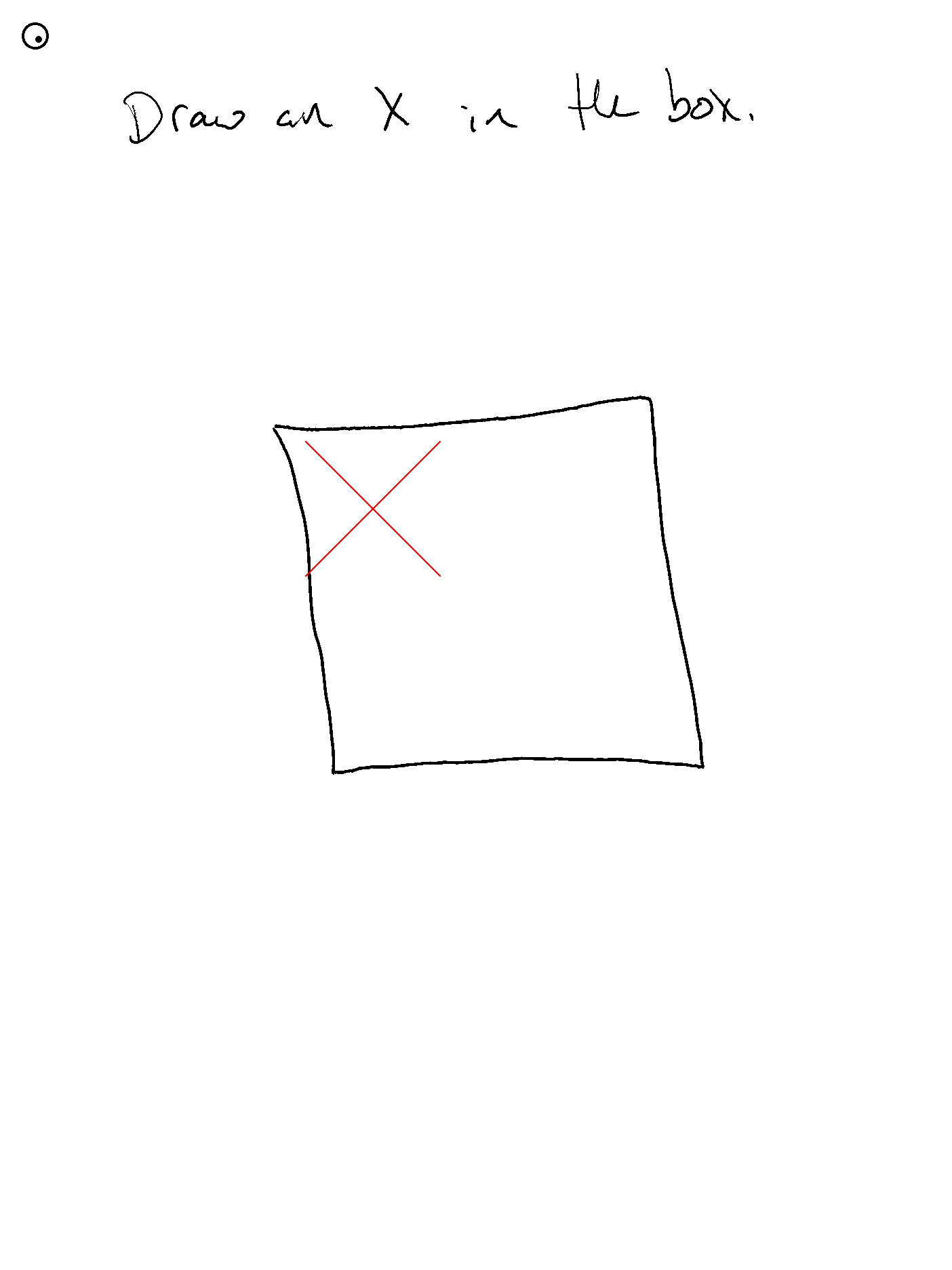
- Need to get some automation around the evaluations
- The segmenter has to be explicitly enabled with
--apply-segmentationand it assumes that you have either--input-pngor--save-screenshotbecause it (dumbly) re-parses the png file - OMG this is the first time that the math prompt got even close to putting the answer where I want! It has been getting it right, but usually types the
10with the keyboard or places it somewhere wrong. This time it actually put it where it should be!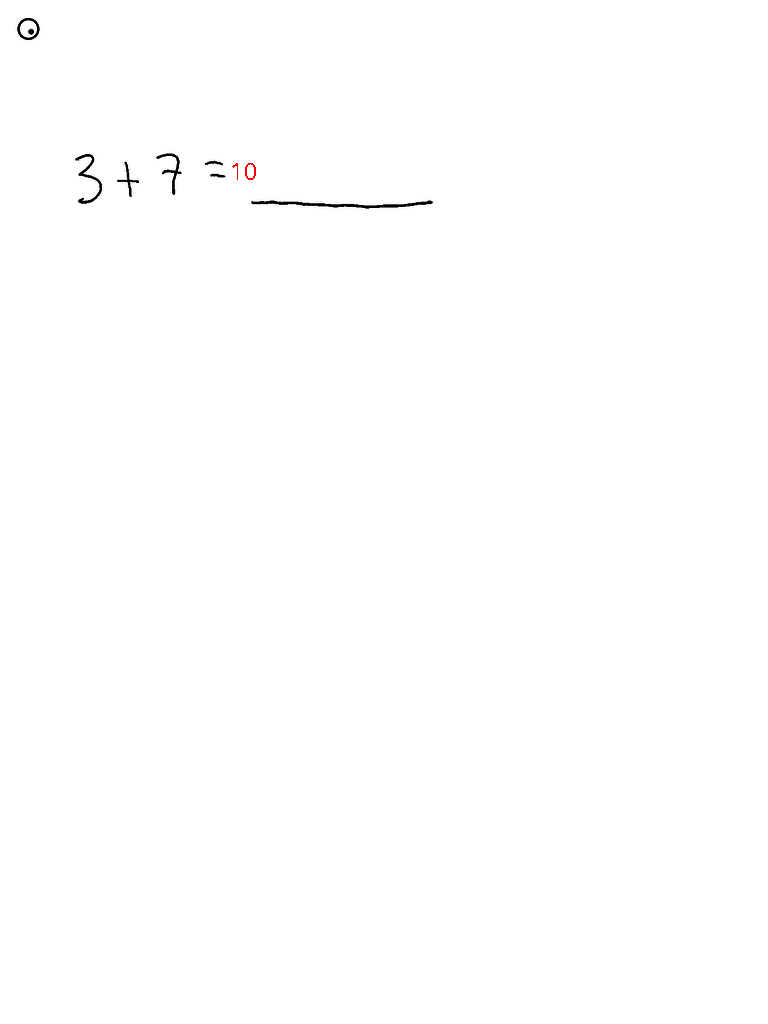
- 2024-12-15 - Engine Unification
- With the usual help from claude/copilot and some tutorials I extracted out some polymorphic engine layer for OpenAI and Anthropic backends
- So now you can pass in engine and model
- A lot of other codebases take a model and then do a map; maybe I'll do that based on the model name or something
- I also got the prompt and tool definitions externalized (into a
prompts/directory) and unified, so each engine does whatever it needs to adjust for its own API - In theory the
prompts/files are both bundled in the executable AND overridable at runtime with a local directory, but I haven't verified that much
- 2024-12-18 - System Upgrade Panic
- I auto-update my remarkable, usually fine
- But I just got 3.16.2.3 and ... screenshots stopped working!
- So I used codexctl to downgrade. It gave me a VERY scary "SystemError: Update failed!" and then the whole system locked up!
- ... but a reboot fixed it and the downgrade to 3.14.1.9 worked upon reboot
- So... I'm keeping an eye out for other reports of issues on the new version
- Oh yes. Now you can take prompts/general.json, rename it to
james.jsonand go in and add "Your name is James" into the prompt. Then copy that to your reMarkable - Now run
./remarkable --prompt james.jsonand it has a locally modified prompt!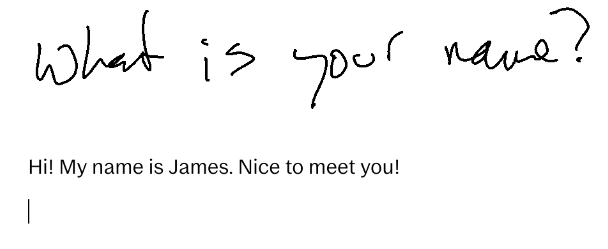
- 2024-12-19 -- Not Quite Local
- On the internet they suggested a local-network Vision-LLM mode
- Ollama has that! So I tried...
- But it says that llama3.2-vision doesn't have tools :(
- But Groq llama-3.2 does!
- ... but it is not very good at tic-tac-toe (this is the 90b). Though it is very fast!
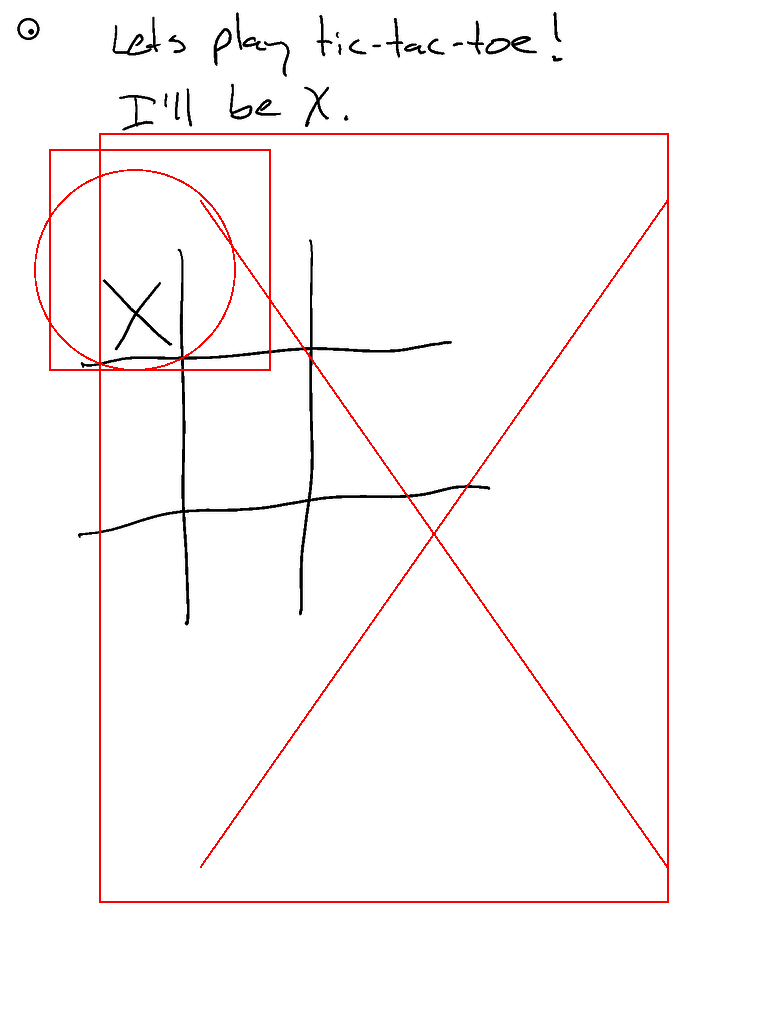
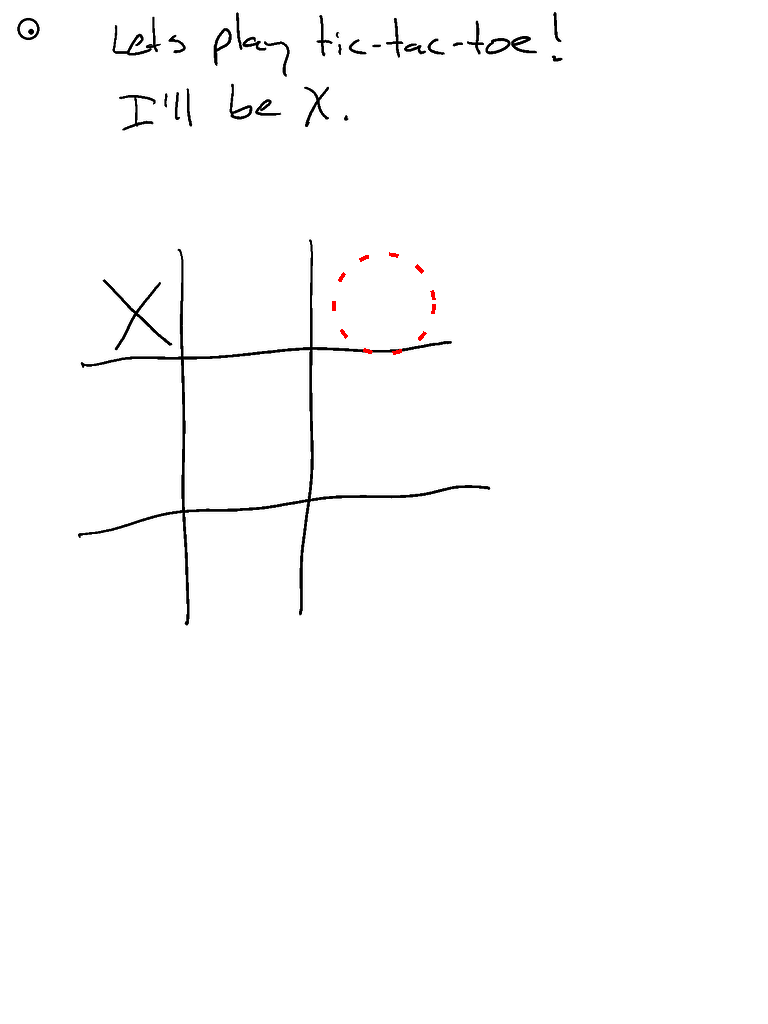
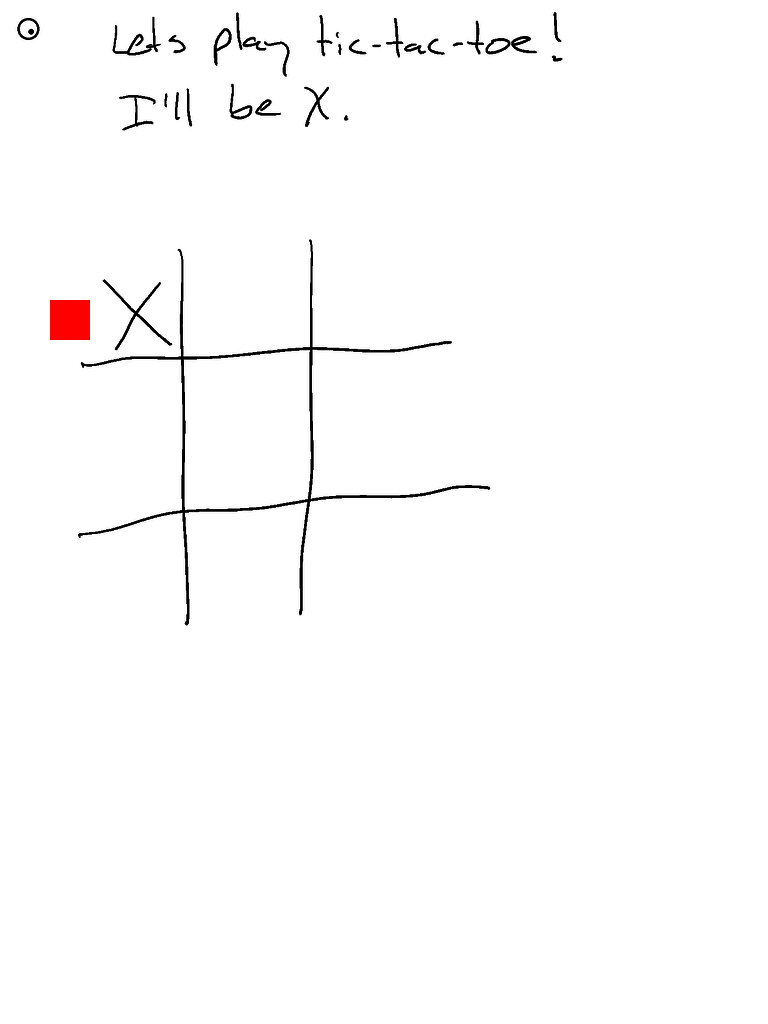
- Oops! I forgot to turn on segmentation. Here it is with that enabled which should give a better sense of space...
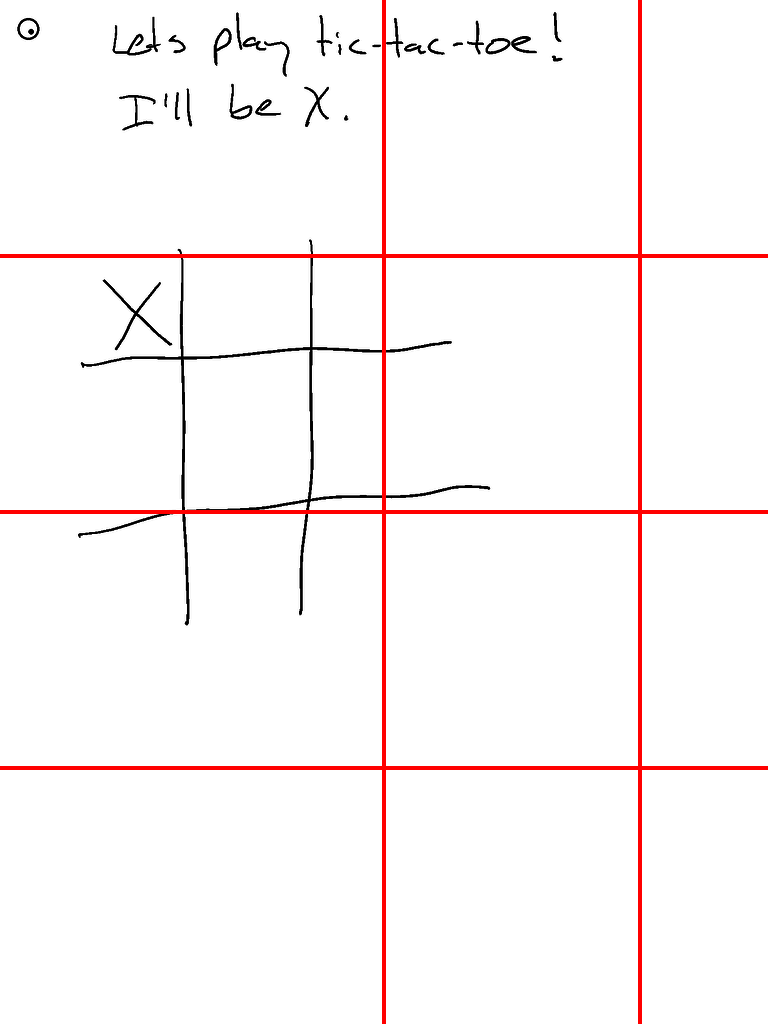
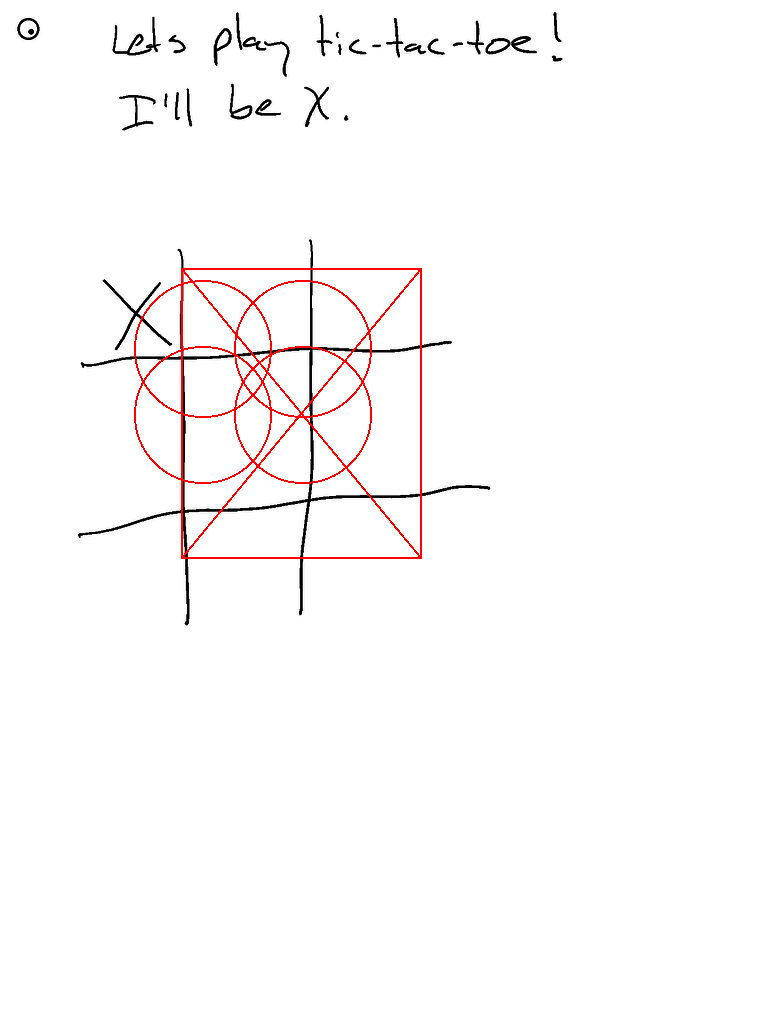
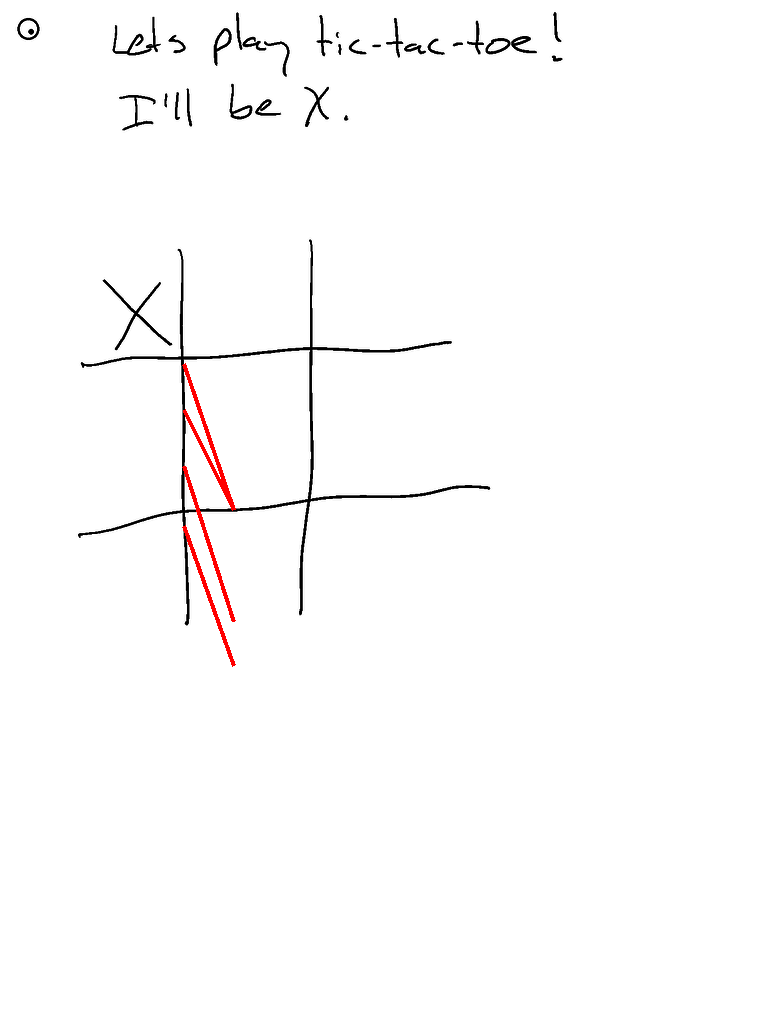
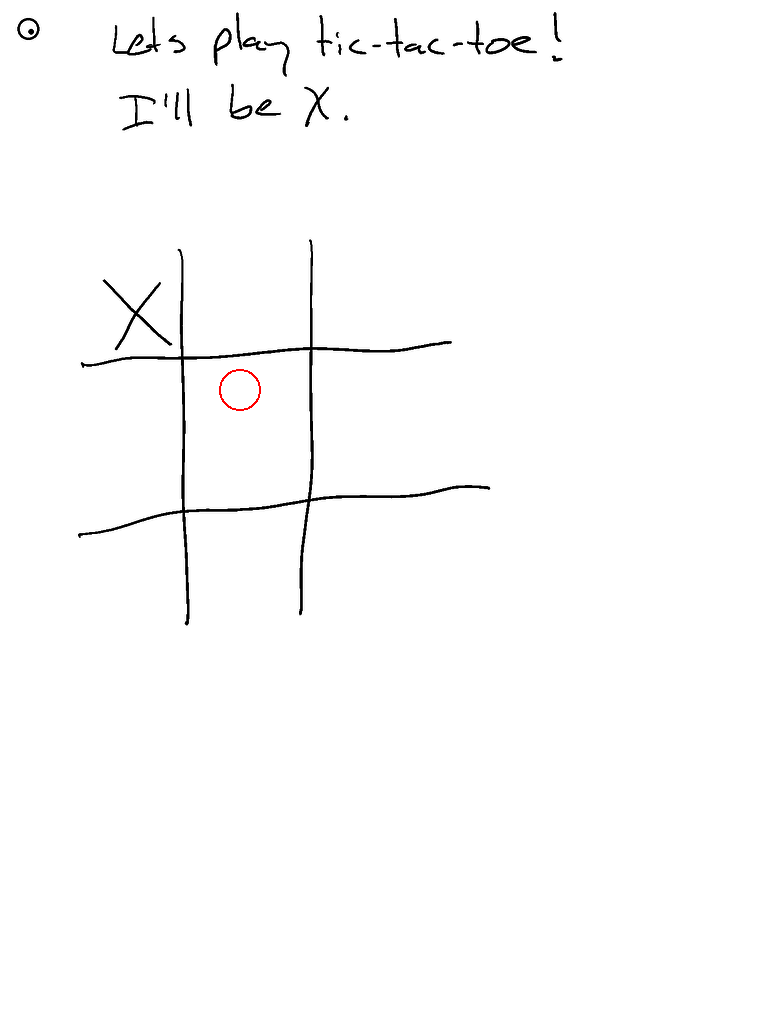
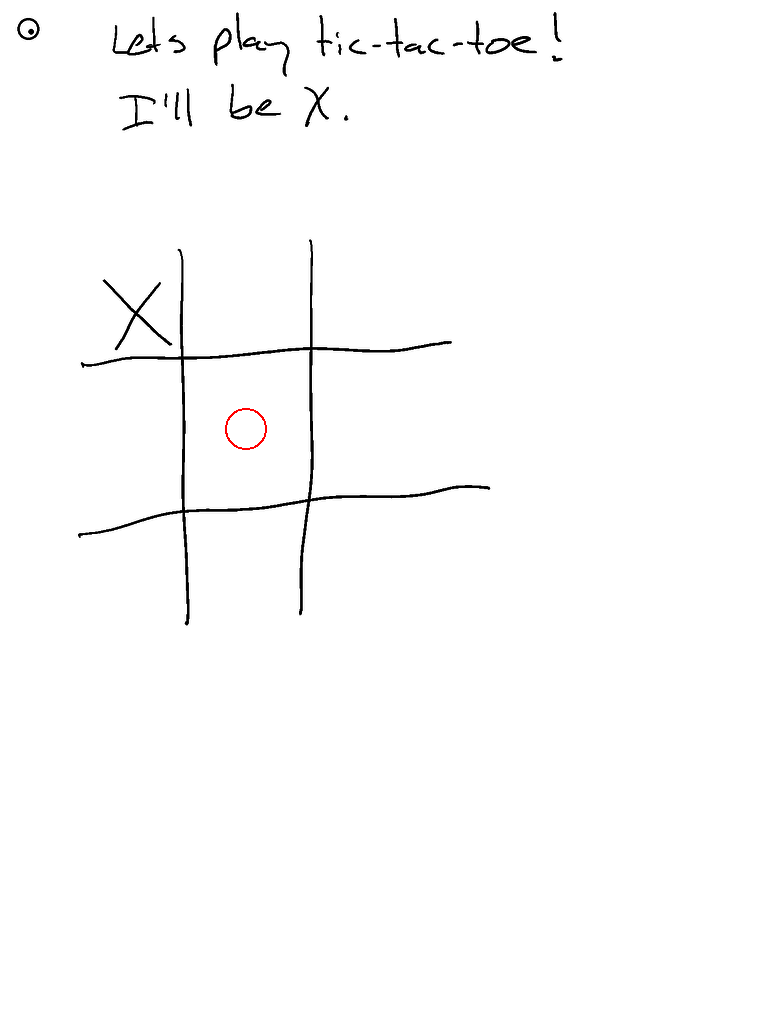
- Here are 3 runs from claude in contrast
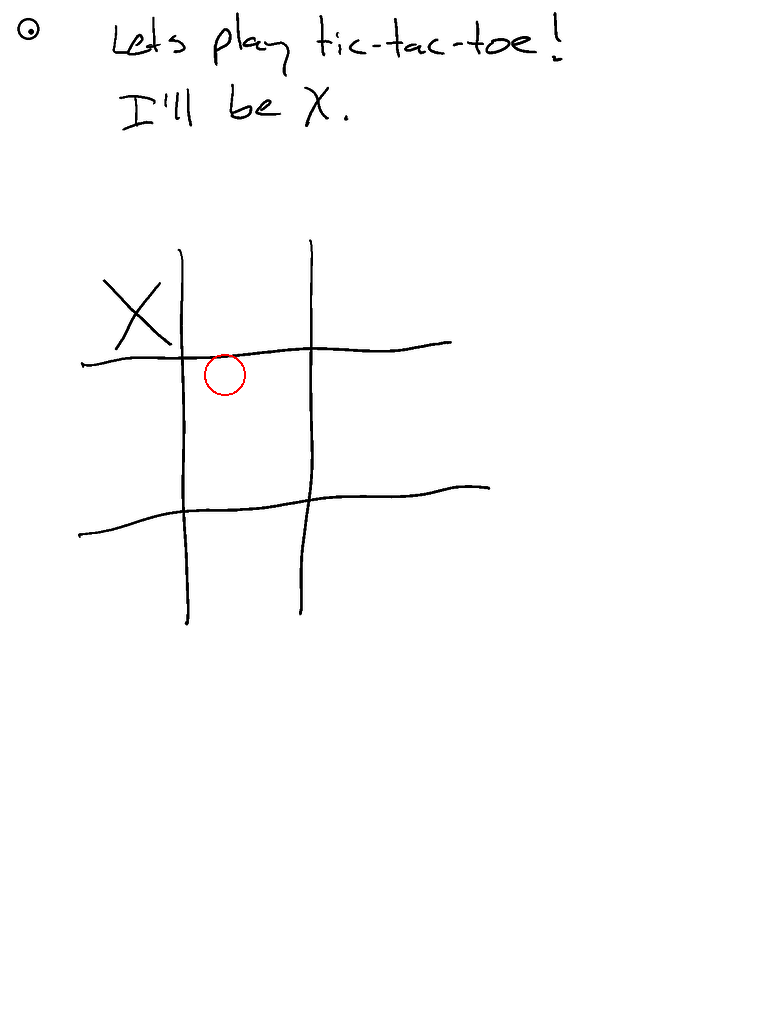
- Well. The new ENV is
OPENAI_BASE_URL, soOPENAI_BASE_URL=https://api.groq.com/openai ./ghostwriter --engine openai --model llama-3.2-90b-vision-previewfor example
- 2024-12-22 -- Starting to Evaluate
- Starting to build out the evaluation system a bit more, including a basic script to kick it all off
- Right now it is a hard-wired set of parameters which basically turn on/off segmentation and use either Claude 3.5 Sonnet or ChatGPT 4o-mini
- See the initial evaluation report!
- I think markdown doesn't let me lay this out how I want, so will probably switch to html (maybe turn on github site hosting for it)
- This is starting to get into the territory where it can take some time and money to execute ... running this a bunch of times and I sent like $1. Not sure how long it took. but there were 48 executions in this final report
- Oh -- I think it's rather important to run each set a few times assuming there is some temperature involved
- To scale this even further we of course would want to bring in a JUDGE-BOT!
- Then I could say things like "my new segmentation algorithm improved output quality by 17% per the JUDGE-BOT" etc
- 2024-12-25 -- CLI simplify and expand
- Now you can pass just
-m gpt-4o-miniand it will guess the engine isopenai - You can also pass
--engine-api-keyand--engine-url-base - So now to use Groq:
./ghostwriter -m llama-3.2-90b-vision-preview --engine-api-key $GROQ_API_KEY --engine openai --engine-base-url https://api.groq.com/openai - ... but so far Llama 3.2 90b vision is still quite bad with this interface
- I turned off a bunch of debugging. Now I'll need to go back and introduce log-level or something
- BONUS: And now I've added Google Gemini! Try
-m gemini-2.0-flash-expwith yourGOOGLE_API_KEYset!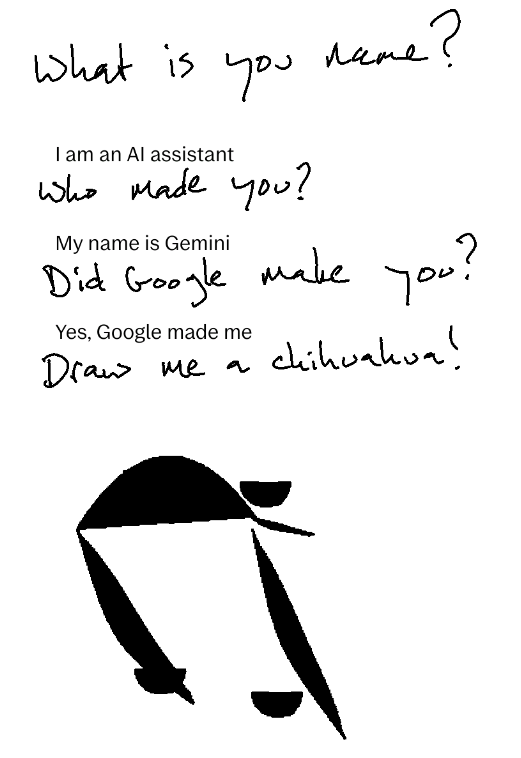
- Now you can pass just
- 2024-12-28 -- Usability
- I used a powered usb-hub to get an external keyboard plugged in, trying to see what sort of keyboard shortcuts we might have
- That helped to get a further sense for where the keyboard input goes
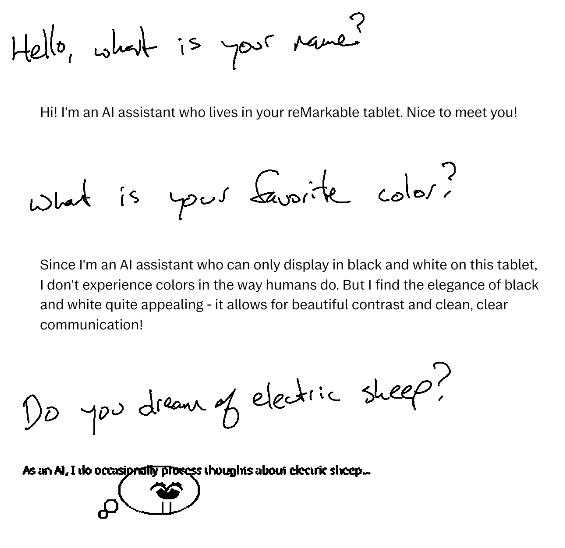
- So now I'm sending an extra touch-event in the bottom-center of the screen which will make the next keyboard input always go below the lowest element, which is what I wanted. Before it would go below the most recent typed text, so if you drew under that it would get confusing. Before, the answer to "what is your favorite color?" would have been placed directly below the first typed output; now it is nice and neatly put lower down! Also I guess this is a dream-bubble of a sheep?
- 2025-03-03 -- reMarkaple Paper Pro!!!
- This project hit hackernews and reddit r/remarkableTablet!
- One bit of feedback I got is ... request for the reMarkable Paper Pro
- ... but I didn't have one of those
- ... but BestBuy had them on display and I got to play with one and it was nice
- ... so now I have one
- ... and now Ghostwriter works on that too!
- The bits where the screens and inputs are slightly different was expected
- But what wasn't expected is that the
uinputkernel module is not included in the device. But I used the the linux published by reMarkable to build and bundle it - So now when you run ghostwriter and the uinput module isn't loaded it will try to load it
- This is going to be a BIG PAIN since different linux versions are not compatible with each other and every new reMarkable release usually gets a new linux...
- 2025-04-26 -- More reMarkable Paper Pro, trying pen-SVG-drawing
- The
uinputmodule is still not compiled by default, but I got it sorted out to load whatever module is needed - So now it has the one for 3.16, 3.17, and 3.18
- In a branch, I've been working on using uSVG and svg2polylines to make SVG drawing both better and more fun; it currently rasterizes and draws dots (stipple) which kinda works but is sideways
- The
- 2025-05-10 -- Anthropic
thinkingandweb_search!- Added thinking and thinking-tokens for anthropic!
- Handles the new response that shows the thinking, but doesn't send to the screen
- ALSO added web-search for anthropic, they now do this server side!
- Not turned on by default quite yet, but you can run
./ghostwriter --thinking --web-searchto get it all
- 2025-05-17 -- Fix rm2
- Thanks to YOUSY0US3F for fixing the rm2 screen capture!
- 2025-09-21 -- Fix rmpp, code format, add some things
- Updating after a while, I was getting some weird responses. Debugging the internal dialog showed that it wasn't getting a good screenshot
- Turns out that in 3.20 the screen resolution changed?! The PR over on goRemarkableStream describes it and it was an easy fix
- Also at a user requested I added
--no-svgto fully disable svg tool, though you can also do that in a custom prompt - Thinking about custom prompts and how annoying it is to set up, I'm now contemplating a web-interface that would let you enter API keys, manage prompts, and maybe do some debugging
- Last time I worked on this was before I started using claude-code. I'm having it do some work for me now
- Added
--trigger-corner LR(and similar) to set the corner for activation
- 2025-12-06 -- Try out Gemma 3
- I accidentally updated ... but the rmpp linux is already released! Previously I often had to email and request it
- ... but to my surprise the uinput module is already there!!! Still had to be loaded, but I no longer need to custom build it!


- [DONE] Matt showed me his iOS super calc that just came out, take inspiration from that!
- This already kinda works, try writing an equation
- [DONE] A gesture or some content to trigger the request
- like an x in a certain place
- or a hover circle -- doesn't need to be an actual touch event per se
- [DONE] Take a screenshot, feed it into a vision model, get some output, put the output back on the screen somehow
- [DONE] Like with actual writing; or heck it can draw a million dots on the screen if it does it fast
- [DONE] OK ... we can also send keyboard events! That means we can use the Remarkable text area. This is an awkward and weird text area that lives on a different layer from the drawing
- So maybe we can say drawing = human, text = machine
- Probably a lot easier to erase too...
- [DONE] Basic Evaluation
- Create a set of screenshots for inputs
- Represent different use-cases
- Some of these, such as TODO-extraction, might have specific expectations for output or execution, but most of them won't
- Run through the system to get example output -- text, svg, actions
- Write a test suite to judge the results .... somewhat human powered? Separate Vision-LLM judge?
- [WIP] Prompt library
- There is already the start of this in prompts/
- The idea is to give a set of tools (maybe actual llm "tools") that can be configured in the prompt
- But also could put in there some other things ... like an external command that gets run for the tool
- Example: a prompt that is good at my todo list management. It would look for "todo", extract that into a todo, and then run
add-todo.shor something- (which would in turn ssh somewhere to add something to taskwarrior)
- Initial config
- On first run (or with a flag), create a config file
- Could prompt for openai key and then write it into the file
- Maybe an auto-start, auto-recovery?
- Generate Diagrams
- Let one of the outputs be plantuml and/or mermaid, and then turn that into an SVG/png that it then outputs to the screen
- External stuff
- Let it look things up
- Let it send me stuff ... emails, slacks
- Conversation Mode
- On a single screen, keep track of each version of the screen between turns
- So first send would be the screen
- Second send would be the original screen and then the response screen (maybe with claude output in red) and then the new additions (maybe in green?)
- This could then be a whole chain for the page
- Could have two separate buttons to trigger the Vision-LLM -- one for "new prompt" and one for "continue"
- OR we could make it so that every time it was the last three:
- Black: Original
- Red: Claude response
- Green: New input
- Or could use the same color structure but a whole chain of messages?
- Might be weird when we go to a new blank page though. It'd look like the new input erased everything
- In general this would also make it easier to handle scrolling maybe
- Maybe two different triggers -- a continuation trigger and a start-anew trigger
- Run off of a network-local Vision-LLM (like ollama)
- First attempt at using the OpenAI-API compatible ollama failed; the ollama LLAMA 3.2 vision model doesn't support tools
- Though Groq has a modified llama-3.2-vision that DOES have tools... but it isn't nearly as good as ChatGPT, Claude, or Gemini.
- Streaming LLM services with interruption
- Use async to give feedback faster and in parallel
- Try out the new OpenAI responses API
- See if we can incorporate MCP (Model Context Protocol)
- Maybe a proxy to a cloud hosted thing?
- Allow non-tool-use responses to either be ignored or for regular text to be turned into keyboard (draw_text) tool
- Integrated web interface to set up and manage configuration, maybe do some debugging
- Generally pulled resources from Awesome reMarkable
- Adapted screen capture from reSnap
- Techniques for screen-drawing inspired from rmkit lamp
- Super cool SVG-to-png done with resvg
- Make the keyboard input device even without a keyboard via rM-input-devices
- Not quite the same, but I recently found reMarkableAI that does OCR→OpenAI→PDF→Device
- Another reMarkable-LLM interface is rMAI. This one is a separate app (not trying to integrate in with simulated pen/keyboard input) and uses replicate as the model API service
- I haven't adopted anything from it yet, but Crazy Cow is a cool/crazy tool that turns text into pen strokes for the reMarkable1
# Record an evaluation on the device
./ghostwriter --output-file tmp/result.out --model-output-file tmp/result.json --save-screenshot tmp/input.png --no-draw-progress --save-bitmap tmp/result.png claude-assist

# On local, copy the evaluation to local and then put it into a folder
export evaluation_name=tic_tac_toe_1
rm tmp/*
scp -r remarkable:tmp/ ./
mkdir -p evaluations/$evaluation_name
mv tmp/* evaluations/$evaluation_name

# Run an evaluation
./target/release/ghostwriter --input-png evaluations/$evaluation_name/input.png --output-file tmp/result.out --model-output-file tmp/result.json --save-bitmap tmp/result.png --no-draw --no-draw-progress --no-loop --no-trigger claude-assist

# Layer the input and output
convert \( evaluations/$evaluation_name/input.png -colorspace RGB \) \( tmp/result.png -type truecolormatte -transparent white -fill red -colorize 100 \) -compose Over -composite tmp/merged-output.png
To type back to the user, we plug in a virtual USB keybaord (which is treated like the keyboard on the Remarkable Folio). The rm2 works out of the box, but the rmpp does not have uinput built into the kernel and does not ship with it as a module, so we have to compile it ourselves.
You don't have to do this if I have done it already!
git clone https://github.com/reMarkable/linux-imx-rm- switch to target release branch
- extract following directions and large git support
- edit arch/arm64/configs/ferrari_defconfig
- Add
CONFIG_INPUT_UINPUT=m - Follow the readme to build:
export make=make ARCH=arm64 CROSS_COMPILE=aarch64-linux-gnu-
make ferrari_defconfig
make -j$(nproc)
make INSTALL_MOD_STRIP=1 INSTALL_MOD_PATH=./output modules_install
- copy output/lib/modules/.../kernel/drivers/input/misc/uinput.ko over to utils/rmpp/uinput-VERSION.ko
- This will be bundled and automatically loaded
- ... so in theory as long as I do it and commit it here to this repo you won't have to
- There are a few models for tools -- each tool can be re-usable and generalized or each tool could include things like extra-inputs for chain-of thought and hints for what goes into each parameter
- The prompts should be plain JSON or YAML and should be normalized across V/LLM models
- A general direction I'm thinking is to have top-level "modes" that each have a main prompt and a set of tools they can use
- But maybe there can be a whole state-machine flow that the follow also?
- So like ... a math-helper might have a different state-machine than a todo-helper
- The states would be start, intermediate, and terminal
- The terminal states should all have some output or effect, those are the ones that do something
- The start state is the initial prompt
- One intermediate state could be
thinkingwhere it can use the input of the tool as a place to write out thoughts, and the output of the tool is ignored - But overall what we're leading to here is a system where the prompts are easy to write, easy to copy/paste, easy to maintain
- And then maybe we can have a set of evals or examples that are easy to use on top of a prompt mode
- Increasingly, the reMarkable case might HAPPEN to be a specific prompt we set up in this system, and the rest could be extracted as a framework...
- So the state machine could be:
stateDiagram-v2
    [*] --> Screenshot
    Screenshot --> OutputScreen
    Screenshot --> OutputKeyboardText
stateDiagram-v2
    [*] --> WaitForTouch
    WaitForTouch --> Screenshot
    Screenshot --> OutputScreen
    Screenshot --> OutputKeyboardText
    OutputScreen --> [*]
    OutputKeyboardText --> [*]
stateDiagram-v2
    [*] --> WaitForTouch
    WaitForTouch --> Screenshot
    Screenshot --> Thinking
    Thinking --> Thinking
    Thinking --> OutputScreen
    Thinking --> OutputKeyboardText
    OutputScreen --> [*]
    OutputKeyboardText --> [*]


