



Portal is the fastest way to load and visualize your deep learning models. We are all sick of wrangling a bunch of cv2 or matplotlib codes to test your models - especially on videos. We created portal to help teams, engineers, and product managers interactively test their model on images and videos, inference thresholds, IoU values and much more.
Portal is an open-source browser-based app written in TypeScript, React and Flask.
Made with ♥ by Datature
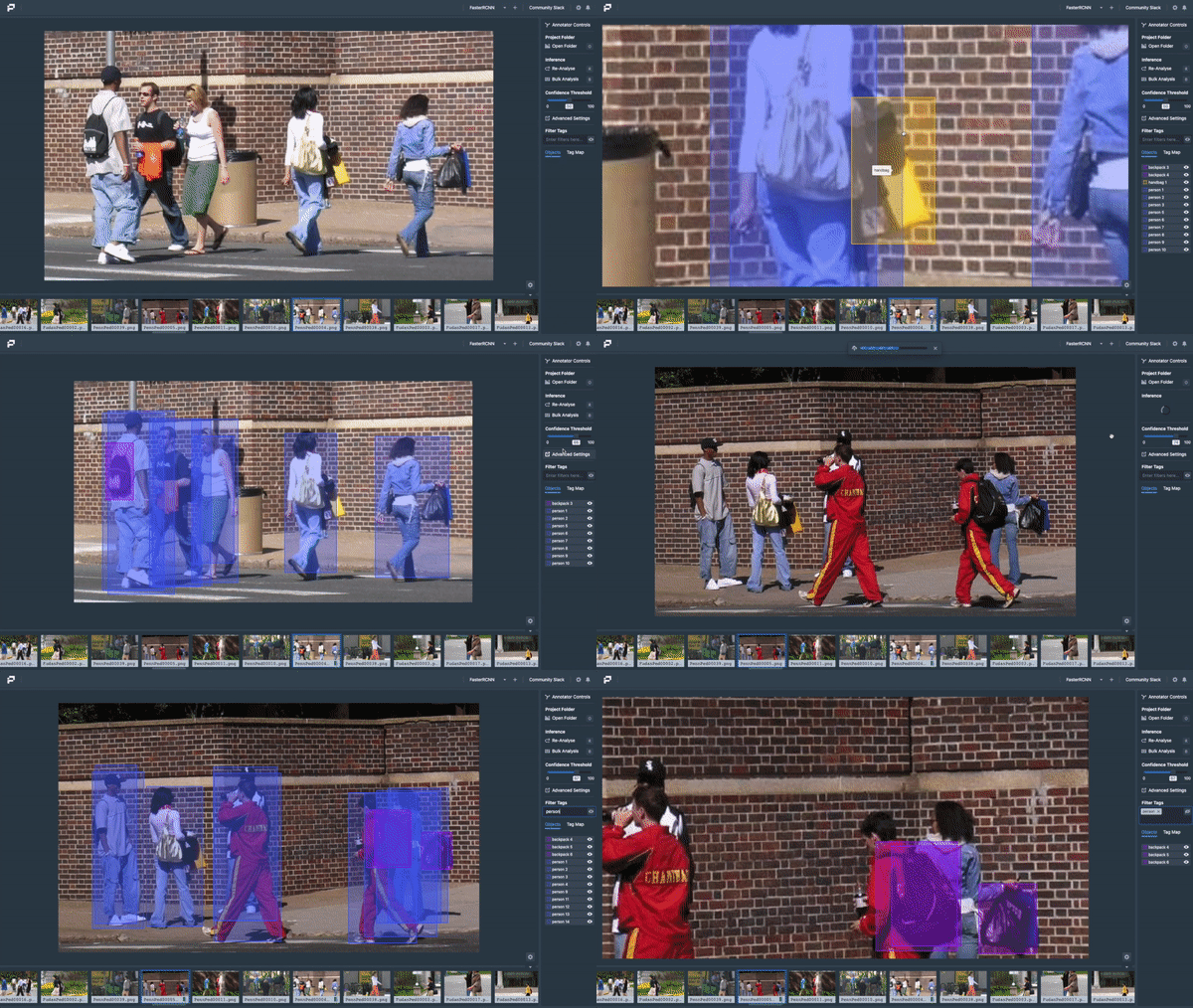
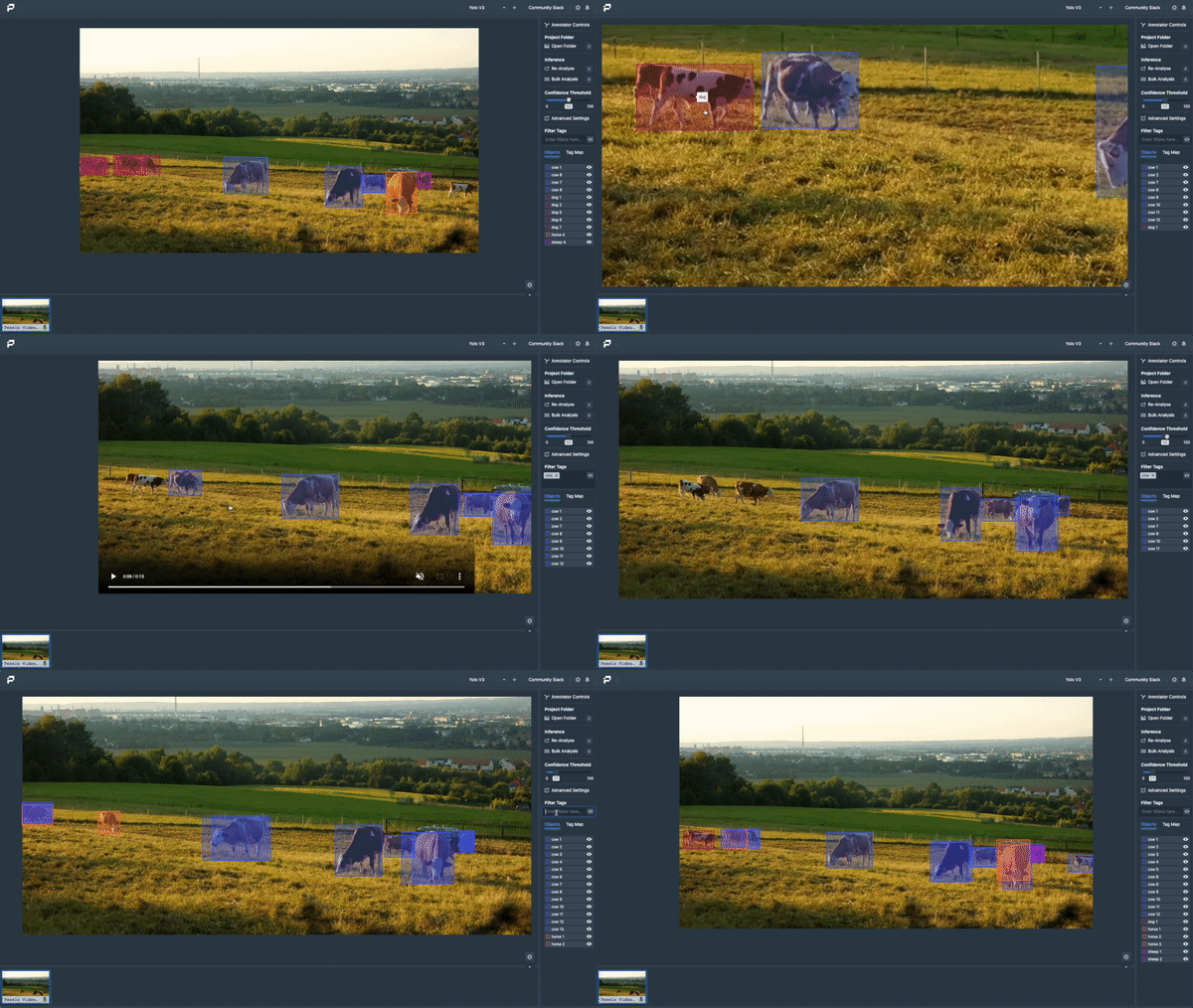
Portal works on both images and videos - bounding boxes and masks - allowing you to use it as a sandbox for testing your model's performance. Additionally, Portal supports Datature Hub, TensorFlow and DarkNet models (PyTorch Support Incoming) and runs on either our electron app or your browser.

Portal can be used as a Web Application or through downloading and installing our Electron package via Portal Releases.
This is the recommended way of running Portal
Portal is built using Python 3.7. Ensure that you have this version and up before beginning (Python 3.7 <= X < 3.9). Clone the repository and then navigate to the directory where requirements.txt is and install all necessary dependencies and setup using setup.sh:
git clone https://github.com/datature/portal
cd portal
pip3 install -r requirements.txt
./setup.sh
Running the following command will open the Portal application on the browser via http://localhost:9449.
If you wish to run the application on gpu, add a trailing
--gpuflag (This only works for TensorFlow Models)
python3 portal.pyIf you'd like to use virtual environments for this project - you can use a helpful script below to before activating the virtualenv -
./setup-virtualenv.sh
Portal comes with an installable version that runs on electron.js - this helps to provide a desktop application feel and ease of access of setting up. To install, please download the latest Portal Releases and run the Portal installer for your OS.
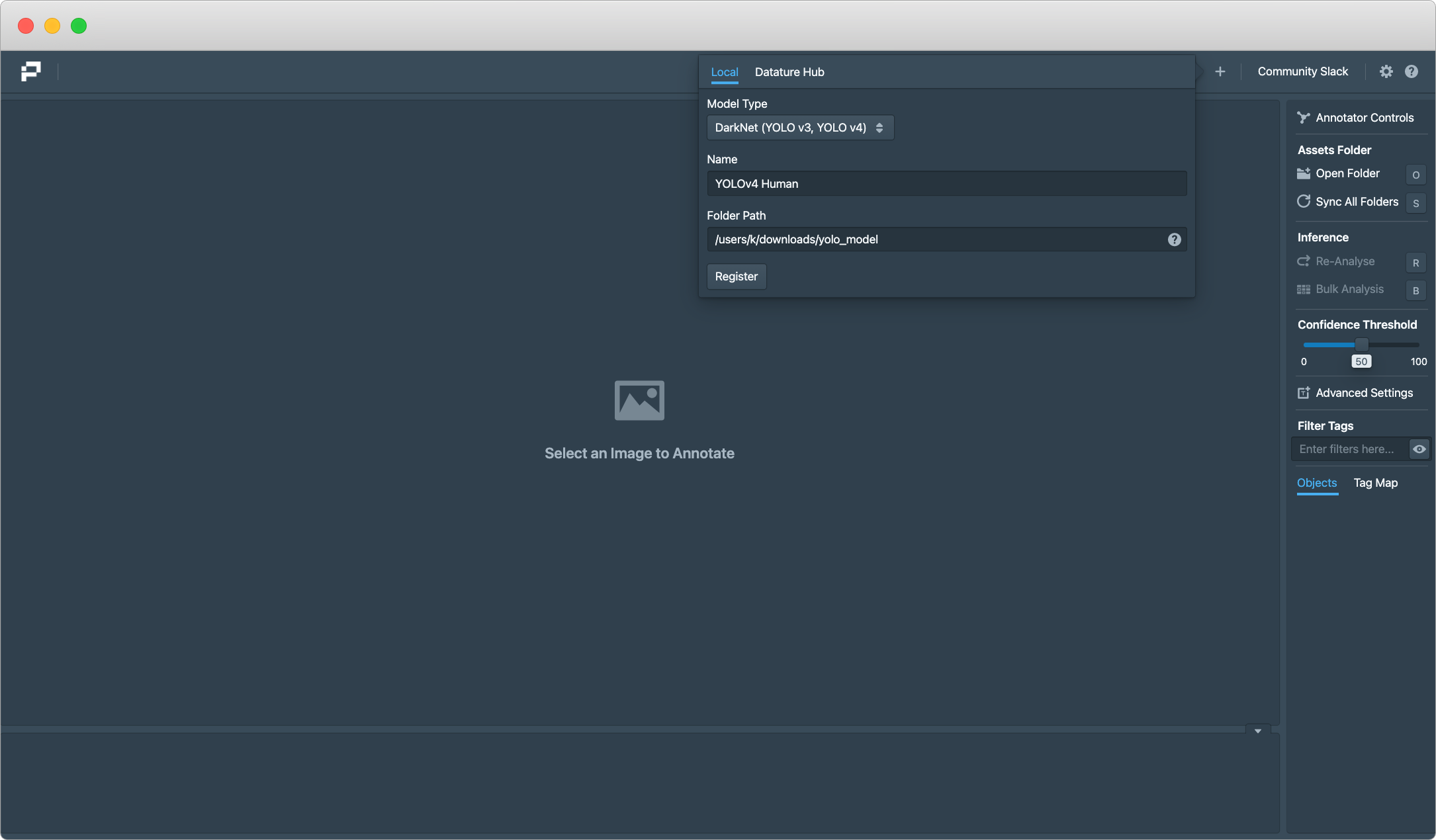
On starting Portal or navigating to http://localhost:9449 - The following steps details how you can load your YOLO or TensorFlow model on your image folders. To begin, let's assume we want to register a tf2.0 model. On Portal, a concept we use is that you can register multiple models but load one at each time.
Start by clicking on the + sign and adding the relevant filepaths, e.g. /user/portal/downloads/MobileNet/ and a name. You will be prompted to load the model as seen below. Simply click on the model you'd like to load and the engine wil

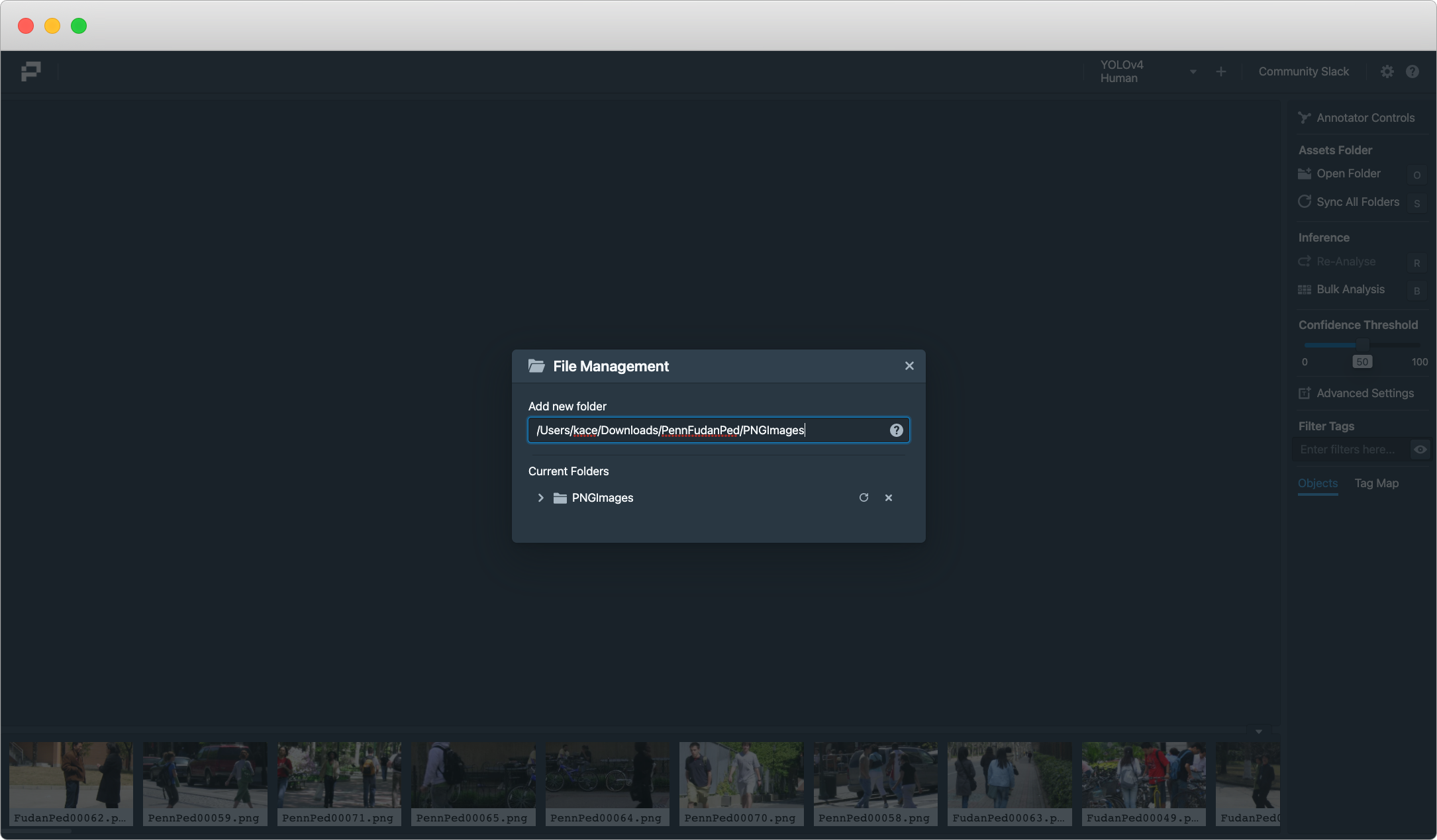
To load your dataset (images / videos), click on the Open Folders button in the menu and paste your folder path to your dataswr. Once you are done, press the enter button. The images should appear in the asset menu below. You can load and synchronize multiple folders at once on Portal.
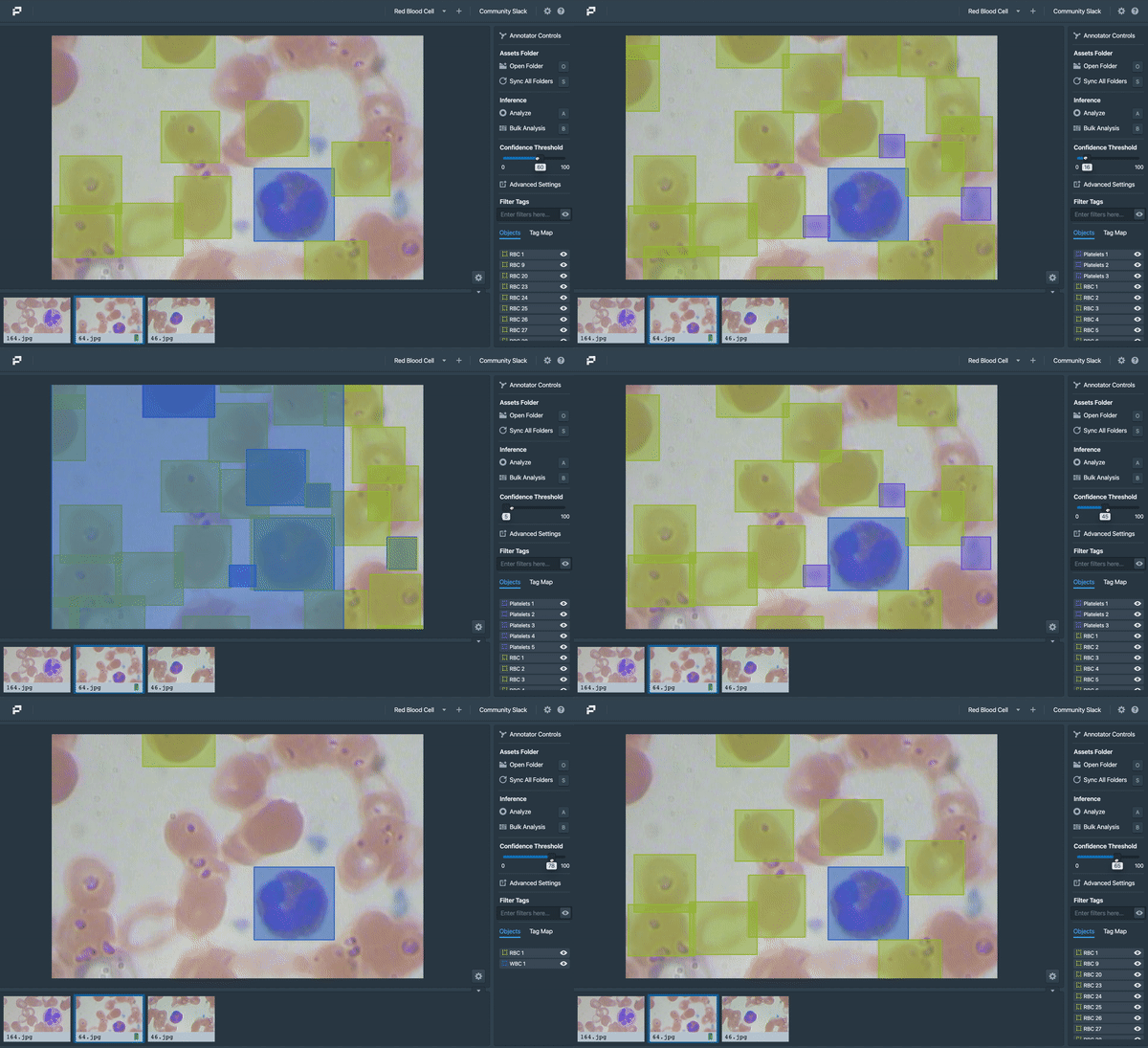
Click on any image or video, press Analyze, and Portal will make the inference and render the results. You can then adjust the confidence threshold or filter various classes as needed. Note that Portal run inferences on videos frame-by-frame, so that will take some time. You can change the inference settings, such as IoU or Frame Settings under Advanced Settings.

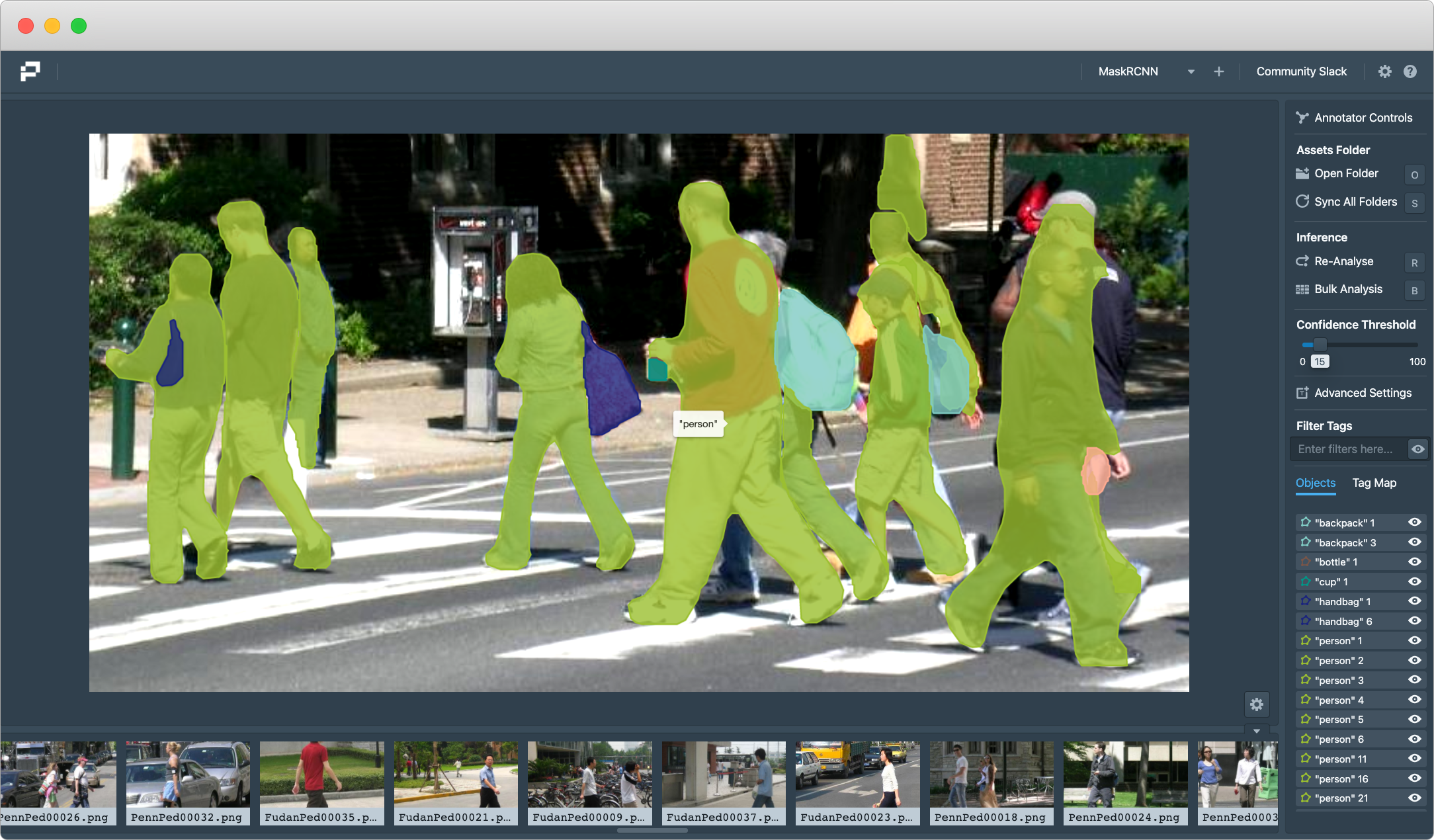
To view the various key maps and shortcuts, press ? on your keyboard whilst in Portal. There are various shortcuts such as showing labels of detections, going to the next photo, etc. If you have any suggestions or change recommendation, feel free to open a Feature Request
Portal works on both Mask and Bounding Box models. For detailed documentations about advanced features of Portal can be found here : Portal Documentation
Portal works seemlessly with Nexus, our MLOps platform, that helps developers and teams build computer vision models - it comes fully featured with an advanced annotator, augmentation studio, 30+ models and ability to train on multi-GPU settings. Anyhoo, here's how to build a model and run it in Portal -
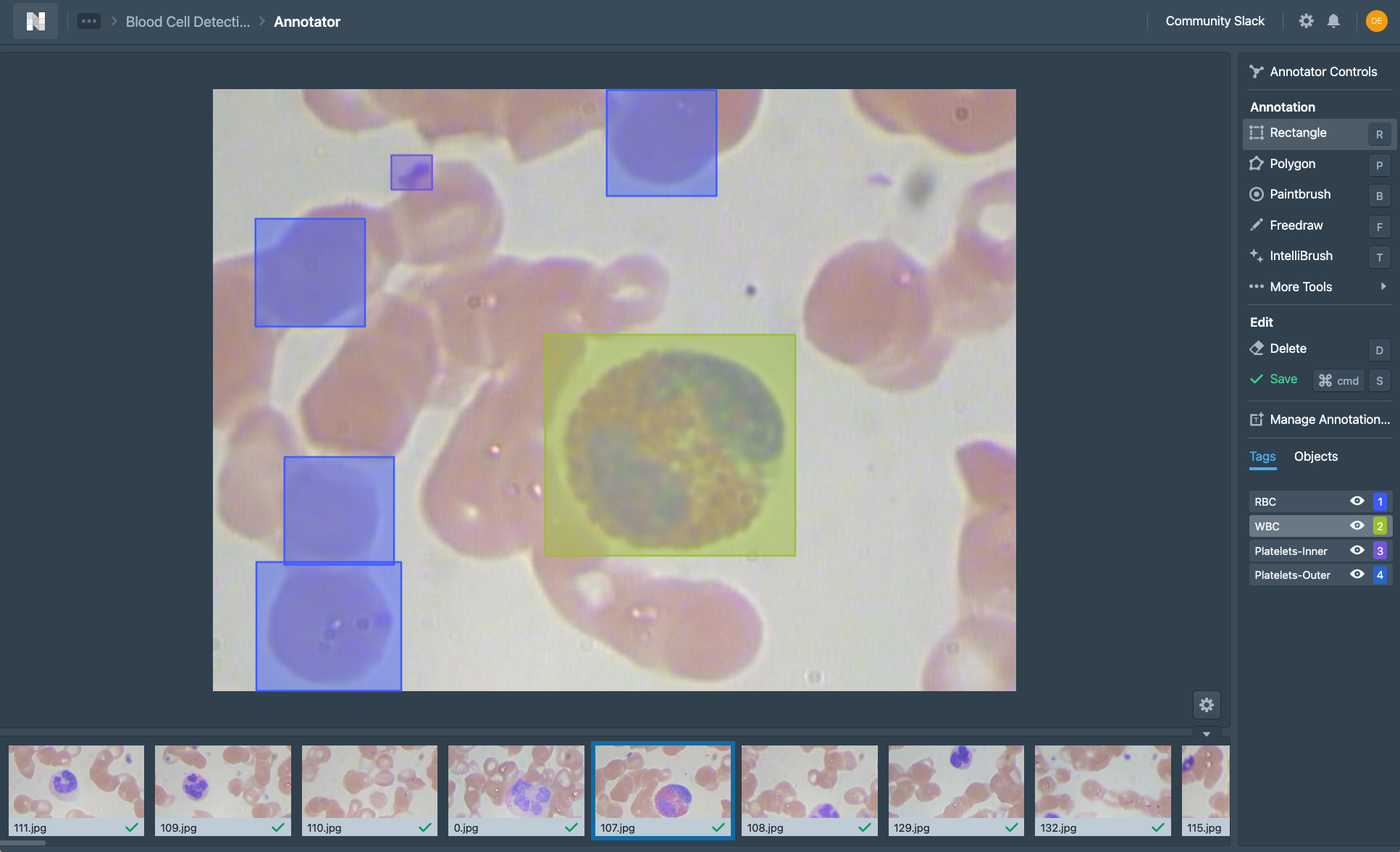
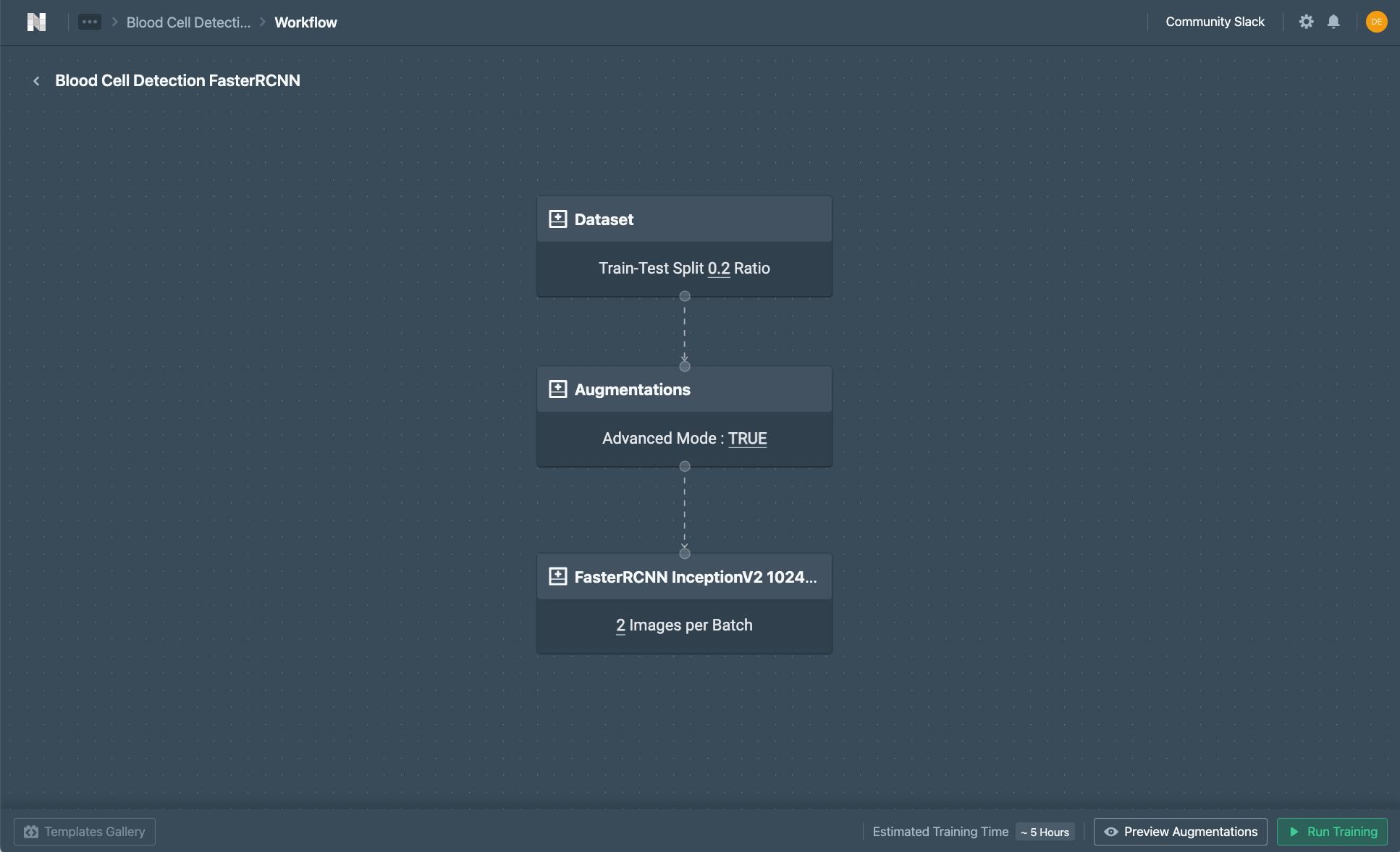
To build a model on Nexus, simply create a project, upload the dataset, annotate the images, and create a training pipeline. You should be able to start a model training and this can take a few hours. As the model training progress, checkpoints are automatically generated and you should see them in the Artifacts page. For more details on how to use Nexus, consider watching our tutorial here.
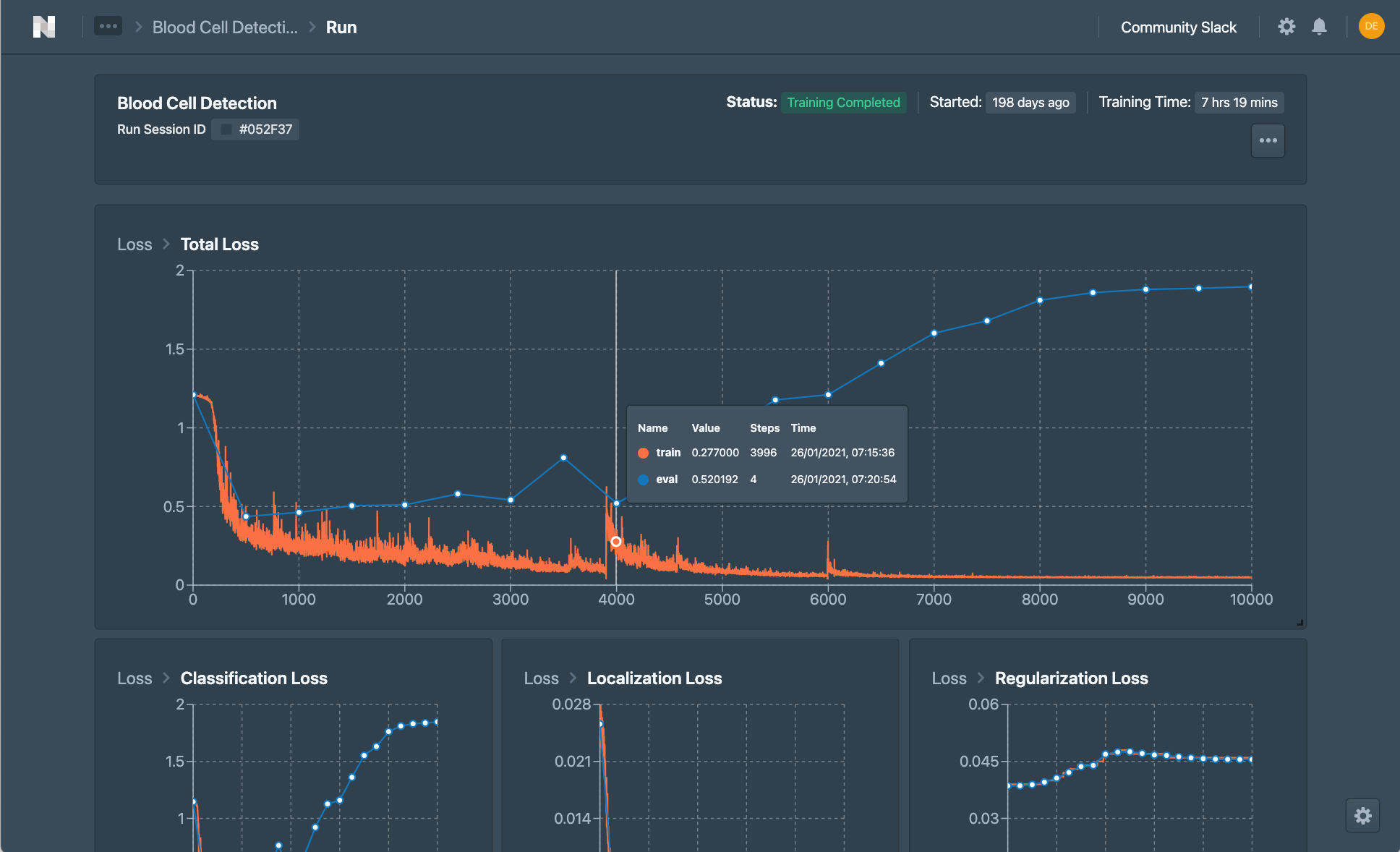
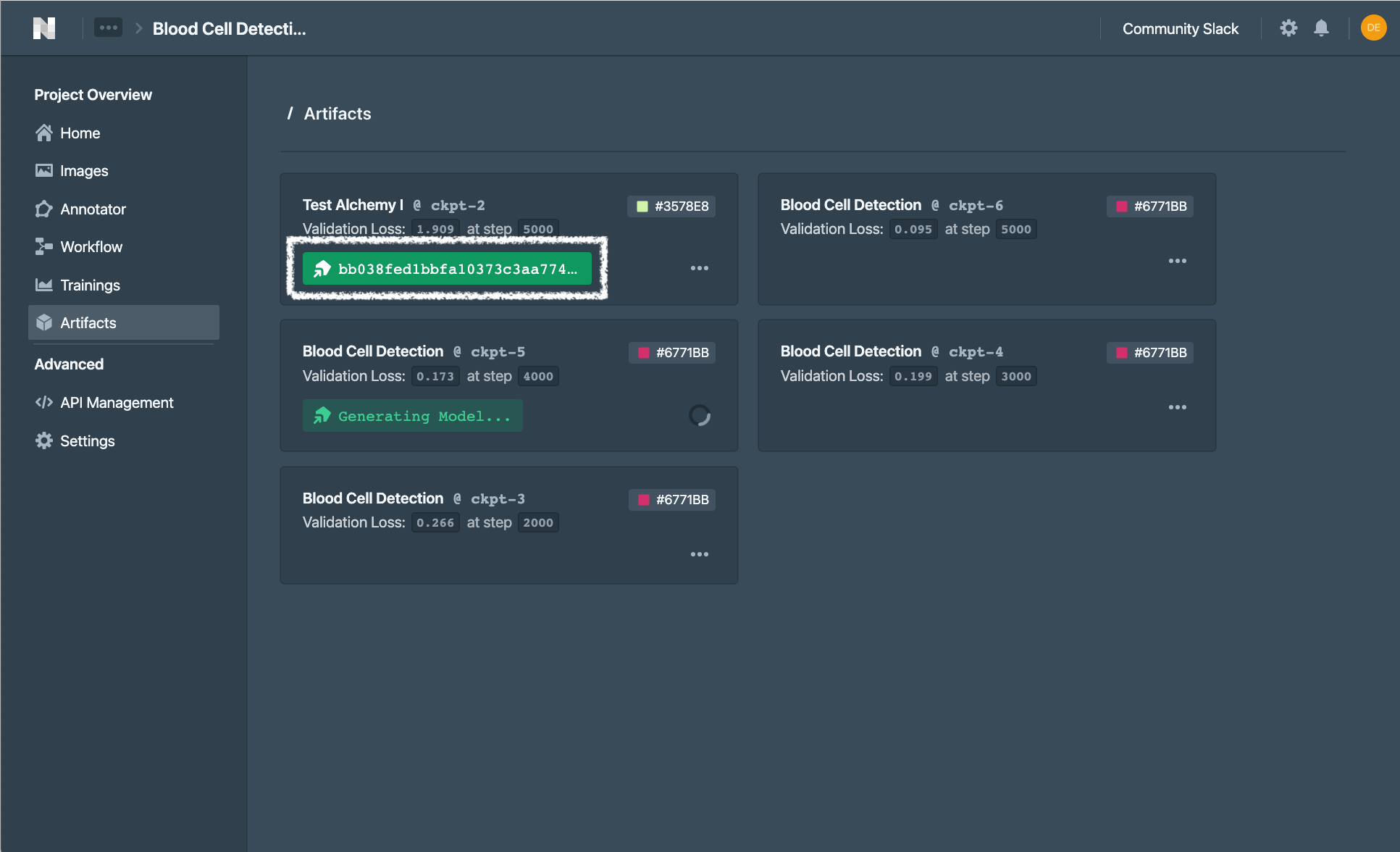
Once you are done with a training and a candidate checkpoint is selected, you can generate a model under the Artifacts page to obtain the model key required by Portal for the following setup. Use the register model interface to insert this key to the model under Datature Hub.
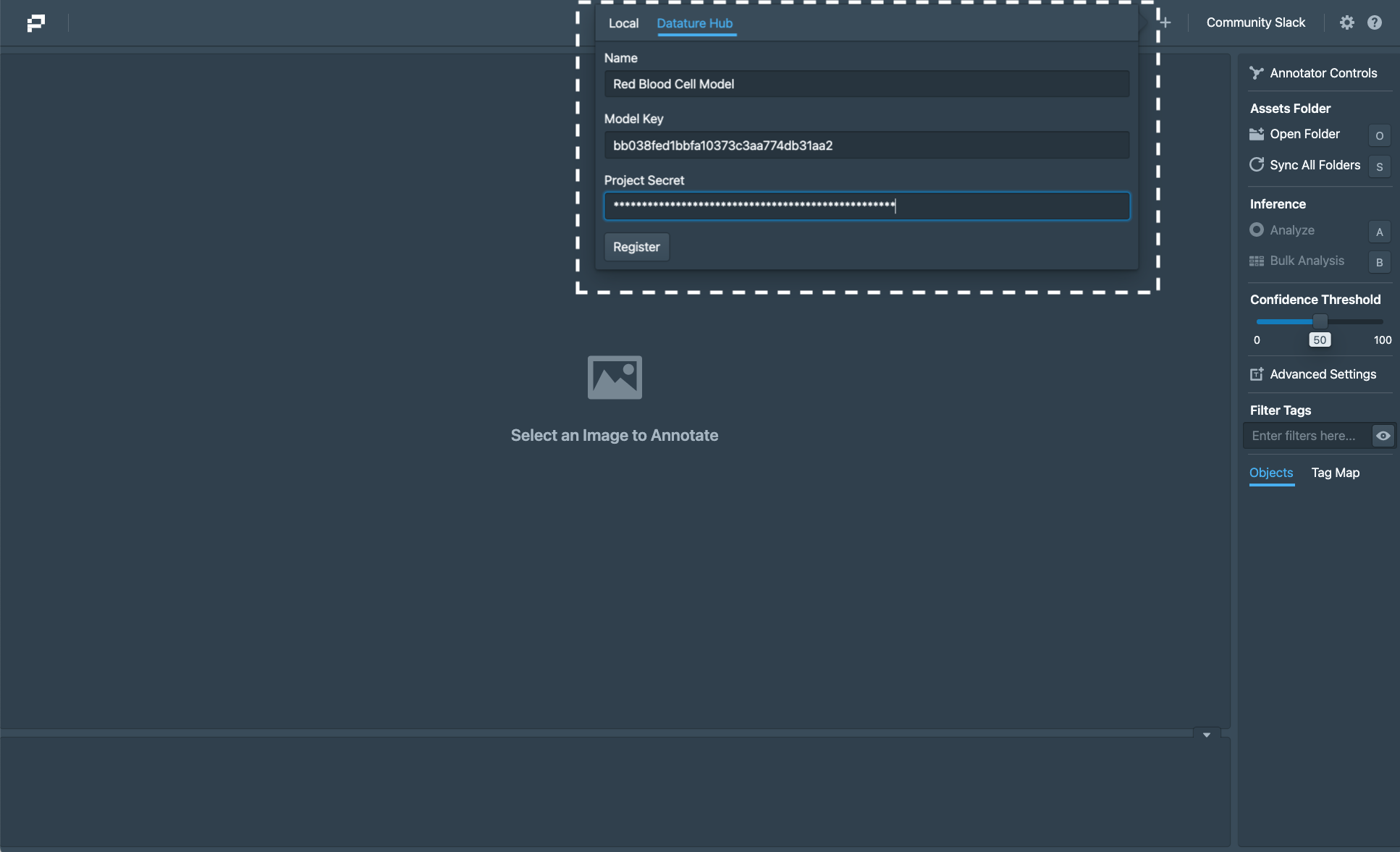
You may also download the model directly from Nexus, then use the register model interface to load your model as an AutoDetect Model.
With this, you can now run Analyze on your test images and you should be able to train and test new models between Nexus and Portal easily by repeating the steps above. If you'd like to give Datature Nexus a try, simply sign up for an account at https://datature.io - It comes with a free tier!
- Ubuntu 18.04/20.04/22.04
- Command line support for versions after Windows 7
- Executable not supported for Windows 10 Pro
- Currently not supported for devices utilising the M1 Chip (In progress of developing a compatible version).
For any assistance, please contact [email protected]
Using Portal to Inspect Computer Vision Models
Building an Object Detection Model with Datature
Building an Instance Segmentation Model with Datature
We have provided sample weights for you to test Portal:
| Dataset | Description | Download Link |
|---|---|---|
| YOLO-v3 | DarkNet Model based off pjreddie/darknet | YOLOv3 |
| SSD MobileNet V2 FPNLite 640x640 | Tensorflow Model from tensorflow/models | MobileNet |