

     _______. __    __  .______    __       __  .___  ___.  _______
    /       ||  |  |  | |   _  \  |  |     |  | |   \/   | |   ____|
   |   (----`|  |  |  | |  |_)  | |  |     |  | |  \  /  | |  |__
    \   \    |  |  |  | |   _  <  |  |     |  | |  |\/|  | |   __|
.----)   |   |  `--'  | |  |_)  | |  `----.|  | |  |  |  | |  |____
|_______/   .___________.________ |.___________.|________|.________|
            |           |  |  |  | |           |/  __  \  |   _  \
            `---|  |----|  |  |  | `---|  |----|  |  |  | |  |_)  |
                |  |    |  |  |  |     |  |    |  |  |  | |      /
                |  |    |  `--'  |     |  |    |  `--'  | |  |\  \----.
                |__|     \______/      |__|     \______/  | _| `._____|
                                                     FOR SUBLIME TEXT 3
Sublime Text 3 is a powerful and easy to use text editor. An ultra simple user interface beautifully hides all the complexity behind. You can start using the editor without knowing any details, which is great for beginners.
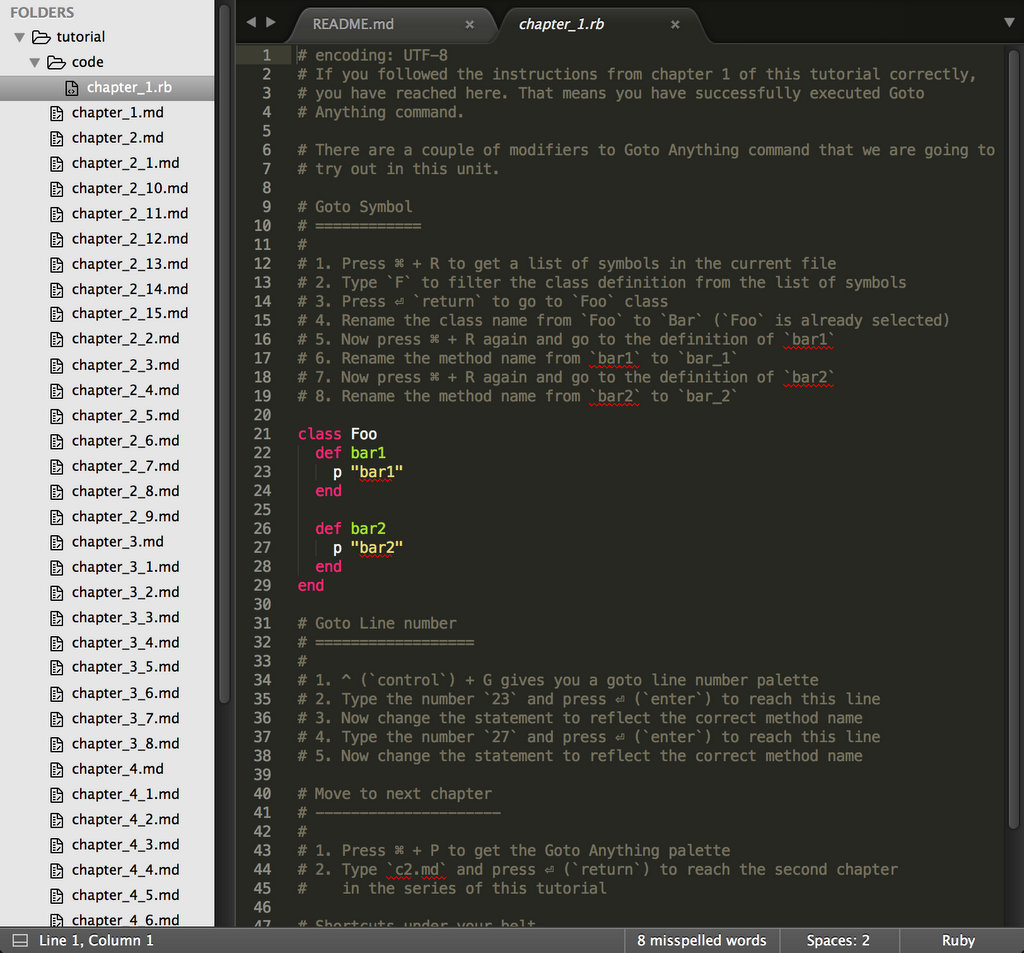
When I started using Sublime Text, I was a migrant from the world of TextMate and Vim. While a lot of keyboard shortcuts and features were similar to TextMate, some looked alien as well. Earlier, when I was learning Vim, I had found vimtutor to be of great help. In my early days with Sublime, I was looking for a similar solution which could interactively teach new shortcuts inside the editor itself.
This tutorial is inspired from classic vimtutor. You will get to learn some handy shortcuts to work with Sublime Text 3. By the end of this tutorial, you would be familiar with ST's most important and frequently used shortcuts and features.
The tutorial uses spaced repetition technique to make sure that your newly acquired skills are well persisted.
You have Sublime Text 3 installed on your system. If not, you can download it
from here: https://www.sublimetext.com/3. In case if you are on version 2, you
can clone this GIT repository on your system and follow the instructions in
tutorial directory inside. Some shortcuts and features discussed would be
ST3 only, but you'd know about it then.
Having said that, there is no reason that you should be using Sublime Text 2. A lot of improvements have been made since the version 2 and the latest version is stable enough to do most of the things. Unless, your life depends on a plugin that is only supported by ST2. I can't help you then.
Via Package Control:
- Install Package Control if already not installed: https://packagecontrol.io/installation#st3
- Press Cmd+Shift+P to bring command palette in front
- Type
Install Packageand press enter. - Search for
Sublime Tutorand press enter to install the plugin.
- Make sure you have git already installed.
cdinto thePackagesdirectory of Sublime Text 3. On Mac, it usually resides at the following path:~/Library/Application Support/Sublime Text 3 /Packages/. Alternatively you can open in via a menu item:Preferences > Browse Packages...- Once you are inside Packages directory, clone this repository:
git clone [email protected]:jaipandya/SublimeTutor.git. Alternatively download and extract the latest release for your platform here: https://github.com/jaipandya/SublimeTutor/releases - Restart Sublime Text
If you haven't already, install Sublime Tutor using the installation steps given above.
Once Sublime Tutor is installed, press Ctrl+Option+K
keyboard shortcut to open this file in Sublime Text. Another option is to go to
Help > Sublime Tutor menu option to open this.
Via Command Palette:
- Cmd+Shift+P to get the command palette in front.
- Type
Sublime Tutor, select the first command that comes up to start the interactive guide.
Cmd– Command KeyCtrl- Control KeyOption– Option KeyShift– Shift KeyEsc– Escape KeyReturn– Return KeyDelete– Delete / Backspace Key
- Give feedback - If you went through the course and think a particular thing can be done in a different way, you want a feature covered, or there was something that you specially liked, please let me know via a tweet or email
- Issues - Found an issue? Typo, error or a topic needs more details, please create an issue by going to https://github.com/jaipandya/sublimetutor/issues
- Pull request - Are you comfortable with git? If you know solution to any of the issues listed above, fork the repository, make your changes and create a PR with your changes. Refer to the branches section below while making these changes.
All osx platform related changes go in the master branch of this repository
while all windows / linux related changes go in win/linux branch.