





WhatsApp Beacon tracks when specific WhatsApp contacts go online and stores every completed session in SQLite. It can export to Excel, generate a polished analytics dashboard, and run fully headless once the session is authenticated.
View Interactive Presentation | Animated overview of the project
 |
 |
 |
 |
 |
 |
Disclaimer: This tool is for educational and research purposes only. Do not use it for stalking or any illegal activities.
- PyPI install:
pip install whatsapp-osintgets you the package fast. - One-command installer: clone, create a local
.venv, install the package, and verify the browser setup. - Best-effort Linux bootstrap: if Git, Python, or Chrome/Chromium are missing, the installer will try to install them with
sudo. - Automated browser driver resolution: Selenium Manager handles matching drivers, with manual override flags if you need them.
- Headless tracking: authenticate once, then run quietly in the background.
- SQLite session history: every finished online session is stored locally.
- Presence intelligence: while tracking, the tool passively records WhatsApp's rich status signals — "online", "last seen today/yesterday at HH:MM", "last seen on <date>", "typing…" — so you keep evidence of when a contact was last active even between sessions.
- Excel export: turn the database into
History_wp.xlsx(sessions + presence worksheets). - JSON export: dump sessions + presence to JSON for pipelines.
--last-seenCLI: query the latest presence evidence per contact with no browser needed.- Advanced analytics dashboard: generate a static HTML report with filters, heatmaps, leaderboards, per-contact regularity scores, recent-session views, and a presence trail.
python3 -m pip install whatsapp-osintThe package installs 2 equivalent entry points:
whatsapp-osintwhatsapp-beacon
curl -fsSL https://raw.githubusercontent.com/jasperan/whatsapp-osint/master/install.sh | bashWhat it does:
- clones or updates the repo into
./whatsapp-osint - creates
./whatsapp-osint/.venv - installs the package and the
whatsapp-beaconcommand - on Linux, uses
sudowhen needed to install missing system packages and Chrome/Chromium - verifies that a browser binary is available before it finishes
If you want a custom location:
PROJECT_DIR=/opt/whatsapp-osint curl -fsSL https://raw.githubusercontent.com/jasperan/whatsapp-osint/master/install.sh | bashManual / development install
Use this only if you explicitly want to manage setup yourself.
git clone https://github.com/jasperan/whatsapp-osint.git
cd whatsapp-osint
python3 -m venv .venv
source .venv/bin/activate
python -m pip install --upgrade pip setuptools wheel
python -m pip install -e ".[dev]"OTinstaller is a third-party tool manager that installs the PyPI release into its own virtualenv. It isn't maintained here, so please report problems with it on the OTinstaller tracker. Chrome or Chromium is still needed.
pipx install otinstaller
otinstaller init
otinstaller install whatsapp-osint
otinstaller run whatsapp-osint -- -u "John Doe" # same as whatsapp-beacon -u "John Doe"If you installed from PyPI:
whatsapp-osint -u "John Doe"whatsapp-osint and whatsapp-beacon run the same CLI. The rest of the examples keep using whatsapp-beacon.
If you used the GitHub installer:
cd whatsapp-osint
source .venv/bin/activate
whatsapp-beacon -u "John Doe"
If you do not want to activate the venv first:
./whatsapp-osint/.venv/bin/whatsapp-beacon -u "John Doe"The first run must authenticate with WhatsApp Web.
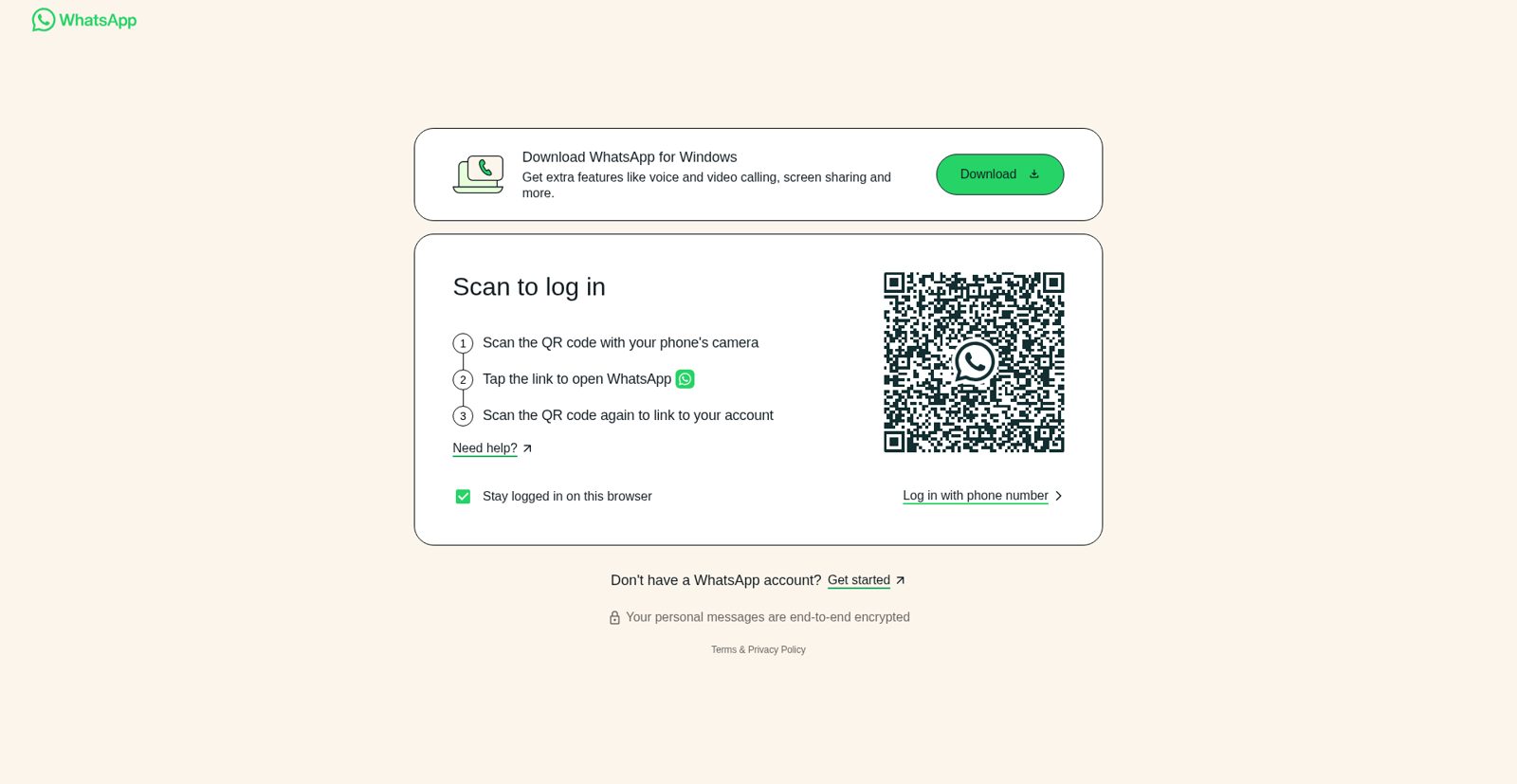
- Non-headless is the easiest path. Scan the QR code once, then the saved browser profile will be reused.
- Headless also works. If the session is not authenticated yet, the tool will save a QR screenshot to
qrcode.png.
Example:
whatsapp-beacon -u "Maria" --headlessGenerate a static HTML dashboard from the collected SQLite history:
whatsapp-beacon --analyticsBy default, the report is written to:
analytics/index.html
Custom output path:
whatsapp-beacon --analytics --analytics-output reports/contact-dashboard.htmlOnce generated, open it in your browser:
xdg-open analytics/index.html
# or on macOS
open analytics/index.html
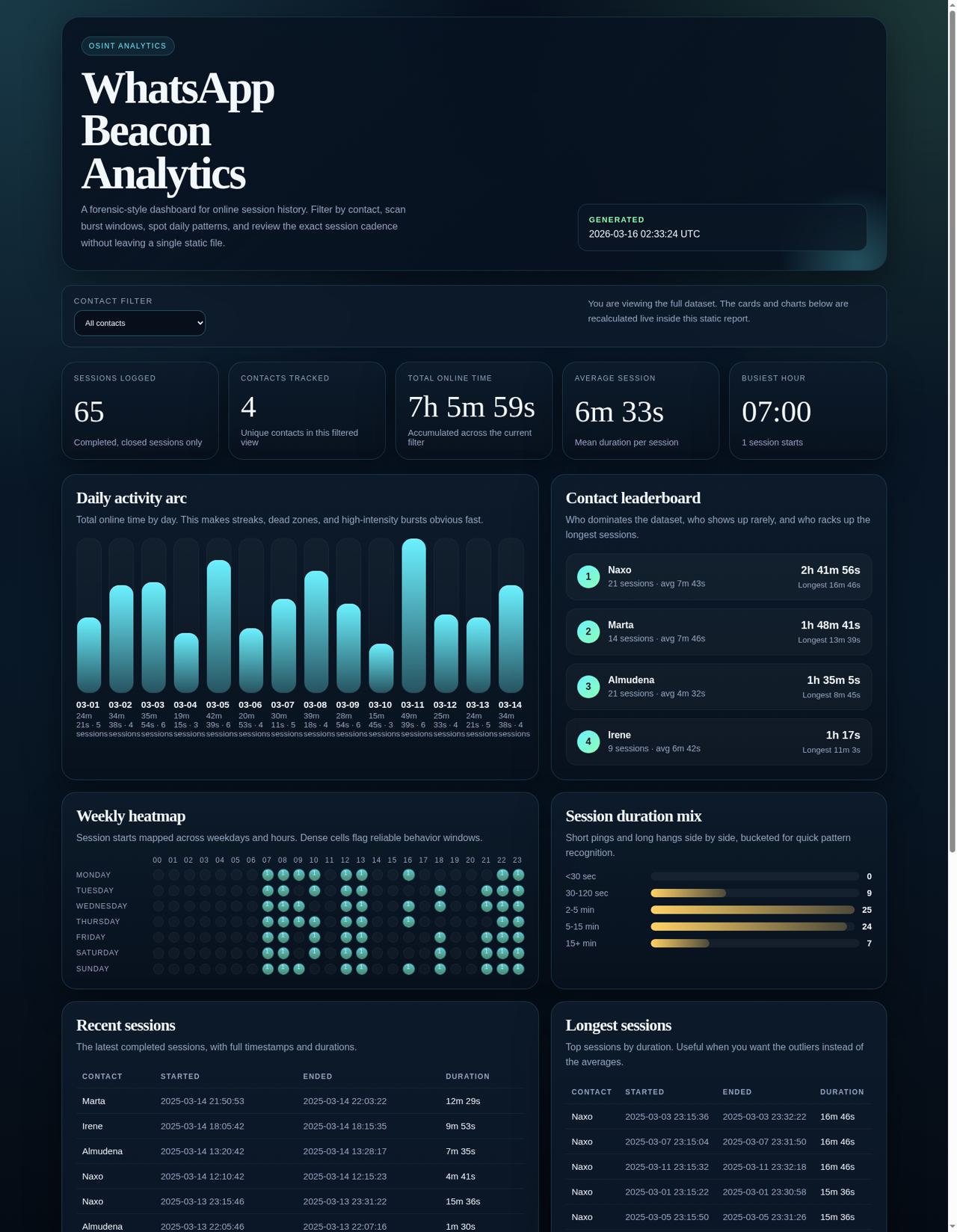
The dashboard includes:
- top-level KPIs
- per-contact leaderboard with last-seen evidence and a schedule-regularity score (0-100)
- daily online-time bars
- weekday/hour heatmap
- duration distribution
- recent sessions and longest sessions tables
- a presence trail panel showing every recorded presence signal
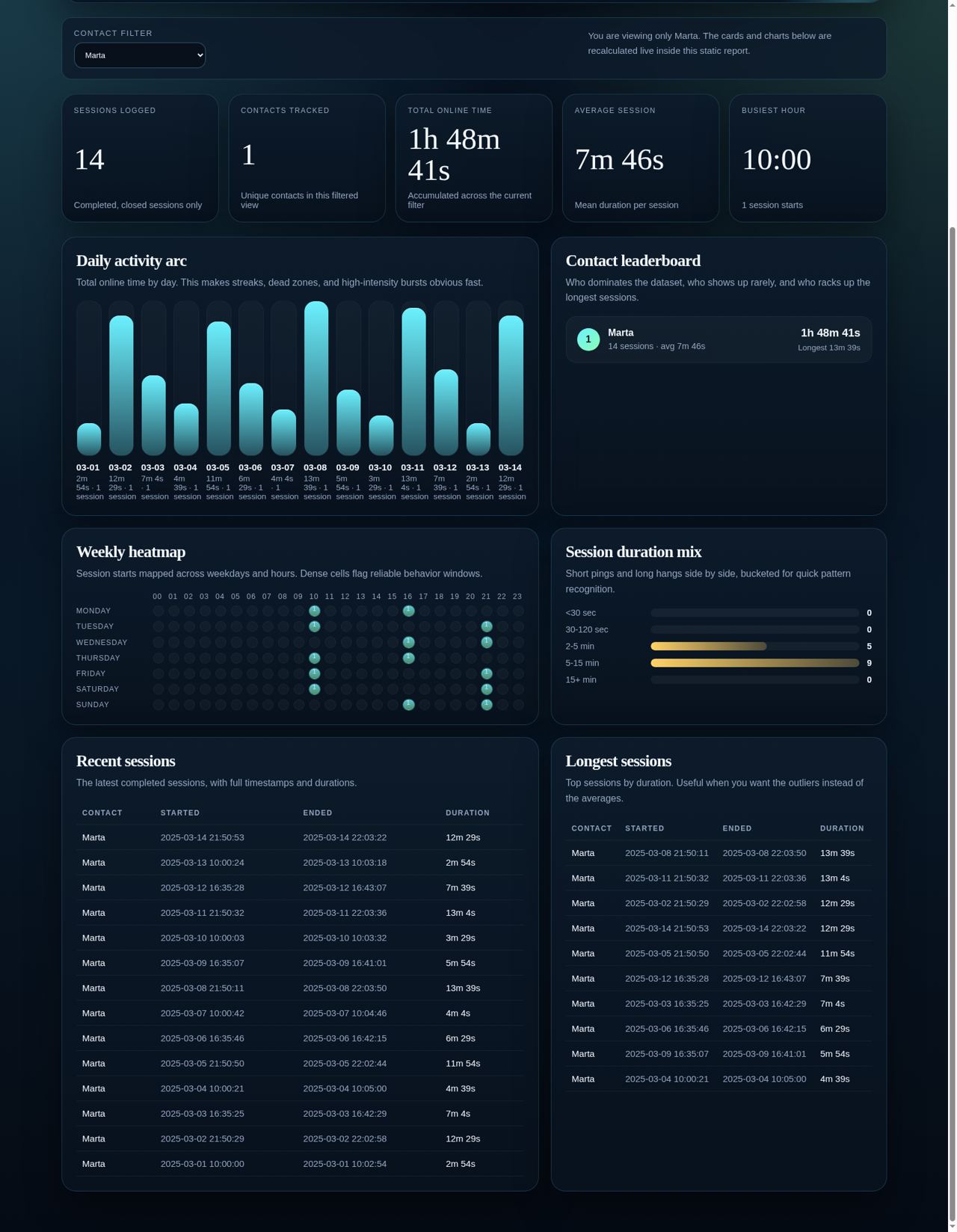
- live filtering by contact inside the page
Beyond online/offline blocks, the tracker records the status text WhatsApp shows for a contact ("online", "last seen today at 14:32", "last seen yesterday at 21:05", "last seen on 12/31/2025 at 23:59", "typing…"). This fills the gaps between sessions with actionable evidence.
Query the latest evidence per contact without launching a browser:
# All contacts
whatsapp-beacon --last-seen
# Single contact
whatsapp-beacon -u "Maria" --last-seen
Export everything to JSON for your own tooling:
whatsapp-beacon --export-json export.jsonThe JSON contains sessions (per-session online blocks) and presence (per-observation status signals with parsed last_seen timestamps).
The Excel export (--excel) also gains a Presence worksheet alongside the session history.
Captured from a demo dataset generated through the built-in analytics exporter.
Same dashboard, narrowed to one contact to show the live filter state.
| Argument | Description | Default |
|---|---|---|
-u, --username |
Exact WhatsApp contact name to track. | Required for tracking |
-l, --language |
WhatsApp Web language code (en, es, fr, etc.). |
en |
-e, --excel |
Export the database to Excel before doing anything else. | False |
--headless |
Run without a visible browser window. | False |
--chrome-driver-path |
Explicit path to chromedriver. |
Auto-detect |
--chrome-binary-path |
Explicit path to Chrome or Chromium. | Auto-detect |
--analytics |
Generate the analytics dashboard and exit. | False |
--analytics-output |
Output path for the analytics HTML report. | analytics/index.html |
--export-json |
Export sessions + presence to a JSON file and exit (no browser needed). | Off |
--last-seen |
Print the latest presence signal per contact and exit (no browser needed). | False |
--config |
Path to a custom config file. | config.yaml |
You can keep defaults in config.yaml:
username: "Target Name"
language: "en"
headless: false
excel: false
browser: "chrome"
log_level: "INFO"
data_dir: "data"
chrome_binary_path: null- Logs:
logs/whatsapp_beacon.log - Database:
data/victims_logs.db - Excel export:
History_wp.xlsx - Analytics report:
analytics/index.htmlby default - Saved WhatsApp profile:
data/chrome_profile
The installer now tries to fix this automatically on Linux. If your distro keeps the browser in a weird place, launch with an explicit path:
whatsapp-beacon -u "John Doe" --chrome-binary-path /full/path/to/browserUseful checks:
which google-chrome google-chrome-stable chromium chromium-browser
whatsapp-beacon --helpTracking mode needs a contact name:
whatsapp-beacon -u "John Doe"Analytics mode does not:
whatsapp-beacon --analyticsContributions are welcome. Fork it, build what you need, and send a PR.
Distributed under the MIT License. See LICENSE for more information.
Original concept developed in 2019. Revamped in 2025 for better performance and usability.




