

A PyTorch implementation of Speech Transformer [1], an end-to-end automatic speech recognition with Transformer network, which directly converts acoustic features to character sequence using a single nueral network.
- Python3 (recommend Anaconda)
- PyTorch 0.4.1+
- Kaldi (just for feature extraction)
pip install -r requirements.txtcd tools; make KALDI=/path/to/kaldi- If you want to run
egs/aishell/run.sh, download aishell dataset for free.
$ cd egs/aishell
# Modify aishell data path to your path in the begining of run.sh
$ bash run.sh
That's all!
You can change parameter by $ bash run.sh --parameter_name parameter_value, egs, $ bash run.sh --stage 3. See parameter name in egs/aishell/run.sh before . utils/parse_options.sh.
Workflow of egs/aishell/run.sh:
- Stage 0: Data Preparation
- Stage 1: Feature Generation
- Stage 2: Dictionary and Json Data Preparation
- Stage 3: Network Training
- Stage 4: Decoding
egs/aishell/run.sh provide example usage.
# Set PATH and PYTHONPATH
$ cd egs/aishell/; . ./path.sh
# Train
$ train.py -h
# Decode
$ recognize.py -hIf you want to visualize your loss, you can use visdom to do that:
- Open a new terminal in your remote server (recommend tmux) and run
$ visdom. - Open a new terminal and run
$ bash run.sh --visdom 1 --visdom_id "<any-string>"or$ train.py ... --visdom 1 --vidsdom_id "<any-string>". - Open your browser and type
<your-remote-server-ip>:8097, egs,127.0.0.1:8097. - In visdom website, chose
<any-string>inEnvironmentto see your loss.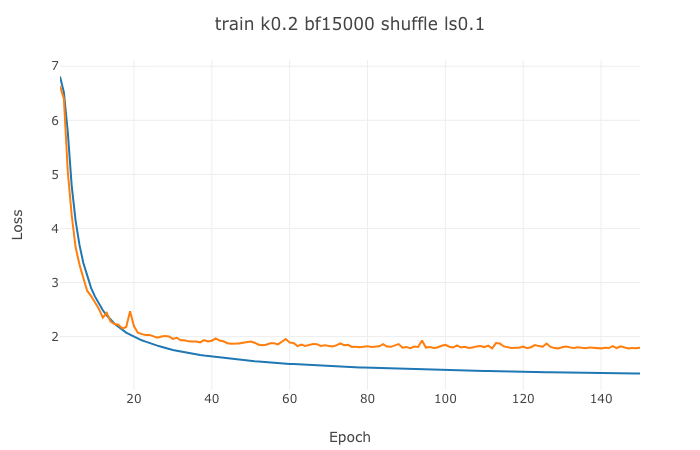

$ bash run.sh --continue_from <model-path>When happened in training, try to reduce batch_size. $ bash run.sh --batch_size <lower-value>.
| Model | CER | Config |
|---|---|---|
| LSTMP | 9.85 | 4x(1024-512). See kaldi-ktnet1 |
| Listen, Attend and Spell | 13.2 | See Listen-Attend-Spell's egs/aishell/run.sh |
| SpeechTransformer | 12.8 | See egs/aishell/run.sh |
- [1] Yuanyuan Zhao, Jie Li, Xiaorui Wang, and Yan Li. "The SpeechTransformer for Large-scale Mandarin Chinese Speech Recognition." ICASSP 2019.

