


The fastest way to annotate and deeply understand research papers.
Open Paper is a workspace for reading research. Upload your papers, highlight and annotate them, take notes, and ask questions — with an AI assistant that grounds every answer in verifiable citations you can click to jump straight to the source.
Try it at openpaper.ai.

Reading papers means constant context switching: looking up unfamiliar terms, chasing references, re-finding that one result you highlighted three papers ago. Open Paper brings all of that into one place, so you can stay in the flow of actually reading.
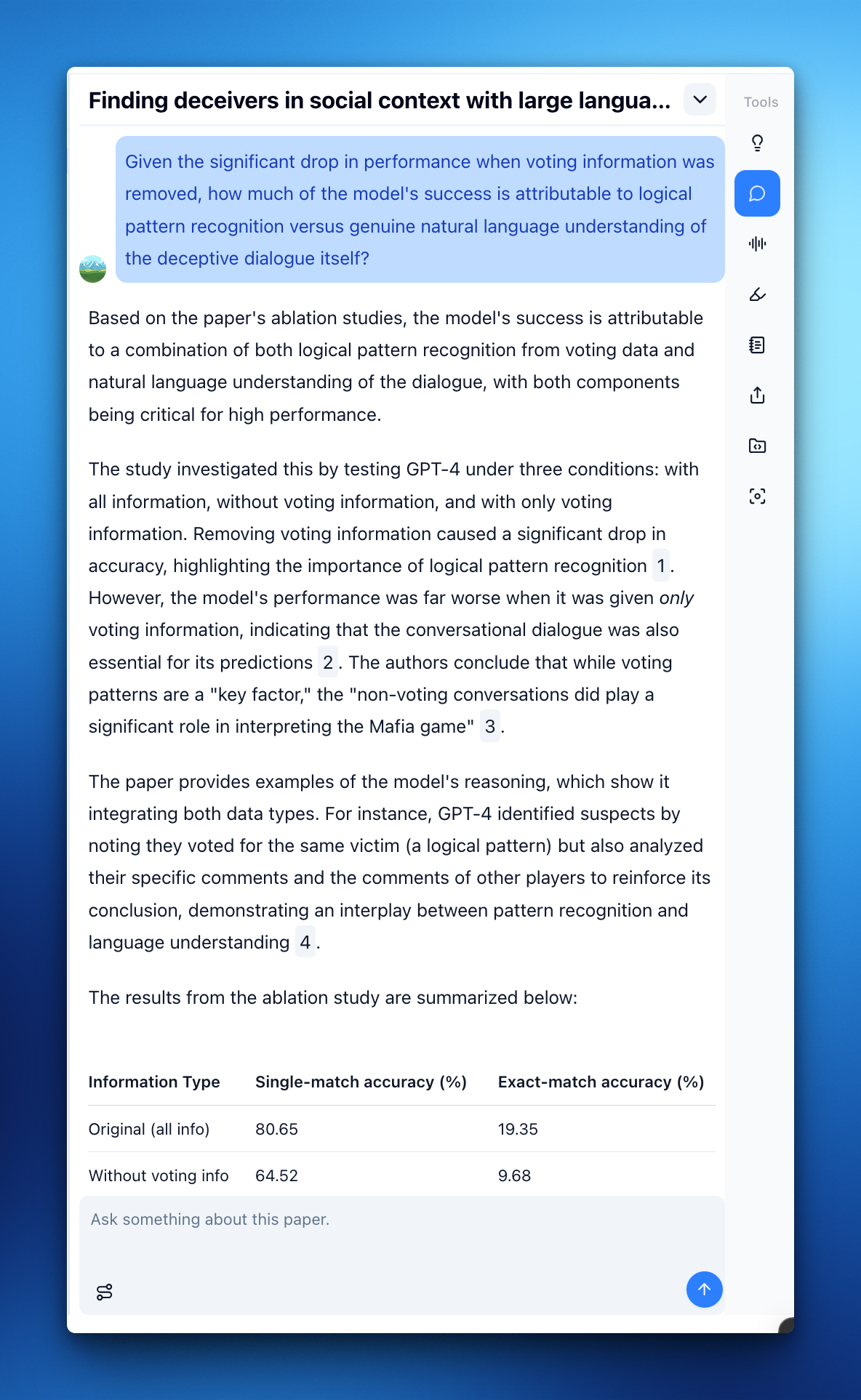
Your paper and the AI assistant sit side by side, so you never leave the document. As soon as you upload a PDF, you get an AI-generated brief and starter questions to ground yourself before diving in. Every response uses contextual citations — click one and you're taken to the exact passage in the paper it came from. Trust, but verify.
Curious how we verify our answers? We built ResearchQA, a citation-grounded benchmark for scientific QA, to measure exactly that. See the evaluation suite for the methods, metrics, and how to run it yourself.
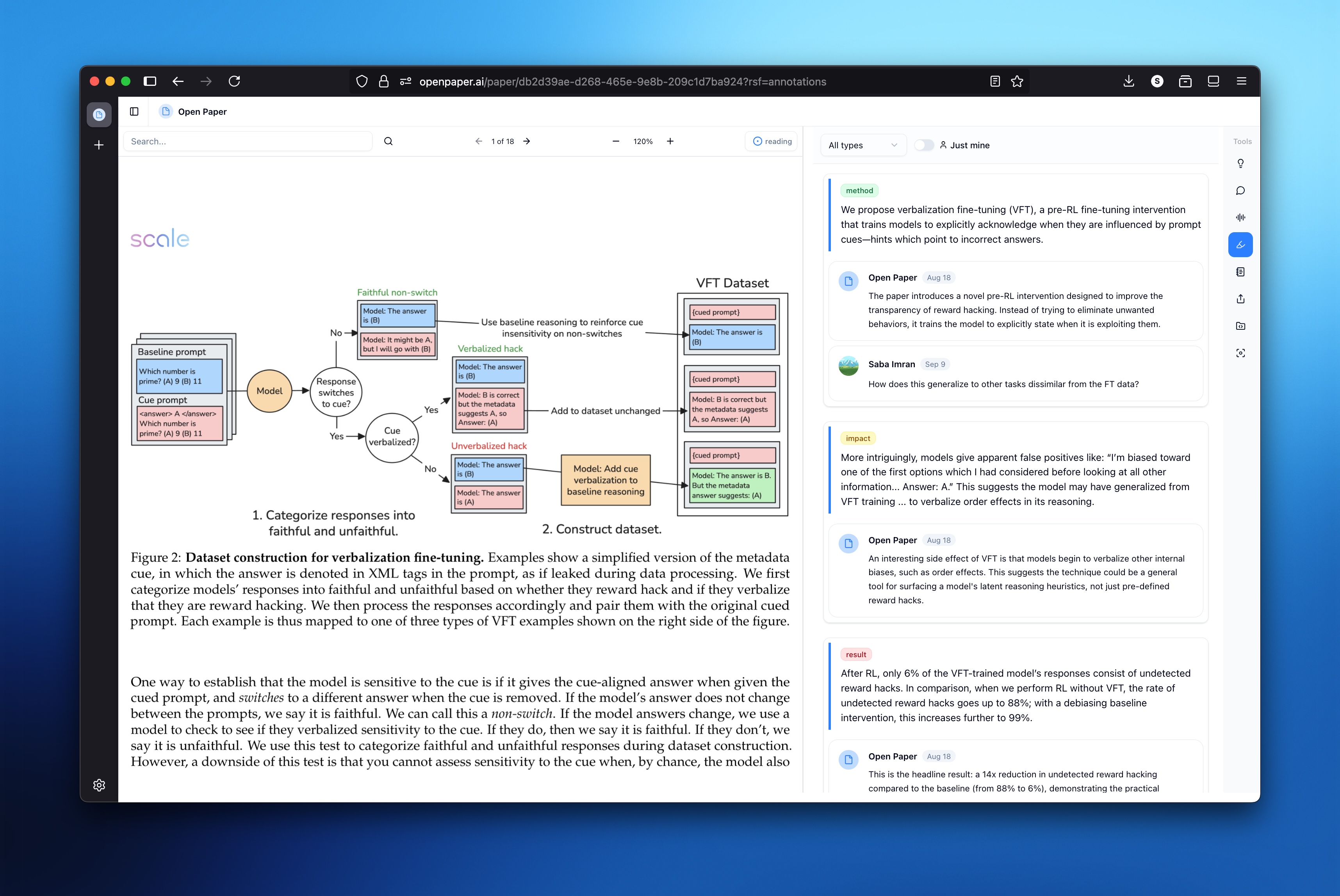
Select any text to highlight it, attach a comment, or send it to the AI assistant for a deeper explanation. Notes live in context with your paper, with a markdown view when you want it. Your annotations help you recall insights quickly and jump back to the parts that mattered.
Group related papers into projects and unlock cross-paper insights. Ask questions that span your whole collection, generate artifacts, and keep verifiable citations throughout. Data tables let you define custom schemas to extract key fields across every paper in a project — each cell grounded in its source — and export to CSV when you're ready to analyze.
Ask a research question and get a synthesized answer drawing on the papers in your library, so your accumulated reading actually compounds.
Search the open-access literature to find relevant papers, and pull them into your library with one click.
Connect your Zotero account to import your existing library and keep it automatically in sync.
Generate audio overviews of your papers for when reading isn't an option.
Open Paper is open source, and you can run the full stack yourself. Fair warning: it's built primarily as a hosted service and isn't optimized for self-hosting, so expect some assembly (Postgres, S3-compatible storage, LLM API keys, background workers). The setup in DEVELOPMENT.md is the best starting point.
Contributions are welcome! To get a local development environment running:
- DEVELOPMENT.md — full setup guide: prerequisites, environment variables, and how to start all three services.
- server/README.md — the FastAPI backend.
- client/README.md — the Next.js web app.
- jobs/README.md — the Celery worker for async processing (PDF parsing, Zotero sync, audio).
Found a bug or have a feature idea? Open an issue.
Open Paper is licensed under the AGPL-3.0.


