
Top AI Repos — open-source AI, indexed and scored
Top AI Repos tracks AI repositories on GitHub and answers two different questions about each one: is it moving right now, and would you bet a product on it.
Top AI Repos tracks AI repositories on GitHub and answers two different questions about each one: is it moving right now, and would you bet a product on it.

thor: C++ helper library, for deep learning purpose
| Date | Stars |
|---|---|
| 2026-07-31 | 278 |
| 2026-08-10 | 278 |
| 2026-08-11 | 278 |
| 2026-08-18 | 278 |
| 2026-10-18 | 279 |
| 2026-11-04 | 279 |
Today
— stars today
This week
— stars this week
This month
+1 stars this month
Momentum
0.0
growth rate 0.00%/day
# thor [](https://travis-ci.org/davisking/dlib)
<p align="center">
<img src="https://s2.ax1x.com/2019/06/06/VdV0i9.png" />
</p>
**thor** is a C++ helper library which provide huge utilities, algorithms, and visualization functions for deep learning. We recommend install thor from github source since we update thor new APIs a lot. But *thor* will always compatible with older versions, it safe and reliable integrate into your projects and providing useful utilities.
Glad to know this repo was recommended by 爱可可老师! The link is https://weibo.com/1402400261/I8p1gnIkK .
> note: Now thor built against protobuf by default (due to we use proto to visualize boxes in C++ for cross-platform), so in your project, you gonna need add following in your CMakeLists.txt:
```cmake
find_package(Protobuf REQUIRED)
target_link_library(your_executable ${PROTOBUF_LIBRARY} thor)
```
## Roadmap
**thor** is still need progress and enlarge it's functionality. Current roadmap are:
- [x] support instance segmentation visualization;
- [ ] upload thor to ubuntu package manager;
## Quick Install
Simple version:
```
./build_simple.sh
```
You need install `libprotobuf-dev` and `protobuf-compiler` first on Ubuntu or linux system. If you got any problems about not found **libcurl** or **protobuf header files**, be sure installed libs inside `build_simple.sh`.
If you want to build thor on **JetsonNano**, you need manually uncomment CMakeLists.txt link path to your aarch64 system path (normal PC is x86).
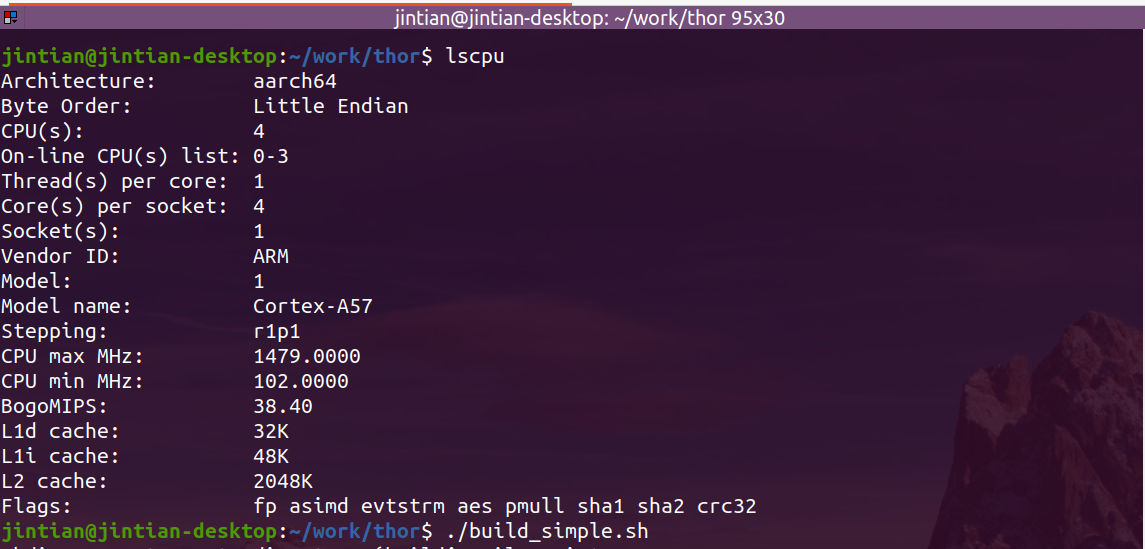
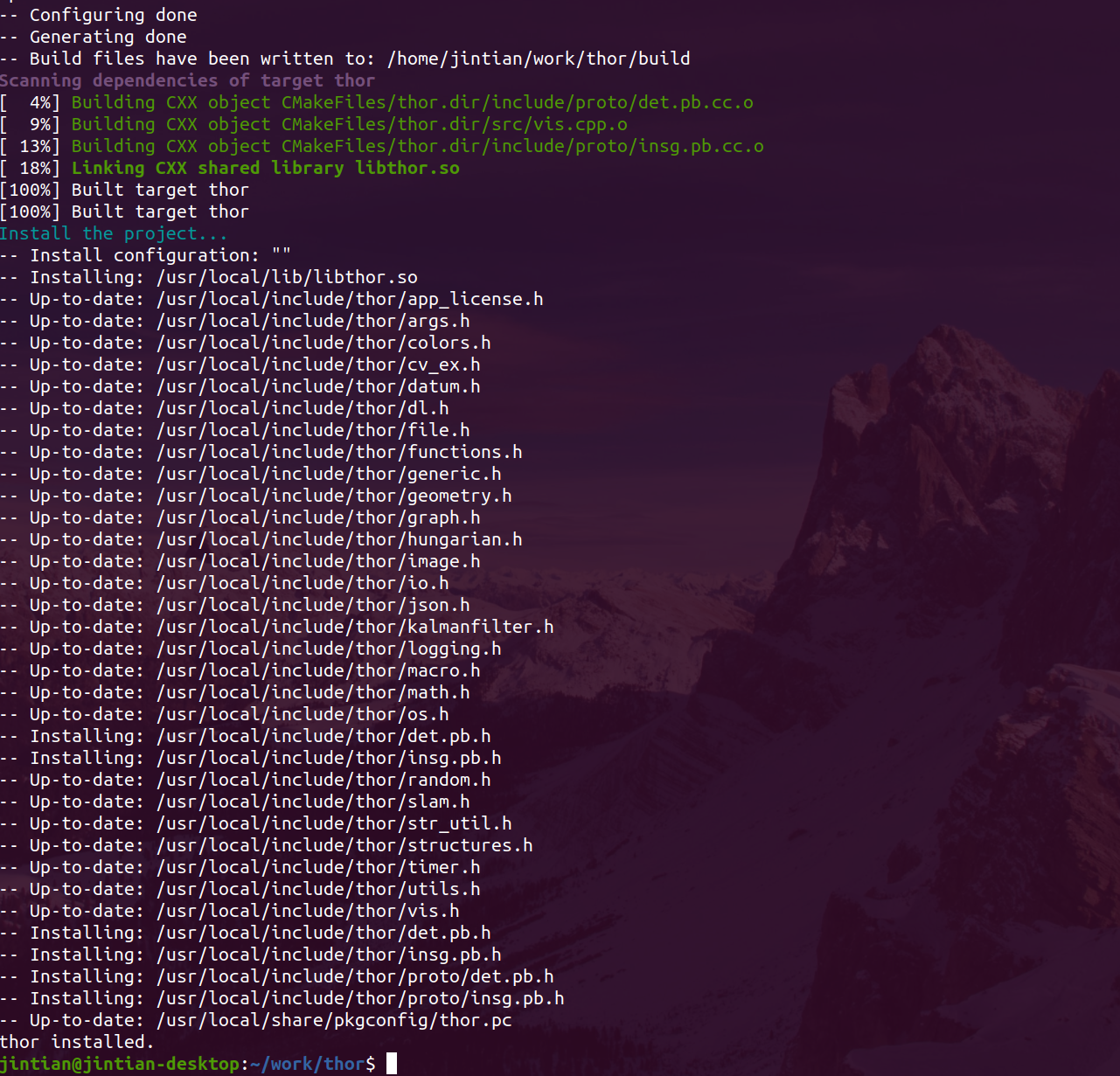
If you setup correctly, thor can be successfully installed on **JetsonNano** as well.
## Install
**If you are a newbie of C++ or Ubuntu, recommend you using simple mode**.
a). If you only need thor independent modules without OpenCV or Eigen or Protobuf or Curl, you can simply run:
```
./build_simple.sh
```
*this will build a standalone `thor.so` without link any other libs, but if you call any function that needs opencv or protobuf will leads to an error.*
b). If you need full capacity which thor does, including `vis`, `geometry`, `datum` modules, you can run:
```
./build_full.sh
```
*this will build a full version of thor with link to opencv, protobuf, curl, freetype. so if you call any related function, you gonna need link to that lib first in your cmake file.*
**note**: Our `logging` module using same micro define as glog, so it will conflicts if you importing them both. If your project doesn't need glog and you are using thor, you can simply deprecate glog and using thor only.
## Updates
- **2050.01.01**: to be continue..
- **2021.01.11**: New thor built with **C++14** by default. `det.pro` added `x, y, w, h` as attributes.
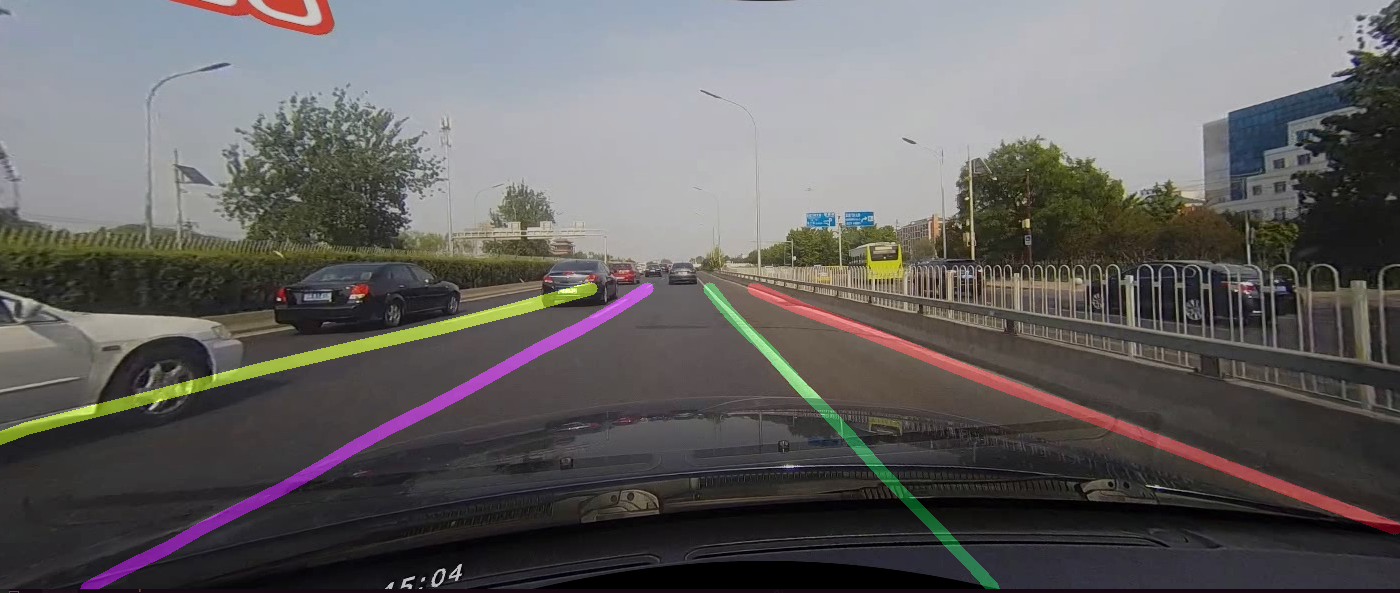
- **2020.08.17**: thor now supports visualize lane:
```c++
auto resImg = thor::vis::VisualizeLanes(image, res, nullptr, 12, 1.0);
```
- **2020.04.15**: **thor now build with curl and protobuf** by default. If you got any question about protobuf link problem, pls fire an issue, I will help u fix that, normally thor should built successfully without any errors, as long as you install default libs:
```
sudo apt install libprotobuf-dev
sudo apt install protobuf-compiler
sudo apt install libcurl4-openssl-dev
```
We add protobuf as default built for the introduce of protos which we will using for default data structures:
```c++
Detection2D det1;
Box box;
box.set_x1(23);
box.set_y1(89);
box.set_x2(99);
box.set_y2(156);
det1.set_allocated_box(&box);
det1.set_cls_id(9);
det1.set_prob(0.9);
InstanceSegmentation seg1;
seg1.set_allocated_detection(&det1);
// float32
seg1.add_mask(2.3);
seg1.add_mask(2.3);
seg1.add_mask(2Excerpt of 12,550 characters
Read on GitHubWould you bet a product on this? Bounded 0–100 and slow moving.
matched fp:834af4c16fb8926f, topic:computer-vision, topic:object-detection, readme:instance segmentation