
Top AI Repos — open-source AI, indexed and scored
Top AI Repos tracks AI repositories on GitHub and answers two different questions about each one: is it moving right now, and would you bet a product on it.
Top AI Repos tracks AI repositories on GitHub and answers two different questions about each one: is it moving right now, and would you bet a product on it.

A modern web interface for managing and interacting with vLLM servers (www.github.com/vllm-project/vllm). Supports both GPU and CPU modes, with special optimizations for macOS Apple Silicon and enterprise deployment on OpenShift/Kubernetes.
| Date | Stars |
|---|---|
| 2026-07-30 | 506 |
| 2026-08-07 | 506 |
| 2026-08-15 | 510 |
| 2026-08-18 | 514 |
| 2026-08-19 | 515 |
| 2026-08-20 | 517 |
| 2026-08-23 | 518 |
| 2026-08-25 | 519 |
| 2026-08-27 | 520 |
| 2026-08-28 | 521 |
| 2026-08-29 | 522 |
| 2026-08-31 | 525 |
| 2026-09-01 | 528 |
| 2026-09-04 | 529 |
| 2026-09-05 | 530 |
| 2026-09-06 | 529 |
| 2026-09-08 | 530 |
| 2026-09-09 | 531 |
| 2026-09-13 | 532 |
| 2026-09-17 | 533 |
| 2026-09-18 | 532 |
| 2026-09-20 | 532 |
| 2026-09-21 | 533 |
| 2026-09-22 | 534 |
| 2026-09-25 | 535 |
| 2026-09-28 | 536 |
| 2026-09-30 | 537 |
| 2026-10-01 | 539 |
| 2026-10-02 | 539 |
| 2026-10-05 | 539 |
| 2026-10-08 | 538 |
| 2026-10-12 | 539 |
| 2026-10-13 | 539 |
| 2026-10-14 | 538 |
| 2026-10-15 | 538 |
| 2026-10-16 | 539 |
| 2026-10-19 | 540 |
| 2026-10-20 | 541 |
| 2026-10-23 | 542 |
| 2026-10-27 | 543 |
| 2026-11-03 | 544 |
| 2026-11-04 | 544 |
Today
— stars today
This week
+1 stars this week
This month
+5 stars this month
Momentum
36.0
growth rate 0.18%/day
# vLLM Playground A modern web interface for managing and interacting with vLLM servers (www.github.com/vllm-project/vllm). Supports GPU and CPU modes, with special optimizations for macOS Apple Silicon and enterprise deployment on OpenShift/Kubernetes. ### 🆕 vLLM-Omni Multimodal Generation 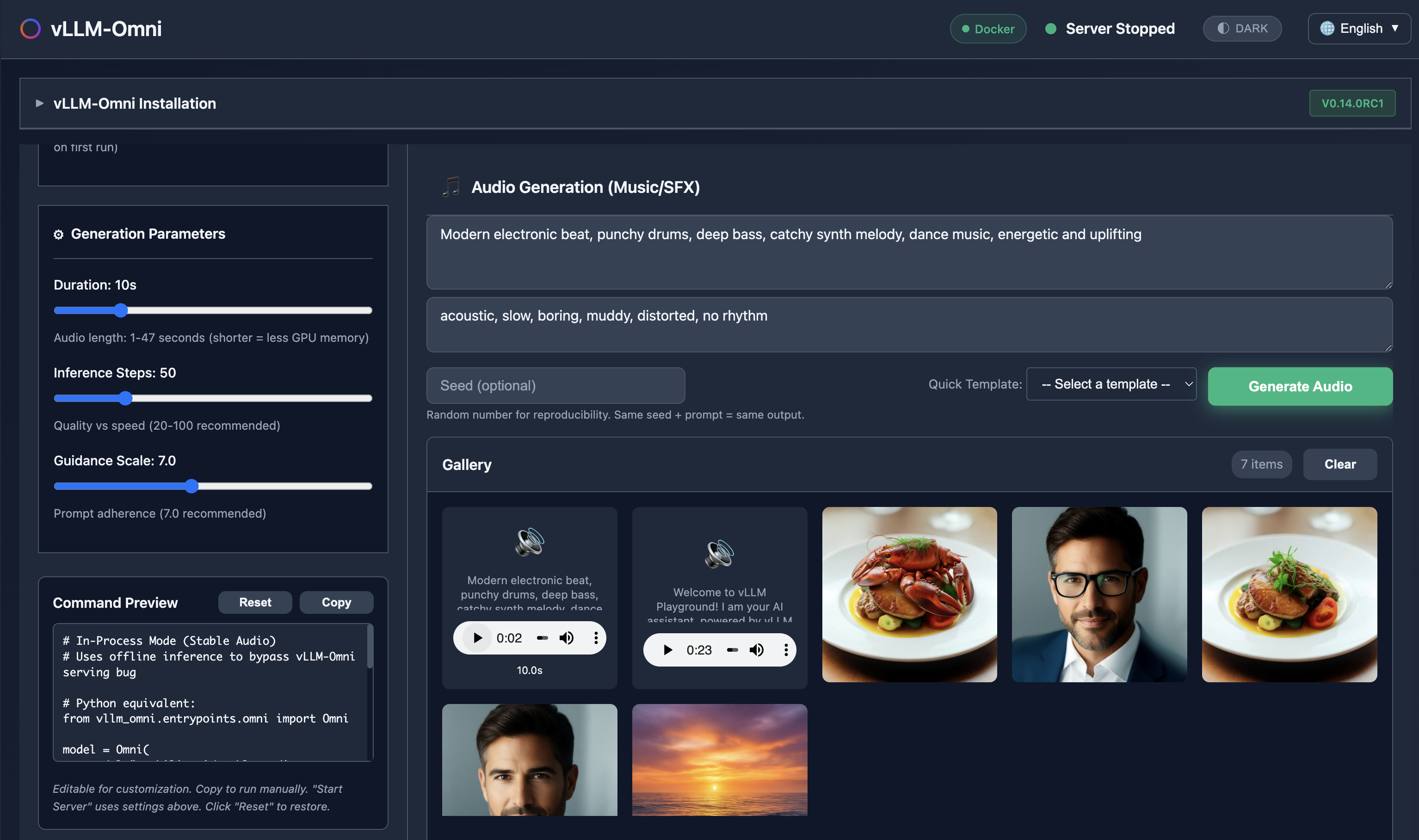 *Generate images, edit photos, create speech, and produce music - all with vLLM-Omni integration.* ### ✨ Claude Code Integration 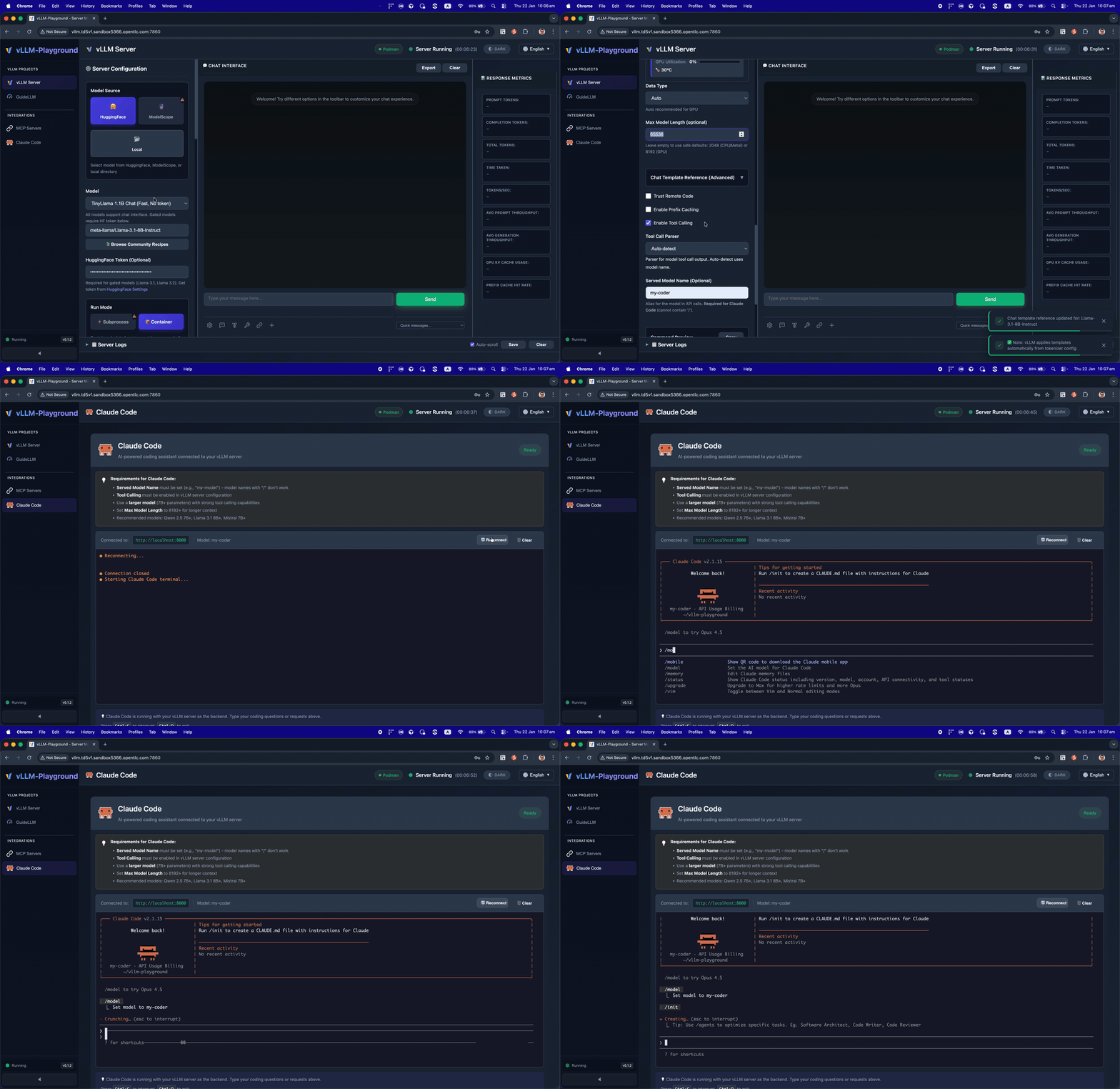 *Run Claude Code with open-source models served by vLLM - your private, local coding assistant.* ### ✨ Agentic-Ready with MCP Support 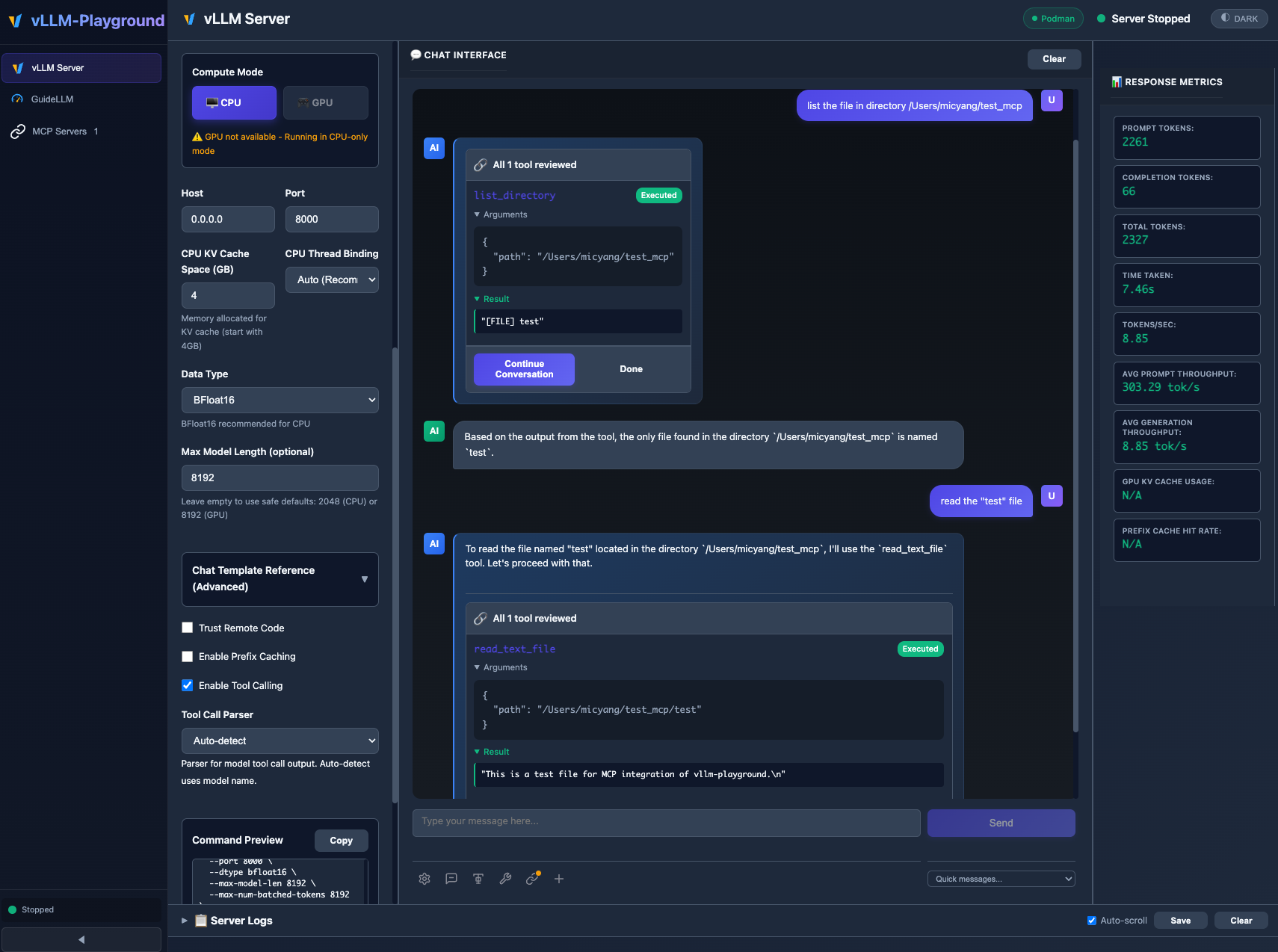 *MCP (Model Context Protocol) integration enables models to use external tools with human-in-the-loop approval.* ### 🖼️ VLM (Vision Language Model) 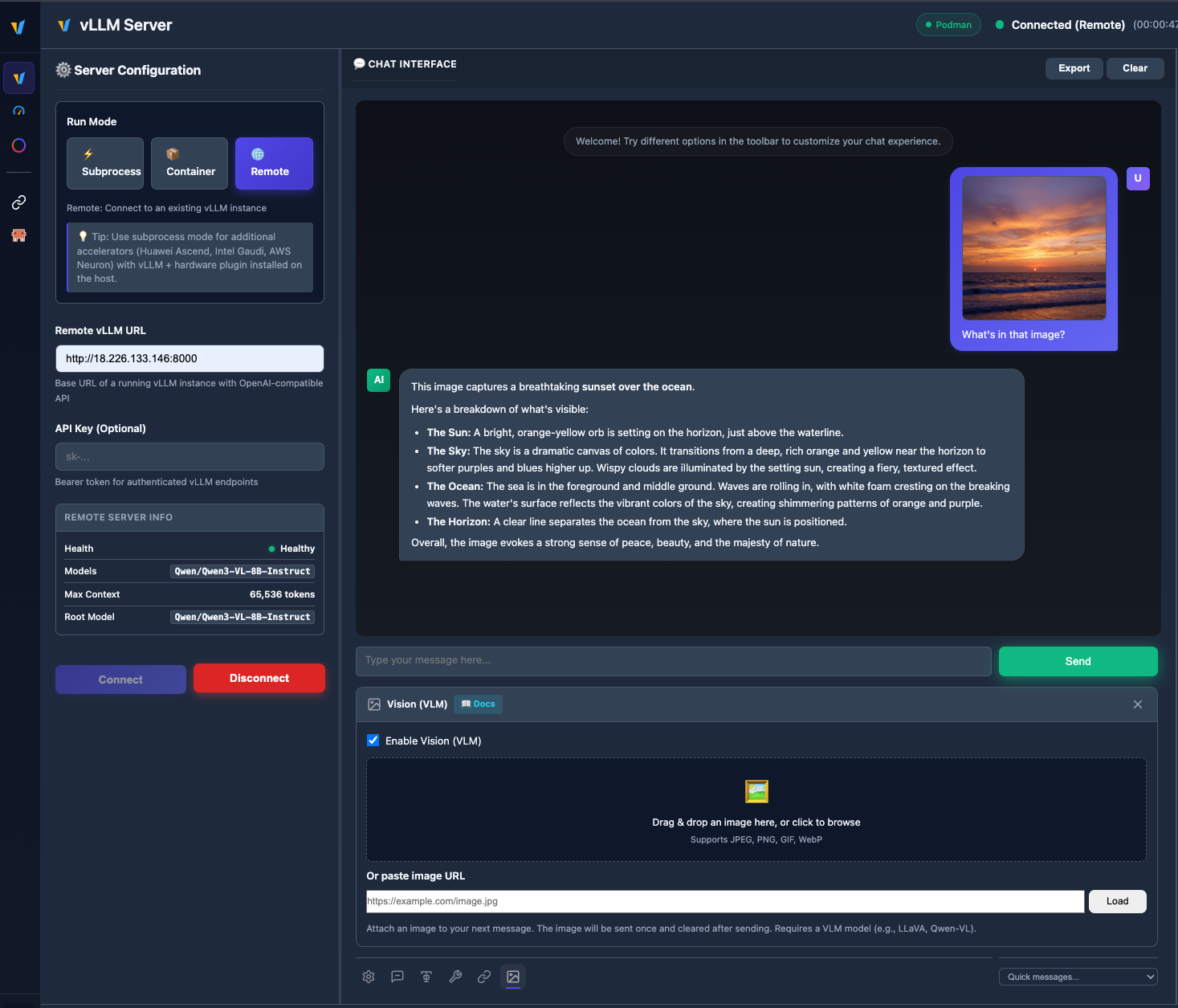 *Upload images and chat with vision models like Qwen2.5-VL, LLaVA, and more.* ### 🧩 Multiple instances & backends Run subprocess, container, and remote vLLM servers side by side; switch tabs, save configs, and manage everything from **Management → Instances**. See **[Multi-Instance Guide](docs/MULTI_INSTANCE_GUIDE.md)** for details. 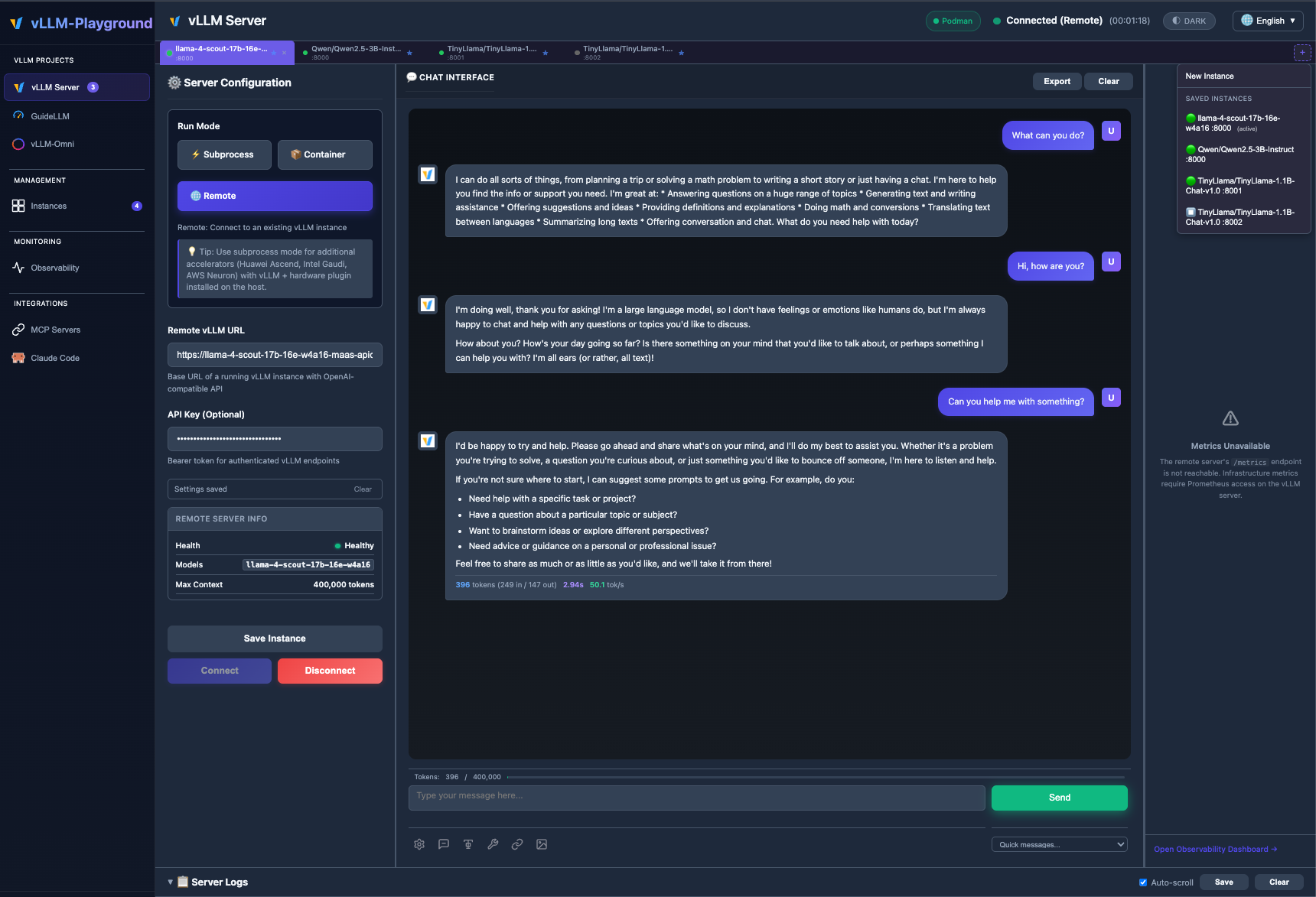 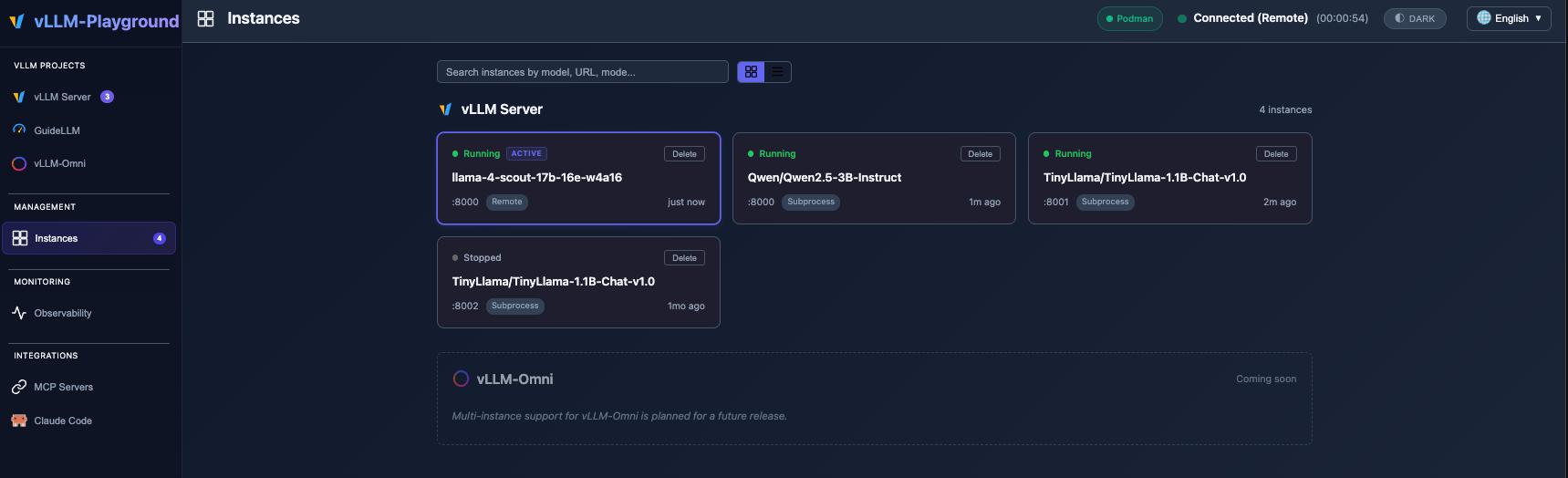 ### 🆕 What's New in v0.2.0 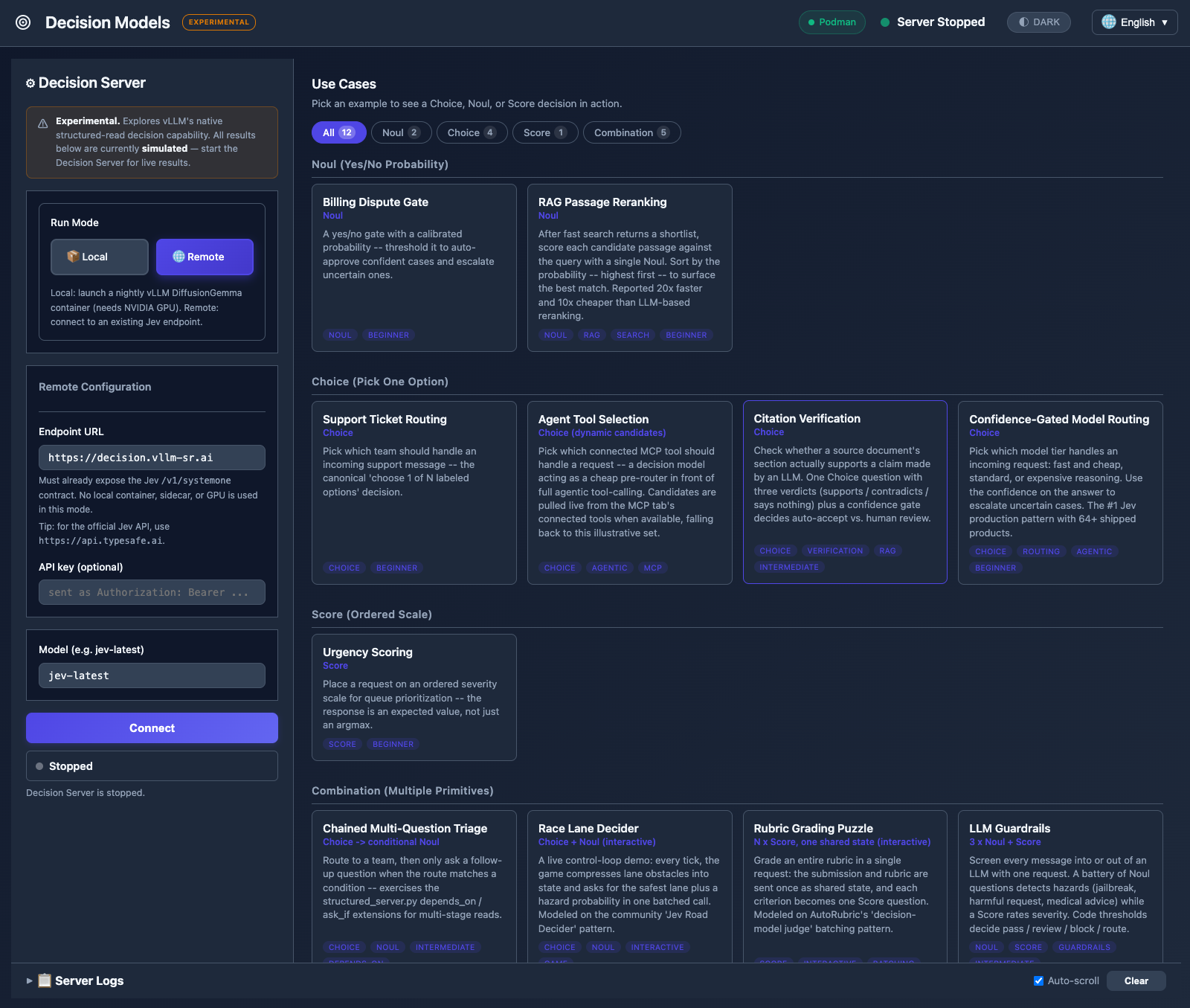 - **Decision Models (Experimental)** — A brand-new sandbox tab for structured-read decisions powered by DiffusionGemma and Jev / System One. Gallery of 12 use cases across 4 tabbed categories (Noul, Choice, Score, Combination), mock-by-default evaluation, and two interactive demos (Race Lane Decider, Rubric Grading Puzzle). Fully isolated from the main Server Config flow — see **[Decision Models Guide](docs/DECISION_MODELS_GUIDE.md)**. - **Remote Jev endpoint** — Connect to an external Jev API (e.g. `https://api.typesafe.ai`) with API key authentication. Credentials are validated at connect time with a probe request, not just a reachability check. - **5 new use cases from TypeSafe cookbooks** — LLM Guardrails, Content Moderation, RAG Passage Reranking, Citation Verification, and Confidence-Gated Model Routing, organized into a tabbed category gallery with count badges. - **Security hardening** — Debug endpoints gated behind explicit opt-in (CWE-862); SQL injection template literal fix. *v0.1.9 added CI/CD pipeline, configurable container images, and remote mode fixes; v0.1.8 added multi-instance backends — see **[Changelog](CHANGELOG.md)** for the full history.* --- ## 🚀 Quick Start ```bash # Install from PyPI pip install vllm-playground # Pre-download container image (~10GB for GPU) vllm-playground pull # Start the playground vllm-playground ``` Open http://localhost:7860 and click "Start Server" - that's it! 🎉 ### CLI Options ```bash vllm-playground pull # Pre-download GPU image (NVIDIA) vllm-playground pull --nvidia # Pre-download NVIDIA GPU image vllm-playground pull --amd # Pre-download AMD ROCm image vllm-playground pull --tpu # Pre-download Google TPU image vllm-playground pull --cpu # Pre-download CPU image vllm-playground pull --all # Pre-download all images vllm-playground --port 8080 # Custom port vllm-playground stop # Stop running instance vllm-playgrou
Excerpt of 11,842 characters
Read on GitHub
177

Alfred · RMinte
9

6

2

2

1

1

Lancer · HUST · China
1
Would you bet a product on this? Bounded 0–100 and slow moving.
matched fp:79b19591a50550e6, topic:vllm, readme:speculative decoding
matched fp:79b19591a50550e6, readme:chat ui, name:playground, readme:playground
matched fp:79b19591a50550e6, topic:learning