


Homepage | MCP Playground | Paper | Documentation | 中文文档






MS-Agent is a modular, extensible open-source agent framework built for complex, long-running tasks. Combine models, tools, skills, and sub-agents with a customizable harness to build a productivity assistant tailored to your work. The harness manages planning, context, permissions, and execution feedback, while project memory and autonomous scheduling help the assistant keep complex tasks moving forward.
A shared Python SDK handles execution and management for the CLI, TUI, and WebUI, so you can reuse agent logic and extensions across terminals, browser workspaces, and business applications with less integration and maintenance work.
Features · Installation · Applications · Documentation
Join the community and share feedback: Discord · GitHub Issues
WeChat and Discord QR codes
| Discord | |
|---|---|
 |
 |
For earlier demos and documentation, see ModelScope-Agent 0.8.0 and earlier.
-
🚀 Jul 13, 2026: Added Agent Hub support for managing agent workspace files locally and in remote ModelScope repositories with
ms-agent agent. Features include uploads and downloads, background sync (watch), conversion between frameworks, status checks, backups, and restoration forqoder,qwenpaw,openclaw,hermes,nanobot,openhuman, andms-agent. -
🏆 Apr 09, 2026: Agentic Insight v2 is now #2 Open-Source (#5 Overall) on DeepResearch Bench — scoring 55.31 with the submitted version (Qwen3.5-Plus + GPT 5.2). Leaderboard | Agentic Insight v2.
-
🚀 Mar 23, 2026: Release MS-Agent v1.6.0, which includes the following updates:
- Context Compression: Added context compression mechanism with token usage monitoring, overflow detection, and automatic context compaction via pruning historical tool outputs and LLM-based summarization.
- Agentic Insight v2 Enhancements: Major architecture and performance improvements to the deep research system; achieves 55.43 on DeepResearch Bench with GPT5 and Qwen3.5-plus/flash. See Agentic Insight v2.
- Knowledge Search: Integrated Sirchmunk for intelligent retrieval over local codebases and documentation during agent conversations. See Config Docs.
- Multimodal Model Input: Support image, video, and other multimodal inputs. See Multimodal Docs.
-
🚀 Feb 06, 2026: Release MS-Agent v1.6.0rc1, which includes the following updates:
- Agentic Insight v2: A fully refactored deep-research system with better performance, scalability, and trustworthiness, with a WebUI entry point. See Agentic Insight v2.
-
🚀 Feb 04, 2026: Release MS-Agent v1.6.0rc0, which includes the following updates:
- Code Genesis for complex code generation tasks, refer to Code Genesis
- Singularity Cinema for animated video generation workflow, refactored version, refer to Singularity Cinema
- Agent Skills v2: Knowledge-driven skill system — skills as procedural knowledge with progressive disclosure, multi-source loading, and standard tool integration. Refer to Agent Skills.
- WebUI: A new WebUI has been added, featuring agentic chatting capabilities, complex code generation and video generation workflow.
2025 and earlier
-
🎬 Nov 13, 2025: Release Singularity Cinema, to support short video generation for complex scenarios, check here
-
🚀 Nov 12, 2025: Release MS-Agent v1.5.0, which includes the following updates:
- 🔥 We present FinResearch, a multi-agent workflow tailored for financial research
- Support financial data collection via Akshare and Baostock
- Support DagWorkflow for workflow orchestration
- Optimize the DeepResearch workflow for stability and efficiency
- FinResearch official documentation: FinResearch Doc
- DEMO: FinResearchStudio
- Examples: FinResearchExamples
-
🚀 Nov 07, 2025: Release MS-Agent v1.4.0, which includes the following updates:
- 🔥 We present MS-Agent Skills, an Implementation of Anthropic-Agent-Skills Protocol.
- 🔥 Add Docs and 中文文档
- 🔥 Support Sandbox Framework ms-enclave
-
🚀 Sep 22, 2025: Release MS-Agent v1.3.0, which includes the following updates:
- 🔥 Support Code Scratch
- Support
Memoryfor building agents with long-term and short-term memory - Enhance the DeepResearch workflow
- Support RAY for accelerating document information extraction
- Support Anthropic API format for LLMs
-
🚀 Aug 28, 2025: Release MS-Agent v1.2.0, which includes the following updates:
- DocResearch now supports pushing to
ModelScope、HuggingFace、GitHubfor easy sharing of research reports. Refer to Doc Research for more details. - DocResearch now supports exporting the Markdown report to
HTML、PDF、PPTXandDOCXformats, refer to Doc Research for more details. - DocResearch now supports
TXTfile processing and file preprocessing, refer to Doc Research for more details.
- DocResearch now supports pushing to
-
🚀 July 31, 2025: Release MS-Agent v1.1.0, which includes the following updates:
- 🔥 Support Doc Research, demo: DocResearchStudio
- Add
General Web Search Enginefor Agentic Insight (DeepResearch) - Add
Max Continuous Runsfor Agent chat with MCP.
-
🚀 July 18, 2025: Release MS-Agent v1.0.0, improve the experience of Agent chat with MCP, and update the readme for Agentic Insight.
-
🚀 July 16, 2025: Release MS-Agent v1.0.0rc0, which includes the following updates:
- Support for Agent chat with MCP (Model Context Protocol)
- Support for Deep Research (Agentic Insight), refer to: Report_Demo, Script_Demo
- Support for MCP-Playground
- Add callback mechanism for Agent chat
-
🔥🔥🔥Aug 8, 2024: A new graph based code generation tool CodexGraph is released by Modelscope-Agent, it has been proved effective and versatile on various code related tasks, please check example.
-
🔥🔥Aug 1, 2024: A high efficient and reliable Data Science Assistant is running on Modelscope-Agent, please find detail in example.
-
🔥July 17, 2024: Parallel tool calling on Modelscope-Agent-Server, please find detail in doc.
-
🔥June 17, 2024: Upgrading RAG flow based on LLama-index, allow user to hybrid search knowledge by different strategies and modalities, please find detail in doc.
-
🔥June 6, 2024: With Modelscope-Agent-Server, Qwen2 could be used by OpenAI SDK with tool calling ability, please find detail in doc.
-
🔥June 4, 2024: Modelscope-Agent supported Mobile-Agent-V2arxiv,based on Android Adb Env, please check in the application.
-
🔥May 17, 2024: Modelscope-Agent supported multi-roles room chat in the gradio.
-
May 14, 2024: Modelscope-Agent supported image input in
RolePlayagents with latest OpenAI modelGPT-4o. Developers can experience this feature by specifying theimage_urlparameter. -
May 10, 2024: Modelscope-Agent launched a user-friendly
Assistant API, and also provided aTools APIthat executes utilities in isolated, secure containers, please find the document -
Apr 12, 2024: The Ray version of multi-agent solution is on modelscope-agent, please find the document
-
Mar 15, 2024: Modelscope-Agent and the AgentFabric (opensource version for GPTs) is running on the production environment of modelscope studio.
-
Feb 10, 2024: In Chinese New year, we upgrade the modelscope agent to version v0.3 to facilitate developers to customize various types of agents more conveniently through coding and make it easier to make multi-agent demos. For more details, you can refer to #267 and #293 .
-
Nov 26, 2023: AgentFabric now supports collaborative use in ModelScope's Creation Space, allowing for the sharing of custom applications in the Creation Space. The update also includes the latest GTE text embedding integration.
-
Nov 17, 2023: AgentFabric released, which is an interactive framework to facilitate creation of agents tailored to various real-world applications.
-
Oct 30, 2023: Facechain Agent released a local version of the Facechain Agent that can be run locally. For detailed usage instructions, please refer to Facechain Agent.
-
Oct 25, 2023: Story Agent released a local version of the Story Agent for generating storybook illustrations. It can be run locally. For detailed usage instructions, please refer to Story Agent.
-
Sep 20, 2023: ModelScope GPT offers a local version through gradio that can be run locally. You can navigate to the demo/msgpt/ directory and execute
bash run_msgpt.sh. -
Sep 4, 2023: Three demos, demo_qwen, demo_retrieval_agent and demo_register_tool, have been added, along with detailed tutorials provided.
-
Sep 2, 2023: The preprint paper associated with this project was published.
-
Aug 22, 2023: Support accessing various AI model APIs using ModelScope tokens.
-
Aug 7, 2023: The initial version of the modelscope-agent repository was released.
An extensible runtime brings together tool execution, permission checks, and feedback. Use lifecycle callbacks and Hooks to integrate business rules, validate plans, and check results. Customize how agents act, when people intervene, and how execution feedback informs the next step.
Manage session history, active context, and project memory as distinct layers. Preserve full records while pruning tool output and compacting older context, then draw on project memory in later tasks. Cron supports recurring and one-time jobs for ongoing research, monitoring, and maintenance.
Let a lead agent delegate open-ended tasks to specialist sub-agents, or define stages and dependencies with sequential workflows or directed acyclic graphs (DAGs). Choose models, tools, and skills for each role to suit the task, from autonomous exploration to execution in defined stages.
Package domain knowledge and procedures into skills loaded on demand and reused across tasks. A dedicated Skill Evolution workflow uses execution traces and evaluation feedback to revise skills, then tests candidate updates on a validation set, making improvements measurable.
Connect to multiple model providers, use MCP for external tools, integrate with editors and other agents through ACP / A2A, and extend functionality with plugins. Agent Hub converts, merges, and synchronizes instructions, skills, and memory across frameworks so you can reuse them in different environments. Applications can also be exposed as MCP services.
Built-in applications bring models, tools, and multi-agent collaboration together into complete workflows for research, software development, financial analysis, and content creation. Use them directly for specialized tasks, or build on their workflows and domain expertise to create your own applications. Explore the applications
Choose the interface that fits your work. Start with WebUI to explore projects, sessions, and tool use. You can also work in the terminal or integrate the SDK into a Python application.
| Interface | Best suited for |
|---|---|
| 🖥️ WebUI | Work on local projects in the browser, follow task progress, and review results |
| ⌨️ TUI | Chat with agents and manage or resume sessions in the terminal |
| 🛠️ CLI | Run a single task or use agents from scripts |
| 🐍 Python SDK | Customize agents and embed them in applications |
For the default ModelScope provider, get an API key from the access token page.
MS-Agent WebUI provides a browser workspace for local projects. Chat with models, follow tool activity, manage skills and MCP tools, and browse or edit project files without leaving the interface.
WebUI demo: organize event materials and create a briefing. See task planning, approvals for file changes, and result checks in action.
webui-demo.mp4
Important
Install the new WebUI from source. You will need Git, Python 3.12+, Node.js 22.22.0+, pnpm 10.17.1, and uv 0.5+.
If this is your first installation, follow the environment setup guide. If Python and Node.js are already installed, check their versions with python3 --version and node --version. To create a Python environment, run the following in the directory where you plan to keep the project:
python3 -m venv ms-agent-env
source ms-agent-env/bin/activate
Make sure python3 is version 3.12+ before creating the environment. If you already have a virtual environment or Conda environment, activate it instead. Then install and start the app in the same terminal:
npm install --global [email protected]
git clone https://github.com/modelscope/ms-agent.git
cd ms-agent
pip install uv
pip install -e .
ms-agent ui
On first launch, MS-Agent sets up the backend environment with uv, installs frontend dependencies, and builds the frontend. Stay connected to the internet until setup finishes. The browser then opens at the URL printed in the terminal, usually http://127.0.0.1:8000. In Settings → Models, select a provider, click Edit to save your API key, then use Add model to enter a model ID. Return to the chat page and select the model below the message box to start a conversation. Press Ctrl-C to stop the service.
ms-agent ui --port 8080    # Choose another port
ms-agent ui --no-browser  # Do not open a browser
For virtual environment setup, development, Docker, and configuration, see the WebUI guide.
TUI, CLI, and the Python SDK require Python 3.10+; Node.js and pnpm are not needed. You can install Python with uv if you do not have a compatible version. Otherwise, check python3 --version, then create and activate an environment:
python3 -m venv ms-agent-env
source ms-agent-env/bin/activate
If you already have a virtual environment or Conda environment, activate it instead. If you have installed WebUI, skip environment creation and source installation, and configure your API key in the same environment. Otherwise, continue with:
git clone https://github.com/modelscope/ms-agent.git
cd ms-agent
pip install -e .
The following examples use ModelScope inference by default. Set your API key in the terminal where you will run the commands or Python program:
export MODELSCOPE_API_KEY="your_modelscope_api_key"The first run of the default agent may install additional dependencies for local code execution. Stay connected to the internet and wait for the input prompt or task result.
Start the terminal interface and enter a task. Use /help to see commands for session management and more, and /quit to exit:
ms-agent tuiRun a task directly. Omit --query to enter interactive mode:
ms-agent run --query "Introduce the applications of MS-Agent"Save the following as quickstart.py, then run python quickstart.py in the same terminal where you configured the API key:
import asyncio
from ms_agent import LLMAgent

async def main():
    agent = LLMAgent()
    await agent.run("Introduce the applications of MS-Agent")

asyncio.run(main())
Optional dependencies and the published release
From the source repository root, with the Python environment active, install extensions as needed:
# Vector / hybrid skill search
pip install -e '.[retrieval]'

# Deep research / document parsing
pip install -e '.[research]'

# Video generation
pip install -e '.[cinema]'

# All runtime extensions (includes WebUI; requires Python 3.12+)
pip install -e '.[all]'
See the installation guide for the full list. Keep the quotes: macOS defaults to zsh, which otherwise treats square brackets as filename patterns.
The current PyPI release is 1.6.0. It has the older WebUI and dependency set, lacks the current TUI, and does not provide retrieval or cinema extras. Install from source when setting up a new environment; see the installation guide for version differences and known installation issues.
When you open a new terminal, activate the Python environment again. WebUI users can then run ms-agent ui; terminal and SDK users also need to set their API key again, or save it in a .env file as described in the configuration guide.
After your first conversation, choose another model, connect MCP tools, or load skills as needed. Manage these in WebUI settings, or follow the model and configuration reference, tools and MCP guide, and Agent Skills guide for terminal and SDK usage. Try tool calls online in the MCP Playground.
For scheduled jobs with ms-agent cron, Agent Hub with ms-agent agent, and more commands, see the CLI reference.
These applications use the framework to handle specialized tasks from start to finish. Use them directly or adapt their agent orchestration, tools, and workflows for your own systems. Each linked guide lists the required models and dependencies and explains how to run the project.
A Researcher agent coordinates Searcher and Reporter agents to investigate open-ended questions through iterative search, evidence collection, and writing. Version 2 stores structured intermediate artifacts in the filesystem and explicitly ties report claims to evidence, making it easier to trace sources, review the research process, and resume work.
As of April 9, 2026, Agentic Insight v2 scored 55.31 on DeepResearch Bench with Qwen3.5-Plus + GPT 5.2 and ranked second among open-source entries and fifth overall.
v2 guide · Report demo · Benchmark results · v1 base and extended workflows
Coordinate requirements analysis, architecture design, file planning, coding, and refinement through a multi-agent development workflow. Generate files in dependency order and iterate using LSP diagnostics and runtime feedback. A seven-stage standard workflow supports detailed project design; a four-stage alternative supports rapid prototyping.
Design and usage guide · Source code · Workflow diagram
Five specialist agents handle task decomposition, data collection, quantitative analysis, market sentiment analysis, and report writing. Combine structured financial data from AkShare / BaoStock with public information from the web to produce illustrated reports that bring together data analysis, visualizations, and qualitative findings.
Usage guide · Online demo · Example reports · Video demo
Read papers and research material from multiple documents or URLs, extract key information, and generate reports with figures. Supported inputs include PDF, TXT, PPT, and DOCX; export reports as PDF, PPTX, DOCX, or HTML for reading, presentations, and sharing.
Start with a topic or plain-text material and coordinate scripting, storyboarding, narration, visual generation, and video composition. Create explainers about science, technology, and economics, combining images, captions, and generated video clips in a customizable creative workflow.
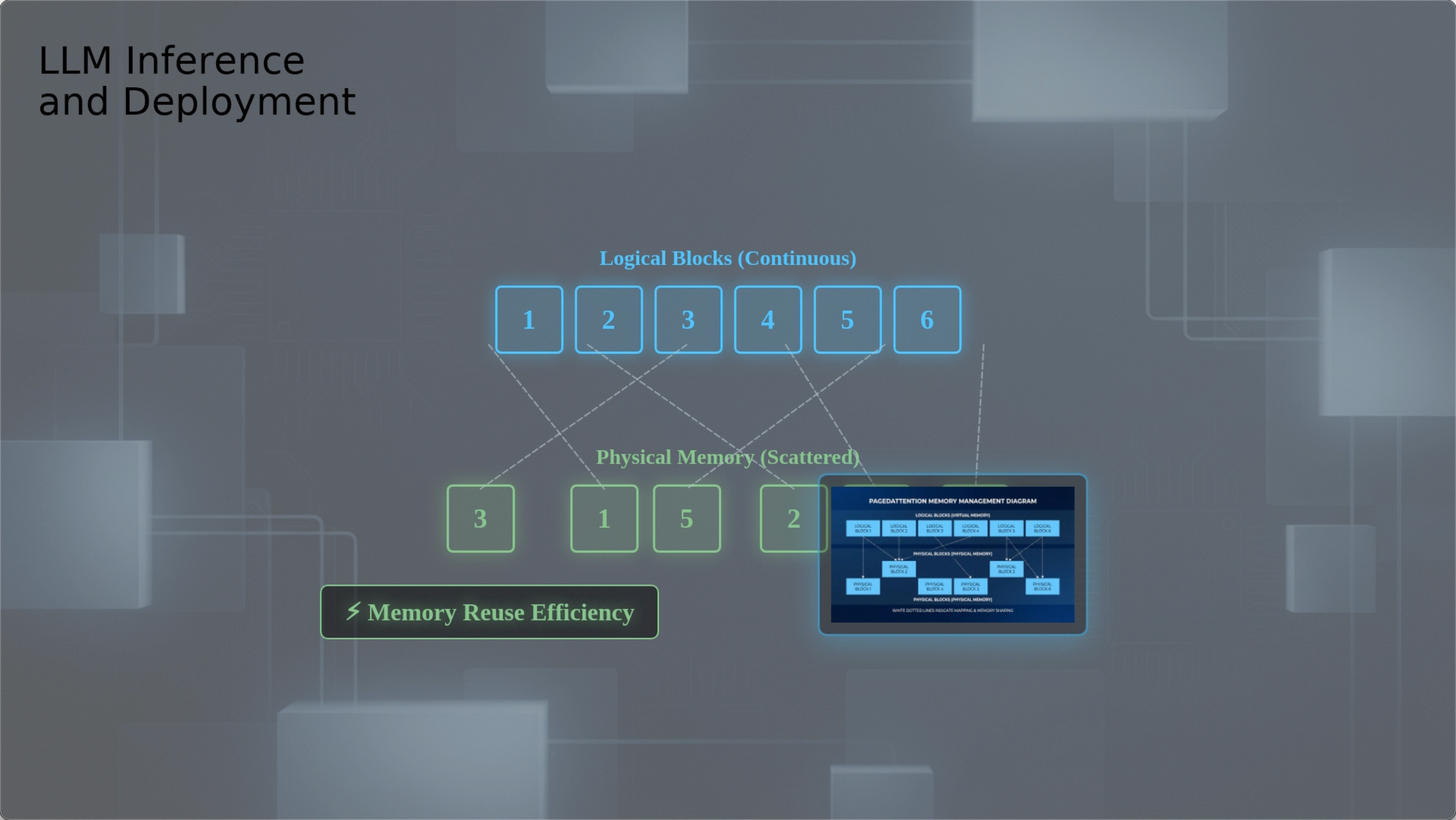
Usage guide and more videos · Click the preview to watch “How to Deploy a Large Language Model”:
For tasks that can be evaluated automatically, run the current skills, collect traces and scores, then use reflection and skill-management agents to create or revise skills. Candidate updates are tested on a validation set and accepted only if scores improve. A SearchQA baseline provides a starting point for studying how task experience can improve a skill library.
- User guide: getting started, core components, extensions, and configuration.
- Contributor guide: contribute to the framework and applications.
This project is licensed under the Apache License 2.0.


