




Seamless client side mocking https://mimic.js.org
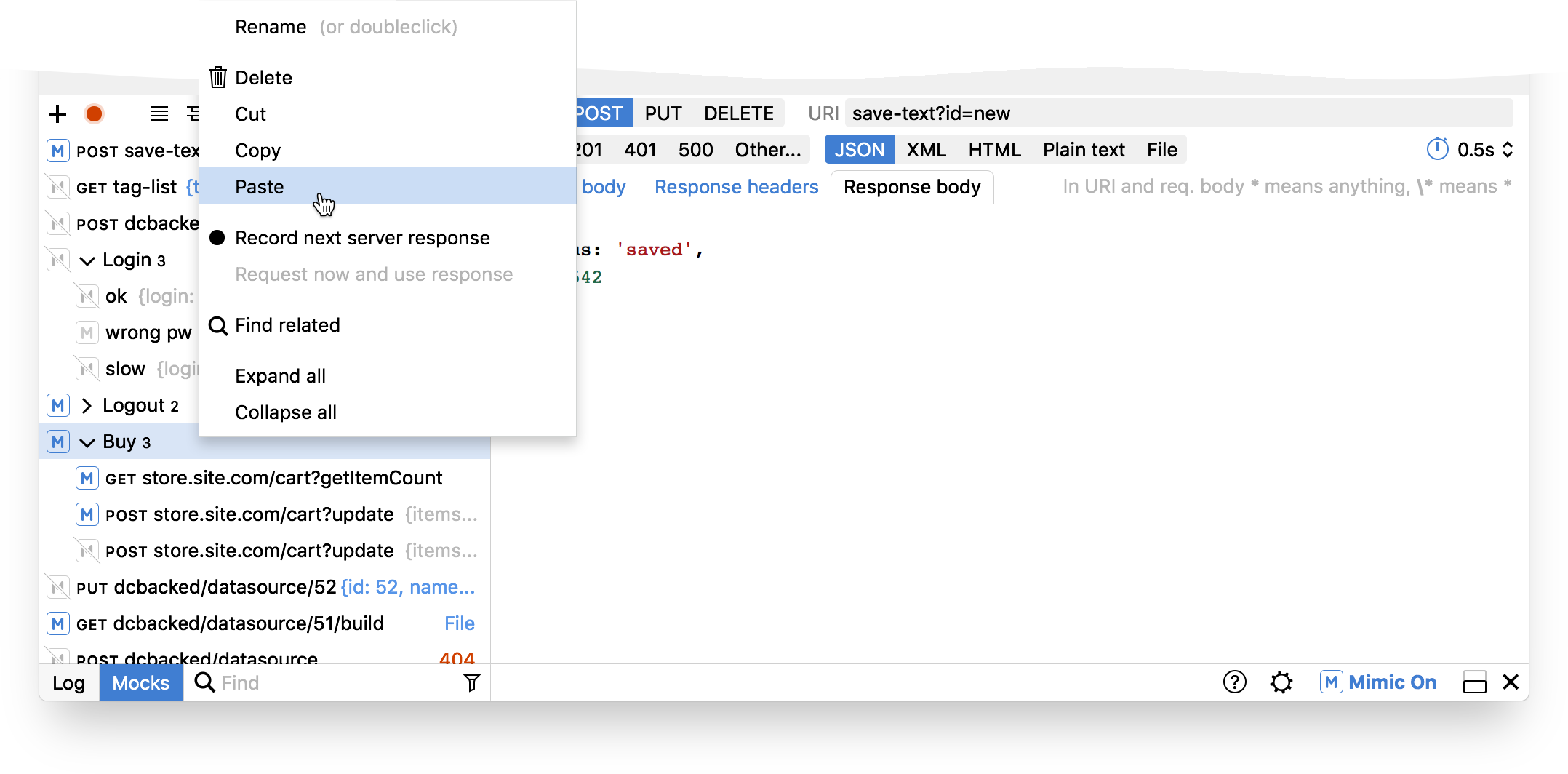
Mimic is a tool for mocking server responses on the client side.
Add to your packages:
npm install mimic --save-dev
Import in your app:
import 'mimic';
Once you reload the application, the Mimic logo will appear in bottom right corner.
Enjoy!
To load mimic only in development environments your application will need to be aware if it runs in development or production mode.
If you are using webpack the most common way is to use the DefinePlugin to define NODE_ENV environment variable. Please see webpack DefinePlugin for more information.
If you are using create react app this is applied by default which you can read more about it here.
Once your application is aware of the environment you need to add a conditional require or import statement to load Mimic. For example:
if (process.env.NODE_ENV === 'development') {
  require('mimic');
}
Or using the dynamic import spec (you must have babel and babel-plugin-syntax-dynamic-import installed to use this syntax).
if (process.env.NODE_ENV === 'development') {
  import('mimic');
}If you want to use mocks which will be committed into git and you're using webpack you can use the following code to import the mocks on application start:
import mimic from 'mimic';
const mocks = require.context(__dirname + '/mocks', true, /\.json$/);
mocks.keys().forEach((key) => mimic.import(JSON.stringify(mocks(key))));
This assumes your mocks are placed in the mocks directory which is located at the root of the project. In the mocks directory you have exports for either complete scenarios or separate mock requests.
The main and the most obvious use case for mimic is when the API for a UI feature is not ready or incomplete, but it can be helpful in more situations. For example:
- You have a demo of the product, but the API server is unstable or you need to use fake data.
- You want to work on a feature outside of company's VPN
- You need access to API, but don't have an internet connection or it is unstable.
In the cases above, you can use the "recording" feature to record all the real responses from server by hand and then use them for your needs in the future.
-
Clone the repo
-
Install dependencies (at the root of the repo):
npm install -
Run the project
npm start -
Build for deployment
npm run build -
Please submit PRs to the
nextbranch, as we keep master as the latest version of mimic.
Thanks Ilya Birman for the new UI for Mimic 2.0
The MIT License (MIT)
Copyright (c) 2015 Maayan Glikser
Permission is hereby granted, free of charge, to any person obtaining a copy of this software and associated documentation files (the "Software"), to deal in the Software without restriction, including without limitation the rights to use, copy, modify, merge, publish, distribute, sublicense, and/or sell copies of the Software, and to permit persons to whom the Software is furnished to do so, subject to the following conditions:
The above copyright notice and this permission notice shall be included in all copies or substantial portions of the Software.
THE SOFTWARE IS PROVIDED "AS IS", WITHOUT WARRANTY OF ANY KIND, EXPRESS OR IMPLIED, INCLUDING BUT NOT LIMITED TO THE WARRANTIES OF MERCHANTABILITY, FITNESS FOR A PARTICULAR PURPOSE AND NONINFRINGEMENT. IN NO EVENT SHALL THE AUTHORS OR COPYRIGHT HOLDERS BE LIABLE FOR ANY CLAIM, DAMAGES OR OTHER LIABILITY, WHETHER IN AN ACTION OF CONTRACT, TORT OR OTHERWISE, ARISING FROM, OUT OF OR IN CONNECTION WITH THE SOFTWARE OR THE USE OR OTHER DEALINGS IN THE SOFTWARE.