

A Python implementation of RAISR
You can install most of the following packages using pip.
Put your training images in the train directory. The training images are the high resolution (HR) ones. Run the following command to start training.
python train.py
In the training stage, the program virtually downscales the high resolution images. The program then trains the model using the downscaled version images and the original HR images. The learned filters filter.p will be saved in the root directory of the project.
The result Q, V matrix (q.p and v.p) will also be saved for further retraining. To train an improved model with your previous Q, V, use the following command.
python train.py -q q.p -v v.p
Put your testing images in the test directory. Basically, you can use some low resolution (LR) images as your testing images. By running the following command, the program takes filter.p generated by training as your default filters.
python test.py
The result (HR version of the testing images) will be saved in the results directory.
To use an alternative filter file, take using the pretrained filters/filter_BSDS500 for example, use the following command.
python test.py -f filters/filter_BSDS500
Visualing the learned filters
python train.py -p
Visualing the process of RAISR image upscaling
python test.py -p
For more details, use the help command argument -h.
Comparing between original image, bilinear interpolation and RAISR:
| Origin | Bilinear Interpolation | RAISR |
|---|---|---|
 |
 |
 |
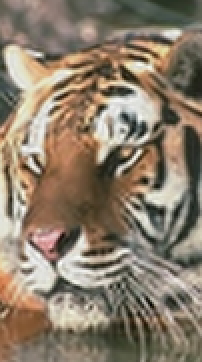
Other results using images taken from BSDS500 database and ArTe-Lab 1D Medium Barcode Dataset:
| Origin | RAISR |
|---|---|
 |
 |
 |
 |
 |
 |
We actively welcome pull requests. Learn how to contribute.
- Y. Romano, J. Isidoro and P. Milanfar, "RAISR: Rapid and Accurate Image Super Resolution" in IEEE Transactions on Computational Imaging, vol. 3, no. 1, pp. 110-125, March 2017.
- P. Arbelaez, M. Maire, C. Fowlkes and J. Malik, "Contour Detection and Hierarchical Image Segmentation", IEEE TPAMI, Vol. 33, No. 5, pp. 898-916, May 2011.
- Alessandro Zamberletti, Ignazio Gallo and Simone Albertini, "Robust Angle Invariant 1D Barcode Detection", Proceedings of the 2nd Asian Conference on Pattern Recognition (ACPR), Okinawa, Japan, 2013
MIT. Copyright (c) 2017 James Chen

