Top AI Repos — open-source AI, indexed and scored
Top AI Repos tracks AI repositories on GitHub and answers two different questions about each one: is it moving right now, and would you bet a product on it.
ChatGPT AI Supported - ChatGPT clone is a simple web application powered by the OpenAI library and built with PHP. It allows users to chat with an AI language model that responds in real-time. Chat history is saved using cookies, and the project requires the use of an API key and enabled SQLite3.
| Date | Stars |
|---|---|
| 2026-07-31 | 290 |
| 2026-08-05 | 290 |
| 2026-08-06 | 290 |
Today
— stars today
This week
— stars this week
This month
— stars this month
Momentum
0.0
growth rate 0.00%/day
# ChatGPT Clone
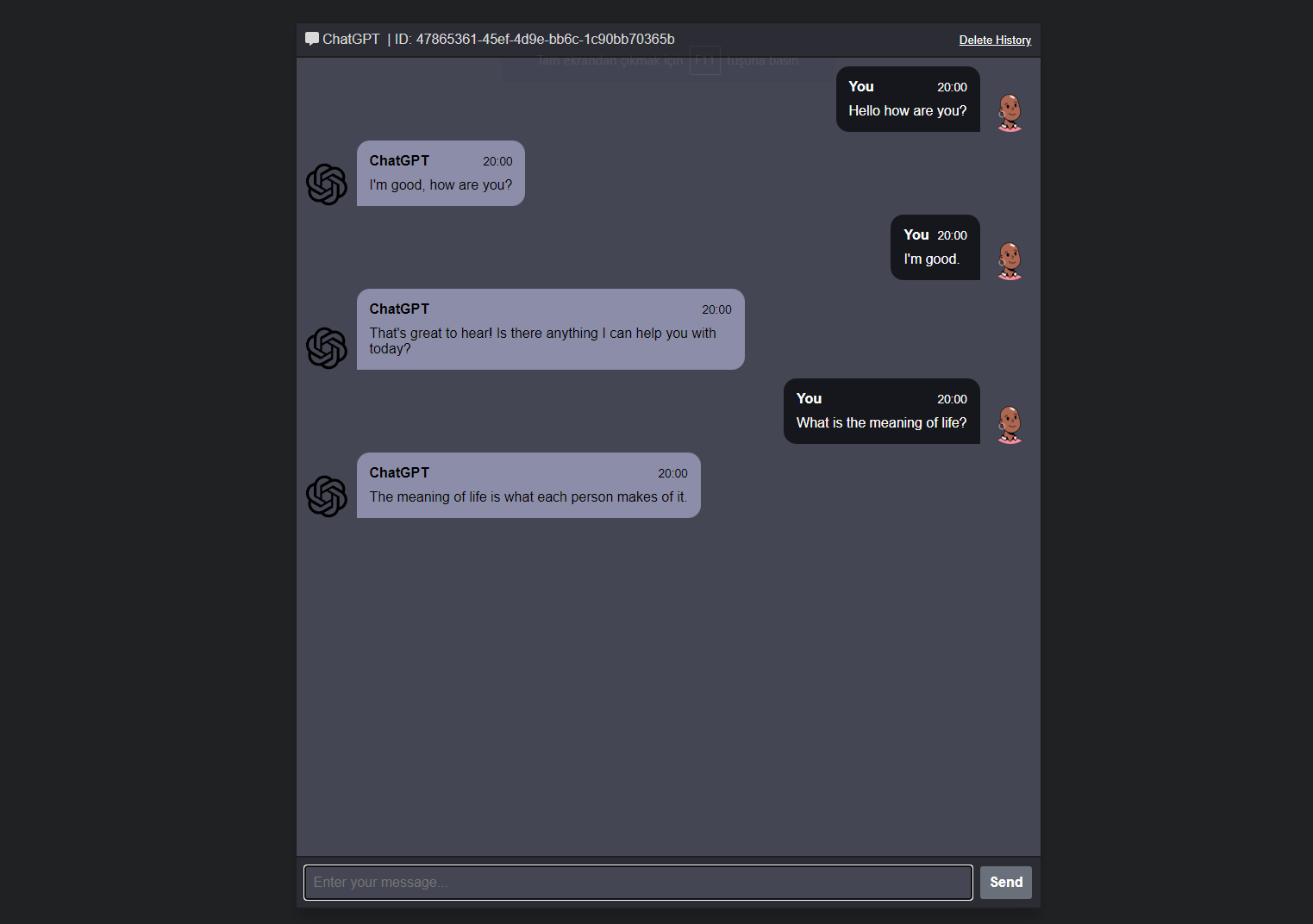
ChatGPT clone is a simple web application powered by the OpenAI library and built with PHP. It allows users to chat with an AI language model that responds in real-time. Chat history is saved using cookies, and the project requires the use of an API key and enabled SQLite3.
## Prerequisites
Before running this project, you should have the following:
* PHP 7.4 or later with SQLite3 enabled
* Composer
* An OpenAI API key (which should be set to the $open_ai_key variable in event-stream.php)
Getting Started
## Get Started
### Enable sqlite3
* Open the php.ini file. This file is usually located in the PHP installation directory.
* Find the following line: ;extension=php_sqlite3.dll
* Remove the semicolon at the beginning of the line to uncomment it.
* Save the file.
* Restart the web server.
* ### Clone this repository to your local machine
```sh
git clone https://github.com/orhanerday/ChatGPT.git
```
* ### Navigate to the project directory
```sh
cd ChatGPT
```
* ### Install OrhanErday/OpenAI
```sh
composer require orhanerday/open-ai
```
* ### Set your OpenAI API key as the `$open_ai_key` variable in `event-stream.php`
```php
$open_ai_key = "";
```
* ### Start the PHP built-in web server
```sh
php -S localhost:8000 -t .
```
* ### Open your web browser and go to http://localhost:8000
* ### You should now see the ChatGPT clone interface, where you can chat with the OpenAI language model.
<hr>
<div align="center">

</div>
This project is a ChatGPT clone that allows users to chat with an AI language model trained by OpenAI. It's powered by the github.com/orhanerday/OpenAI php library, which provides an easy-to-use interface for communicating with the OpenAI API.
### Live Demo Video
<br>
https://user-images.githubusercontent.com/22305274/219877050-e5237734-4635-46f8-bf49-71a26356e0db.mp4
# Important Notice
This project was created to highlight the [Stream Example](https://github.com/orhanerday/open-ai#stream-example) feature of [OpenAI GPT-3 Api Client in PHP by Orhan Erday](https://github.com/orhanerday/open-ai), please don't have too high expectations about the project.

## Donation
<a href="https://www.buymeacoffee.com/orhane" target="_blank"><img src="https://www.buymeacoffee.com/assets/img/custom_images/orange_img.png" alt="Buy Me A Coffee" style="height: 41px !important;width: 174px !important;box-shadow: 0px 3px 2px 0px rgba(190, 190, 190, 0.5) !important;-webkit-box-shadow: 0px 3px 2px 0px rgba(190, 190, 190, 0.5) !important;" ></a>
## Join our discord server

[Click here to join the Discord server](https://discord.gg/xpGUD528XJ)
## GPT-4
Change model at `event-stream.php`
```php
....
$chat = $open_ai->chat([
'model' => 'gpt-4',
....
```
## Using Docker
<hr>
> #### Method I
#### Clone this repository to your local machine
```sh
git clone https://github.com/orhanerday/ChatGPT.git
```
#### Navigate to the project directory
```sh
cd ChatGPT
```
#### Build the image
```shell
docker build -t chatgpt .
```
#### Run the app
```shell
docker run -p 8000:8000 -e OPENAI_API_KEY=sk-o7hL4nCDcjw chatgpt
```
#### Open your web browser and go
http://localhost:8000
<hr>
> #### Method II
### *Or* you can use docker hub without cloning or building;
#### Pull the image from Docker Hub
```shell
docker pull orhan55555/chatgpt
```
#### Run the app
```shell
docker run -p 8000:8000 -e OPENAI_API_KEY=sk-o7hL4nCDcjw orhan55555/chatgpt
```
#### Open your web browser and go
http://localhost:8000
<hr>
## Chat History
This project saves chat history using cookies by default. If you want to change this to use authentication instead, you can modify the code in index.php to Excerpt of 4,224 characters
Read on GitHubWould you bet a product on this? Bounded 0–100 and slow moving.
matched fp:701214a6a0db77f9, llm:description: 'ChatGPT AI Supported - ChatGPT clone ... powered by the OpenAI library and built with PHP. It allows users to chat with an AI language model... Chat history saved using cookies... requires API key and SQLite3.' topics include 'php'