



-brightgreen)


Visualkeras is a Python package for visualizing Keras and TensorFlow model architectures. It supports several rendering styles, such as classic layered CNN diagrams, node-based visualizations, and LeNet-style visualizations. It is very easy to get started with visualkeras (see Quickstart), but also highly customizable for advanced users. For help in citing this project, refer here.
Install the latest published release:
pip install visualkerasInstall the latest master branch (potentially unstable):
pip install git+https://github.com/paulgavrikov/visualkerasimport visualkeras
model = ...
visualkeras.layered_view(model).show()
visualkeras.layered_view(model, to_file="model.png")The recommended high-level API is show(...), which selects a renderer by mode:
import visualkeras
from tensorflow.keras import layers
from visualkeras.options import FunctionalOptions

img = visualkeras.show(
    model,
    mode="functional",
    options=FunctionalOptions(
        collapse_enabled=True,
        collapse_rules=[
            {"kind": "layer", "selector": layers.Dense, "repeat_count": 4},
            {
                "kind": "block",
                "selector": [layers.Dense, layers.Dropout],
                "repeat_count": 2,
                "annotation_position": "below",
            },
        ],
    ),
)
show(...) supports these modes:
layeredgraphfunctionallenet
| Renderer | Best for | Entry point |
|---|---|---|
| Layered view | Sequential CNN-style diagrams | visualkeras.layered_view(model) |
| Graph view | General node-based visualizations | visualkeras.graph_view(model) |
| Functional view | Functional Keras models with multiple modalities, inputs, outputs, streams, etc.; this is the most flexible option | visualkeras.functional_view(model) |
| LeNet view | Classic feature map stack diagrams; inspired by LeNet | visualkeras.lenet_view(model) |
We provide basic examples here. Explamples with various options and customizations are covered in the documentation: https://visualkeras.readthedocs.io/.
import tensorflow as tf
from tensorflow import keras
import visualkeras

model = keras.Sequential([
    keras.layers.Input(shape=(28, 28, 1)),
    keras.layers.Conv2D(32, (3, 3), activation="relu"),
    keras.layers.MaxPooling2D((2, 2)),
    keras.layers.Conv2D(64, (3, 3), activation="relu"),
    keras.layers.Flatten(),
    keras.layers.Dense(10, activation="softmax"),
])

visualkeras.layered_view(model).show()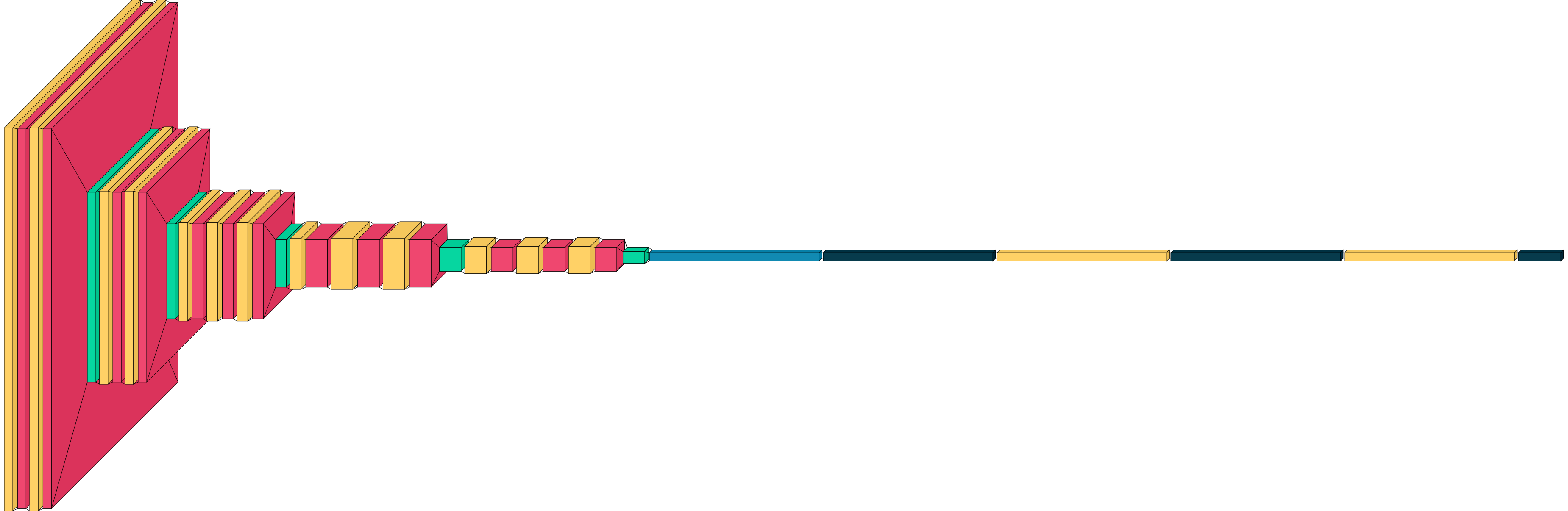
import tensorflow as tf
from tensorflow import keras
import visualkeras

model = Sequential([
    Conv2D(32, (3, 3), activation='relu', input_shape=(28, 28, 1)),
    MaxPooling2D((2, 2)),
    Dense(10, activation='softmax')
])

visualkeras.graph_view(model)
import tensorflow as tf
from tensorflow import keras
import visualkeras

inputs = keras.Input(shape=(16,))
x = keras.layers.Dense(32, activation='relu')(inputs)
x = keras.layers.Dense(32, activation='relu')(x)
outputs = keras.layers.Dense(10, activation='softmax')(x)

model = keras.Model(inputs=inputs, outputs=outputs)

visualkeras.functional_view(model)
import tensorflow as tf
from tensorflow import keras
import visualkeras

model = keras.Sequential([
    keras.layers.Input(shape=(28, 28, 1)),
    keras.layers.Conv2D(6, (5, 5), activation='tanh'),
    keras.layers.MaxPooling2D((2, 2)),
    keras.layers.Conv2D(16, (5, 5), activation='tanh'),
    keras.layers.MaxPooling2D((2, 2)),
    keras.layers.Flatten(),
    keras.layers.Dense(120, activation='tanh'),
    keras.layers.Dense(84, activation='tanh'),
    keras.layers.Dense(10, activation='softmax')
])

visualkeras.lenet_view(model)
Detailed documentation can be found in the documentation website: https://visualkeras.readthedocs.io/.
Particularly useful sections include:
- Quickstart: https://visualkeras.readthedocs.io/en/latest/quickstart.html
- Tutorials: https://visualkeras.readthedocs.io/en/latest/tutorials/index.html
- Examples: https://visualkeras.readthedocs.io/en/latest/examples/index.html
- API reference: https://visualkeras.readthedocs.io/en/latest/api/index.html
- Architecture guide: ARCHITECTURE.md
| Scope | Status | Notes |
|---|---|---|
| Core package | Supported | Python 3.9+ |
tf.keras workflows |
Supported | Suggested usage |
Standalone keras |
Mostly supported | May vary by backend setup; fully supported with TensorFlow backend |
If you find this project helpful for your research, please cite it:
@misc{Gavrikov2020VisualKeras,
  author = {Gavrikov, Paul and Patapati, Santosh},
  title = {visualkeras},
  year = {2020},
  publisher = {GitHub},
  journal = {GitHub repository},
  howpublished = {\url{https://github.com/paulgavrikov/visualkeras}},
}- Issues: https://github.com/paulgavrikov/visualkeras/issues
- Contributing guide:
CONTRIBUTING.MD - Architecture guide:
ARCHITECTURE.md
Sign up for the visualkeras mailing list here: https://forms.gle/7eBZ1jCJ7Xsm6RvA7
Visualkeras is licensed under the MIT License. See LICENSE.


