


"This is the best thing ever thanks for this project." — @andrewle8
claude-history is a history browser for Claude Code, Codex, the Pi coding
agent, and Oh My Pi (OMP). It searches
conversations recorded in their local project histories with a built-in terminal
UI, then opens the selected transcript directly in the terminal with scrolling,
search, and export capabilities.
Run it from a project directory and it discovers matching Claude, Codex, Pi, and OMP sessions automatically.
Install · Features · Usage · Configuration · Changelog
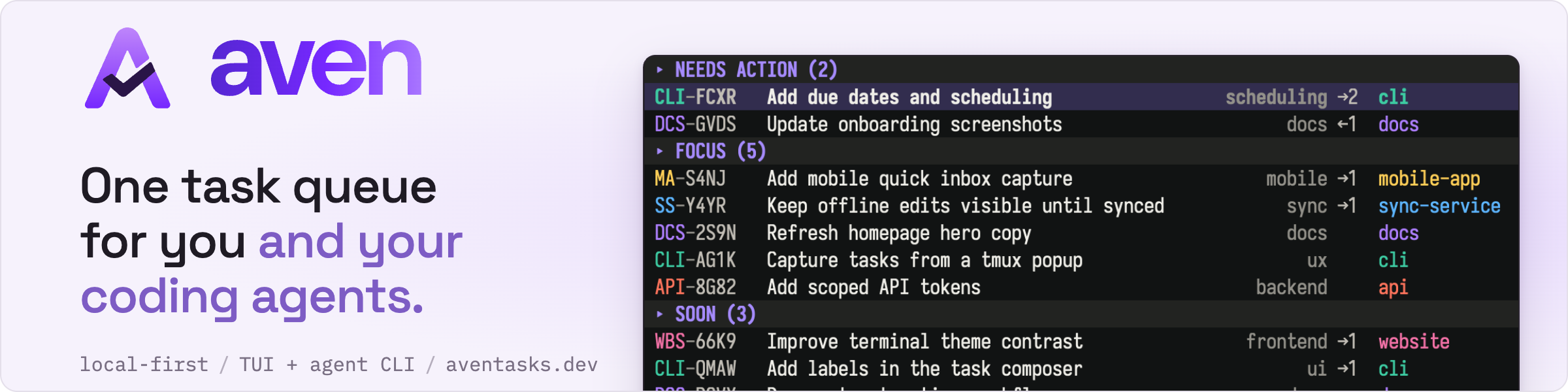
Also from the author of claude-history: aven, one queue for every project, with a keyboard-driven TUI for you and a CLI for your agents.
- Claude Code, Pi, and OMP support across list, lexical and semantic search, agent protocol commands, viewing, export, resume, fork, rename, and delete
- Fuzzy search across all conversations with field-aware relevance scoring, prefix matching, word boundary awareness, and tool output indexing
- Conversation viewer with vim-style scrolling, in-viewer search, message navigation, and markdown rendering
- Resume and fork conversations directly from the TUI with configurable keybindings
- Cross-project fork — fork a conversation from any project into your current working directory, useful when working across git worktrees
- Worktree-aware project filtering for workmux users
- Export and copy conversations or individual messages to clipboard
- Configurable display options, keybindings, and default resume arguments
- Searchable history for Claude through a companion Claude Code skill that lets Claude find and read its own past conversations
curl -fsSL https://raw.githubusercontent.com/raine/claude-history/main/scripts/install.sh | bashRelease archives include Apple Silicon macOS (darwin-arm64), Intel macOS
(darwin-amd64), and x86_64 Linux (linux-amd64) builds. The macOS releases
bundle ONNX Runtime, so semantic search needs no separate runtime install.
brew install raine/claude-history/claude-historycargo install claude-historyclaude-history updateHomebrew users should use brew upgrade claude-history instead.
Run the tool from inside the project directory you're interested in:
$ claude-historyThis opens a terminal UI listing all conversations, sorted by recency. Type to search across all transcripts. Each item shows a preview of the conversation. Quoted exact matches also show hidden context when the match is not visible in the preview.
Pi sessions work alongside other sources in every history surface. When multiple
sources have conversations, list rows include fixed-width CC, Pi, OMP, or
CX labels. A single-source list stays uncluttered.
The default Pi root is ~/.pi/agent/sessions. Its child directories correspond
to projects. Storage configuration follows Pi's precedence:
PI_CODING_AGENT_SESSION_DIRsessionDirin.pi/settings.jsonfor the current workspacesessionDirin the globalsettings.json- the
sessionsdirectory under the Pi agent directory
PI_CODING_AGENT_DIR selects the Pi agent directory and its global
settings.json. Workspace settings override global settings. An explicit
session directory or sessionDir is treated as a flat directory of JSONL
files. The default root uses Pi's project subdirectories.
Tilde paths, relative paths, and symlinked project directories are resolved in
the same way as Pi.
The browser follows the active branch from the persisted leaf to the root and excludes abandoned branches. Pi session versions 1 through 3 are supported in memory. Pi control records, including compaction and branch summaries, model and thinking changes, labels, and extension state, stay out of the dialogue and search index. Custom messages marked for display remain visible, and image data is represented by placeholders rather than indexed base64.
Pi actions use Pi's native session interface:
- resume runs
pi --session <path>in the session working directory - fork runs
pi --fork <path>in the current working directory - rename appends a native
session_inforecord - delete removes only the selected Pi JSONL file
OMP sessions use the same append-only conversation tree as Pi, with OMP's fixed-width title record and additional control records. The browser follows the active branch, excludes abandoned branches, and indexes visible dialogue in the same lexical and semantic search corpus as Claude and Pi. Title, mode, service tier, credential, reset, and extension control records stay out of dialogue and search.
The default OMP root is ~/.omp/agent/sessions. OMP storage discovery supports:
PI_CODING_AGENT_SESSION_DIRfor a flat custom session directoryOMP_PROFILE, withPI_PROFILEas its compatibility fallbackPI_CODING_AGENT_DIRfor the default profile's agent directoryPI_CONFIG_DIRfor the OMP configuration root- an initialized
XDG_DATA_HOME/ompdata root
Named profiles use ~/.omp/profiles/<profile>/agent/sessions, or the
corresponding initialized XDG profile root. Default roots contain project
subdirectories. OMP sessions created with a one-off omp --session-dir become
discoverable when that directory is also supplied through
PI_CODING_AGENT_SESSION_DIR.
OMP actions use OMP's native session interface:
- resume runs
omp --resume <path>in the session working directory - fork runs
omp --fork <path>in the current working directory - rename updates OMP's title slot and appends a
title_changeaudit record - delete removes the selected JSONL file and its sibling artifact directory
Claude resume default arguments apply only to Claude sessions.
Codex threads are listed with the CX label. The Codex home is $CODEX_HOME,
or ~/.codex when it is unset. Threads come from the rollouts under its
sessions and archived_sessions directories, including compressed
.jsonl.zst rollouts. Codex's state database (state_<n>.sqlite, in the
sqlite_home of Codex's config.toml, else $CODEX_SQLITE_HOME, else the
Codex home) is read, never written, to find each thread's current rollout and
its name. When a thread was forked from another, the viewer shows the history it
continues from, followed by a Fork marker where the thread's own records
begin. Search covers only the thread's own dialogue.
Thread titles come from the name set in Codex, else Codex's
session_index.jsonl, else the first user message.
codex exec runs and subagent threads are indexed for lexical search but stay
out of the list and of agent search. Press Ctrl+G in the list, or start with
--all-kinds, to list them too, tagged auto (exec) or sub (subagent); the
status bar shows ^G·all kinds while they are listed. agent search --all-kinds searches them as well, and agent read/outline resolve their
refs either way. They are never embedded, so semantic search does not find
them.
Codex actions use the Codex CLI with CODEX_HOME set to the thread's home:
- resume runs
codex resume <thread-id>in the thread's working directory - fork runs
codex fork <thread-id>in the same directory - delete runs
codex delete --force <thread-id>, which removes every rollout of the thread - rename is not supported
A thread whose current rollout, as recorded by Codex, no longer exists is shown read-only, with no actions.
Arguments for every Codex resume and fork go in [resume.codex]. For example,
if your shell aliases codex to codex --yolo:
# ~/.config/claude-history/config.toml
[resume.codex]
default_args = ["--yolo"]
This runs codex --yolo resume <thread-id>. Claude's [resume].default_args
are not passed to Codex.
Use delete-empty to find transcript files that have no Claude messages, such as
sessions that only contain slash commands like /status or /plugin.
claude-history delete-empty
claude-history delete-empty --local
claude-history delete-empty --yes
The command prints a dry run by default. Add --yes to delete the matching
JSONL files and their matching session artifact directories.
| Key | Action |
|---|---|
↑ / ↓ |
Move selection |
← / → |
Move cursor in search |
Ctrl+P / Ctrl+N |
Move selection (vi-style) |
Ctrl+D / Ctrl+U |
Half page down/up (vim-style) |
Page Up / Page Down |
Jump by page |
Home / End |
Jump to first/last |
Enter |
Open conversation viewer |
| Mouse wheel | Scroll the result list |
| Mouse click | Open conversation under cursor |
Ctrl+O |
Select and exit (for scripting) |
Ctrl+W |
Delete word before cursor |
Ctrl+R |
Resume conversation |
Ctrl+F |
Fork and resume conversation |
F2 |
Rename selected session |
Ctrl+X |
Delete conversation |
Ctrl+L |
Refresh sessions |
Ctrl+G |
Show / hide exec and subagents |
Ctrl+V |
Search only your own messages |
Tab |
Toggle all / workspace scope |
Ctrl+T |
Toggle lexical / semantic search |
? |
Show keyboard shortcuts |
Esc |
Clear search input, or quit |
Ctrl+C |
Quit |
| Key | Action |
|---|---|
j / ↓ |
Scroll down |
k / ↑ |
Scroll up |
| Mouse wheel | Scroll the conversation |
J / ] |
Jump to next message |
K / [ |
Jump to previous message |
d / Ctrl+D |
Half page down |
u / Ctrl+U |
Half page up |
Page Down |
Full page down |
Page Up |
Full page up |
g / Home |
Jump to top |
G / End |
Jump to bottom |
/ |
Start search |
n |
Next search match |
N |
Previous search match |
t |
Cycle tools: off/summary/calls/truncated/full |
T |
Toggle thinking |
e |
Export conversation to file |
y |
Copy selected text, focused message, or open copy menu |
p |
Show file path |
Y |
Copy file path to clipboard |
I |
Copy session ID to clipboard |
Ctrl+R |
Resume conversation |
Ctrl+F |
Fork and resume conversation |
Ctrl+X |
Delete conversation |
s |
List the session's subagents and forks |
P |
Open the parent session |
? |
Show keyboard shortcuts |
q / Esc |
Back to the previous conversation, else the list |
Ctrl+C |
Quit |
Press J/K or [/] to enter message navigation mode. A teal ▌ marker
appears in the gutter showing which message is focused. While in this mode:
J/]— jump to next messageK/[— jump to previous messagey— copy the focused message to clipboard (raw markdown)Esc— exit message navigation mode
Searching with / also activates message navigation, focusing the message
containing each match as you move through results with n/N. The status bar
shows the current match number and total matches while search is active.
Click and drag in the transcript to select text, then press y to copy it.
Press Esc or click again to clear the selection. A click without dragging
still focuses a message or expands tool output.
Selections can span lines and messages. Scroll while dragging, or drag beyond the top or bottom of the transcript to extend the selection. Copying uses the displayed text and line breaks, without the message-focus gutter. Resizing the terminal or changing the rendered content clears the selection.
Clipboard actions use OSC 52 in SSH and mosh sessions so copied text reaches the
terminal client's clipboard. Local sessions use the operating system clipboard.
The terminal emulator must allow OSC 52 clipboard writes. tmux also requires
set-clipboard to be on or external.
Set CLAUDE_HISTORY_CLIPBOARD to override transport detection:
autouses OSC 52 for SSH and mosh, and the system clipboard locallyosc52always sends clipboard text through the terminalsystemalways uses the clipboard of the machine running claude-history
The osc52 override is useful when a persistent tmux server does not retain SSH
environment variables. Terminal clipboard size limits apply to conversation
copies.
Unquoted search matches words flexibly:
configmatchesCONFIGapi keymatchesAPI_KEYauthmatchesauthenticationandauthorizeredwon't match insidefired, andconfigwon't match insideAppConfig- a switch between letters and digits starts a word, so
1.2.3matchesv1.2.3and264matchesh264 - multiple words must all match
Identifier-style terms with underscores keep the underscore, so api_key matches
api_key but not api key.
Use quotes when you need exact text. For example, "DEPLOYMENT_TOKEN" matches
DEPLOYMENT_TOKEN but not deployment token. Lowercase quoted text ignores
case, while quoted text with uppercase letters is case-sensitive.
You can mix both styles: metrics "DEPLOYMENT_TOKEN" searches for metrics as
usual, but only returns conversations that also contain DEPLOYMENT_TOKEN.
Search also includes tool results, not just user and assistant messages. Paste a full session UUID to jump directly to that session. Quote the UUID to search for it as transcript text instead.
Results are ranked by relevance using field-aware scoring: matches in the title, project name, and summary are weighted higher than body text. Within equally relevant results, recent conversations rank first.
Press Ctrl+V in the list to match only what you typed: the status bar shows
^V·you only, and a conversation is found only when every word and every
quoted phrase of the query occurs in your own messages. Assistant replies, tool
calls and results, injected context such as system reminders and hook output,
history a Codex thread inherits from the thread it forked, and prompts that
another conversation wrote for a subagent don't count, and neither do the
title, summary or project name. Snippets come from your own messages too.
Pressing Ctrl+V again searches everything; the query and selection stay
either way.
Semantic search ranks whole conversations, so it ignores the toggle and the
status bar says you only: not in semantic. For agents, claude-history agent search --user-only does the same, returning hits from your own messages only.
--since narrows to recent conversations, --before to older ones, and the two
combine into a range. --after is an alias for --since, so the two cannot be
used together. Both the conversation list and agent search accept them:
claude-history --since 2d
claude-history agent search "cache invalidation" --since 1w
claude-history agent search "cache invalidation" --after 2026-07-01 --before 2026-07-20
A value is either a duration back from now or an absolute local time:
| Form | Meaning |
|---|---|
45s 30m 3h 2d 1w |
seconds, minutes, hours, days, weeks |
6mo 1y |
calendar months and years |
1d6h 1mo2w |
components combine |
2026-07-20 |
midnight local time |
2026-07-20T14:30 |
a time of day, space instead of T also accepted |
Long spellings (30minutes, 2days, 6months) work too, and units are
case-insensitive. Note that m is minutes and mo is months, months and years
follow the calendar rather than 30- or 365-day approximations, and bounds are
inclusive to the end of the unit written — so --before 2026-07-20 includes all
of the 20th.
Filtering happens before ranking, so all four search modes honour it. Claude conversation times use transcript modification time. Pi and OMP conversation times use the latest user or assistant activity, then the session header timestamp, then modification time. This timestamp drives the recency column and ranking bonus.
Semantic search finds conversations by meaning, so fix flaky reconnect after laptop sleep can find a conversation that never uses those exact words. Results
blend meaning with keyword matches and show the passage that matched best.
It runs entirely on your machine. The first semantic search downloads the
embedding model,
snowflake-arctic-embed-xs
(about 90 MB), to ~/.cache/claude-history/semantic/.
Each conversation has to be embedded before semantic search can find it. Embedding never blocks you:
- While claude-history is open, new conversations are embedded in the background, newest first, at low priority on half the CPU cores. Startup, the list and keyword search never wait for it.
- Semantic searches answer right away from the conversations embedded so far.
The status bar shows
sem indexingwith progress, and results refresh when it finishes. - If nothing embedded matches yet, exact keyword matches are shown instead.
Background embedding only runs while claude-history is open. To embed everything at once, using every CPU core, run:
claude-history --generate-semantic-cacheRun it again any time; it only embeds what is new. After an upgrade that changes the embedding model, the history is re-embedded and the old model is deleted.
Codex exec runs and subagent transcripts are never embedded, so only keyword search finds them.
Quoted text works in semantic mode too: deployment "DEPLOYMENT_TOKEN" finds
conversations about deployment whose matching passage also contains
DEPLOYMENT_TOKEN. A query that is only quoted text, such as
"DEPLOYMENT_TOKEN", returns exact matches, newest first.
claude-history agent search uses semantic ranking too. It ranks what is
already embedded and never starts embedding itself, so indexing never slows a
search down. agent within embeds at most 32 missing passages of the one
conversation it searches. Run --generate-semantic-cache first to make sure
everything is covered. Results show semantic= and lexical= next to score=; see the
agent skill for what each field means.
Press Ctrl+T in the conversation list to switch between lexical and semantic
search. To start in semantic mode by default, set:
[search]
mode = "semantic"
The older [tui] semantic_search = true setting is still accepted for existing
configs.
claude-history usually runs for seconds: open it, find a session, resume. That is rarely long enough to embed new conversations, so semantic search falls behind. The opt-in daemon keeps the keyword store and the semantic cache up to date in the background, so every launch finds them current:
[semantic]
daemon = true
Any launch, of the TUI or of a CLI command, starts the daemon when it is enabled and not already running. It needs no launchd or systemd setup. It runs detached from the terminal and keeps running when the terminal closes. Only one daemon runs per cache directory. It exits by itself when the claude-history binary is upgraded or replaced (the next launch starts the new version), after three days without a launch, or when the config no longer enables it.
claude-history daemon status   # state, backlog, last passes, last error, memory
claude-history daemon stop     # stop it; the next launch starts it again
claude-history daemon start    # start it now
How it works:
- Changes are found by polling, not file watching. A quick pass stats the
project directories and the sessions modified in the last day, plus a
session's
subagents/when the session changes. It runs every 5 minutes. A full pass lists every session file every 20 minutes. Changes are published to the keyword store the same way a launch does, so a launch finds nothing left to do. - Conversations are embedded once quiet. Agents append to a session all the time while they work, so a changed conversation is embedded once it has gone a minute without writes. A sweep embeds anything else missing, newest first: 30 seconds after the daemon starts, every 6 hours, and when the TUI is launched. After an upgrade that changes the embedding model, the sweep re-embeds the history in the background.
- The TUI defers to it. While the daemon runs, the TUI does not embed in the background itself. It picks up what the daemon writes to the cache. A lock in the cache directory keeps the two from ever embedding at the same time.
Resource use: the daemon runs at a low scheduling priority (nice 10, and the
utility QoS class on macOS). Passes and embedding run in short-lived child
processes. Embedding uses two inference threads and loads the model only for
the batch at hand, so the idle daemon holds no model and stays at about 10 MB
of memory; an embedding process uses 200–400 MB while it runs. With no sessions
changing, the daemon uses about two seconds of CPU an hour. On battery power, embedding pauses until a charger is connected; set
pause_on_battery = false to keep embedding on battery.
The daemon logs to ~/.cache/claude-history/daemon/daemon.log, rotated at
1 MB. Its lock and status.json live in the same directory.
You can open a JSONL conversation file directly, bypassing the conversation selection UI:
$ claude-history /path/to/conversation.jsonlAll display options work in this mode:
$ claude-history --show-tools --show-thinking /path/to/conversation.jsonlPress q or Esc to quit when viewing a file directly.
Press Enter on a conversation to open the built-in viewer. The viewer displays
conversations in a ledger-style format with scrolling support.
Features:
- Scrolling: Navigate with vim-style keys (
j/k), arrow keys, or the mouse wheel - Search: Press
/to search within the conversation, thenn/Nto navigate matches - Cycle tools: Press
tto cycle tool display (off → summary → calls → truncated → full) - Toggle thinking: Press
Tto show/hide thinking blocks - Show path: Press
pto display the conversation file path - Light/dark theme: Automatically detects terminal background color and applies an appropriate color theme
Press q or Esc to return to the conversation list, or to the conversation
you opened this one from.
View Claude conversation history

Usage: claude-history [OPTIONS] [FILE]
       claude-history [COMMAND]

Commands:
  agent         Run agent-oriented search and transcript commands
  delete-empty  Delete transcript files with no Claude messages
  update        Update claude-history to the latest version
  daemon        Show or control the background daemon ([semantic] daemon = true)

Arguments:
  [FILE]  JSONL conversation file to view directly

Options:
  -t, --show-tools       Show tool calls in the conversation output
      --no-tools         Hide tool calls from the conversation output
  -d, --show-dir         Print the conversation directory path and exit
  -l, --last             Show the last messages in the TUI preview (default)
      --first            Show the first messages in the TUI preview
      --show-thinking    Show thinking blocks and subagent internals in the conversation output
      --hide-thinking    Hide thinking blocks and subagent internals from the conversation output
  -c, --resume           Resume the selected conversation in Claude Code
      --fork-session     Fork the session when resuming
  -p, --show-path        Print the selected conversation file path
  -i, --show-id          Print the selected conversation session ID
      --plain            Output plain text without ledger formatting
      --delete <SESSION_ID>  Delete a session by its UUID and exit
      --debug-search <QUERY>  Debug search result scoring for a query
      --debug [<LEVEL>]  Print debug information (optionally filter by level: debug, info, warn, error)
  -L, --local            Show only conversations from the current workspace directory
      --all-kinds        List automated (Codex exec) and subagent conversations too
      --since <WHEN>     Only conversations this recent (duration or date)
      --after <WHEN>     Alias for --since
      --before <WHEN>    Only conversations older than this duration or date
      --pager            Display output through a pager (less)
      --no-pager         Disable pager output
      --render <FILE>    Render a JSONL file in ledger format and exit
      --no-color         Disable colored output
  -h, --help             Print help
  -V, --version          Print version
claude-historyshows the last messages in the preview (default)claude-history --firstflips the preview to the first messages
In the TUI viewer, tool calls default to summary mode — showing condensed
activity like "Searched for 2 patterns, read 1 file" without tool inputs or
outputs. Press t to cycle through modes: off → summary → calls → truncated →
full. Off mode hides tool calls and results entirely, leaving only the
conversation text; messages that consist only of tool calls disappear. Calls
mode lists each tool call on one line, such as Bash: cargo test, without
results. Click a summary row to expand that group into its tool calls and
results, or a calls row to expand just that call and its result. Truncated mode shows the
tool header plus the first few body lines with a "(N more lines...)" indicator.
Click a truncated tool call/result to expand that specific output, and click it
again to collapse it. Use --show-tools (or -t) to start in full mode, or
--no-tools to start with tools off.
Extended thinking models (like Claude Sonnet 4.5) include reasoning steps in
their output. When Claude uses the Task tool to spawn subagents, the internal
tool calls and messages within those subagents are also hidden by default. Use
--show-thinking (or press T in the TUI) to display both thinking blocks and
subagent internals. Subagent messages appear dimmed with a ↳ prefix to
distinguish them from top-level conversation entries.
Claude Code keeps the full transcript of each subagent, and of each /btw side
question, next to its session, under <session-id>/subagents/.
- A
/btwfork is listed and searched like a conversation of its own, taggedfork, with the question you asked as its first message. The/btwquestion is also searchable in the session it was asked in. - A subagent transcript stays out of the list and of
agent search, like Codex subagents: pressCtrl+G, or start with--all-kinds, to list it, taggedsub.agent read/outlineresolve its refs either way, and it is never embedded for semantic search.
The viewer header of a session names its subagents and forks; press s to pick
one and open it. The header of a subagent or fork names the session it came
from; press P to open it. Esc returns to the conversation you came from.
These work for Codex subagent threads too.
Actions on a subagent or fork act on the session it belongs to, or on the sidecar alone:
- resume resumes the session it came from
- delete removes only the sidecar transcript and its metadata
- fork and rename are not supported
Deleting a session also deletes its subagent transcripts but keeps its /btw
forks, which stay listed on their own.
If you want to continue a conversation, launch claude-history with --resume
and it will hand off to claude --resume <conversation-id>.
To fork a conversation (creating a new session branching from the original), use
--resume --fork-session or press Ctrl+F in the TUI.
Within the same project, this passes --fork-session to claude, which creates
a new session ID branching from the original. When forking a conversation from a
different project, the session files are copied to your CWD's project directory
and resumed there — the copy continues independently without affecting the
original.
You can configure default arguments to pass to the claude command every time
you resume a conversation. This is useful if you typically run Claude with
specific flags (like --dangerously-skip-permissions) and want them applied
automatically when resuming:
# ~/.config/claude-history/config.toml
[resume]
default_args = ["--dangerously-skip-permissions"]
With this configuration, when you resume a conversation, it will run:
claude --resume <conversation-id> --dangerously-skip-permissionsThis provides a cleaner alternative to shell aliases, as the arguments are
applied specifically when resuming through claude-history, without affecting
how you normally invoke Claude.
For regular resumes, use claude-history --resume or press Ctrl+R in the TUI.
Configure [resume].default_args for arguments that should apply every time
claude-history resumes a session.
Resume and fork run claude, pi, omp, or codex from your PATH, and
Codex deletes run codex. If you start an agent another way, such as a mise or
nix wrapper, a script that sets environment variables first, or a binary with a
different name, set command for that agent:
# ~/.config/claude-history/config.toml
[resume]
command = "my-claude"                     # Claude Code

[resume.pi]
command = "~/bin/pi-wrapper"

[resume.omp]
command = ["mise", "exec", "--", "omp"]

[resume.codex]
command = ["nix", "run", "nixpkgs#codex", "--"]
A string is a single program and is never split on spaces. An array is a
program followed by the arguments that always come first. The program is a name
looked up on PATH or a path to an executable. ~/ is expanded, and a relative
path is relative to the directory claude-history was started in. The agent's
own arguments follow, so the Claude example runs
my-claude --resume <conversation-id>, and the OMP example runs
mise exec -- omp --resume <path>. Codex's default_args come after the
command and before resume or fork.
If the program cannot be found, claude-history reports which program is
missing and where it was configured instead of starting the agent.
command must name an executable, not a shell alias or function, because
claude-history starts the agent directly, without a shell. If you use an
alias or function, put its contents in a script on your PATH and set command
to that script:
#!/bin/sh
# ~/bin/my-claude
export CLAUDE_CONFIG_DIR="$HOME/.claude-work"
exec claude "$@"
If another tool needs the selected session ID, use --show-id and press
Ctrl+O to select the highlighted conversation. The TUI renders on stderr, and
only the selected session ID is written to stdout, so command substitution is
safe:
claude --resume "$(claude-history --show-id)"In the viewer, press I to copy the session ID to clipboard.
Claude's responses are rendered with markdown formatting for better terminal
readability. Use --plain to disable rendering and get raw text output.
Use --plain to output conversations without ledger formatting:
$ claude-history --plainThis produces simple Role: content output without colors, text wrapping, or
markdown rendering, suitable for piping to other tools or LLMs:
You: How do I fix this bug?

Claude: Looking at the code, the issue is...
By default, conversation output is piped through a pager (less -R) when stdout
is a terminal. This enables scrolling through long conversations. Use
--no-pager to disable this behavior and print directly to stdout.
The pager respects the $PAGER environment variable. If not set, it defaults to
less -R (which preserves ANSI colors).
By default, claude-history shows all conversations from every project, sorted
by modification time (newest first). Each conversation shows its project path so
you can identify which project it belongs to.
Press Tab to toggle between all conversations and the current workspace only.
Use -L/--local to start with the workspace filter active. While it is on,
the search prompt shows the workspace folder, e.g. ~/code/repo ❯.
The workspace is the directory claude-history runs in. A conversation belongs
to it when it was started there, or when any working directory it recorded is
that directory or a folder below it. A session started in ~/code that moved
into ~/code/repo therefore shows up in ~/code/repo's scope, and running from
~/code includes sessions from every repo below it. Folders match whole path
components: ~/code/repo does not include ~/code/repo-old. This applies to
Claude Code, Pi, OMP and Codex sessions, to Tab and -L, and to
agent search --local.
For workmux users, worktree paths are
displayed in a compact format: [project/worktree] instead of just the worktree
folder name. The project filter (toggled with Tab) is worktree-aware: it
includes conversations from the main repo and all its worktrees, regardless of
which one you're currently in. On Windows the match ignores letter case, so
C:\Users\Foo\myproject finds sessions recorded in C:\Users\Foo\MyProject.
The --resume flag works across projects. It will automatically run Claude in
the correct project directory for the selected conversation.
You can integrate claude-history into other tools to pass conversation context
to new Claude Code sessions. This is useful when you want Claude to understand
what you were working on previously.
For example, a commit message generator script could use the conversation history to write more contextual commit messages:
# Get conversation history if --context flag is set
conversation_context=""
if [ "$include_history" = true ]; then
    echo "Loading conversation history..."
    conversation_history=$(claude-history --plain 2>/dev/null)
    if [ -n "$conversation_history" ]; then
        conversation_context="

=== START CONVERSATION CONTEXT ===
$conversation_history
=== END CONVERSATION CONTEXT ===

"
    fi
fi

# Pass to Claude CLI with the conversation context
prompt="Write a commit message for these changes.
${conversation_context}
Staged changes:
$staged_diff"

claude -p "$prompt"The companion Claude Code skill lets Claude search and read its own conversation history. Claude can recover prior decisions, debugging context, and implementation details without loading whole transcripts into its context window.

See the skill for setup and usage.
You can set default preferences for display options in
~/.config/claude-history/config.toml. Command-line flags will override these
settings.
Create the config file:
mkdir -p ~/.config/claude-history
cat > ~/.config/claude-history/config.toml << 'EOF'
[display]
# Tool display: true = off, false = full (default: unset = summary)
# no_tools = false

# Show last messages in TUI preview (default: true)
# last = true

# Show thinking blocks (default: false)
show_thinking = false

# Use plain output without ledger formatting (default: false)
plain = false

# Use pager for output (default: true when stdout is a terminal)
pager = true

[resume]
# Command that starts Claude Code (default: "claude")
# Example: command = ["mise", "exec", "--", "claude"]
# Default arguments to pass to claude command when resuming
# Example: default_args = ["--dangerously-skip-permissions"]

[resume.pi]
# Command that starts Pi (default: "pi")
# Example: command = "~/bin/pi-wrapper"

[resume.omp]
# Command that starts OMP (default: "omp")
# Example: command = "/opt/omp/bin/omp"

[resume.codex]
# Command that starts Codex (default: "codex")
# Example: command = "codex-work"
# Default arguments to pass to codex when resuming or forking a Codex thread
# Example: default_args = ["--yolo"]

[keys]
# Customize keybindings (default: ctrl+r, ctrl+f, f2, ctrl+x, ctrl+l, ctrl+g,
# ctrl+v)
# Supports ctrl+<key>, alt+<key>, single-character keys, and f1-f12
# rename = "alt+r"
# fork = "alt+f"
# refresh = "ctrl+l"

[search]
# Search mode used by the conversation list
mode = "lexical"

[tui]
# Hide exact project names from TUI browse/search lists
# exclude_projects = ["project-name", "repo/worktree"]

# Hide recorded working-directory prefixes in the TUI and agent search
# exclude_paths = ["/tmp/", "/private/tmp/"]

# Deprecated: use [search].mode instead
semantic_search = false

[semantic]
# Keep the caches warm in a background daemon that launches start
# (default: false)
daemon = false

# Pause the daemon's embedding on battery power (default: true)
pause_on_battery = true

EOFno_tools(boolean): Whentrue, hides tool calls and results; whenfalse, shows full tool details. When unset (default), shows tool summarieslast(boolean): Show last messages instead of first in TUI preview (default: true)show_thinking(boolean): Show thinking blocks and subagent internals in conversation output (default: false)plain(boolean): Output plain text without ledger formatting (default: false)pager(boolean): Pipe output through a pager for scrolling (default: true when stdout is a terminal)
command(string or array of strings): The program that starts Claude Code, or an array of the program and the arguments placed before Claude's own (default:"claude"). Set it under[resume.pi],[resume.omp], or[resume.codex]for those agents (defaults:"pi","omp","codex"). See Starting agents through a wrapper.default_args(array of strings): Arguments to pass to theclaudecommand when resuming conversations. Useful for flags like--dangerously-skip-permissionsthat you want applied every time you resume. Example:default_args = ["--dangerously-skip-permissions", "--verbose"]codex.default_args(array of strings, set under[resume.codex]): Arguments to pass tocodex, before itsresumeorforksubcommand, when resuming or forking Codex threads. Example:default_args = ["--yolo"]
Customize the keybindings for list actions. Values are key combinations like
"ctrl+r", "alt+f", or "f2".
resume(string): Resume conversation (default:"ctrl+r")fork(string): Fork and resume conversation (default:"ctrl+f")rename(string): Rename selected session (default:"f2")delete(string): Delete conversation (default:"ctrl+x")refresh(string): Refresh sessions from disk (default:"ctrl+l")all_kinds(string): Show or hide automated (Codex exec) and subagent conversations (default:"ctrl+g")user_only(string): Search only your own messages (default:"ctrl+v")
mode(string): Search mode for the conversation list. Supported values arelexicalandsemantic(default:lexical).
exclude_projects(array of strings): Case-sensitive project names to hide from TUI browse/search lists. Match against the project name shown in the leftmost column; a parent entry like"repo"also hides displayed worktree rows like"repo/feature". Excluded conversations remain on disk and can still be opened by pasting their full UUID or by passing the JSONL file path directly.exclude_paths(array of strings): Hide sessions whose first recorded working directory starts with any listed prefix, in both TUI browse/search lists andagent search. Defaults to empty. Matching is literal and case-sensitive (case-insensitive on Windows, where paths differing only in case are the same directory):"/tmp/"matches"/tmp/eval-123", but not"/tmp"or"/tmp-other";"/tmp"matches all three. Paths are not resolved, so deleted directories still match; list both"/tmp/"and"/private/tmp/"to cover both spellings. No~, environment-variable, or glob expansion is performed. Empty entries are ignored, and sessions without a recorded working directory stay visible. Exclusions apply in local and global scope. Transcripts remain on disk and can still be opened by full UUID or file path, or withagent read,agent outline, andagent within.semantic_search(boolean): Deprecated compatibility alias. When[search].modeis unset,truestarts list search in semantic mode andfalsestarts lexical mode. PressCtrl+Tin the TUI to switch modes.
daemon(boolean): Keep the keyword store and the semantic cache up to date in a background daemon that any launch starts (default: false). See Background daemon.pause_on_battery(boolean): Pause the daemon's embedding while the machine runs on battery power (default: true).
Each display option has opposing flags for explicit override:
--no-tools/--show-tools--last/--first--hide-thinking/--show-thinking--plain(no opposite flag)--no-pager/--pager
For example, if your config has no_tools = false (showing full tool details),
you can temporarily hide tools with --no-tools.
If you use the CLAUDE_CONFIG_DIR environment variable to store Claude's
configuration in a non-default location, claude-history will respect it
automatically — no extra flags needed.
The tool filters out some noisy artifacts before showing conversations, so you only see transcripts that are likely to matter for your recent work.
- Skips the "Warmup / I'm Claude Code…" exchanges that are sometimes injected without user interaction
- Skips conversations that only contain the
/clearterminal command
The repository includes just recipes:
$ just checkThis runs cargo fmt, cargo clippy --fix, cargo test, and cargo build.
GitHub Actions verifies Nix builds on Linux and macOS for pull requests and main,
and on Linux for release tags.
For isolated ARM64 Linux TUI verification, the repository can build, deploy,
seed, and launch the current working tree in a CuaBot sandbox. See
CUA_SANDBOX.md.
- workmux — Git worktrees + tmux windows for parallel AI agent workflows
- git-surgeon — Non-interactive hunk-level git staging for AI agents
- consult-llm — Consult other AI models from your agent workflow
- tmux-file-picker — Pop up fzf in tmux to quickly insert file paths, perfect for AI coding assistants
- tmux-agent-usage — Display AI agent rate limit usage in your tmux status bar


