windows-optimize-harden-debloat test docker container
Windows 10 and Windows 11 are invasive and insecure operating system out of the box. Organizations like PrivacyTools.io, Microsoft, Cyber.mil, the Department of Defense, and the National Security Agency have recommended configuration changes to lockdown, harden, and secure the operating system. These changes cover a wide range of mitigations including blocking telemetry, macros, removing bloatware, and preventing many digital and physical attacks on a system. This script aims to automate the configurations recommended by those organizations.
WARNING:
This script should work for most, if not all, systems without issue. While @SimeonOnSecurity creates, reviews, and tests each repo intensively, we can not test every possible configuration nor does @SimeonOnSecurity take any responsibility for breaking your system. If something goes wrong, be prepared to submit an issue.
- This script is designed for operation in primarily Personal Use environments. With that in mind, certain enterprise configuration settings are not implemented. This script is not designed to bring a system to 100% compliance. Rather it should be used as a stepping stone to complete most, if not all, the configuration changes that can be scripted while skipping past issues like branding and banners where those should not be implemented even in a hardened personal use environment.
- This script is designed in such a way that the optimizations, unlike some other scripts, will not break core windows functionality.
- Features like Windows Update, Windows Defender, the Windows Store, and Cortona have been restricted, but are not in a dysfunctional state like most other Windows 10 Privacy scripts.
- If you seek a minimized script targeted only to commercial environments, please see this GitHub Repository
Do not run this script if you don't understand what it does. It is your responsibility to review and test the script before running it.
FOR EXAMPLE, THE FOLLOWING WILL BREAK IF YOU RUN THIS WITHOUT TAKING PREVENTATIVE STEPS:
-
Using the default administrator account named "Administrator" is disabled and renamed per DoD STIG
-
Does not apply to the default account created but does apply to using the Default Administrator account often found on Enterprise, IOT, and Windows Server Versions
-
Create a new account under Computer Management and set it as an administrator if you wish. Then copy the contents of the previous users folder into the new one after signing into the new user for the first time to work around this prior to running the script.
-
-
Signing in using a microsoft account is disabled per DoD STIG.
-
When trying to be secure and private, signing into your local account via a Microsoft Account is not advised. This is enforced by this repo.
-
Create a new account under Computer Management and set it as an administrator if you wish. Then copy the contents of the previous users folder into the new one after signing into the new user for the first time to work around this prior to running the script.
-
-
Account PINs are disabled per DoD STIG
-
PINs are insecure when used solely in place of a password and can be easily bypassed in a matter of hours or potentially even seconds or minutes
-
Remove the pin from the account and/or sign in using password after running the script.
-
-
Bitlocker defaults are changed and hardened due to DoD STIG.
-
Due to how bitlocker is implemented, when this changes occur and if you already have bitlocker enabled it will break the bitlocker implementation.
-
Disable bitlocker, run the script, then reenable bitlocker to workaround this issue.
-
- A Proper Backup of Your System
- We test things in a controlled environment but that can't possibly cover every combination of settings.
- In lue of a backup, the next best thing is using a restore point
- Windows 10/11 Enterprise (Preferred) or Professional
- Windows 10/11 Home editions do not support GPO configurations and are not tested.
- Window "N" Editions are not tested.
- Premodified windows ISOs are not recommended. Use an official ISO.
- Use of our script in combination with others is not recommended or supported. Mix and match at your own risk.
- Standards for a highly secure Windows 10 device
- System is fully up to date and supported
- Run the Windows Upgrade Assistant to update and verify latest major release.
- Bitlocker must be suspended or turned off prior to implementing this script, it can be enabled again after rebooting.
- Follow-up runs of this script can be run without disabling bitlocker.
- Hardware Requirements
- System Guard Secure Launch
- System Guard Root of Trust
- Hardware-based Isolation
- Memory integrity
- Windows Defender Application Guard
- Windows Defender Credential Guard
This script adds, removes, and changes settings on your system. Please review the script before running it.
- Browsers will have additional extentions installed to aid in privacy and security.
- See here for additional information.
- Due to the DoD STIGs implemented for browsers, extension management and other enterprise settings are set. For instructions on how to see these options, you'll need to look at the GPO instructions below.
- To aid in automating Windows Updates the PowerShell PSWindowsUpdate module will be added to your system.
- To renable sleep on your device. See #75
This is because we block signing into microsoft accounts. Microsoft's telemetry and identity association is frowned upon. However, if you still wish to use these services see the following issue tickets for the resolution:
You may run into issues. There are multiple vulnerabilities assosiated with using Thunderbolt and advanced USB-C type devices. Because of this we have disabled it by default. If you'd like to ignore this, please read:
Chocolatey's servers have issues supporting the latest, and most secure, TLS 1.3 Ciphers out there. These are fixed using some of the Windows category changes. However if you opt out of those, you may run into issues. Keep in mind, this is primarily a Chocolatey issue, all fixes for this are just workarounds.
This script is meant for standalone systems, STIGs and Hardening Best Practices Dictate Disabling RDP. See the Following issue for steps to enable it again: #81
If you need to modify or change a setting, they are most likely configurable via GPO:
-
Import the ADMX Policy definitions from this repo into C:\windows\PolicyDefinitions on the system you're trying to modify.
-
Open
gpedit.mscon on the system you're trying to modify.
Learn more about Optimizing and Hardening Windows 10 and Windows 11
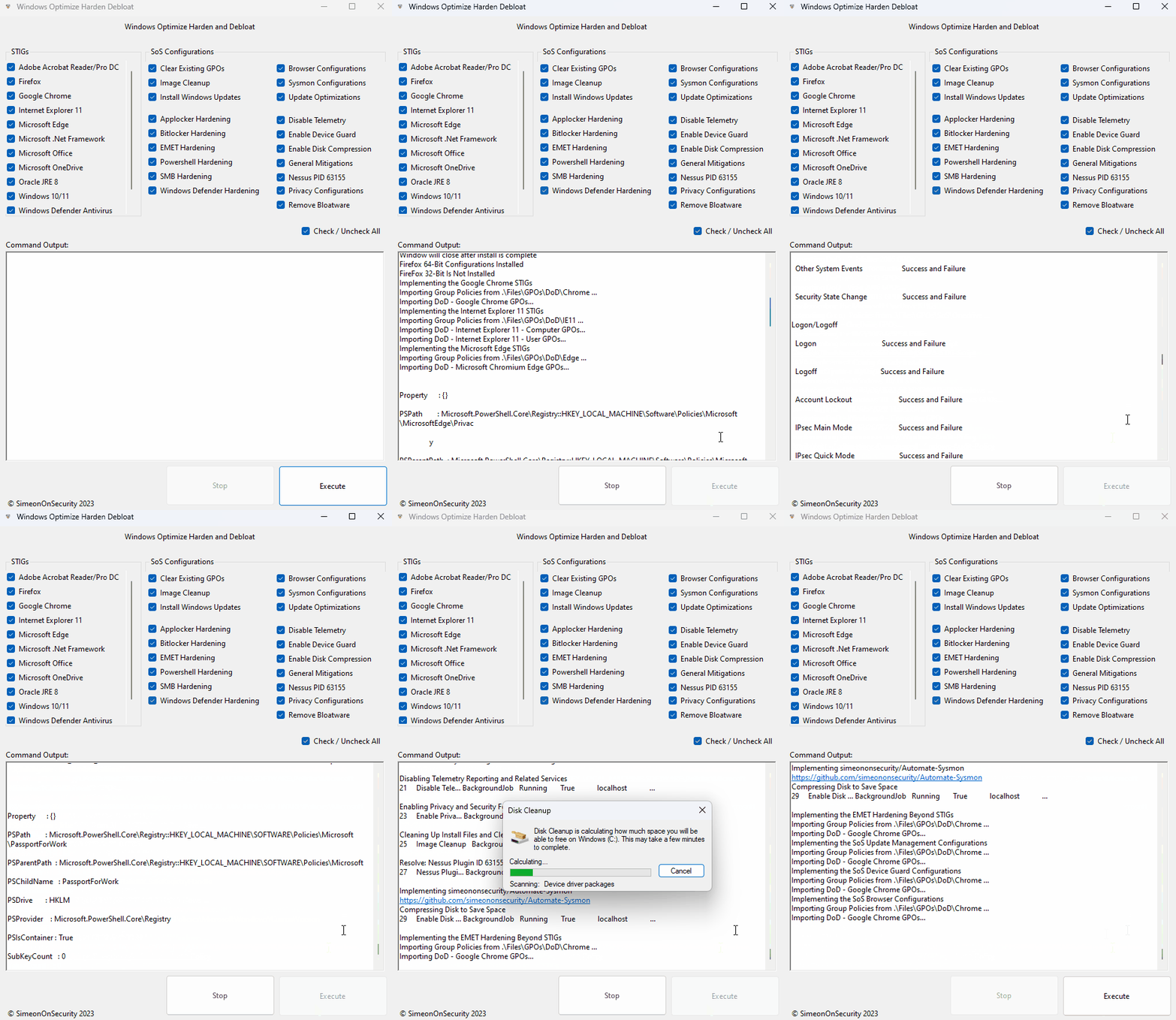
Download the latest release here, choose the options you want and hit execute.
Use this one-liner to automatically download, unzip all supporting files, and run the latest version of the script.
iwr -useb 'https://simeononsecurity.ch/scripts/windowsoptimizeandharden.ps1'|iex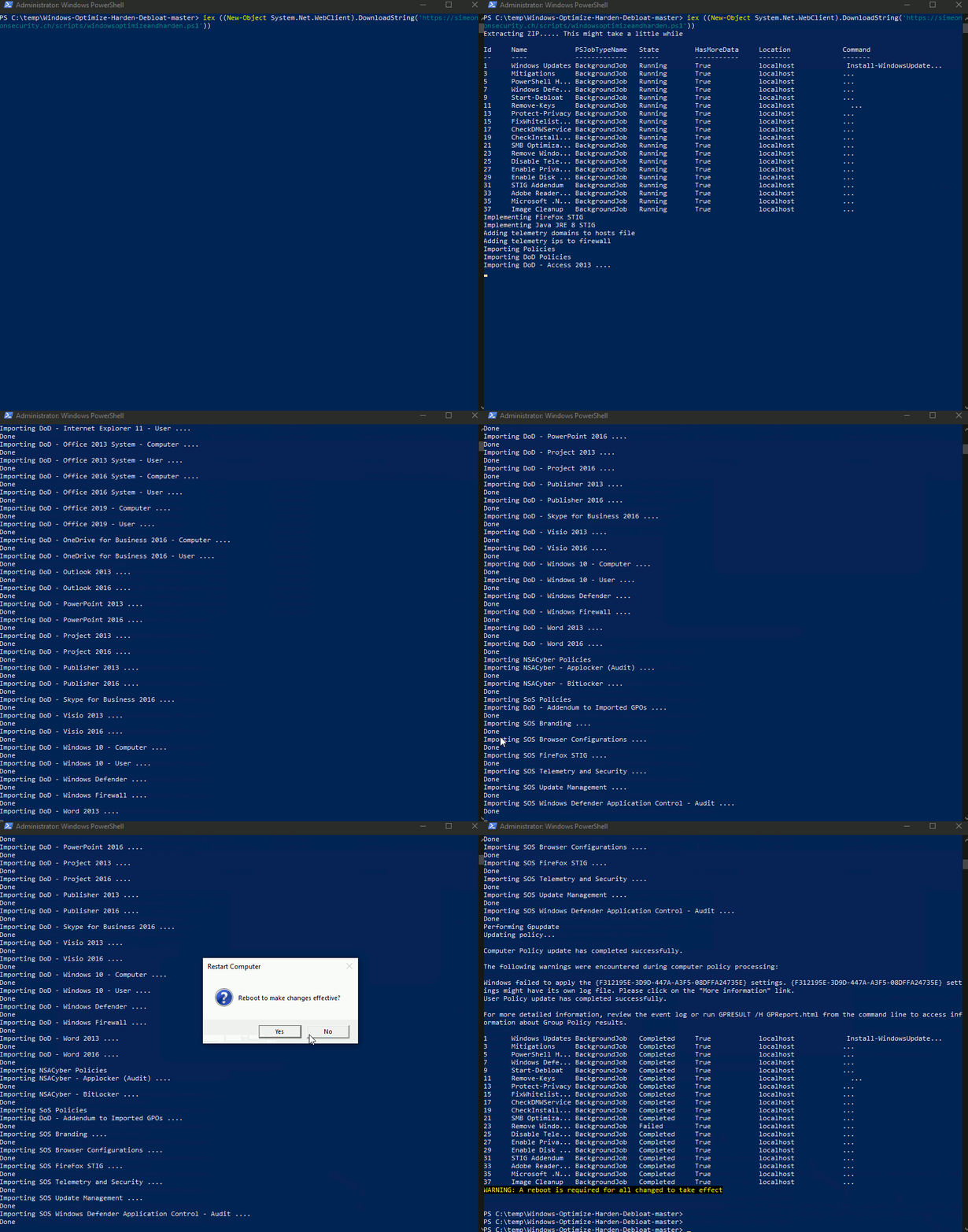
If manually downloaded, the script must be launched from an administrative powershell in the directory containing all the files from the GitHub Repository
The script "sos-optimize-windows.ps1" includes several parameters that allow for customization of the optimization process. Each parameter is a boolean value that defaults to true if not specified.
- cleargpos: Clears Group Policy Objects settings.
- installupdates: Installs updates to the system.
- adobe: Implements the Adobe Acrobat Reader STIGs.
- firefox: Implements the FireFox STIG.
- chrome: Implements the Google Chrome STIG.
- IE11: Implements the Internet Explorer 11 STIG.
- edge: Implements the Microsoft Chromium Edge STIG.
- dotnet: Implements the Dot Net 4 STIG.
- office: Implements the Microsoft Office Related STIGs.
- onedrive: Implements the Onedrive STIGs.
- java: Implements the Oracle Java JRE 8 STIG.
- windows: Implements the Windows Desktop STIGs.
- defender: Implements the Windows Defender STIG.
- firewall: Implements the Windows Firewall STIG.
- mitigations: Implements General Best Practice Mitigations.
- defenderhardening: Implements and Hardens Windows Defender Beyond STIG Requirements.
- pshardening: Implements PowerShell Hardening and Logging.
- sslhardening: Implements SSL Hardening.
- smbhardening: Hardens SMB Client and Server Settings.
- applockerhardening: Installs and Configures Applocker (In Audit Only Mode).
- bitlockerhardening: Harden Bitlocker Implementation.
- removebloatware: Removes unnecessary programs and features from the system.
- disabletelemetry: Disables data collection and telemetry.
- privacy: Makes changes to improve privacy.
- imagecleanup: Cleans up unneeded files from the system.
- nessusPID: Resolves Unquoted System Strings in Path.
- sysmon: Installs and configures sysmon to improve auditing capabilities.
- diskcompression: Compresses the system disk.
- emet: Implements STIG Requirements and Hardening for EMET on Windows 7 Systems.
- updatemanagement: Changes the way updates are managed and improved on the system.
- deviceguard: Enables Device Guard Hardening.
- sosbrowsers: Optimizes and furhter hardens the system's web browsers and installs additional recomended extensions.
An example of how to launch the script with specific parameters would be:
Set-ExecutionPolicy -ExecutionPolicy RemoteSigned -Force
Get-ChildItem -Recurse *.ps1 | Unblock-File
powershell.exe -ExecutionPolicy ByPass -File .\sos-optimize-windows.ps1 -cleargpos:$false -installupdates:$false