

This demo shows a multi-turn conversation with an AI agent running inside a Temporal workflow. The purpose of the agent is to collect information towards a goal, running tools along the way. The agent supports both native tools and Model Context Protocol (MCP) tools, allowing it to interact with external services.
The agent operates in single-agent mode by default, focusing on one specific goal. It also supports experimental multi-agent/multi-goal mode where users can choose between different agent types and switch between them during conversations.
Goals are organized in the /goals/ directory by category (finance, HR, travel, ecommerce, etc.) and can leverage both native and MCP tools.
The AI will respond with clarifications and ask for any missing information to that goal. You can configure it to use any LLM supported by LiteLLM, including:
- OpenAI models (GPT-4, GPT-3.5)
- Anthropic Claude models
- Google Gemini models
- Deepseek models
- Ollama models (local)
- And many more!
It's really helpful to watch the demo (5 minute YouTube video) to understand how interaction works.
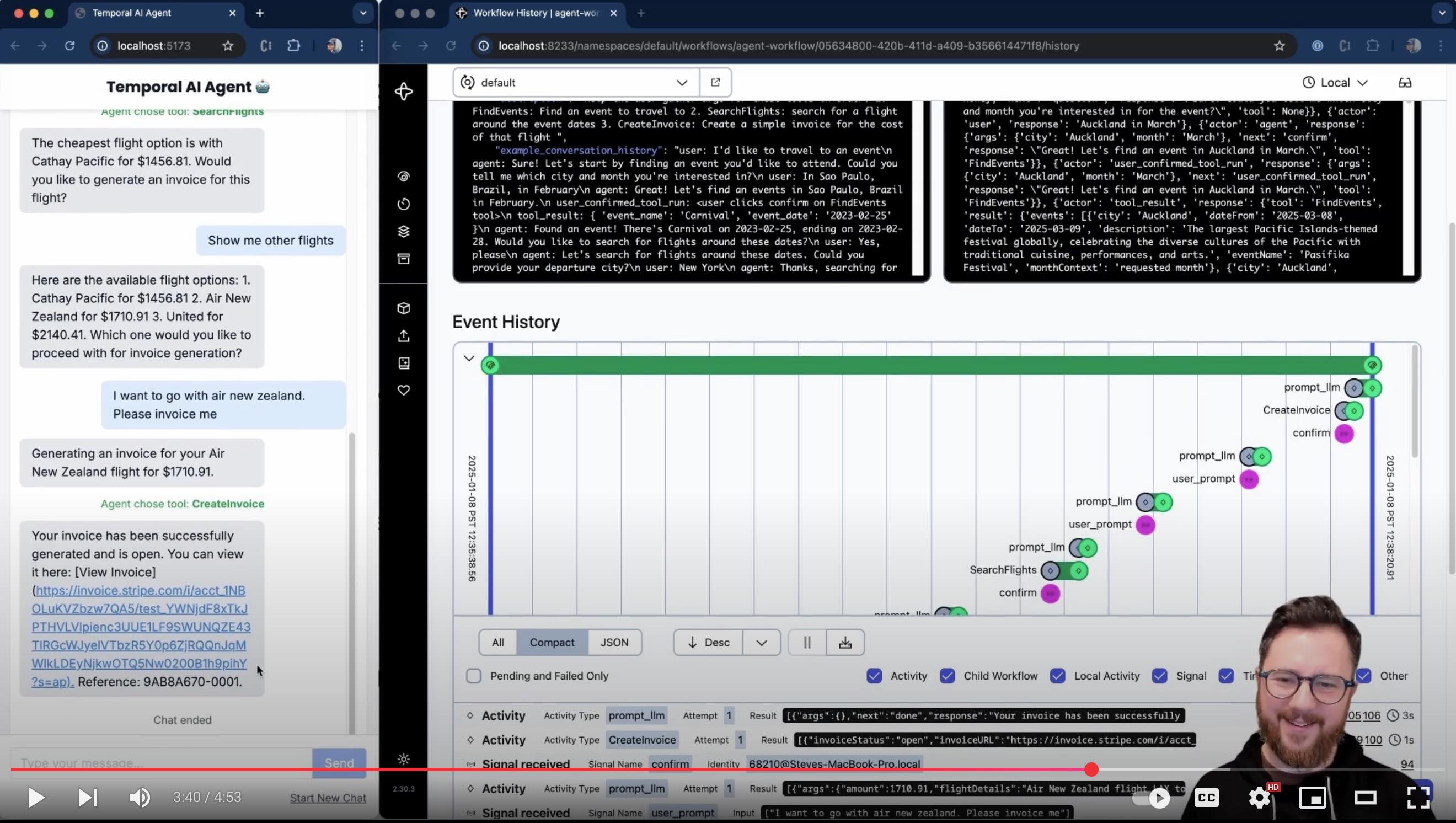
See multi-agent execution in action here.
There are a lot of AI and Agentic AI tools out there, and more on the way. But why Temporal? Temporal gives this system reliability, state management, a code-first approach that we really like, built-in observability and easy error handling. For more, check out architecture-decisions.
These are the key elements of an agentic framework:
- Goals that a system can accomplish, made up of tools that can execute individual steps
- Agent loops - executing an LLM, executing tools, and eliciting input from an external source such as a human: repeat until goal(s) are done
- Support for tool calls that require input and approval
- Use of an LLM to check human input for relevance before calling the 'real' LLM
- Use of an LLM to summarize and compact the conversation history
- Prompt construction made of system prompts, conversation history, and tool metadata - sent to the LLM to create user questions and confirmations
- Ideally high durability (done in this system with Temporal Workflow and Activities)
For a deeper dive into this, check out the architecture guide.
This agent acts as an MCP (Model Context Protocol) client, enabling seamless integration with external services and tools. The system supports two types of tools:
- Native Tools: Custom tools implemented directly in the codebase (in
/tools/) - MCP Tools: External tools accessed via Model Context Protocol (MCP) servers like Stripe, databases, or APIs. Configuration is covered in the Setup guide
- Set
AGENT_GOAL=goal_food_orderingwithSHOW_CONFIRM=Falsein.envfor an example of a goal that calls MCP Tools (Stripe).
See the Setup guide for detailed instructions. The basic configuration requires just two environment variables:
LLM_MODEL=openai/gpt-4o  # or any other model supported by LiteLLM
LLM_KEY=your-api-key-hereSee the guide to adding goals and tools.
The system supports MCP (Model Context Protocol) for easy integration with external services. MCP server configurations are managed in shared/mcp_config.py, and goals are organized by category in the /goals/ directory.
The project includes comprehensive tests for workflows and activities using Temporal's testing framework:
# Install dependencies including test dependencies
uv sync

# Run all tests
uv run pytest

# Run with time-skipping for faster execution
uv run pytest --workflow-environment=time-skipping
Test Coverage:
-
✅ Workflow Tests: AgentGoalWorkflow signals, queries, state management
-
✅ Activity Tests: ToolActivities, LLM integration (mocked), environment configuration
-
✅ Integration Tests: End-to-end workflow and activity execution
-
Quick Start: testing.md - Simple commands to run tests
-
Comprehensive Guide: tests/README.md - Detailed testing documentation, patterns, and best practices
To contribute to this project, see contributing.md.
Start the Temporal Server and API server, see setup
- In a prod setting, I would need to ensure that payload data is stored separately (e.g. in S3 or a noSQL db - the claim-check pattern), or otherwise 'garbage collected'. Without these techniques, long conversations will fill up the workflow's conversation history, and start to breach Temporal event history payload limits.
- A single worker can easily support many agent workflows (chats) running at the same time. Currently the workflow ID is the same each time, so it will only run one agent at a time. To run multiple agents, you can use a different workflow ID each time (e.g. by using a UUID or timestamp).
- Perhaps the UI should show when the LLM response is being retried (i.e. activity retry attempt because the LLM provided bad output)
- The project now includes comprehensive tests for workflows and activities! See testing guide.
See the todo for more details on things we want to do (or that you could contribute!).
See the guide to adding goals and tools for more ways you can add features.
Check out the slides here and the enablement guide.


