






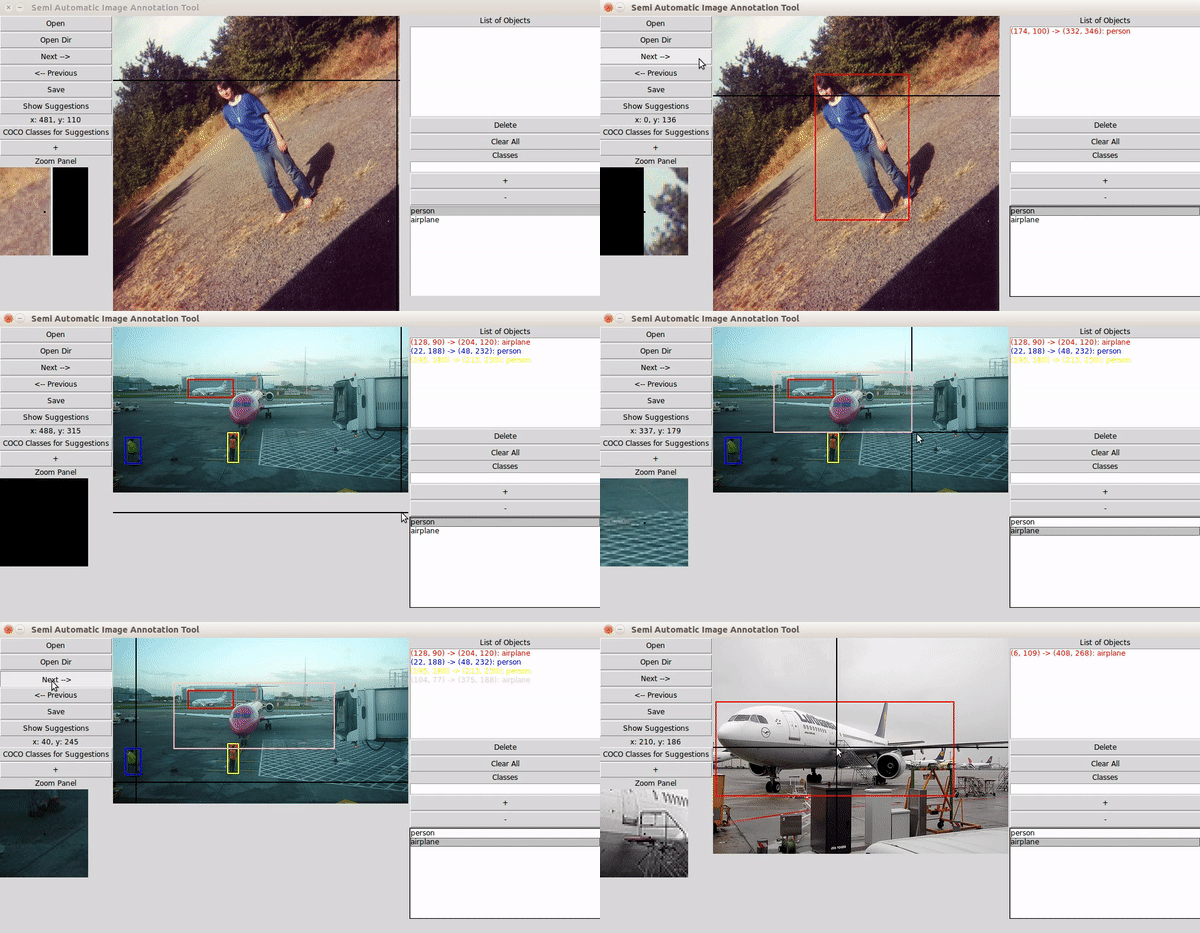
Semi-automatic image annotation toolbox powered by PyTorch object detection models, including open-vocabulary zero-shot detection via OWL-v2. Available as a web app (FastAPI + React).
See web/README.md for installation, usage, and API reference.
Quick start:
# Backend (port 8000)
cd web/backend && python main.py

# Frontend (port 3000)
cd web/frontend && npm install && npm run dev
Or use the convenience script:
cd web && bash start.shpip install anno-mage
anno-mageThe app opens in your browser automatically. Annotations are saved to ~/.anno-mage/annotations/.
Releases publish automatically to PyPI when a version tag is pushed. GitHub Actions builds the frontend, packages everything, and publishes via PyPI Trusted Publishers (no tokens required).
One-time PyPI setup:
- Go to your PyPI project → Manage → Publishing → Add a new publisher
- Set: GitHub repo
virajmavani/semi-auto-image-annotation-tool, workflowrelease.yml, environmentpypi
To release:
git tag v2.0.1
git push origin v2.0.1
That's it — the workflow in .github/workflows/release.yml handles the rest.
To build the package without publishing:
Prerequisites:
pip install build
npm install  # inside web/frontend if not already done
bash build_release.shThis compiles the React frontend, copies the build into anno_mage/static/, and produces wheel and sdist artifacts in dist/.
Both interfaces produce identical output:
| Format | Location | Description |
|---|---|---|
| CSV | annotations/annotations.csv |
image_path,x1,y1,x2,y2,label per row |
| Pascal VOC XML | annotations/annotations_voc/ |
One XML file per image |
- Meditab Software Inc.
- PyTorch / Torchvision for the RetinaNet implementation
- HuggingFace Transformers for the OWL-v2 zero-shot detection model
- Computer Vision Group, L.D. College of Engineering
Slack: https://join.slack.com/t/annomage/shared_invite/zt-dh4ca9du-4VOcwUMCSNA6lmyG~tNUPg


