

High-speed, agile velocity locomotion control for Unitree Go2 with Isaac Lab
(original go2_rl_gym branch)



🌎 English · 🇨🇳 中文 | 📄 Paper [RSS 2026]
📢 go2_rl_gym has been renamed to go2_rl_lab, built on Isaac Lab 3.0 EA / Isaac Sim 6.1 with Newton MJWarp as the physics backend and numerous improvements. See from_gym_to_lab.md for the update notes
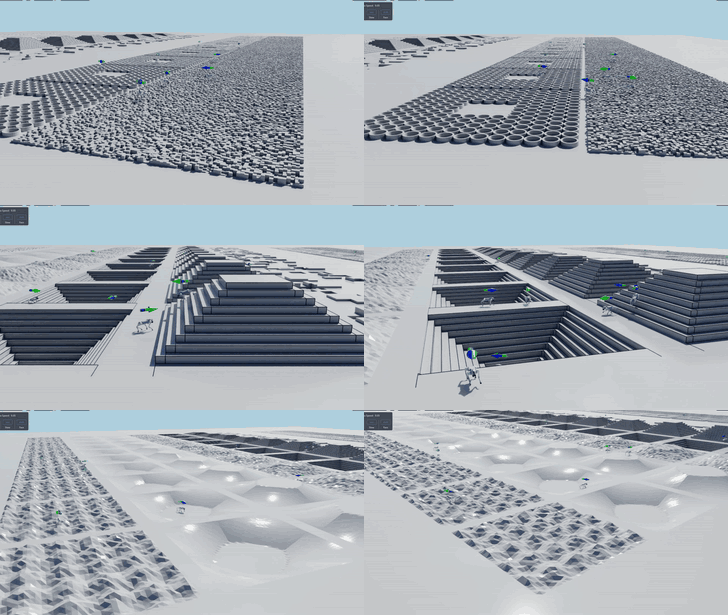
IsaacSim |
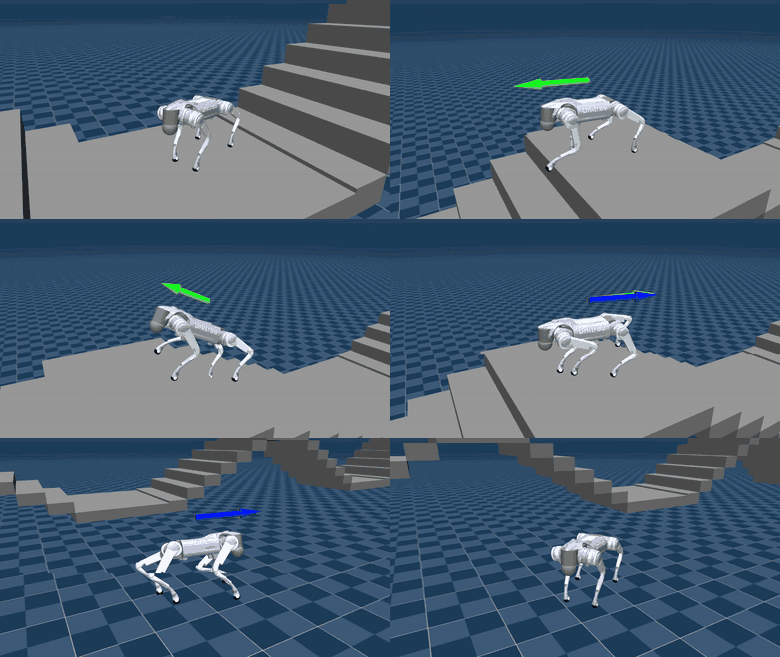
MuJoCo |
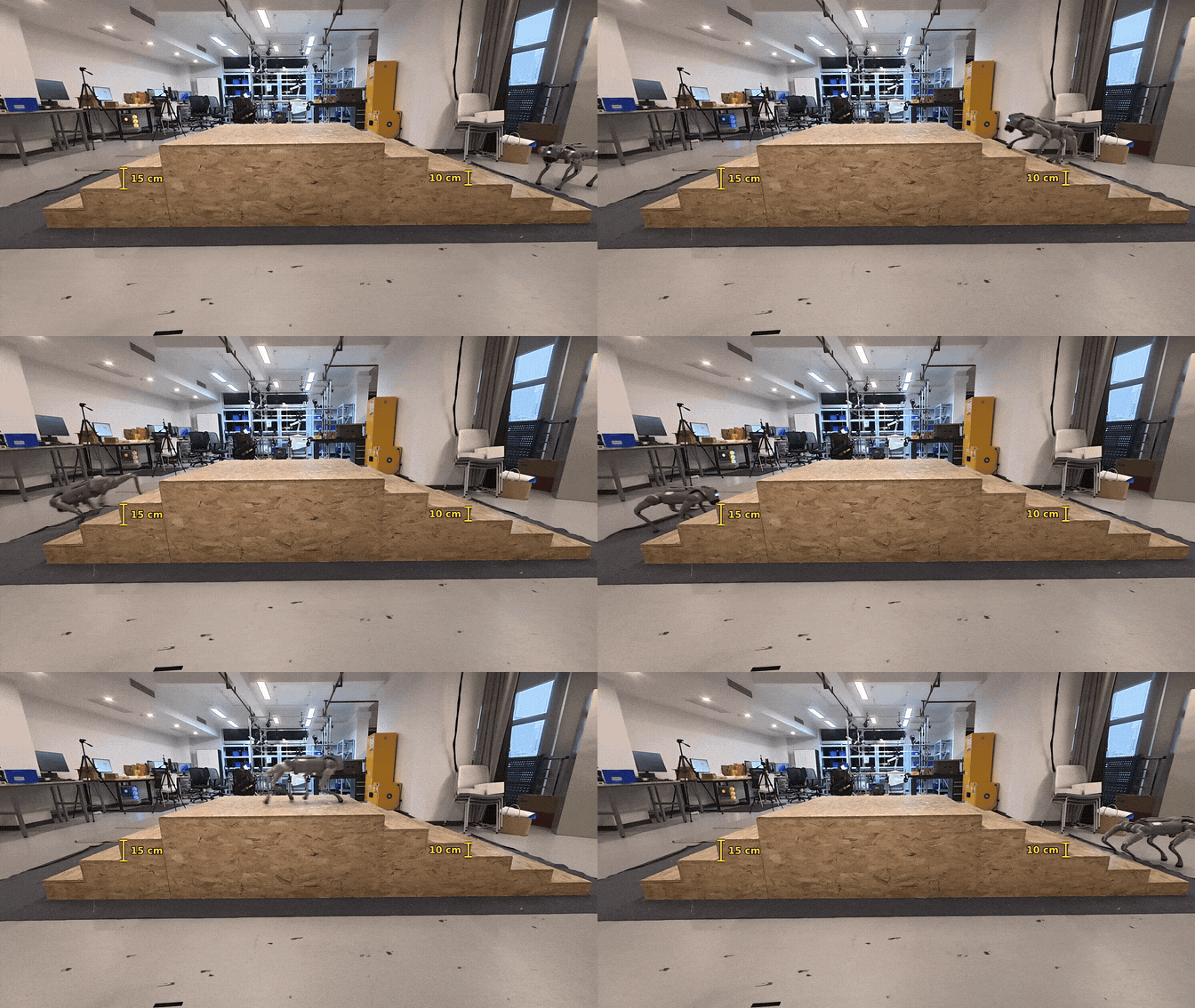
Real Robot |
|---|---|---|
 |
 |
 |
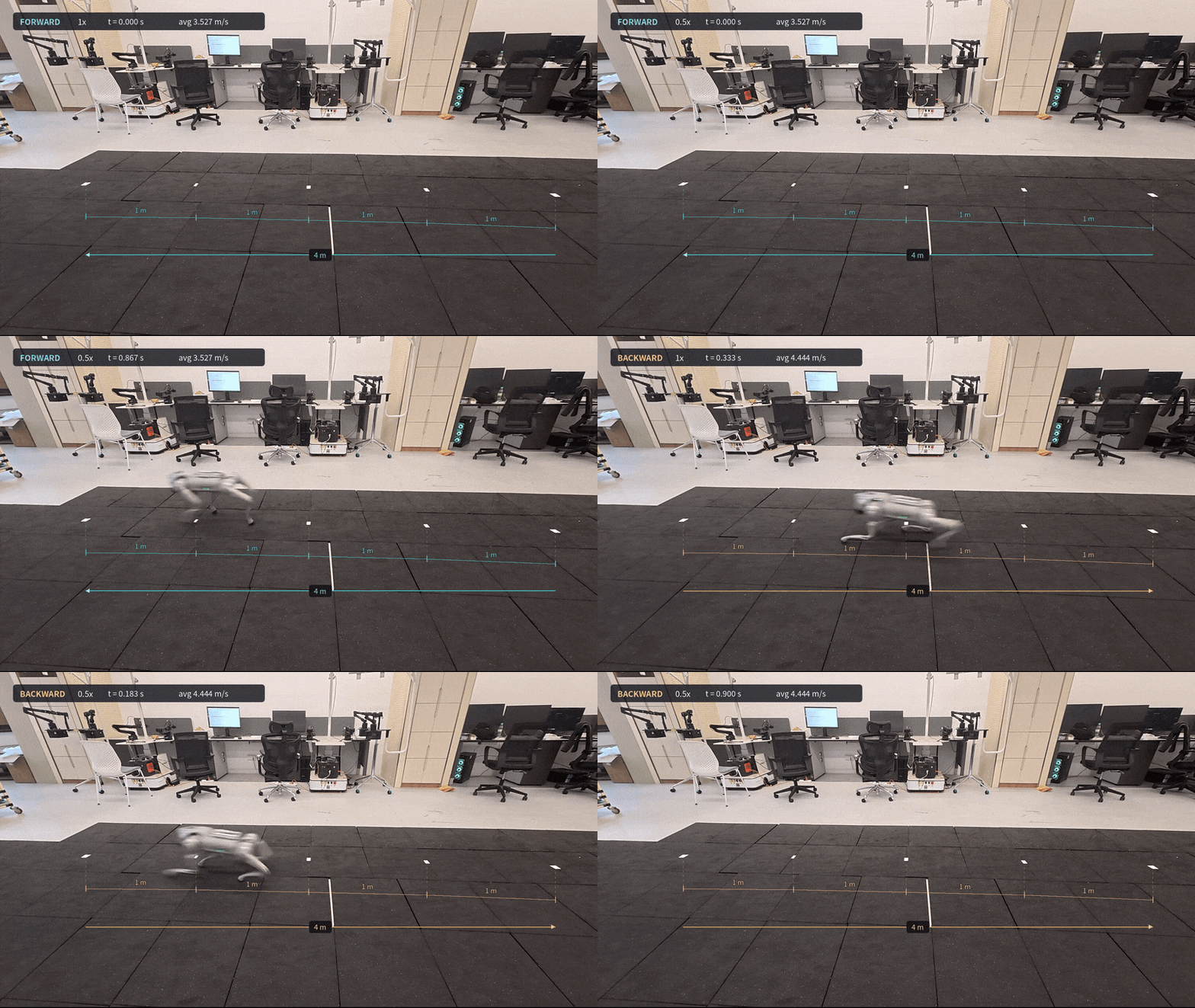
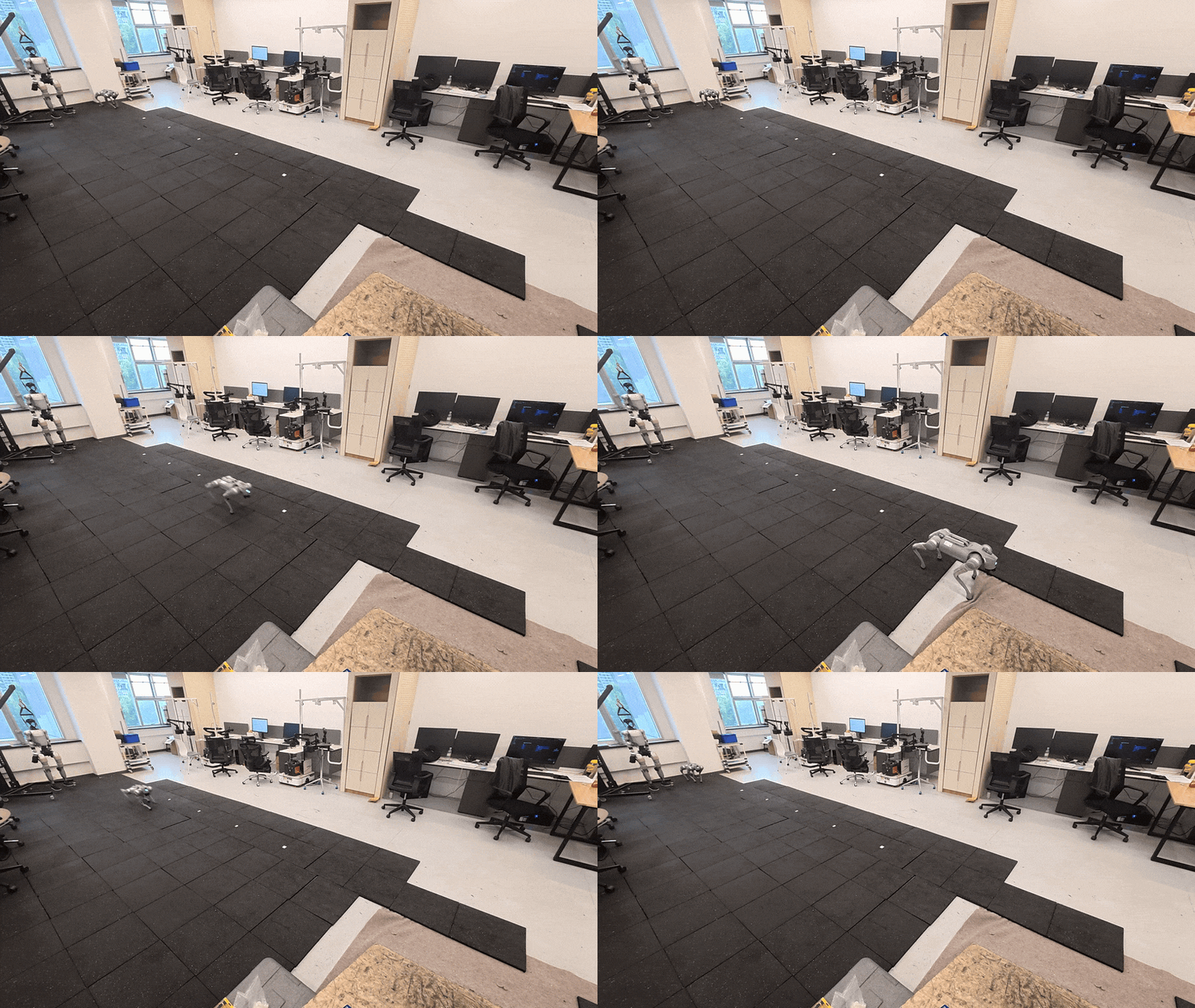
3.5 m/s Forward and 4.4 m/s Backward |
Running (Top View) |
|---|---|
 |
 |
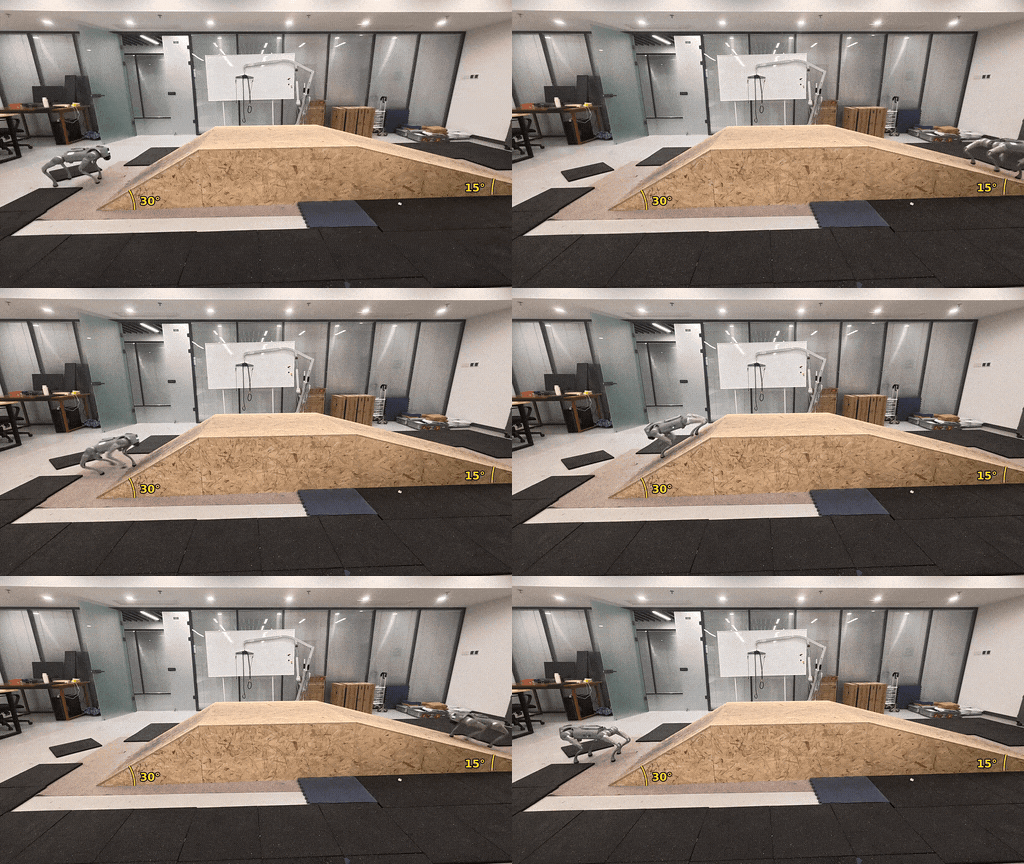
Slope |
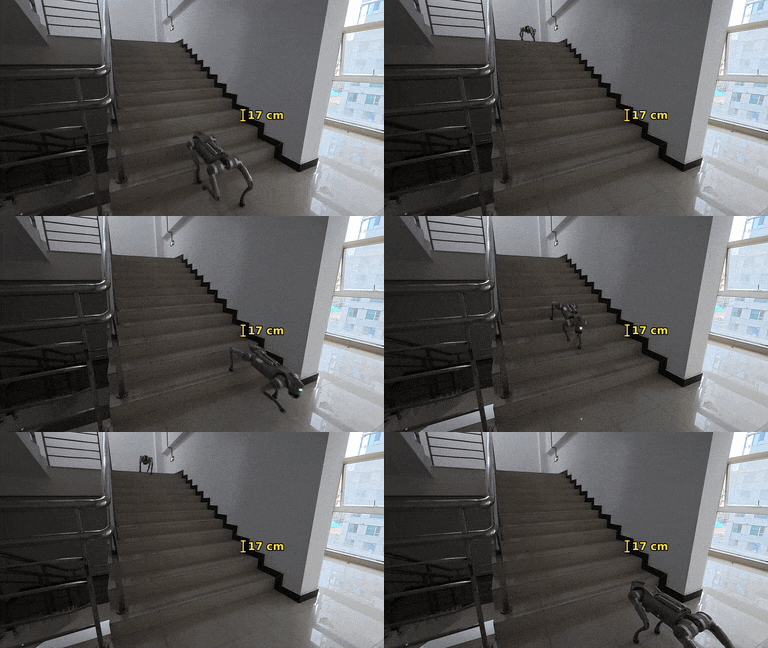
Stairwell |
|---|---|
 |
 |
Requirements: Linux, an NVIDIA GPU, Python 3.12, Isaac Sim 6.1, and Isaac Lab 3.0 EA
Two environment installation methods are available: Docker and uv
(Method 1) Docker environment
The configured Docker image is wtyyy/isaaclab:3.0-ea. Use the project RSL-RL package from source/rsl_rl, version 3.3.0
If the current host user is root, follow the container startup instructions on Docker Hub.
# Host: start the EA runtime; run subsequent project commands inside the container
mkdir -p "${HOME}/isaaclab_docker/.cache/ov" "${HOME}/isaaclab_docker/.nvidia-omniverse"
docker run -it --name go2-rl-lab-3.0 \
  -e DEFAULT_UID="$(id -u)" \
  -e DEFAULT_GID="$(id -g)" \
  -e DISPLAY \
  -v "/tmp/.X11-unix:/tmp/.X11-unix" \
  --gpus all \
  -e NVIDIA_DRIVER_CAPABILITIES=all \
  -e "__NV_PRIME_RENDER_OFFLOAD=1" \
  -e "__GLX_VENDOR_LIBRARY_NAME=nvidia" \
  -v /etc/vulkan/icd.d/nvidia_icd.json:/etc/vulkan/icd.d/nvidia_icd.json:ro \
  --device /dev/input \
  -e EXTRA_GIDS="$(getent group input | cut -d: -f3)" \
  --net=host \
  -v /path/to/Coding:/home/user/Coding \
  -v ${HOME}/isaaclab_docker/.cache/ov:/home/user/.cache/ov \
  -v ${HOME}/isaaclab_docker/.nvidia-omniverse:/home/user/.nvidia-omniverse \
  wtyyy/isaaclab:3.0-ea zsh
Replace /path/to/Coding with the actual directory containing your code on the host
(Method 2) uv environment
uv venv ~/go2-rl-lab-env --python 3.12 --seed --prompt go2-rl-lab  # Create the virtual environment under ~/go2-rl-lab-env
source ~/go2-rl-lab-env/bin/activate  # Activate the virtual environment
uv pip install "torch==2.11.0" "torchvision==0.26.0" --index-url "https://download.pytorch.org/whl/cu128"  # PyTorch
uv pip install --prerelease="allow" --index-strategy unsafe-best-match "isaaclab[isaacsim,all]==3.0.0rc1" --extra-index-url https://pypi.nvidia.com  # Isaac Lab
After setting up the environment, install this repository:
# Clone the branch and fetch bundled Go2 USD assets
sudo apt update && sudo apt install -y git-lfs

cd /home/user/Coding  # Container path; replace with your actual path for host installation
git clone --branch lab https://github.com/wty-yy/go2_rl_lab.git
cd go2_rl_lab
git lfs pull

# Install go2_rl_lab and local rsl_rl in editable mode, add video dependencies, and generate VS Code settings
./go2_rl_lab.sh --install

# List the registered tasks
./go2_rl_lab.sh --list# Mixed-terrain MoE-CTS; Newton MuJoCo-Warp and no visualization by default
./go2_rl_lab.sh --train --task go2-mixed-moe-cts
# Resume a checkpoint in the same task
./go2_rl_lab.sh --train --task go2-mixed-moe-cts --resume --checkpoint /path/to/model_500.pt
# Distributed training: one worker per visible GPU; num_envs is the environment count per worker
CUDA_VISIBLE_DEVICES=0,1 ./go2_rl_lab.sh --train-distributed --task go2-mixed-moe-cts --num_envs 4096Common CLI arguments:
--task TASK: required task ID; no default; choices are{go2-mixed-moe-cts, go2-mixed, go2-flat}--physics {newton_mjwarp,isaacsim_physx}: physics backend; defaults to Newton MuJoCo-Warp--viz NAME: select a visualizer, such asnewton_gl,rerun, orkit; visualization is disabled by default--num_envs N,--max_iterations N,--seed N: environment count, learning iterations, and seed; all training tasks default to 16384 environments--experiment_name NAME,--run_name NAME: experiment directory and run suffix--resume,--load_run RUN,--checkpoint PATH: checkpoint loading controls--logger {tensorboard,wandb,swanlab},--log_project_name NAME: training logger and remote project; defaults to tensorboard. Install the selected optional client--robogauge,--robogauge_port PORT: asynchronous evaluation and server port
Use ./go2_rl_lab.sh --train -h for all options. Checkpoints are saved to logs/rsl_rl/<experiment_name>/<timestamp>_<run_name>/model_<iteration>.pt
Use ./go2_rl_lab.sh --list to list all registered tasks:
| Task ID | Algorithm | Terrain and commands |
|---|---|---|
go2-mixed |
PPO | Mixed flat, wave, slope, stair, obstacle, tyre, and small-column terrains; terrain-dependent velocity limits and command curricula |
go2-mixed-moe-cts |
MoE-CTS | Same mixed environment; privileged teacher and eight-expert student with a 3:1 teacher/student environment split |
go2-flat |
PPO | Plane with the mixed reward set; fixed v_x/v_y ∈ [-1, 1] m/s, yaw_rate ∈ [-2, 2] rad/s, and no command-range curriculum |
RoboGauge evaluates exported policies asynchronously during training; evaluation results are shown below
| Model | Score | Tracking | Safety | Quality | Level | Download |
|---|---|---|---|---|---|---|
| go2_mixed_moe_cts (Lab) | 0.6930 | 0.7004 | 0.7818 | 0.7818 | 8.40 | ckpt |
| go2_moe_cts (Gym) | 0.6713 | 0.6669 | 0.7857 | 0.7392 | 7.85 | ckpt |
| CTS vanilla | 0.5786 | 0.5755 | 0.7066 | 0.6624 | 6.83 | ckpt |
| HIM | 0.5379 | 0.5453 | 0.6476 | 0.6050 | 6.19 | ckpt |
| DreamWaQ | 0.5054 | 0.5105 | 0.6149 | 0.5730 | 5.74 | ckpt |
RoboGauge installation and startup
Install the client in the training environment and start the server in the RoboGauge environment:
# RoboGauge repository: install client and full evaluation runtime
git clone https://github.com/wty-yy/RoboGauge.git
cd RoboGauge
pip install -e .
./robogauge.sh --install

# Terminal 1: start the server with the specified port and process count
./robogauge.sh --server --port 9973 --num-processes 30

# Terminal 2: Go2 RL Lab repository; use the matching server port
cd go2_rl_lab
./go2_rl_lab.sh --train --task go2-mixed-moe-cts \
  --robogauge --robogauge_port 9973
The client connects to 127.0.0.1, so the server and training process must share a host or network namespace. Reduce --num-processes when resources are limited. Evaluation files are stored in the run directory as jit_models/policy_jit_<iteration>.pt and robogauge_results/results_<iteration>.yaml; scalar scores appear under RoboGauge/ in the training logger
# Load a checkpoint, export its policy, and visualize playback
./go2_rl_lab.sh --play --task go2-mixed-moe-cts --checkpoint /path/to/model_500.pt --viz rerun

# Override ports for concurrent Rerun sessions
./go2_rl_lab.sh --play --task go2-mixed-moe-cts --checkpoint /path/to/model_500.pt --viz rerun --rerun-web-port 9091 --rerun-grpc-port 9092- Without
--checkpoint, playback loads the latest matching checkpoint in the experiment directory - Available visualizers are
newton_gl,rerun,viser,kit,newton_rtx, andnone; separate multiple visualizers with commas
Playback writes these files to the checkpoint directory's exported/ subdirectory:
policy.pt: stateful TorchScript actor accepting a 45-dimensional single frame and maintaining ten-frame history internallypolicy.onnx: actor accepting the flattened observation historyconfig.yaml: observation, action, command, controller, and checkpoint metadata
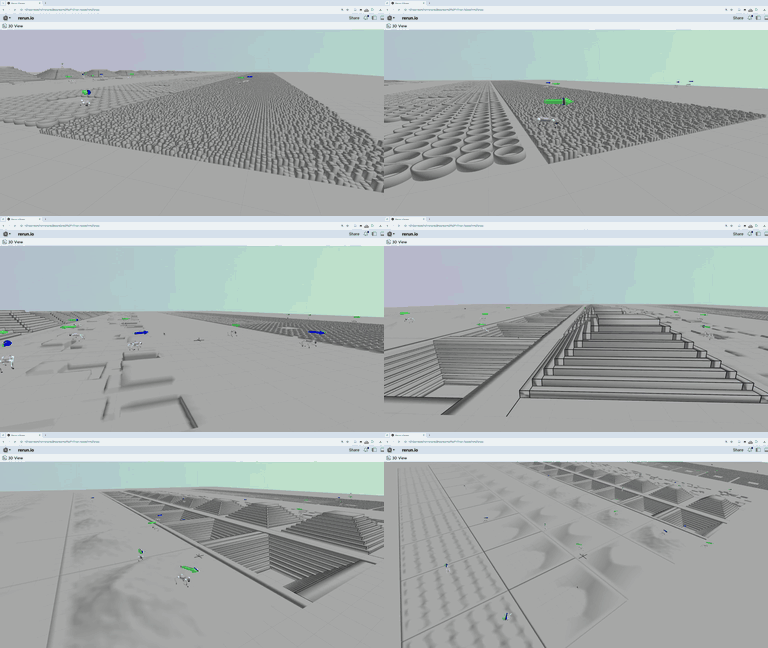
Kit |
Rerun |
Newton |
|---|---|---|
|
 |
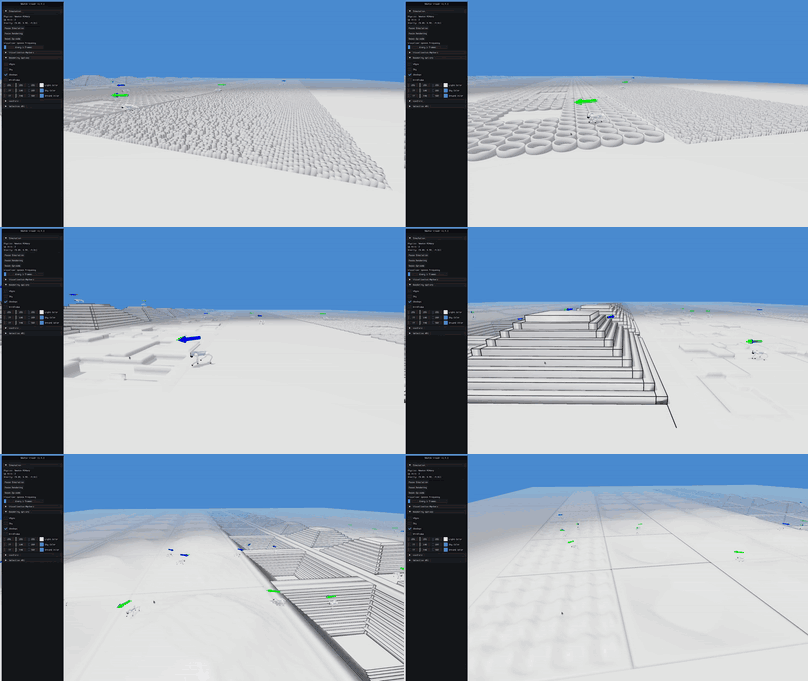 |
--deploy-mujoco checks the current Python environment and automatically installs MuJoCo, gamepad, and video dependencies. When an available gamepad is detected, it provides command input
# Run an exported policy with a fixed velocity command
./go2_rl_lab.sh --deploy-mujoco --policy /path/to/exported/policy.pt --terrain stairs
Configure deployment in deploy/deploy_mujoco/config.yaml; available scenes are flat, stairs, cross_slope, cross_stairs, and race_track
Hardware deployment uses C++. See unitree_cpp_deploy - go2 branch for code and instructions
.
├── go2_rl_lab.sh                # Unified CLI
├── scripts/rsl_rl/              # Training, playback, and visualization
├── source/
│   ├── go2_rl_lab/go2_rl_lab/
│   │   ├── tasks/               # Task, environment, and algorithm configs
│   │   ├── cmd_utils/           # Velocity commands and curricula
│   │   ├── assets/              # Go2 assets and motor model
│   │   └── physics/             # Newton physics extensions
│   └── rsl_rl/rsl_rl/           # PPO, MoE-CTS, and policy export
└── deploy/deploy_mujoco/        # MuJoCo inference and scenes
- Unitree RL Lab: project foundation and robot training structure
- Isaac Lab: simulation and environment framework
- RSL-RL: reinforcement learning infrastructure
- Go2 RL Gym: velocity baseline and MuJoCo deployment reference
- Go2 RL RobotLab: locomotion configuration reference
- RoboGauge: policy evaluation
- MuJoCo: standalone simulation
Project-owned code uses the MIT License, copyright 2026 Tianyang Wu. Third-party code retains its original terms:
- Unitree RL Lab-derived code uses Apache 2.0
- Isaac Lab and original RSL-RL code use BSD 3-Clause
- MuJoCo deployment retains the Go2 RL Gym notice
- Go2 USD assets come from the Unitree model dataset
See the consolidated LICENSE, vendored RSL-RL license, and license notices
If you find our work helpful, please cite:
@INPROCEEDINGS{WuT-RSS-26,
    AUTHOR    = {Tianyang Wu AND Hanwei Guo AND Yuhang Wang AND Junshu Yang AND Xinyang Sui AND Jiayi Xie AND Xingyu Chen AND Zeyang Liu AND Xuguang Lan},
    TITLE     = {{Toward Reliable Sim-to-Real Predictability for MoE-based Robust Quadrupedal Locomotion}},
    BOOKTITLE = {Proceedings of Robotics: Science and Systems},
    YEAR      = {2026},
    ADDRESS   = {Sydney, Australia},
    MONTH     = {July},
    DOI       = {10.15607/RSS.2026.XXII.156}
}