
Top AI Repos — open-source AI, indexed and scored
Top AI Repos tracks AI repositories on GitHub and answers two different questions about each one: is it moving right now, and would you bet a product on it.
Top AI Repos tracks AI repositories on GitHub and answers two different questions about each one: is it moving right now, and would you bet a product on it.

Pure Javascript ChatGPT demo based on OpenAI API
| Date | Stars |
|---|---|
| 2026-08-05 | 1012 |
| 2026-08-06 | 1012 |
| 2026-08-11 | 1012 |
| 2026-08-12 | 1012 |
| 2026-08-14 | 1011 |
| 2026-08-18 | 1011 |
| 2026-08-21 | 1011 |
| 2026-08-22 | 1010 |
| 2026-08-24 | 1009 |
| 2026-09-10 | 1008 |
| 2026-09-30 | 1007 |
| 2026-10-09 | 1008 |
| 2026-10-10 | 1008 |
| 2026-10-16 | 1007 |
| 2026-10-23 | 1007 |
| 2026-10-26 | 1006 |
| 2026-10-29 | 1005 |
| 2026-10-30 | 1005 |
| 2026-11-04 | 1005 |
Today
— stars today
This week
-1 stars this week
This month
-2 stars this month
Momentum
0.0
growth rate 0.00%/day
# chatgpt-web
Pure Javascript ChatGPT demo based on OpenAI API
纯JS实现的ChatGPT项目,基于OpenAI API
部署一个HTML文件即可使用。
支持复制/更新/刷新会话,语音输入,朗读等功能,以及众多[自定义选项](#自定义选项)。
支持搜索会话,深色模式,自定义头像,快捷键,多语言,[环境变量](#环境变量),[PWA应用](#pwa应用),API额度显示等。
支持[加密HTML文件](#加密html文件)。
参考项目:
[markdown-it](https://github.com/markdown-it/markdown-it),
[highlight.js](https://github.com/highlightjs/highlight.js),
[github-markdown-css](https://github.com/sindresorhus/github-markdown-css),
[chatgpt-html](https://github.com/slippersheepig/chatgpt-html),
[markdown-it-copy](https://github.com/ReAlign/markdown-it-copy),
[markdown-it-texmath](https://github.com/goessner/markdown-it-texmath),
[awesome-chatgpt-prompts-zh](https://github.com/PlexPt/awesome-chatgpt-prompts-zh)
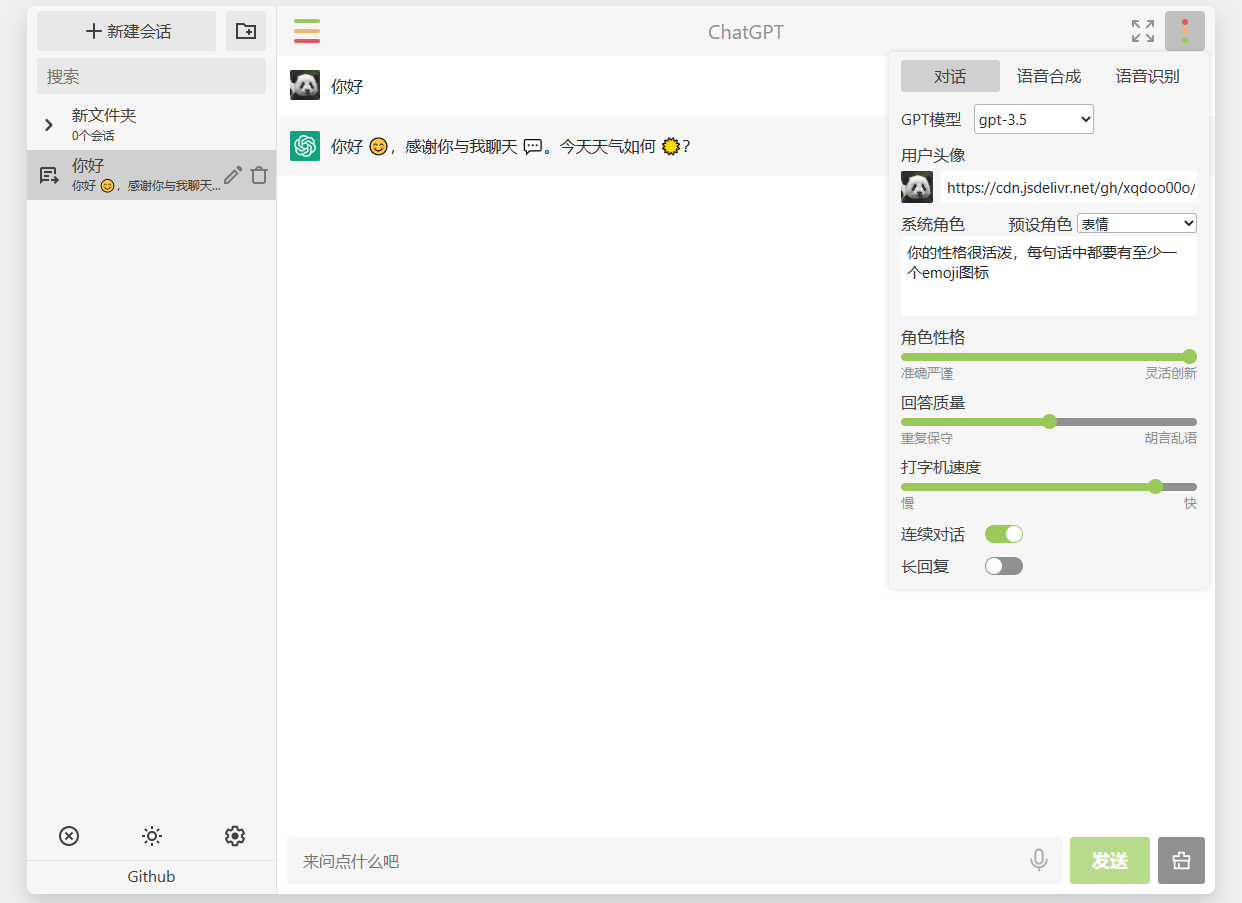
## Demo
[在线预览](https://xqdoo00o.github.io/chatgpt-web/) (使用需配置OpenAI接口和API密钥)
## 使用方法
### **注意:部署反代接口请注意OpenAI的[支持地区](https://platform.openai.com/docs/supported-countries),部署在不支持地区的服务器可能导致封号!最好配置https,公网以http方式明文传输API key非常不安全!**
___
- **仅部署HTML**
使用任意http server部署index.html。打开网页设置,填写API密钥,填写OpenAI接口,当本地
- 可正常访问`api.openai.com`,填写`https://api.openai.com/`
- 不可正常访问`api.openai.com`,填写其反代地址(可使用[Cloudflare Worker](https://github.com/xqdoo00o/openai-proxy)等反代),注意:反代接口响应需添加跨域Header `Access-Control-Allow-Origin`
- OpenAI接口也可以在[环境变量](#环境变量)中单独配置。
- **同时部署HTML和OpenAI反代接口**
**注意:服务器需正常访问官方api接口,可统一所有api接口为一个自定义密钥**
- 使用nginx,示例配置如下
```
server {
listen 80;
server_name example.com;
#开启openai接口的gzip压缩,大量重复文本的压缩率高,节省服务端流量
gzip on;
gzip_min_length 1k;
gzip_types text/event-stream;
#统一所有api接口为一个自定义密钥
set $custom_key "sk-12345678";
set $openai_key "sk-xxxxxx";
set $deepseek_key "sk-xxxxxx";
set $gemini_key "xxx-xxx";
set $claude_key "sk-ant-xxx";
#DeepSeek, 网页端需单独设置DeepSeek接口为deepseek
location ^~ /deepseek {
if ($http_authorization != "Bearer ${custom_key}") {
return 401;
}
proxy_pass https://api.deepseek.com/;
proxy_set_header Host api.deepseek.com;
proxy_ssl_name api.deepseek.com;
proxy_ssl_server_name on;
proxy_set_header Authorization "Bearer ${deepseek_key}";
proxy_buffering off;
}
#Gemini
location ^~ /v1/models {
if ($arg_key != $custom_key) {
return 401;
}
proxy_pass https://generativelanguage.googleapis.com$uri?alt=sse&key=$gemini_key;
proxy_buffering off;
}
#Claude
location ^~ /v1/messages {
if ($http_x_api_key != $custom_key) {
return 401;
}
proxy_pass https://api.anthropic.com/v1/messages;
proxy_set_header Host api.anthropic.com;
proxy_ssl_name api.anthropic.com;
proxy_ssl_server_name on;
proxy_set_header X-Api-Key $claude_key;
proxy_buffering off;
}
#Openai
location ^~ /v1 {
if ($http_authorization != "Bearer ${custom_key}") {
return 401;
}
proxy_pass https://api.openai.com/v1;
proxy_set_header Host api.openai.com;
proxy_ssl_name api.openai.com;
proxy_ssl_server_name on;
proxy_set_header Authorization "Bearer ${openai_key}";
proxy_buffering off;
}
location / {
alias /usr/share/nginx/html/;
index index.html;
}
}
```
如服务器无法正常访问`api.openai.com`,可配合socat反代和http代理使用,proxy_pass配置改成
``Excerpt of 6,999 characters
Read on GitHub
185

7
Would you bet a product on this? Bounded 0–100 and slow moving.
matched fp:8f9d04d9ca33c852, topic:chatgpt