

Hokusai is a Swift library that provides a bouncy action sheet.
It will give the users a fancy experience without taking pains coding the cool animation.
Hokusai is compatible with Swift3.




Drop in the Classes folder to your Xcode project.
You can also use cocoapods or Carthage.
Using cocoapods
Add pod 'Hokusai' to your Podfile and run pod install. Also add use_frameworks! to the Podfile.
use_frameworks!
pod 'Hokusai'
Using Carthage
Add github "ytakzk/Hokusai" to your Cartfile and run carthage update. If unfamiliar with Carthage then checkout their Getting Started section.
github "ytakzk/Hokusai"
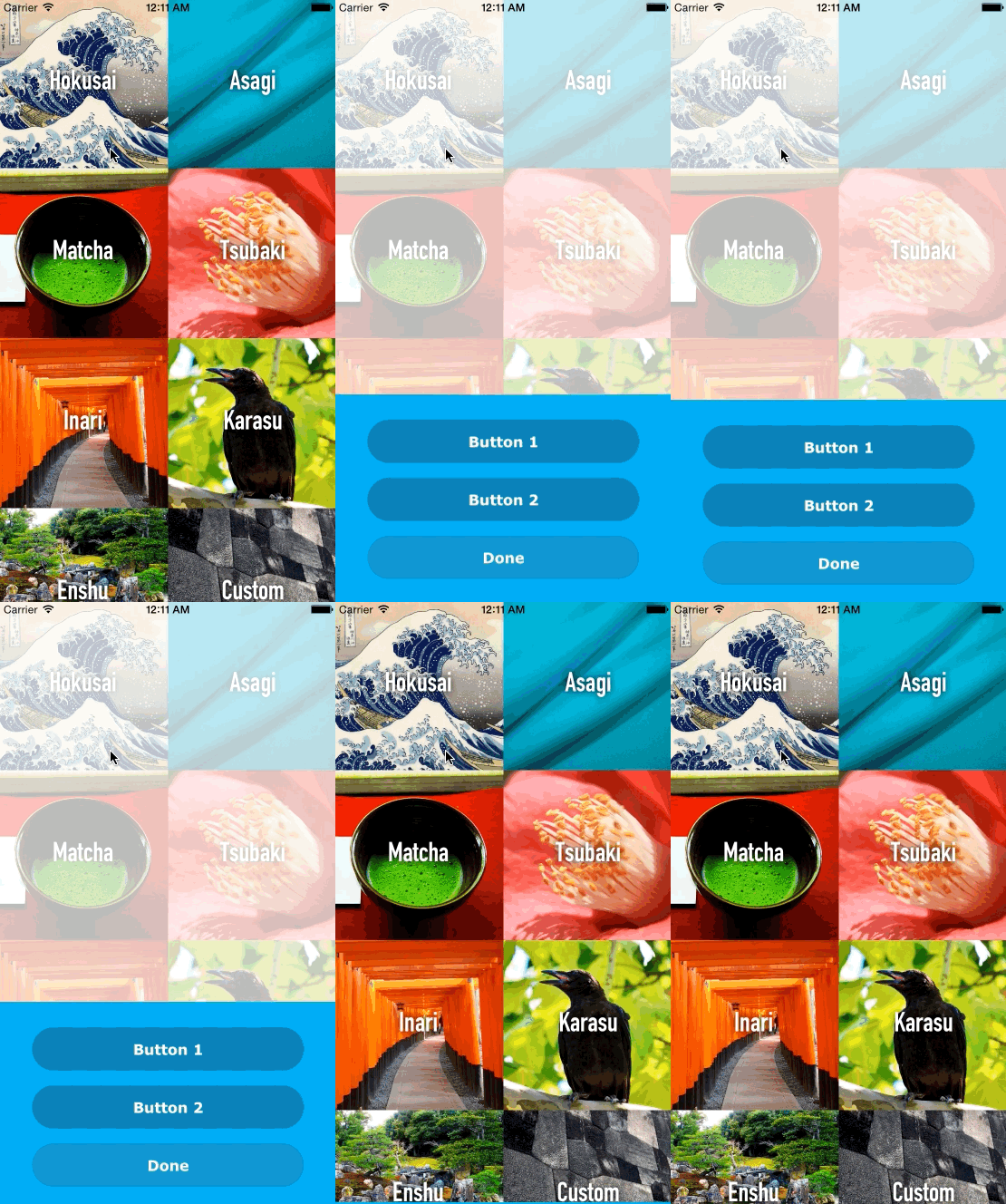
Import Hokusai import Hokusai then use the following codes in some function except for viewDidLoad.
let hokusai = Hokusai()

// Add a button with a closure
hokusai.addButton("Button 1") {
    println("Rikyu")
}

// Add a button with a selector
hokusai.addButton("Button 2", target: self, selector: Selector("button2Pressed"))

// Set a font name. AvenirNext-DemiBold is the default. (Optional)
hokusai.fontName = "Verdana-Bold"

// Select a color scheme. Just below you can see the dafault sets of schemes. (Optional)
hokusai.colorScheme = HOKColorScheme.Enshu

// Show Hokusai
hokusai.show()

// Selector for button 2
func button2Pressed() {
    println("Oribe")
}

// Change a title for cancel button. Default is Cancel. (Optional)
hokusai.cancelButtonTitle = "Done"

// Add a callback for cancel button (Optional)
hokusai.cancelButtonAction = {
    println("canceled")
}
// Init with title
let hokusai = Hokusai(headline: "Information")

// Init with title and message
let hokusai = Hokusai(headline: "Information", message: "This can be a long multi-lined message.")

// ...or add title and message later, but before you call `show()`
hokusai.headline = "Infomration"
hokusai.message  = "This can be a long multi-lined message."
hokusai.addButton("Button Title") {
    // Do anything you want
}
hokusai.addButton("Button Title", target: self, selector: Selector("buttonPressed"))

func buttonPressed() {
    // Do anything you want
}
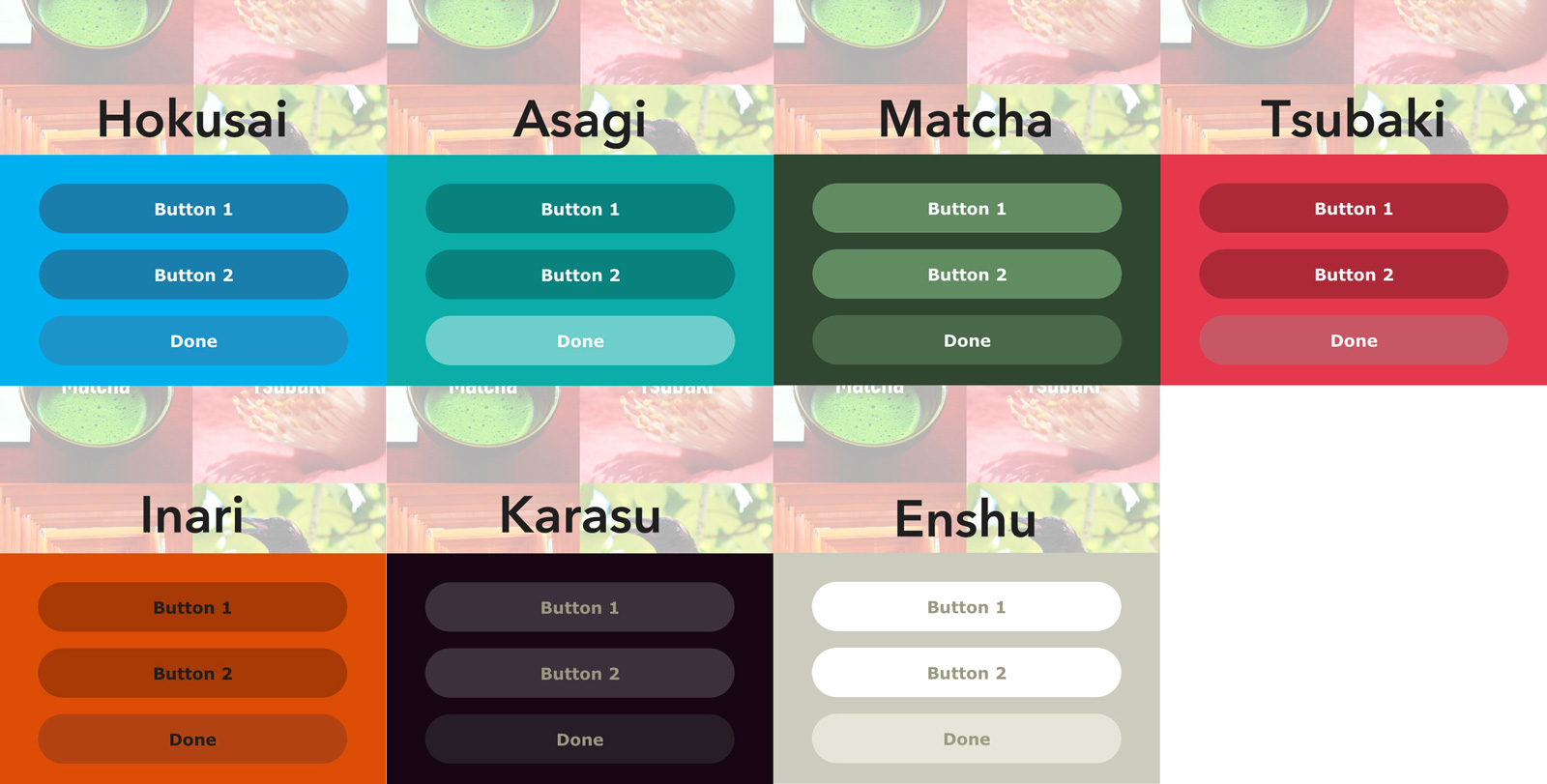
public enum HOKColorScheme {
    case  Hokusai,
          Asagi,
          Matcha,
          Tsubaki,
          Inari,
          Karasu,
          Enshu
}
Or you can use your favorite color combination.
hokusai.colors = HOKColors(
    backGroundColor: UIColor.blackColor(),
    buttonColor: UIColor.purpleColor(),
    cancelButtonColor: UIColor.grayColor(),
    fontColor: UIColor.whiteColor()
)
ytakzk
https://ytakzk.me
Your support is welcome through Bitcoin 3Ps8tBgz4qn6zVUr5D1wcYrrzYjMgEugqv
Hokusai is released under the MIT license.
See LICENSE for details.