



Controllers for controlling MAVs using the mavros package in OFFBOARD mode.
The repository contains controllers for controlling MAVs using the mavros package. The following packages are included in the repo
- geometric_controller: Trajectory tracking controller based on geometric control
- controller_msgs: custom message definitions
- trajectory_publisher: Node publishing setpoints as states from motion primitives / trajectories for the controller to follow.
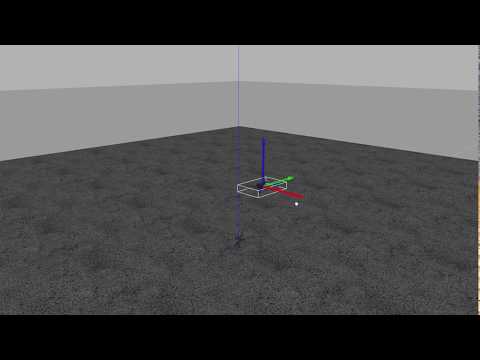
Follow the instructions as shown in the ROS with Gazebo Simulation PX4 Documentation To check if the necessary environment is setup correctly, you can run the gazebo SITL using the following command
cd <Firmware_directory>
DONT_RUN=1 make px4_sitl_default gazebo
To source the PX4 environment, run the following commands
cd <Firmware_directory>
source ~/catkin_ws/devel/setup.bash    # (optional)
source Tools/setup_gazebo.bash $(pwd) $(pwd)/build/px4_sitl_default
export ROS_PACKAGE_PATH=$ROS_PACKAGE_PATH:$(pwd)
export ROS_PACKAGE_PATH=$ROS_PACKAGE_PATH:$(pwd)/Tools/sitl_gazebo
You can run the rest of the roslaunch files in the same terminal
roslaunch px4 posix_sitl.launchYou will need to source the PX4 environment in every new terminal you open to launch mavros_controllers.
Create a catkin workspace:
This folder will probably be already created since the previous process would have created it. If it is not present, do:
mkdir -p ~/catkin_ws/src
cd ~/catkin_ws
catkin init
catkin config --merge-devel
cd ~/catkin_ws/src
wstool initcd ~/catkin_ws/src
git clone https://github.com/Jaeyoung-Lim/mavros_controllersNow continue either with wstool to automatically download dependencies or download them manually.
wstool automates the installation of dependencies and updates all packages. If you have no problem updating the packages required by mavros_controllers and/or any other packages, follow this procedure. If not, follow the next 'Manually Download dependencies and build' section.
cd ~/catkin_ws
wstool merge -t src src/mavros_controllers/dependencies.rosinstall
wstool update -t src -j4
rosdep install --from-paths src --ignore-src -y --rosdistro $ROS_DISTRO
catkin build
source ~/catkin_ws/devel/setup.bashIf you did not install with wstool, you need to manually download the dependencies:
Do:
cd ~/catkin_ws/src
git clone https://github.com/catkin/catkin_simple
git clone https://github.com/ethz-asl/eigen_catkin
git clone https://github.com/ethz-asl/mav_comm
Build all the packages:
cd ~/catkin_ws
catkin build
source ~/catkin_ws/devel/setup.bashRemember to source the workspace setup.bash before sourcing the PX4 environment.
cd <Firmware_directory>
source ~/catkin_ws/devel/setup.bash    # (necessary)
source Tools/setup_gazebo.bash $(pwd) $(pwd)/build/px4_sitl_default
export ROS_PACKAGE_PATH=$ROS_PACKAGE_PATH:$(pwd)
export ROS_PACKAGE_PATH=$ROS_PACKAGE_PATH:$(pwd)/Tools/sitl_gazebo
The following launch file enables the geometric controller to follow a circular trajectory
roslaunch geometric_controller sitl_trajectory_track_circle.launchIf the UAV does not takeoff, please open QGroundControl and enable virtual joystick as mentioned here
mavros_controllers include the following packages.
The geometric controller publishes and subscribes the following topics.
-
Parameters
- /geometric_controller/mavname (default: "iris")
- /geometric_controller/ctrl_mode (default: MODE_BODYRATE)
- /geometric_controller/enable_sim (default: true)
- /geometric_controller/enable_gazebo_state (default: false)
- /geometric_controller/max_acc (default: 7.0)
- /geometric_controller/yaw_heading (default: 0.0)
- /geometric_controller/drag_dx (default: 0.0)
- /geometric_controller/drag_dy (default: 0.0)
- /geometric_controller/drag_dz (default: 0.0)
- /geometric_controller/attctrl_constant (default: 0.2)
- /geometric_controller/normalizedthrust_constant (default: 0.1)
-
Published Topics
- command/bodyrate_command ( mavros_msgs/AttitudeTarget )
- reference/pose ( geometry_msgs/PoseStamped )
-
Subscribed Topics
- reference/setpoint ( geometry_msgs/TwistStamped )
- /mavros/state ( mavros_msgs/State )
- /mavros/local_position/pose ( geometry_msgs/PoseStamped )
- /gazebo/model_states( gazebo_msgs/ModelStates )
- /mavros/local_position/velocity( geometry_msgs/TwistStamped )
Trajectory publisher publishes continous trajectories to the trajectory_controller.
-
Parameters
- /trajectory_publisher/initpos_x (default: 0.0)
- /trajectory_publisher/initpos_y (default: 0.0)
- /trajectory_publisher/initpos_z (default: 1.0)
- /trajectory_publisher/updaterate (default: 0.01)
- /trajectory_publisher/horizon (default: 1.0)
- /trajectory_publisher/maxjerk (default: 10.0)
- /trajectory_publisher/trajectory_type (default: 0)
- /trajectory_publisher/number_of_primitives (default: 7)
- /trajectory_publisher/shape_radius (default: 1.0)
-
Published Topics
- reference/trajectory ( nav_msgs/Path )
- reference/setpoint ( geometry_msgs/TwistStamped )
-
Subscribed Topics
- /trajectory_publisher/motionselector (std_msgs/int32);
- /mavros/local_position/pose ( geometry_msgs/PoseStamped )
- /mavros/local_position/velocity( geometry_msgs/TwistStamped )
Jaeyoung Lim [email protected]
In case you use this work as an academic context, please cite as the following.
@misc{jaeyoung_lim_2019_2619313,
  author       = {Jaeyoung Lim},
  title        = {{mavros_controllers - Aggressive trajectory
                   tracking using mavros for PX4 enabled vehicles}},
  month        = mar,
  year         = 2019,
  doi          = {10.5281/zenodo.2652888},
  url          = {https://doi.org/10.5281/zenodo.2652888}
}
[1] Lee, Taeyoung, Melvin Leoky, and N. Harris McClamroch. "Geometric tracking control of a quadrotor UAV on SE (3)." Decision and Control (CDC), 2010 49th IEEE Conference on. IEEE, 2010.
[2] Faessler, Matthias, Antonio Franchi, and Davide Scaramuzza. "Differential flatness of quadrotor dynamics subject to rotor drag for accurate tracking of high-speed trajectories." IEEE Robot. Autom. Lett 3.2 (2018): 620-626.
This should not have happened if you clone the catkin_simple and eigen_catkin repositories. Try again:
cd ~/catkin_ws/src
git clone https://github.com/catkin/catkin_simple
git clone https://github.com/ethz-asl/eigen_catkin
cd ~/catkin_ws
catkin build mavros_controllers
source ~/catkin_ws/devel/setup.bash- Refer to this issue.
Try:
cd <Firmware_directory>
make px4_sitl_default sitl_gazebo
or refer to this issue the ROS with Gazebo Simulation PX4 Documentation.


