



This is a fast and robust algorithm to segment point clouds taken with Velodyne sensor into objects. It works with all available Velodyne sensors, i.e. 16, 32 and 64 beam ones.
Check out a video that shows all objects outlined in orange:
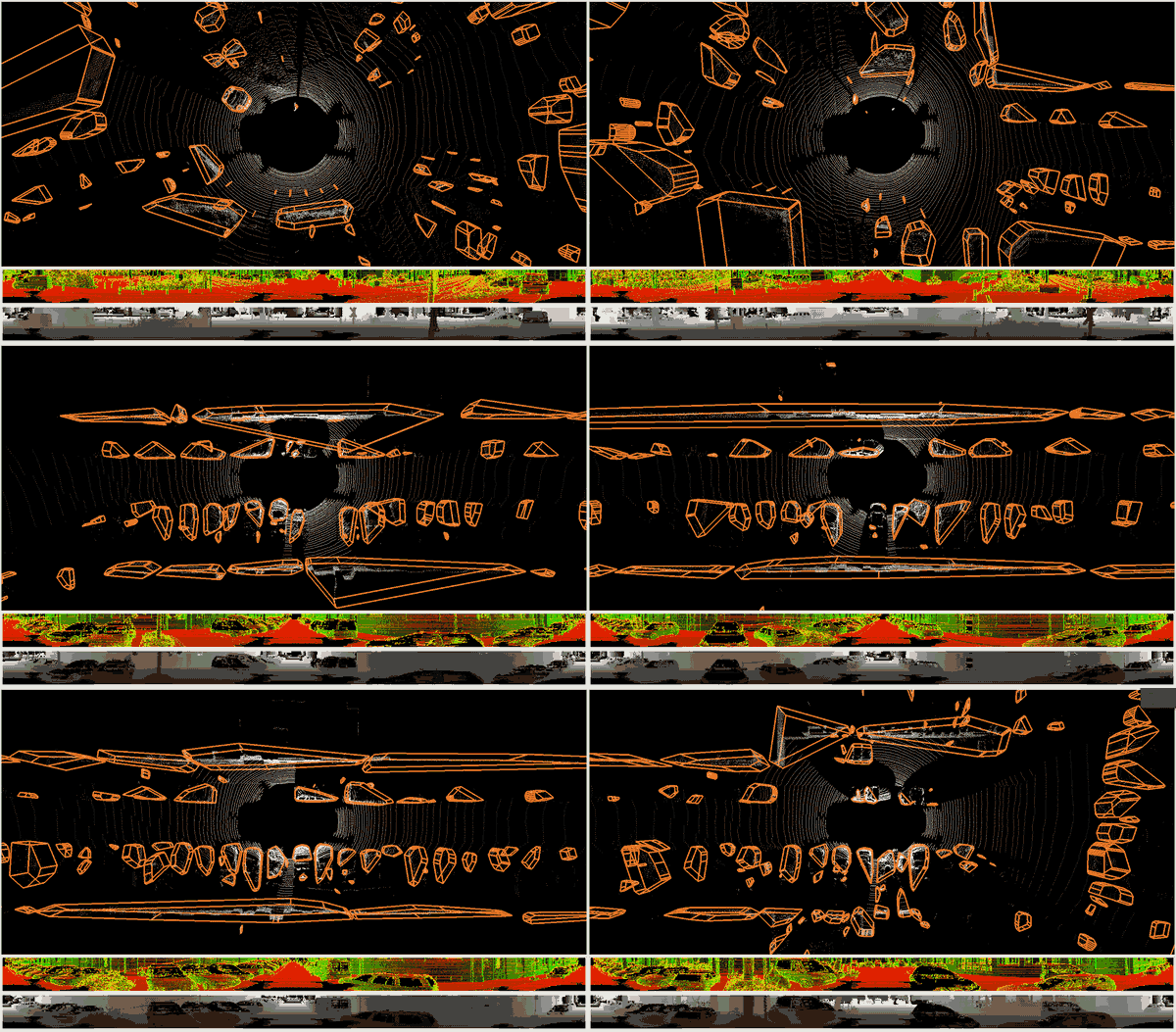
I recommend using a virtual environment in your catkin workspace (<catkin_ws>
in this readme) and will assume that you have it set up throughout this readme.
Please update your commands accordingly if needed. I will be using pipenv
that you can install with pip.
Regardless of your system you will need to do the following steps:
cd <catkin_ws>            # navigate to the workspace
pipenv shell --fancy      # start a virtual environment
pip install catkin-tools  # install catkin-tools for building
mkdir src                 # create src dir if you don't have it already
# Now you just need to clone the repo:
git clone https://github.com/PRBonn/depth_clustering src/depth_clusteringYou will need OpenCV, QGLViewer, FreeGLUT, QT4 or QT5 and optionally PCL and/or ROS. The following sections contain an installation command for various Ubuntu systems (click folds to expand):
Ubuntu 14.04
sudo apt install libopencv-dev libqglviewer-dev freeglut3-dev libqt4-devUbuntu 16.04
sudo apt install libopencv-dev libqglviewer-dev freeglut3-dev libqt5-devUbuntu 18.04
sudo apt install libopencv-dev libqglviewer-dev-qt5 freeglut3-dev qtbase5-dev You might also need the latest GoogleTest binary installed on your systems. As Ubuntu is not shipped with these binaries by default, you would have to install them yourself or adapt the build script to build them from source.
If you want to use PCL clouds and/or use ROS for data acquisition you can install the following:
- (optional) PCL - needed for saving clouds to disk
- (optional) ROS - needed for subscribing to topics
This is a catkin package. So we assume that the code is in a catkin workspace and CMake knows about the existence of Catkin. It should be already taken care of if you followed the instructions here. Then you can build it from the project folder:
mkdir build
cd build
cmake ..
make -j4
ctest -VV  # run unit tests, optional
It can also be built with catkin_tools if the code is inside catkin
workspace:
catkin build depth_clusteringP.S. in case you don't use catkin build you should reconsider your decision.
See examples. There are ROS nodes as well as standalone
binaries. Examples include showing axis oriented bounding boxes around found
objects (these start with show_objects_ prefix) as well as a node to save all
segments to disk. The examples should be easy to tweak for your needs.
Go to folder with binaries:
cd <path_to_project>/build/devel/lib/depth_clustering
Get the data:
mkdir data/; wget http://www.mrt.kit.edu/z/publ/download/velodyneslam/data/scenario1.zip -O data/moosmann.zip; unzip data/moosmann.zip -d data/; rm data/moosmann.zip
Run a binary to show detected objects:
./show_objects_moosmann --path data/scenario1/
Alternatively, you can run the data from Qt GUI (as in video):
./qt_gui_app
Once the GUI is shown, click on OpenFolder button and choose the
folder where you have unpacked the png files, e.g. data/scenario1/.
Navigate the viewer with arrows and controls seen on screen.
There are also examples on how to run the processing on KITTI data and on ROS
input. Follow the --help output of each of the examples for more details.
Also you can load the data from the GUI. Make sure you are loading files with
correct extension (*.txt and *.bin for KITTI, *.png for Moosmann's data).
You should be able to get Doxygen documentation by running:
cd doc/
doxygen Doxyfile.conf
Please cite related papers if you use this code:
@InProceedings{bogoslavskyi16iros,
title     = {Fast Range Image-Based Segmentation of Sparse 3D Laser Scans for Online Operation},
author    = {I. Bogoslavskyi and C. Stachniss},
booktitle = {Proc. of The International Conference on Intelligent Robots and Systems (IROS)},
year      = {2016},
url       = {http://www.ipb.uni-bonn.de/pdfs/bogoslavskyi16iros.pdf}
}
@Article{bogoslavskyi17pfg,
title   = {Efficient Online Segmentation for Sparse 3D Laser Scans},
author  = {I. Bogoslavskyi and C. Stachniss},
journal = {PFG -- Journal of Photogrammetry, Remote Sensing and Geoinformation Science},
year    = {2017},
pages   = {1--12},
url     = {https://link.springer.com/article/10.1007%2Fs41064-016-0003-y},
}
