

Vladimir Yugay · Theo Gevers · Martin Oswald
Clone the repo:
git clone https://github.com/VladimirYugay/MAGiC-SLAM.git
We tested the installation with gcc and g++ of versions 10, 11 and 12. Also, make sure that nvcc --version matches nvidia-smi version.
Run the following commands to set up the environment
conda create -n magic-slam python=3.11
conda activate magic-slam
Install pytorch:
# CUDA 11.8
conda install pytorch==2.5.1 torchvision==0.20.1 pytorch-cuda=11.8 -c pytorch -c nvidia
# CUDA 12.1
conda install pytorch==2.5.1 torchvision==0.20.1 pytorch-cuda=12.1 -c pytorch -c nvidia
# CUDA 12.4
conda install pytorch==2.5.1 torchvision==0.20.1 pytorch-cuda=12.4 -c pytorch -c nvidia
Install other dependencies:
conda install -c conda-forge faiss-gpu=1.8.0
pip install -r requirements.txt
In case you are on a local machine and want to run visualization script run:
pip install rerun-sdk
We tested our code on RTX3090 and RTX A6000 GPUs with Ubuntu22 and CentOS7.5 respectively.
Here we elaborate on how to load the necessary data, configure Gaussian-SLAM for your use-case, debug it, and how to reproduce the results mentioned in the paper.
Getting the Data
We tested our code on ReplicaMultiagent and AriaMultiagent datasets. Make sure to install git lfs and hugging face cli before proceeding.ReplicaMultiagent was created by CP-SLAM authors. However, it is a bit tricky to find it on the web. Therefore, we uploaded it to HF datasets for easier access. Install git lfs and download it by running:
git lfs install
git clone https://huggingface.co/datasets/voviktyl/ReplicaMultiagent
AriaMultiagent consists of clips from AriaDigitalTwin.
You can download already processed data with the command:
git clone https://huggingface.co/datasets/voviktyl/AriaMultiagent
Alternatively, you can create the data yourself.
First, download raw AriaDigitalTwin sequences following instructions here. We recommend using the data tools described here. You can find the names of the raw videos we used in prepare_aria_room_data.py in DATASET_DICT. After you have downloaded the raw videos, process them using prepare_aria_room_data.py. This will create a folder with the format matching our repository.
Running the code
Ideally, our system needsn + 1 GPUs where n is the nubmer of agents. If you want to run the system for debugging purposes set multi_gpu: False and agent_ids: [0]. In this way, you will run a single agent and use the same GPU for the server and the agent. Start the system by running:
python run_slam.py configs/<dataset_name>/<config_name> --input_path <path_to_the_scene> --output_path <output_path>
For example:
python run_slam.py configs/AriaMultiagent/room0.yaml --input_path <path_to>/AriaMultiagent/room0 --output_path output/AriaMultiagent/room0
In addition, you can set up wandb to log the results of the runs.
Reproducing Results
While we tried to make all parts of our code deterministic, differential rasterizer of Gaussian Splatting is not. The metrics can be slightly different from run to run. In the paper we report average metrics that were computed over three seeds: 0, 1, and 2.You can reproduce the results for a single scene by running:
python run_slam.py configs/<dataset_name>/<config_name> --input_path <path_to_the_scene> --output_path <output_path>
If you are running on a SLURM cluster, you can reproduce the results for all scenes in a dataset by running the script:
./scripts/reproduce_aria_sbatch.sh
Demo
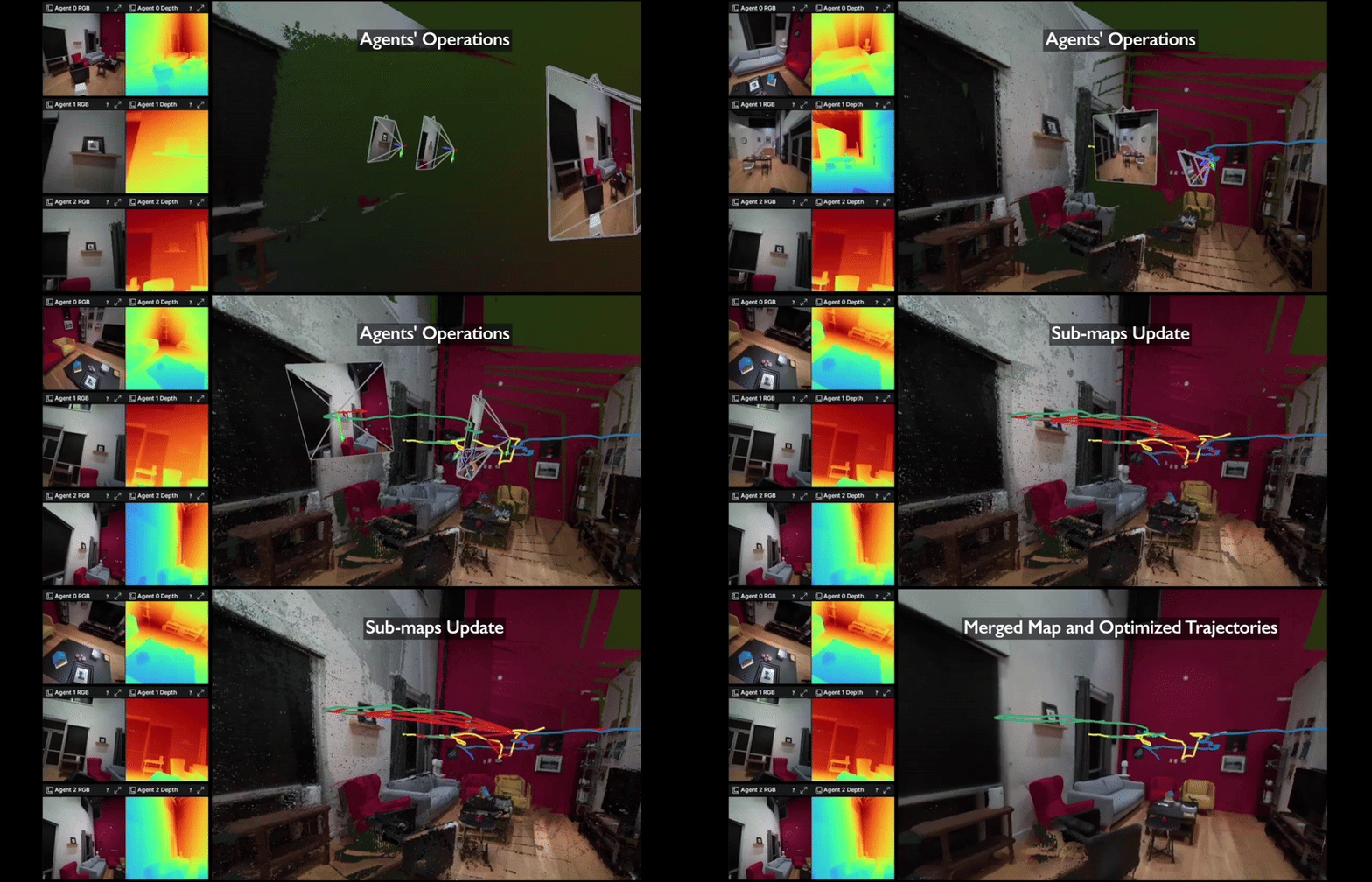
To create the demo we first visualized the run in an offline fashion using Rerun. Further, we manually added the titles to the video. You can create the visualization by downloading the folder with the results and runningrun_visualization.py on top of it.
Individual tracking and mapping modules of the agents are based on Gaussian-SLAM. We thank Jeff Irion, for the GraphSLAM library and the fruitful discussions.
If you find our paper and code useful, please cite us:
@misc{yugay2024magicslammultiagentgaussianglobally,
      title={MAGiC-SLAM: Multi-Agent Gaussian Globally Consistent SLAM},
      author={Vladimir Yugay and Theo Gevers and Martin R. Oswald},
      year={2024},
      eprint={2411.16785},
      archivePrefix={arXiv},
      primaryClass={cs.CV},
      url={https://arxiv.org/abs/2411.16785},
}