


ChosunTruck is an autonomous driving solution for Euro Truck Simulator 2. Recently, autonomous driving technology has become a big issue and as a result we have been studying technology that incorporates this. It is being developed in a simulated environment called Euro Truck Simulator 2 to allow us to study it using vehicles. We chose Euro Truck Simulator 2 because this simulator provides a good test environment that is similar to the real road.
- You can drive a vehicle without handling it yourself.
- You can understand the principles of autonomous driving.
- (Experimental/Linux only) You can detect where other vehicles are.
-
OS: Windows 7, 10 (64bit)
-
IDE: Visual Studio 2013, 2015
-
OpenCV version: >= 3.1
-
Cuda Toolkit 7.5 (Note: Do an ADVANCED INSTALLATION. ONLY install the Toolkit + Integration to Visual Studio. Do NOT install the drivers + other stuff it would normally give you. Once installed, your project properties should look like this: https://i.imgur.com/e7IRtjy.png)
-
If you have a problem during installation, look at our Windows Installation wiki page
- Go to C:\Users\YOURUSERNAME\Documents\Euro Truck Simulator 2\profiles and edit controls.sii from
config_lines[0]: "device keyboard `di8.keyboard`"
config_lines[1]: "device mouse `fusion.mouse`"
to
config_lines[0]: "device keyboard `sys.keyboard`"
config_lines[1]: "device mouse `sys.mouse`"
(thanks Komat!)
- While you are in controls.sii, make sure your sensitivity is set to:
 config_lines[33]: "constant c_rsteersens 0.775000"
 config_lines[34]: "constant c_asteersens 4.650000"
- Set controls.sii to read-only
- Open the visual studio project and build it.
- Run ETS2 in windowed mode and set resolution to 1024 * 768.(It will work properly with 1920 * 1080 screen resolution and 1024 * 768 window mode ETS2.)
-
OS: Ubuntu 16.04 LTS
-
(Optional) Tensorflow version: >= 0.12.1
make
make Drive
- Run ETS2 in windowed mode and set its resolution to 1024 * 768. (It will work properly with 1920 * 1080 screen resolution and 1024 * 768 windowed mode ETS2)
- It cannot find the ETS2 window automatically. Move the ETS2 window to the right-down corner to fix this.
- In ETS2 Options, set controls to 'Keyboard + Mouse Steering', 'left click' to acclerate, and 'right click' to brake.
- Go to a highway and set the truck's speed to 40~60km/h. (I recommend you turn on cruise mode to set the speed easily)
- Run this program!
./ChosunTruck [-D|--Car_Detection]
See Our wiki page.
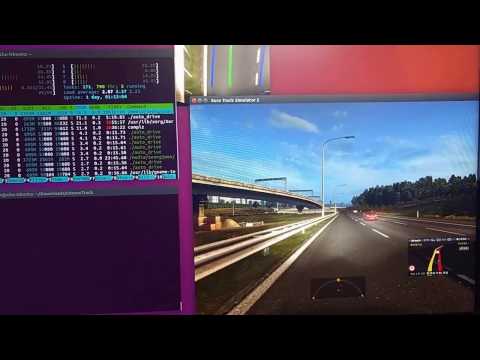
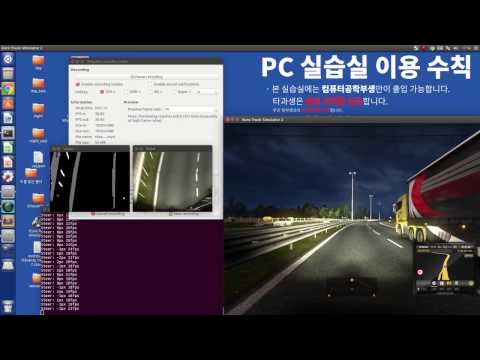
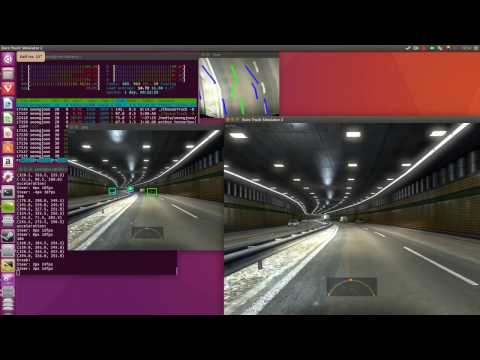
If you have some problems running this project, reference the demo video below. Or, open a issue to contact our team.
Lane Detection (Youtube link)
Lane Detection + Vehicle Detection (Youtube link)
- For better detection performance, Change the Tensorbox to YOLO2.
- The information from in-game screen have Restrictions. Read ETS2 process memory to collect more driving environment data.
-
Chiwan Song, [email protected]
-
JaeCheol Sim, [email protected]
-
Seongjoon Chu, [email protected]
Anyone who is interested in this project is welcome! Just fork it and pull requests!
ChosunTruck, Euro Truck Simulator 2 auto driving solution Copyright (C) 2017 chi3236, bethesirius, uoyssim
This program is free software: you can redistribute it and/or modify it under the terms of the GNU General Public License as published by the Free Software Foundation, either version 3 of the License, or (at your option) any later version.
This program is distributed in the hope that it will be useful, but WITHOUT ANY WARRANTY; without even the implied warranty of MERCHANTABILITY or FITNESS FOR A PARTICULAR PURPOSE. See the GNU General Public License for more details.
You should have received a copy of the GNU General Public License along with this program. If not, see http://www.gnu.org/licenses/.


